


Android is receiving a new, real-time privacy signal. Apps don’t sneak anywhere near us, but in the most recent Android 16 QPR3 beta the system now informs you every time it does, with a literal tap to inspect before and after, letting you know who’s tracking your location and why.
How the new indicator shows active location use
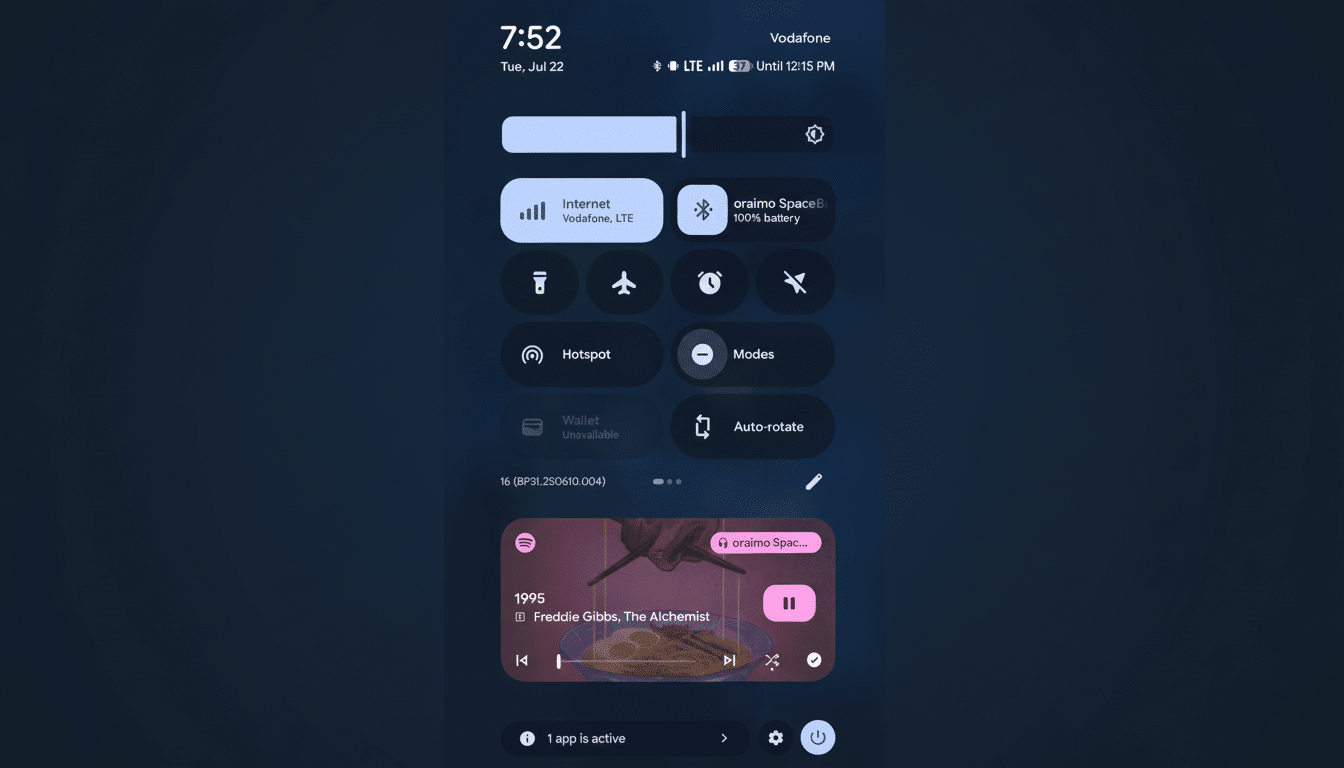
Testers have noted a blue dot next to the battery indicator on the status bar with an inconspicuous map icon. Where there’s an active request to your device for its location, you see the dot; when that request stops (however briefly), the dot disappears. Swiping down will bring up a notification that tells you which app or apps are currently using your location and takes you directly into settings so you can back off that access, or even force stop the process.
The behavior is similar to Android’s own indicators for camera and microphone, which display a little green dot when one of those sensors is being used. If an app has access to both your camera and microphone, for example, and it’s also tracking your location, Android will merge them so you can see all of this in a single line—an at-a-glance look at who gets access to what sensor without wading through menus.
Why this new indicator matters for your privacy
Your phone generates some of the most sensitive data possible. It can disclose home and work routines, visits to health clinics, houses of worship, or political events. Groups such as the Electronic Frontier Foundation have long called for operating systems to provide stronger, more transparent signals about these sorts of activities.
The new indicator essentially turns a passive privacy dashboard into an active, up-to-the-second warning. Instead of learning a few hours later that an app accessed your location, you will know right away — and can respond. The second-to-second loop is likely what changes behavior — people deny permissions for apps that can’t initially justify it. Studies from groups like Pew Research always tell us that users feel they have little control over the data collected about them; visible, actionable signals help to instill a sense of control.
The stakes are big. Android powers more than three billion devices around the world, and a long tail of apps — from weather, to social media, to retail — request location in pursuit of feature abilities and advertising. Reviews from groups including Mozilla’s Privacy Not Included catalog just how frequently that data gets passed on to others. The system-level “this app is using your location right now” prompt is a really simple but powerful check.
What to do when the blue location dot appears
When the blue map dot flashes, pull down the shade to see which app is culpable. From there, you can:
- Set the app’s permission to Allow Only While Using the App, or Ask Every Time.
- Switch from Precise to Approximate location when turn-by-turn accuracy is not required.
- If the app doesn’t need Background Location when not open, don’t use it.
- Tap through to Force Stop or Uninstall if the access seems sketchy.
You can also check the Privacy Dashboard to see when your location, camera, and microphone are being accessed by any app, or use the Location quick settings tile to turn off the radio altogether when you want to leave no trace.
Rollout timing and device support for the feature
The feature is currently live for the Android 16 QPR3 beta on Pixel phones. The new privacy indicator should trickle out widely. As with previous privacy indicators, it’s expected to land widely once the quarterly platform release hits stable. With other phone makers, integration of Google’s system indicators usually doesn’t differ too dramatically, except in visual aesthetic between skins.
And the track record is good: Android’s camera and microphone indicators began with Pixels, then spread throughout the ecosystem.
How this fits into Android’s broader privacy push
Android has incrementally throttled location access in recent releases, including one-time permissions, background access queries, the Privacy Dashboard, and easier toggles for precise vs. approximate location. In addition, Google Play policies mandate a rationale and prominent disclosure for background location, as well as, in certain cases, additional review.
This new measure complements existing response tools by bridging policy and practice. It’s a small UI change that encourages restraint on the part of developers while also giving users immediate context. For years, Apple’s platforms have presented a location arrow while GPS was being used; Android now is following the same familiar pattern while updating the status with its own distinct dot and iconography.
What developers should expect from the indicator
It’s not something you must manually “opt into” — the operating system shows the indicator when your app asks for location.
In other words, unnecessary background pings will be difficult to hide. Best practices include batching requests, using approximate location when precise is not needed, and clearly explaining the value of access at runtime. Apps that hit users with constant location checks tend to see higher uninstall rates and permission revocation.
Bottom line: Android’s new location-use indicator transforms an abstract privacy concept into something you can see, tap, and control in the moment. It’s a little blue dot with big implications for how apps manage one of the most revealing types of data on your phone.
