


An inexpensive AI tool is promising to fix messy meetings. My Notes AI Pro is an iPhone, iPad, and Mac app that provides automatic transcription, instant summaries, and searchable notes for around $30 — with no ongoing fee or monthly limit posted by the seller. For teams hopscotching from call to call, that price-to-capability ratio is the real headline.
The pitch here is simple: record live or upload audio, capture computer call audio on Mac from programs like Zoom, Google Meet, and Microsoft Teams, and create succinct recaps with a list of action items you can share.
One license covers all your Apple things, which adds up to a lot less friction for anybody bouncing between laptop and phone during the workday.
Why an AI note app priced at $30 truly matters
And too many meetings are more than just an annoyance; they’re an economic drag. Doodle’s State of Meetings report found that disorganized meetings are costing U.S. businesses $399 billion per year. Time and again, survey data from Microsoft’s Work Trend Index has shown that workers desire AI to summarize meetings and reduce admin work, and its use is growing as AI becomes infused in daily tools.
Even modest advances in capturing decisions and follow-ups can have an impact on a team’s output. If a global “who said what” summary materializes minutes after a call instead of hours or days, status updates speed up, onboarding gets smoother, and missed commitments become less frequent. In that last sentence is the practical promise here — less time replaying calls, more time executing.
What My Notes AI Pro does and how it actually works
There are two main workflows in the app.
- First, you record in the app during face-to-face or virtual meetings.
- Second, you can upload audio files that already exist.
On Mac, it can also grab system audio from the most common conferencing apps without having to inject third-party bots into your call — anything to keep the setup straightforward and discourage anyone from seeing an odd name listed in the meeting roster.
It transcribes and summarizes the key points, decisions, and action items once you’ve recorded. Notes are searchable and can be grouped into custom folders based on project, date, or client. Exports allow you to drop transcripts or summaries into your project management or CRM tools, a useful connective tissue for sales, recruiting, and customer success teams.
Language support is wide for a consumer app: English, Spanish, French, German, Japanese, Simplified Chinese, Russian, Portuguese, Italian, Dutch, Arabic, and Korean. And that matters for global teams and companies who sell into multiple regions.
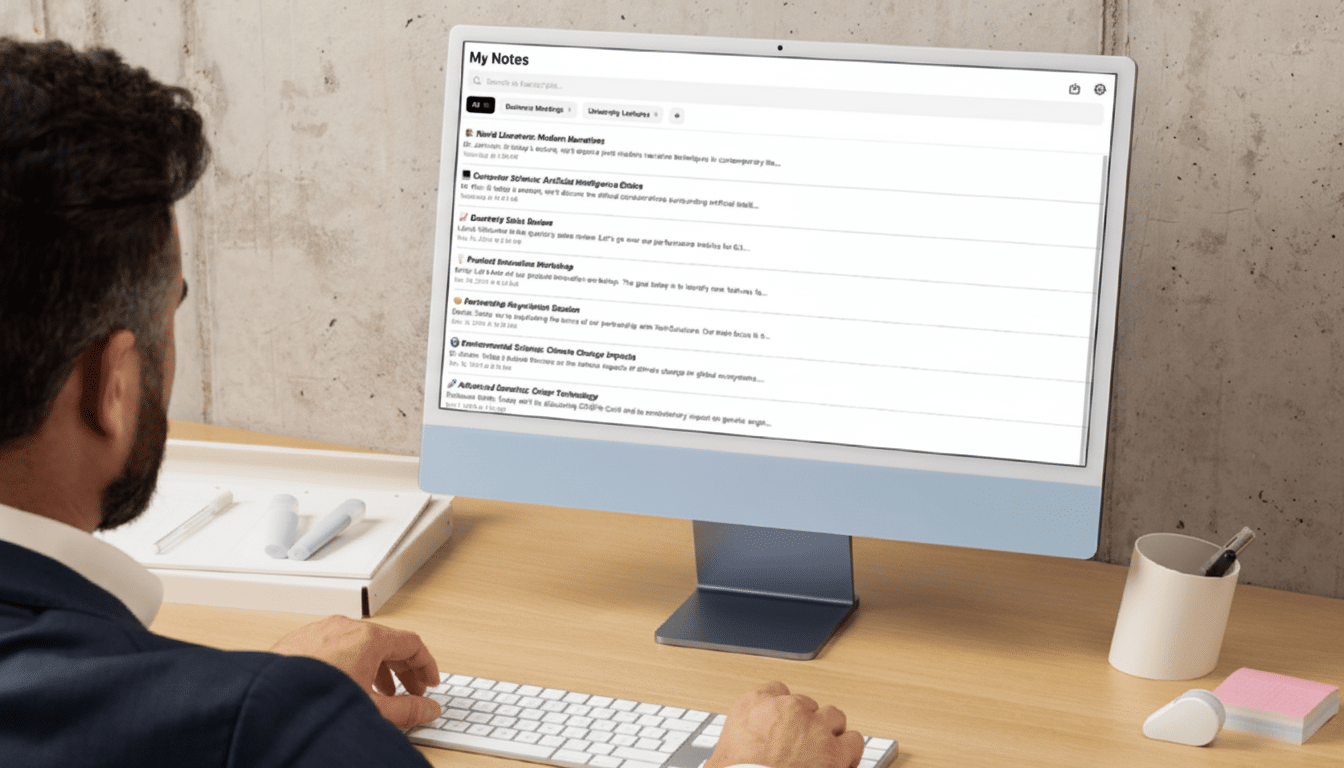
One license covers iOS, iPadOS, and macOS, with current software requirements: iOS 16 or later, iPadOS 16 or later, macOS 13 or later on Apple Silicon (M1, M2, etc.). The Apple Silicon requirement is a big caveat — Intel-based Macs need not apply.
How it compares to competitors in AI note-taking
The standout differentiator is price. Household names in the realm of AI note-taking like Otter, Fireflies, and Notta tend to cost on a monthly basis (with feature-rich versions being $13–$30 per user). In the meantime, enterprise conferencing suites including Microsoft Teams and Zoom now come standard with AI recap features, but accessing them may require specific plans or per-seat pricing. This is rare: finding a ~$30 license with no disclosed monthly transcription limits!
There are trade-offs. My Notes AI Pro is Apple-only, so mixed OS teams might prefer a cross-platform service. It handles the central transcription-and-summary use case, but it doesn’t try to be a full workflow suite with — say — live collaborative editing, analytics, or auto-syncing of task status to every project tool out there, out of the box. For many small teams, that simplicity is a boon; for large enterprises, integrations and admin controls might tip the balance in favor of more established SaaS platforms.
Privacy and accuracy considerations you should review
For any AI recorder, before you start rolling it out, ask these two questions:
- Where does the data live?
- Who can access it?
Look at the app’s documentation to see if it encrypts data and if any processing happens on the device or in the cloud, as well as the identity of any data provider other than the maker of the model. For teams in regulated or heavily monitored industries, they should be hunting for this (like disclosures around compliance frameworks such as SOC 2 or ISO 27001) and ensure usage is governed internally.
Accuracy varies widely depending on the quality of the audio, speakers’ accents, and use of domain-specific jargon. You’ll get the best results in practice with clear mics and as little cross-talk as possible. The benefit of auto-summaries shines in recurring contexts — standups, customer calls, and interviews — where a common framework around decisions and next steps helps minimize rework.
Who should try it and which teams benefit the most
Founders, product managers, recruiters, and salespeople benefit immediately. Think about a weekly client demo recorded on your Mac, summarized in minutes, and filed into a clients folder complete with action items or ready to drop straight into your CRM system. Or a student videotaping a seminar on iPad and exporting a sharp recap for study groups. If you have been skeptical about adding yet another monthly subscription for your meeting notes, this pricing model makes it less of a barrier to try AI in your workflow.
At the low cost of entry, My Notes AI Pro is a quick experiment for some Apple-centric teams that would like to get their documentation down a bit faster and cleaner with only minimal configuration. If it meets your accuracy requirements and fits within your privacy standards, that’s a relatively nominal investment that could save an outsized amount of time throughout your calendar.
