


YouTube is bringing a new reminder of the recap craze to close out the year with its video-viewing Year-End Recap, which compiles your watch history into a shareable snapshot. The experience reveals what you watched the most, which channels commanded too much of your screen time, and how your viewing habits changed throughout the year, along with whimsical “personality” labels and awards on top.
How YouTube’s new Year-End Recap works and what it shows
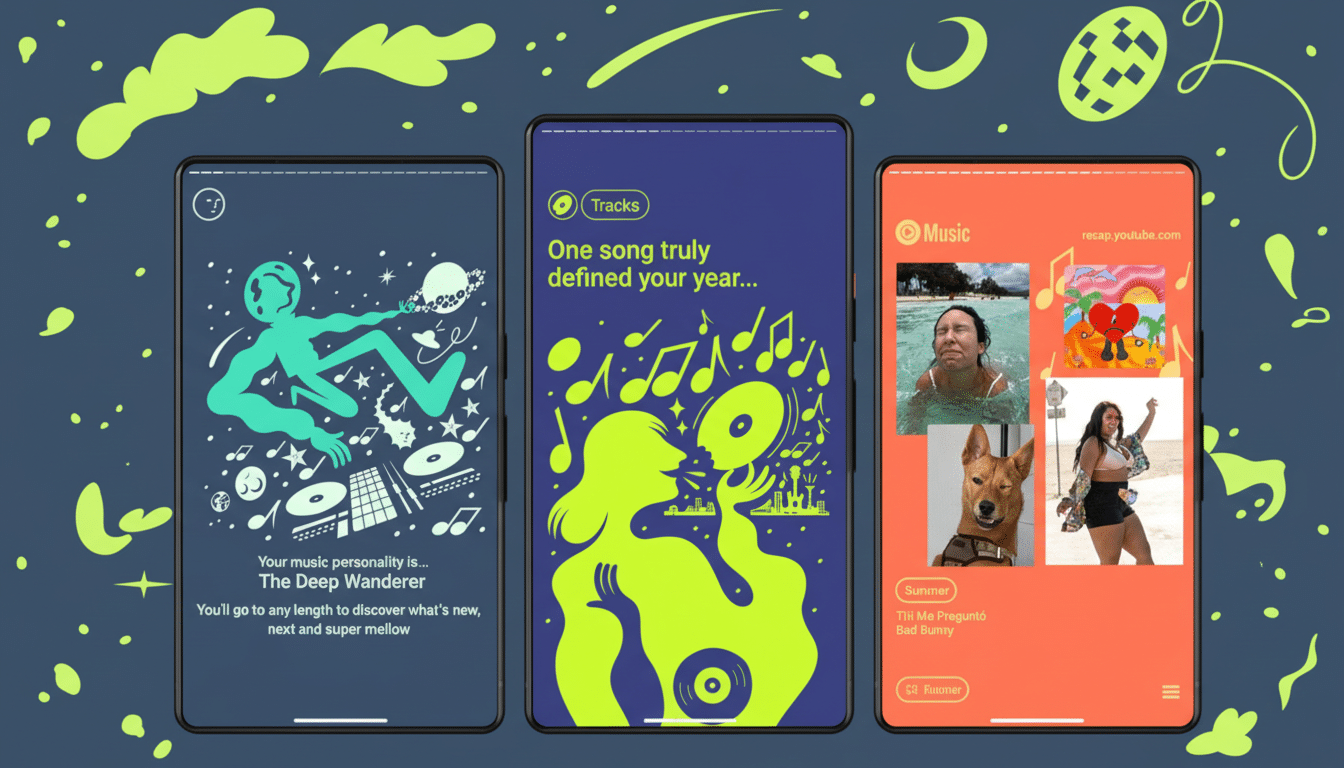
The feature uses your watch history to surface top interests and go-to channels, then it charts how your tastes changed over the year. YouTube says the recap may also include your music-listening behavior when applicable, which is a tip of the cap toward the company’s previous Music Recap for listeners.
- How YouTube’s new Year-End Recap works and what it shows
- What you will see in your personalized YouTube Year-End recap
- Why YouTube’s year-end viewing recap matters for users and app
- How to access your recap and when the YouTube rollout happens
- Privacy, data controls, and how your viewing recap is created
- What the YouTube Year-End recap means for creators and channels
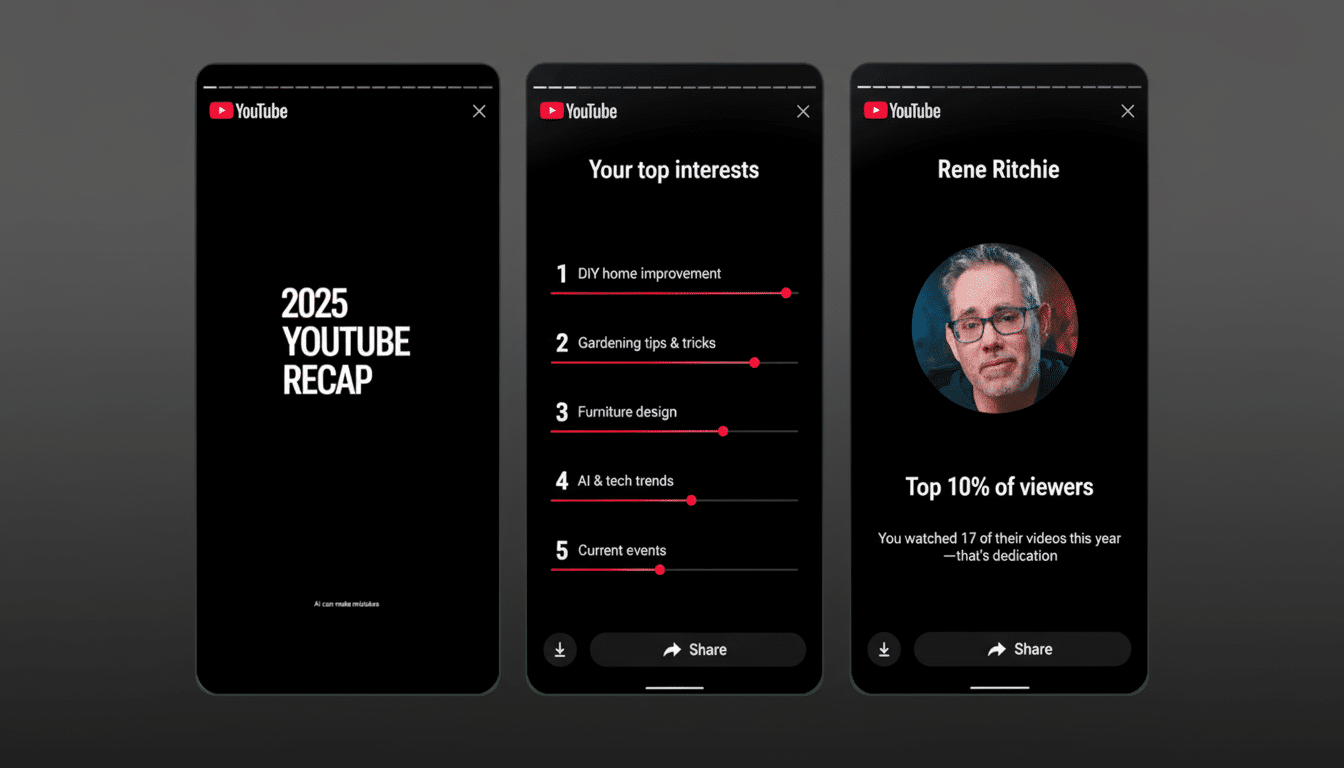
To make the data feel more personal, YouTube labels this with “personality cards” according to what you were drawn toward. Watch tons of tutorials and you might be “The Skill Builder.” Favor upbeat videos and you’re probably “The Sunshiner.” Other candidates that could work include “The Wonder Seeker,” “The Connector,” “The Philosopher,” and “The Dreamer.”
There’s also a charmingly nonsensical award line for your watch history. As YouTube’s chief product officer Johanna Voolich explained, the award is deliberately longer and more playful than a traditional badge—perhaps something like “Most likely to find the perfect workout and a hilarious video to share with friends.” Everything is designed to post on social.
What you will see in your personalized YouTube Year-End recap
Look for callouts for your most-watched creators, categories that rose or fell, and formats you relied on—like long-form videos, livestreams, and Shorts. If you changed which habits you cultivated—say, from DIY in spring to sports highlights in fall—the recap wants to make those switches instantly visible.
The personality cards and award text are there for more than just a laugh. They offer a glimpse of how YouTube is packaging behavioral analysis into digestible, social-optimized content—the way that music streaming services have translated listening data into an annual ritual that users look forward to and share.
Why YouTube’s year-end viewing recap matters for users and app
YouTube is the internet’s leading video platform, and Google said it has more than 2 billion logged-in monthly users. According to the Pew Research Center, about 83% of U.S. adults are on YouTube, and it’s the most popular social platform in the United States. It’s a retention play and reactivation tool for lapsed viewers, turning viewing data into a feel-good end-of-year moment.
There’s also a Shorts angle. Alphabet has said YouTube Shorts already generates tens of billions of daily views, and this summary might be a more personal reflection on the balance between bite-size clips and longer-form videos. For YouTube, emphasizing that cross-format behavior is a strategic boon in an attention-fragmented market of apps and screens.
How to access your recap and when the YouTube rollout happens
You can see the recap in the YouTube mobile app under a Recap banner in the You tab.
On desktop, head to youtube.com/recap. This feature will require you to be signed in to your account.
It’s a staged release that starts in North America and will be followed by the rest of the world. There’s a catch: the recap is seasonal. YouTube says it will only be around until the end of the year, so you’d better grab your graphics before they’re gone.
Privacy, data controls, and how your viewing recap is created
The recap depends on your own watch history, which you control. If you’d rather not take part—or you want to help determine what appears next—know that YouTube also allows you to pause watch history, delete individual videos from your history, clear all history, and watch in Incognito mode. These are your controls in Google Account Activity, and setting them will influence what the recap can surface.
It’s useful to keep the recap in mind as a take-to-the-grid example, but it’s meant for you and yours to share if you wish—nothing is ever posted! That opt-in system mimics shared best practices from other platforms’ year-end features, Ghosh adds, and can go a long way in preserving user trust while still driving social buzz.
What the YouTube Year-End recap means for creators and channels
Look for creators to capitalize on the recap moment, encouraging users to post their cards and tag channels that have been selected. Signal of that sort from the grassroots can be a discovery flywheel: fans share their favorite channels, friends are alerted to them, and creators reap organic exposure without paying for promotion.
For channel strategy, YouTube’s featured data—by format, category, and seasonality—provides a teaser for what viewers are truly spending time watching around the platform. Creators who find their Shorts presence explode, for example, may double down on short-form content as a top-of-funnel to longer videos; and channels that enjoy strong category loyalty can shape their 2026 calendars accordingly.
Bottom line: YouTube’s viewing recap converts a year of passive watching into an active keepsake. It’s fun, it’s shareable, and it pulls the same lever that has proven successful elsewhere—celebrating personal taste while nudging people back into the app for one more look.
