


Microsoft is moving its Cross-Device Resume feature into the Windows 11 Release Preview Channel, signaling that seamless Android-to-PC app continuity—akin to Apple’s Handoff—is nearly ready for prime time. The latest Release Preview builds expand what you can resume on your desktop, including Spotify playback, web browsing sessions, and work in Word, Excel, or PowerPoint.
The feature, which previously showed up in earlier Insider rings, is now packaged in builds 26100.7701 and 26200.7701 (KB5074105) for versions 24H2 and 25H2. When a capability lands in Release Preview, it typically indicates broad availability is close, pending final polish and reliability checks.
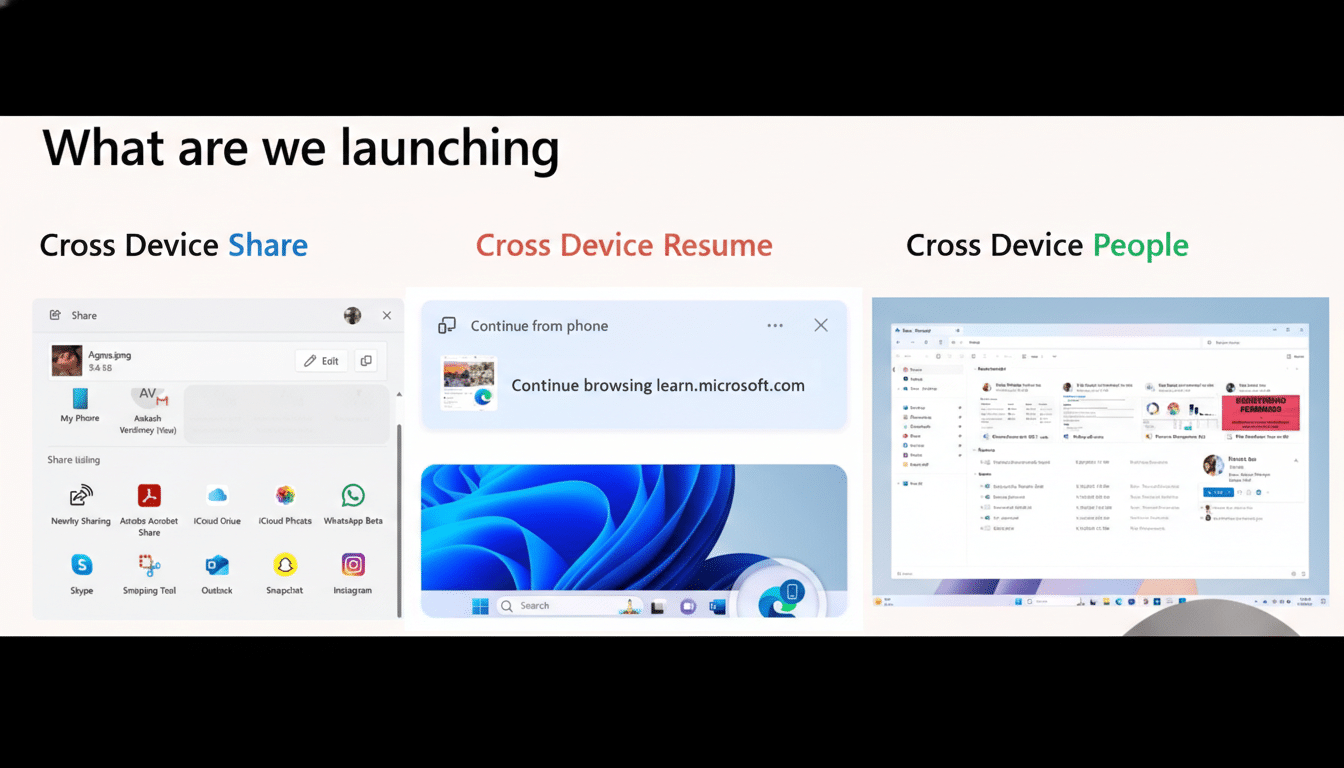
What Cross-Device Resume does across Android and Windows 11
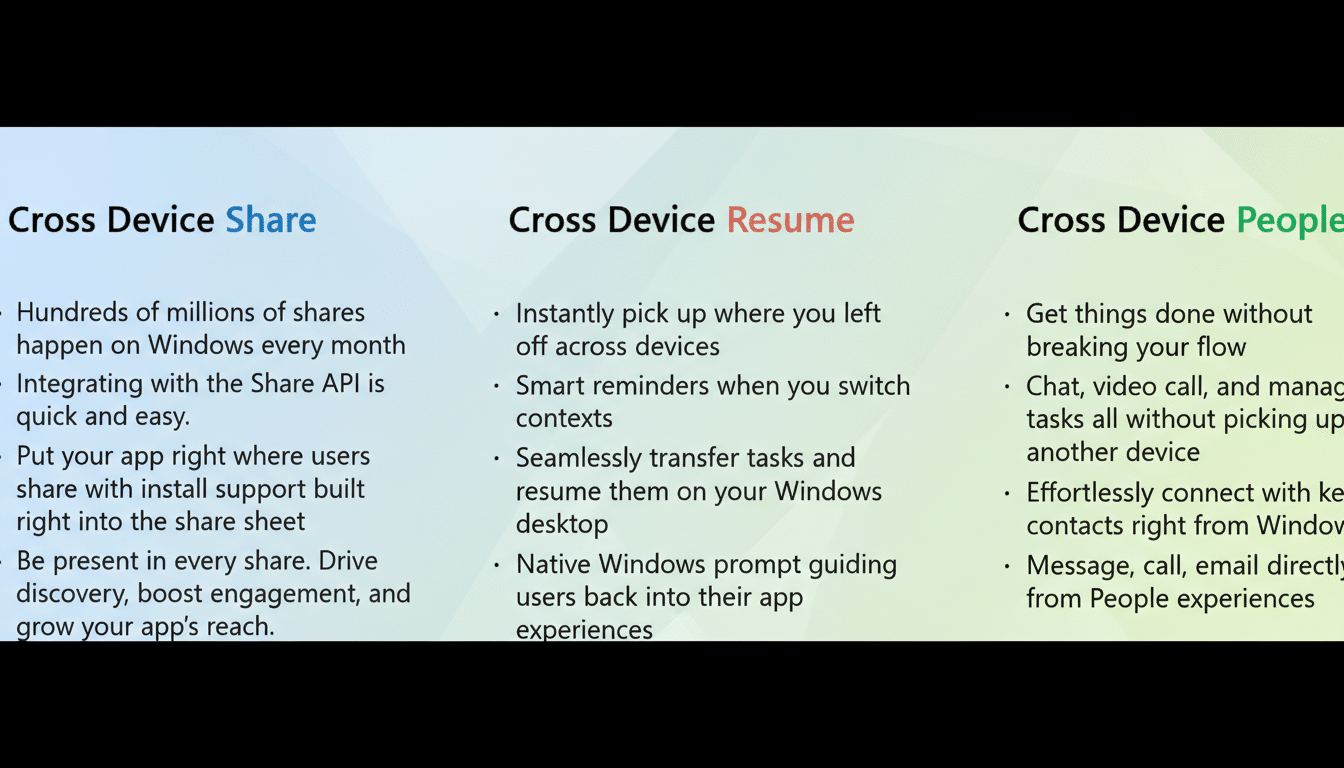
Cross-Device Resume allows you to start something on your Android phone and continue on your Windows 11 PC with minimal friction. If you were listening to a playlist in Spotify, reading an article in your mobile browser, or editing a document in Microsoft 365 apps, Windows can surface a prompt to pick up exactly where you left off when you sit down at your computer.
In practice, this reduces context switching. Instead of hunting for a link, file, or track, Windows presents a clear “continue” entry point pulled from your recent phone activity. The goal is continuity rather than duplication: one flow that follows you across devices.
How it compares to Apple’s Handoff on iPhone, iPad, and Mac
Apple’s Handoff sets the benchmark for cross-device continuity by tightly coupling iPhone, iPad, and Mac through iCloud and a consistent app ecosystem. Microsoft’s approach aims for similar convenience across Windows and the much more diverse Android landscape. Instead of relying on a single vendor stack, Cross-Device Resume taps into the Phone Link framework, app integrations, and account-based signals to infer what you’ll want to resume on your PC.
The early lineup—Spotify, browsing sessions, and Microsoft 365 documents—covers high-frequency tasks. Expect Microsoft to expand support as developers hook into the needed APIs, with messaging, note-taking, and collaboration tools as logical next steps. The big opportunity is scale: Android holds roughly 70% global smartphone OS share according to StatCounter, and Windows remains the dominant desktop OS. Bridging those two worlds meaningfully could benefit a vast number of users.
Who can try it now in the Windows 11 Release Preview Channel
Windows Insiders in the Release Preview Channel can access the update via builds 26100.7701 or 26200.7701 (KB5074105), depending on whether they’re on 24H2 or 25H2. You’ll need Phone Link on your PC, the companion app on your Android device, and both devices signed into the same Microsoft account with notifications and app activity permissions enabled.
Microsoft also bundled a few quality-of-life changes in this flight: you can now turn Smart App Control on or off without a clean install, and a Device card appears on the Settings home page for quicker at-a-glance hardware and account info. These additions suggest the company is steadily smoothing setup and reducing friction for security features and device management.
Why this matters for Windows and Android users and admins
Continuity is becoming a central battleground for platform loyalty. Users increasingly juggle multiple screens throughout the day, and the winning experience is the one that respects context and time. If Windows can consistently recognize what you were doing on your phone and make that activity one click away on your PC, it lowers the barrier to staying in the Microsoft ecosystem for productivity and media.
For enterprises, the potential is equally notable. Streamlined handoffs from mobile to desktop can reduce shadow IT behaviors like emailing files to yourself and can nudge work into managed, compliant apps. That said, organizations will watch for admin controls, clear data handling policies, and auditability before rolling it out broadly.
What to watch next as Release Preview expands availability
With Release Preview availability, the next step is a phased rollout to the stable channel. Key signals to monitor include expanded third-party app participation, reliability across different Android OEMs, and how prominently Windows surfaces resume prompts in the UI without becoming distracting.
Microsoft’s Windows Insider Program counts millions of testers worldwide, and that feedback loop often determines when features graduate to general availability. If momentum holds, resuming Android apps on Windows should soon shift from a promising preview to a daily habit for a wide audience.
