


Reports of a widespread Verizon disruption left many phones reading SOS or No Service, with calls and texts failing across pockets of the US. If you’re still experiencing issues, here’s how to confirm the status in your neighborhood, what the SOS label really means, and the quickest ways to get reconnected.
Is Verizon still down in your area right now?
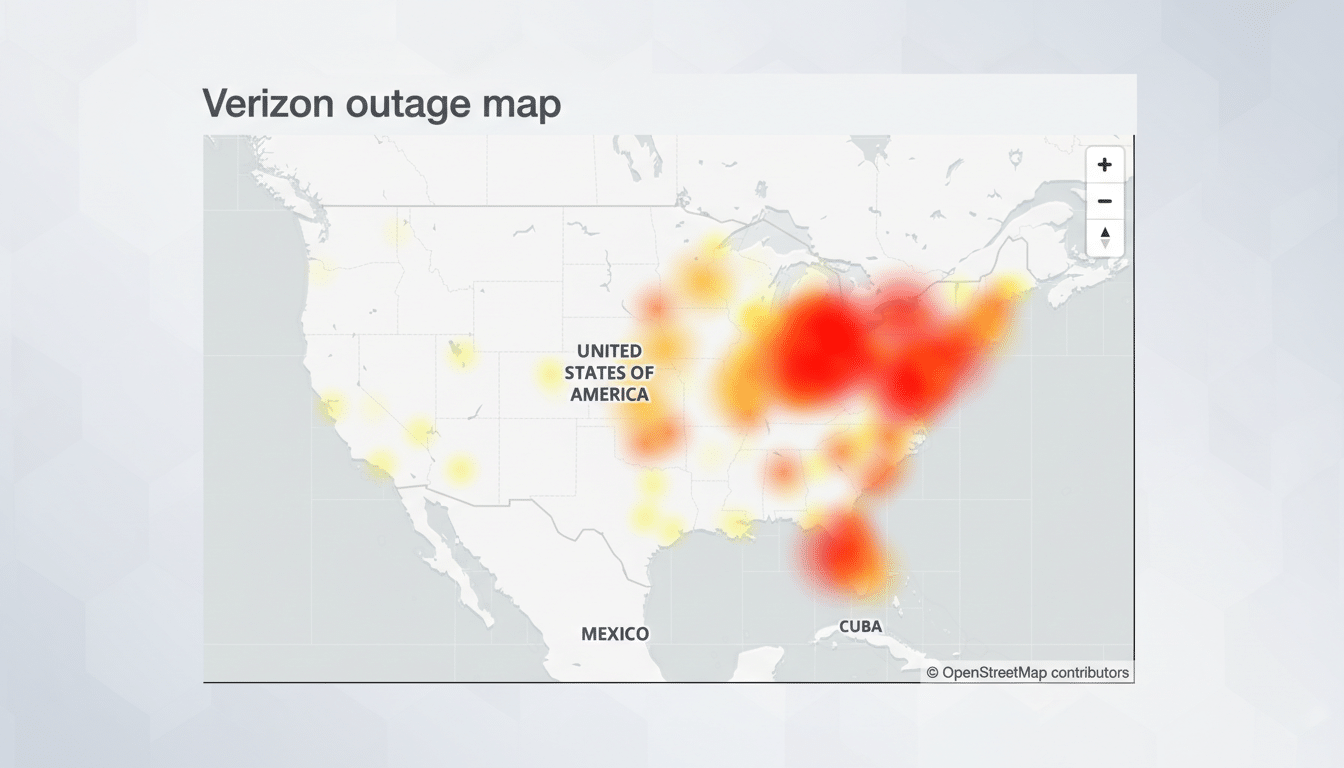
Large carrier outages often resolve in stages. Even after a core fix, some towers and backhaul routes can take longer to normalize, so a friend a few miles away might be fine while you’re not. During recent disruptions, user reports clustered along the East Coast and in major metros like Chicago, Phoenix, and Los Angeles, reflecting how network routing issues ripple beyond a single city.
- Is Verizon still down in your area right now?
- How to check real-time Verizon outages near you
- What the SOS indicator on your phone really means
- Fast Fixes To Try Before Calling Support
- How credits and outage alerts usually work at Verizon
- Why these Verizon network outages happen and ripple
- When to escalate with Verizon support for help
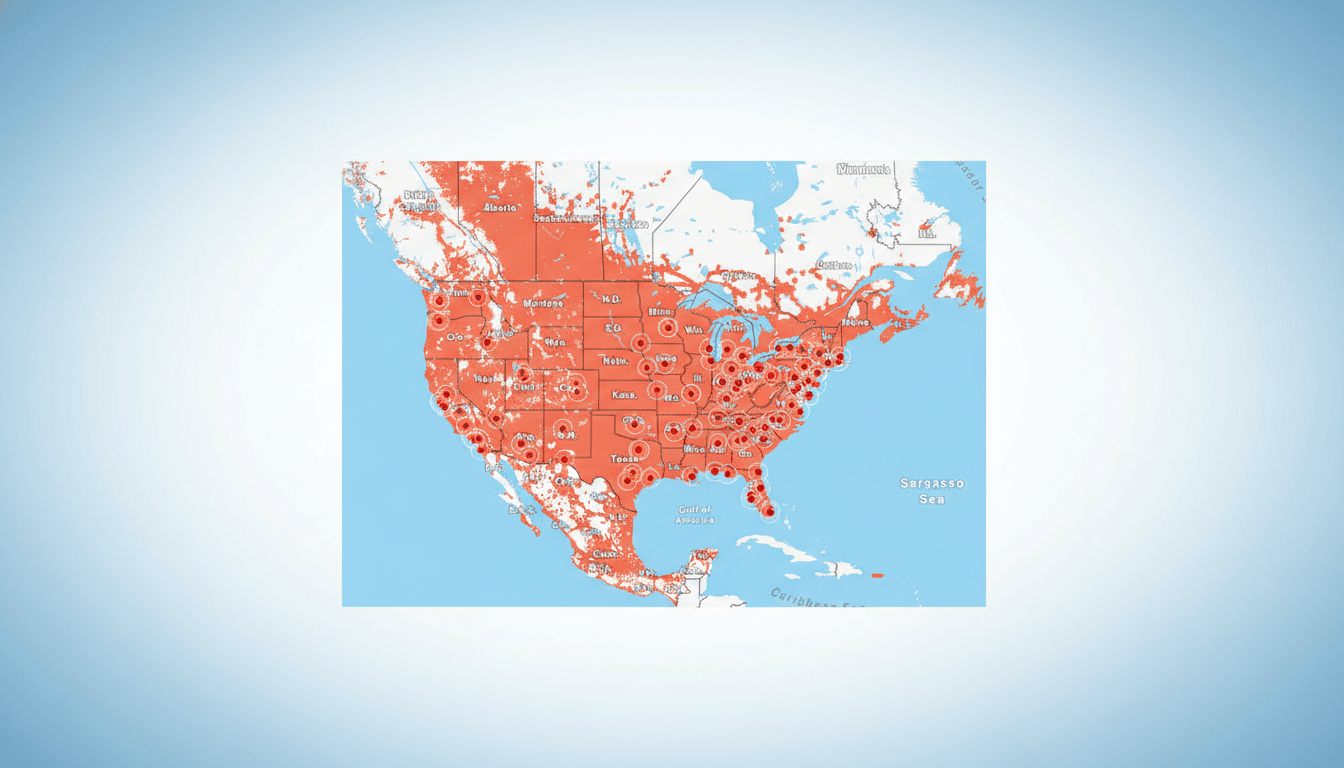
Verizon has acknowledged service problems in similar incidents and has said customers who were affected would receive account credits with details provided directly. If your phone still can’t attach to the network while others nearby can, you may be stuck on a congested or recovering cell sector—use the checks below to verify.
How to check real-time Verizon outages near you
- Verizon network status page: Enter your address or ZIP to see localized service updates and known maintenance tickets. You can also run a device check tied to your line to rule out provisioning issues such as an eSIM hiccup.
- Crowdsourced monitors: Services like Downdetector aggregate user submissions to map where problems spike. It’s not an official source, but sharp increases in reports—especially clustered by city—usually indicate a broader issue rather than a single device problem.
- Local context: If you’re near a recent storm path, power outage, or fiber cut, restoration may lag. The FCC and state public utility updates can offer clues when infrastructure, not just wireless equipment, is affected.
What the SOS indicator on your phone really means
On iPhone, “SOS” or “SOS Only” means your device can place emergency calls on any available network, even if your carrier is unavailable. It does not automatically mean you’re on satellite. “Emergency SOS via Satellite” is a separate feature on newer iPhones that appears only when you initiate an emergency session outdoors with a clear sky view.
On Android, you may see “Emergency calls only” or a similar label. In both cases, your device is not attached to Verizon for regular service but should still reach 911 if a signal from any compatible carrier is reachable.
Fast Fixes To Try Before Calling Support
- Power cycle and reseat the network: Toggle Airplane Mode on for 30 seconds, then off. If that fails, fully restart your phone. This forces a fresh registration to the nearest tower.
- Switch network modes: In settings, try locking to LTE/4G temporarily if 5G is unstable in your area during recovery. Return to automatic once service stabilizes.
- Refresh your line: For eSIM users, ensure your cellular plan shows as active; a quick line reprovision from your account settings can help. For physical SIMs, reseat the SIM after powering down.
- Reset network settings: If only your device is affected while others nearby are fine, a network settings reset can clear corrupted profiles or APN settings. You’ll need to rejoin Wi-Fi networks afterward.
- Use Wi-Fi Calling: If you have broadband, enable Wi-Fi Calling to place and receive calls and texts until cellular service returns to normal.
How credits and outage alerts usually work at Verizon
When a large outage occurs, carriers typically confirm the root cause after restoration and outline credit options for affected accounts. Verizon has previously said credits would be applied and communicated directly to customers after service disruptions. Keep an eye on your account notifications and billing summary; credits may take a billing cycle to appear.
For public transparency, major carriers also coordinate with industry groups such as CTIA and report certain incidents to regulators. While those filings aren’t real-time tools for consumers, they do reflect how significant the event was and what steps were taken.
Why these Verizon network outages happen and ripple
Even on networks that routinely score high for reliability in reports from RootMetrics and Ookla, single points of failure can trigger cascading effects—think fiber cuts, software updates gone wrong, power disruptions, or peering issues. Because mobile traffic is dynamically routed, a fault in one region can degrade service hundreds of miles away until routes are rebalanced.
When to escalate with Verizon support for help
If official status pages show no outage in your area but your device stays on SOS after the steps above, contact Verizon support from another line. Provide your address or nearest intersection, device model, and whether other lines on your account are affected. Ask the agent to check for tower tickets, line suspensions, or IMEI/ESN mismatches that can block registration.
Bottom line: verify with an official status check, use crowdsourced data for context, understand what SOS indicates, and try quick network resets. Most customers see service return as sectors recover, and account credits are typically issued when disruptions are confirmed.
