


Millions of Verizon customers saw their phones flip to SOS and lose service as a major wireless outage disrupted calls, texts, and data. The carrier says engineering teams mitigated the disruption and attributes the incident to a software issue, not a cyberattack. Credits will be issued to affected accounts, and customers still having trouble are being urged to restart devices.
Why Your Phone Shows SOS and What the Indicator Means
On iPhone, the SOS or SOS Only indicator means your device can’t connect to your carrier’s network, but it can still attempt emergency calls using any available cellular network. Apple’s support guidance underscores that SOS is a fallback for emergency calling when your normal service is unavailable.
- Why Your Phone Shows SOS and What the Indicator Means
- What Verizon Says and the Software Issue Behind It
- How Widespread the Verizon Outage Was Across the U.S.
- What You Can Do Right Now to Restore Service Faster
- Why Carrier Outages Happen on Modern Software-Defined Networks
- Impact on Businesses and Essential Services During Outages
- The Bottom Line: What SOS Means and How to Reconnect
Android typically displays Emergency Calls Only in similar situations. The key point: SOS is not a hack warning or a special alert. It’s the phone telling you that regular service is down, yet emergency access may still be possible.
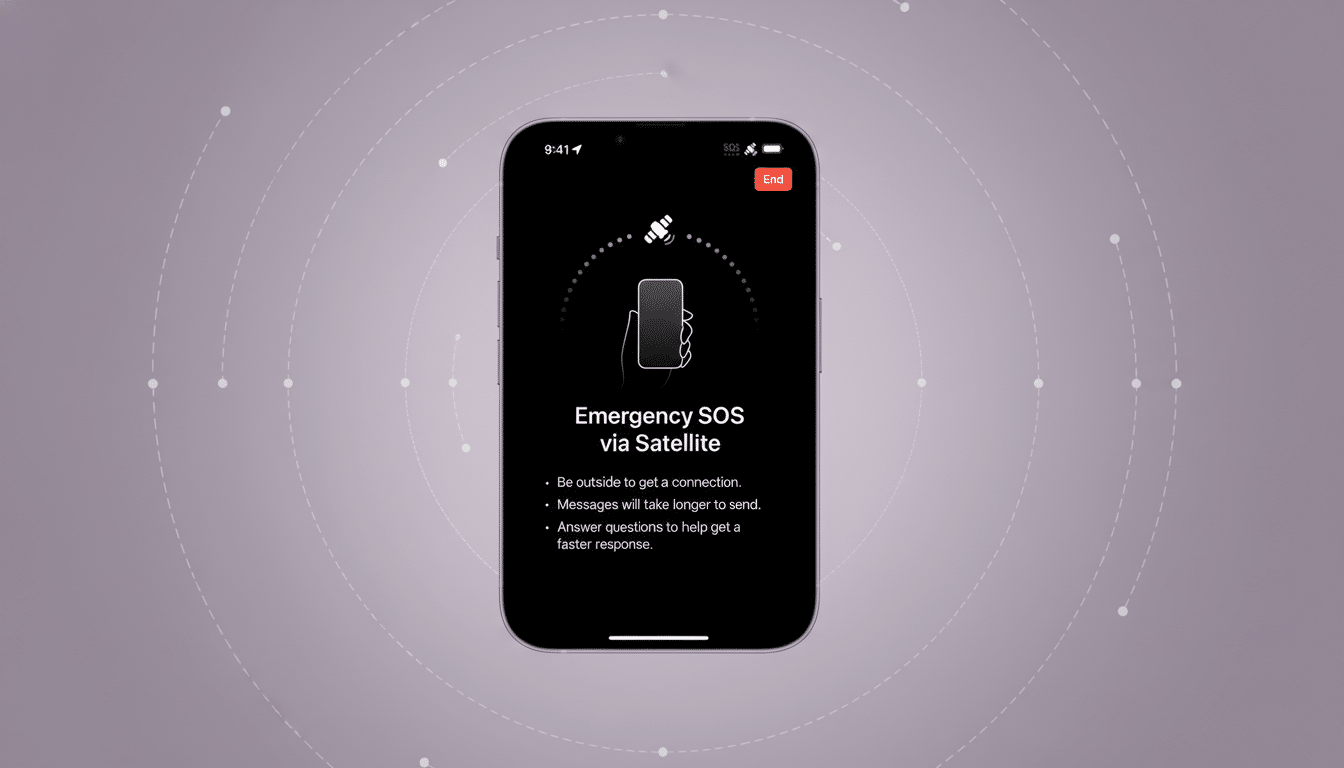
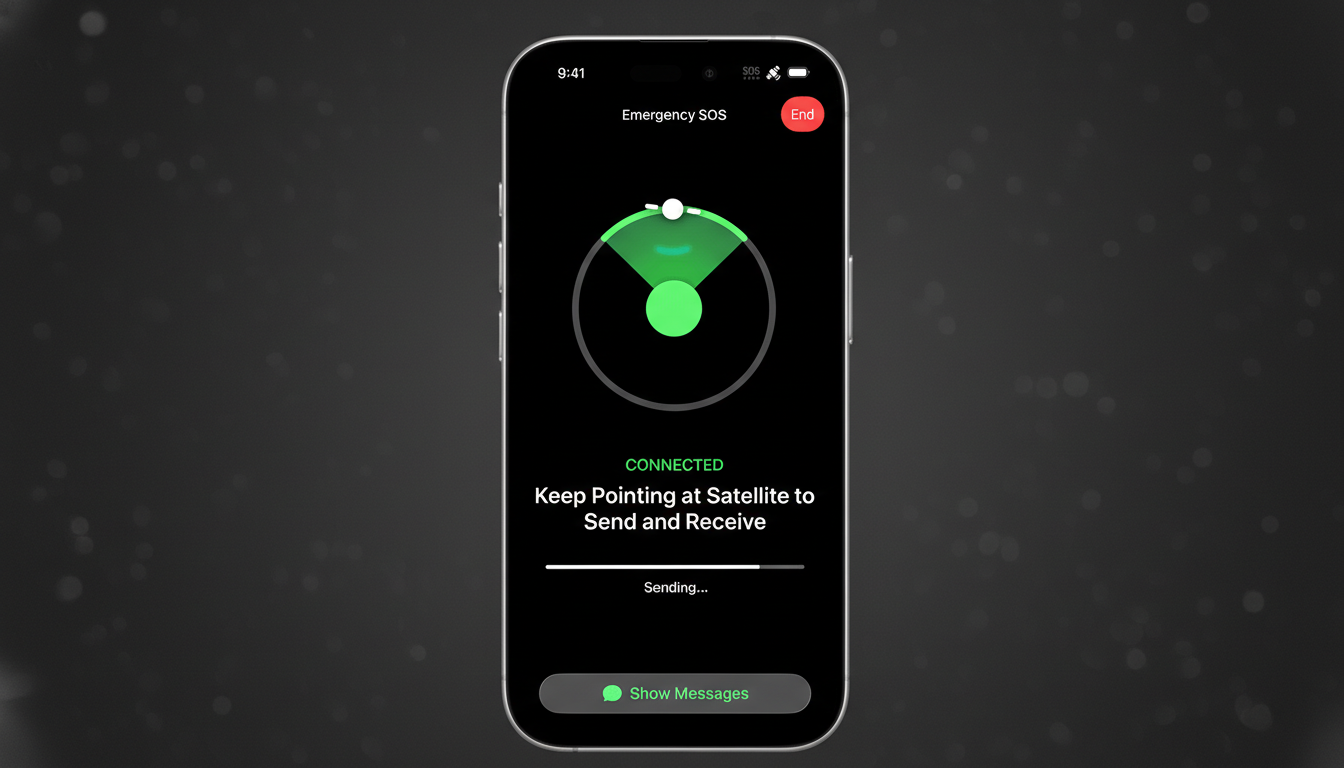
One caveat: newer iPhones also offer Emergency SOS via satellite in select regions when no cellular or Wi‑Fi service exists. That is a separate feature with a guided on-screen workflow and applies only when conventional networks are unavailable.
What Verizon Says and the Software Issue Behind It
Verizon acknowledges the disruption and says it stemmed from a software problem. The company indicates there’s no evidence of malicious activity. Service restoration progressed in phases as engineers made changes in the core network.
The carrier says it will apply bill credits for customers who were impacted. If your device remains stuck in SOS or can’t register on the network even after restoration, Verizon recommends a reboot and checking for carrier settings updates.
How Widespread the Verizon Outage Was Across the U.S.
Real-time outage tracker Downdetector recorded well over 1 million problem reports at the peak, with totals surpassing 1.7 million as users piled in. Reports clustered in major metro areas but appeared nationwide, consistent with a core-network or software fault rather than a localized fiber cut.
Spikes also appeared for other carriers on Downdetector, which often happens during a single-carrier failure as people try alternative networks or experience cross-network calling issues. T-Mobile said its network remained operational during Verizon’s disruption. The Federal Communications Commission noted the outage and monitored for impacts to 911 services, as is standard during significant telecom incidents.
What You Can Do Right Now to Restore Service Faster
- Toggle Airplane Mode for 30 seconds, then turn it off to force a fresh network attach.
- Power-cycle your phone. After major network incidents, a reboot often clears stale registrations and reconnects your SIM or eSIM.
- Check for carrier settings updates in your phone’s settings. These small updates align your device with network changes and can resolve lingering connection issues.
- Enable Wi‑Fi Calling if available. This routes calls and texts over your broadband connection while cellular service stabilizes.
- Do not place test calls to 911. If you have an actual emergency, dial immediately; otherwise, rely on non-emergency lines and official status pages for updates.
Why Carrier Outages Happen on Modern Software-Defined Networks
Modern carrier networks are software-defined and highly distributed. A flawed software rollout or misconfiguration in the core—think authentication databases like HSS/UDM, session management, or IMS for voice over LTE/5G—can cascade quickly, preventing phones from registering even when radio signals are strong. That’s why users see full bars yet can’t call or browse.
Verizon has previously attributed brief disruptions to software issues, and other carriers have made similar disclosures after large incidents. Redundancy and rollback procedures exist, but the sheer scale of national networks means a single bad change can trigger widespread symptoms before safeguards fully contain it.
Impact on Businesses and Essential Services During Outages
Beyond individual users, outages hit mobile point‑of‑sale terminals, telematics, and security systems that rely on LTE/5G backups. Some businesses kept operating over Wi‑Fi, while field operations and delivery services reported delays where cellular connectivity is essential. Public safety typically retains multiple pathways, including roaming for emergency calls, but agencies still review any disruption for 911 effects.
The Bottom Line: What SOS Means and How to Reconnect
If your phone shows SOS, your carrier connection is down, but emergency calling may still be available. Verizon says a software issue was to blame and is issuing credits. Most customers should reconnect after a reboot or carrier settings update; use Wi‑Fi Calling as a bridge while the network fully stabilizes.
