


If you consider contacts as an afterthought, you’re short-changing yourself in productivity. Your address book is the quiet backbone of your phone, email and other apps: It makes everything you use more personal. Today I am going to share some of my favourite contact apps on all platforms — plus a customisation I’ve implemented using AI — in terms of speed, privacy, and real-world usefulness.
The stakes aren’t small. Google is reporting Android on over 3 billion active devices; Apple has said it has more than 2 billion active devices. That’s a whole lot of people trying to wrangle names, numbers and notes across ecosystems. The best tools will make your data consistent, searchable and portable without locking you in.
- Android pick: Contacts+ balances speed and privacy
- Linux pick: KDE Kontact and KAddressBook for power users
- macOS pick: Apple Contacts for seamless integration
- Windows pick: Outlook People for Microsoft 365 users
- Build your own with AI: Airtable as a custom contact manager
- How I evaluate a great contacts app: criteria that matter
- Bottom line: the best contact apps by platform and needs

Android pick: Contacts+ balances speed and privacy
Contacts+ strikes a chord between simplicity and strength. Adding an entry is quick, but the app provides workable fields for those that matter — photos, multiple emails and numbers, social profiles, nicknames, tags and birthdays — without becoming cluttered. You can keep everything strictly on-device if you’re privacy-minded, or sync to the cloud for use across multiple devices.
The professional plan gets business card scanning (100 cards a month), multi-account sync (five accounts), bigger address books (to 25,000 contacts) and more regular updates. At about $120 per year, it’s not cheap; the ad-supported free version is quite usable, and I’m surprised by how unobtrusive the ads are. For those who aren’t quite ready to dive into workspace integration with the stock app, Contacts+ offers a cleaner, more manageable alternative.
Linux pick: KDE Kontact and KAddressBook for power users
On Linux, it’s the KDE Kontact suite — especially KAddressBook — that is still the power user’s preference. It communicates using open standards such as vCard and CardDAV, offers the possibility to integrate with various vendor-specific communication devices, enables users to specify arbitrary sets of properties for a contact, or lets you use it together with KMail and KCalendar in its single unified interface. That standards-first approach matters — an independent international consortium maintains the vCard and CardDAV specifications, guaranteeing long-term portability.
Caveat: As a KDE app, it drags along a bunch of KDE libraries on non-Plasma desktops. If you run GNOME, or a stripped-down window manager (or any desktop that runs and contains WebKit), then use the web interface of your CardDAV provider instead if, for some reason, you don’t want to depend on these extras while still abiding by data standards.
macOS pick: Apple Contacts for seamless integration
Apple’s built-in Contacts has restraint that is model-worthy. It’s speedy, lovely to look at and neatly tied in with Mail, Messages, FaceTime, Maps and Siri. You can indicate whether a contact is a person or company, add multiple addresses and URLs, insert pronunciation or notes — all while syncing everything to iCloud and using clever deduplication.
What sends it over the top is reliability. It has native integration, which means fewer surprises and better support for system-wide permissions and backups. For the vast majority of Mac users, switching from Contacts adds complexity with no appreciable return.
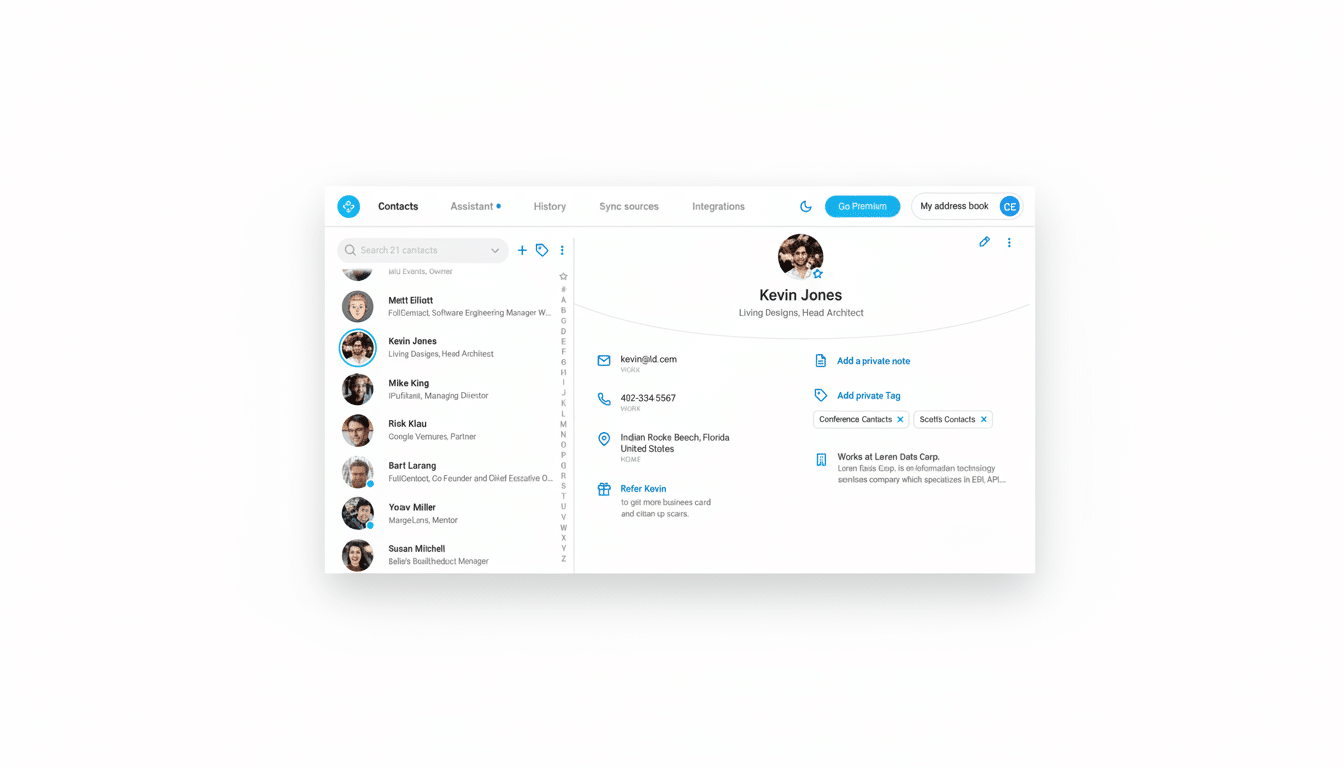
Windows pick: Outlook People for Microsoft 365 users
For Windows users, the People hub in Outlook is arguably the utility to use — especially if you’re deep into Microsoft 365. It unifies Exchange, Outlook.com and third-party accounts, does a good job of deduping, and integrates well with Calendar and Teams. And an optional integration with LinkedIn can auto-enrich profiles based on job titles and photos, which is super handy if you’re the kind of business user who meets new contacts every week.
Power tip: Make contact lists for project teams and pin them. Outlook’s search includes names, companies and domains, which makes for more efficient outreach during those packed weeks.
Build your own with AI: Airtable as a custom contact manager
If you want more control, Airtable allows you to create a custom contact manager with AI in the driver’s seat within minutes. I sketched out a schema — people and companies as separate tables, relationships between them, tags, deal stages, activity logs and a “last touched” field — then used Airtable’s AI assistant to construct the base, views and forms. It created a clean UI, automated dedupe checks, and suggested rollups that I didn’t even think of.
It’s designed to work across the web and as a mobile app, complete with role-based permissions and automations for reminders and enrichment. You can get on board with the free plan and add premium automations as you grow. Note for Linux users: no native desktop app, but the web app is solid and offline-lite with caching; just know that your automations will need to be online.
Why it matters: what sets this contact app apart is that it shaves away friction in the flow of your job — whether that’s sales, hiring, contracting — instead of making you fit a one-size-fits-all approach.
It is an antidote to vendor lock-in: you control the schema, and you can export your data at any time.
How I evaluate a great contacts app: criteria that matter
- Portability: Support for vCard and CardDAV is a must-have. Standards lower the switching costs and simplify backups.
- Privacy: Choose where to store your notes (on a device or in the cloud), with accessible permission requests and granular sync controls. For sensitive needs, local-first with encrypted backups is the best option.
- Quality-of-life choices: fast global search, one-click dedupe, business card scanning that doesn’t butcher names, and activity fields like “last contacted.” (There are small touches — intelligent company grouping, phonetic fields that break down your words into sound cues for you — that would save you hours over the course of a year.)
Bottom line: the best contact apps by platform and needs
For Android, select Contacts+; for Linux, KDE Kontact; for macOS, Apple Contacts; for Windows, Outlook People. If you care about having the most flexible functionality across all surfaces, make your own in Airtable with AI support. No matter which route you take, make sure standards, privacy and fast search are at the top of your list — and trust that your future self (and next great project) will thank you.
