


Eden, the Switch emulator for emulating Nintendo Switch games to play on your PC, has been updated once again with another impressive update! Version 0.0.4 — 9 months ago
- Improvements for better user experience and smoother performance.
- Fixed crashes in Y applications (they didn’t like when lower data was added).
- Some more behind-the-scenes optimizations.
News source: https://www.patreon.com/posts/edens-mirror-v0-28011055_DL
DL source: Please log in or register to see this link.
The update isn’t a groundbreaking overhaul, but the Eden project’s public changelog notes that it introduces an experimental Switch‑esque overlay and expands platform support between Android, macOS, and the fledgling Windows on ARM operating system.
What’s New in Eden v0.0.4: Features and fixes
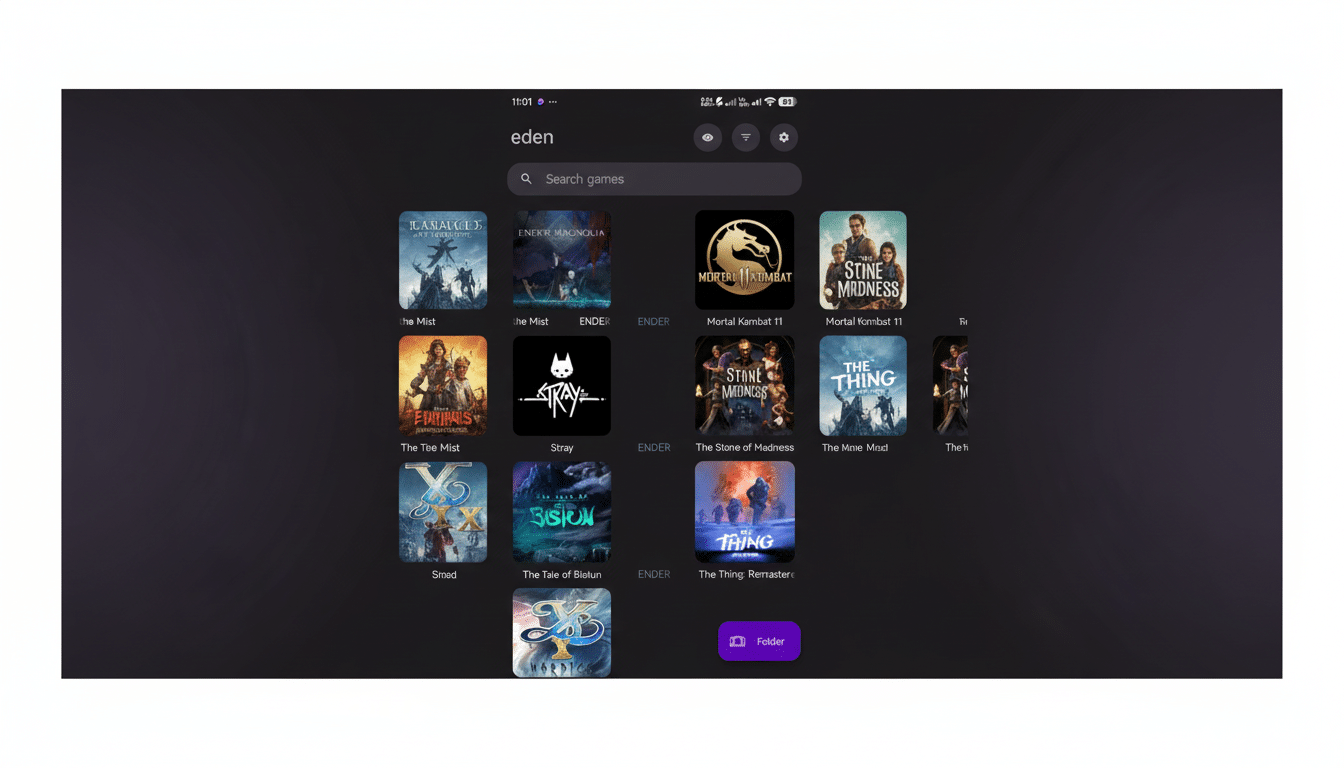
The most obvious addition is a system-like overlay that you can activate with a long press of the Home button. It’s a small change with a big usability payoff, allowing players to access emulator options without having to drop back to the app shell, something of a common friction point in mobile emulation.
Under the hood, across-the-board performance gains, better settings behavior, and crashes/leaks fixed are highlighted.
We’ve also had a go at squashing more oddities related to handling graphics, which were affecting the visuals of some popular games. In reality, that ought to work out into more consistent frame pacing and, no doubt, less interference from shader-related hitches.
Android sees notable quality-of-life changes. The setup flow is easier, the APK footprint is smaller, and a couple of legacy performance toggles have been removed as they’re no longer needed. Users on midrange phones and storage-constrained devices in particular might benefit from that combo by allowing Eden to be deployed more quickly and tuned with less fiddling.
Platform reach is expanding, too. Eden is also enhanced for those on macOS, with early builds available for Windows on ARM as well, and a new Android x86_64 target “designed to support Chromebooks and some systems running Intel-based Android devices.” Some of these builds are still tagged experimental, but they’re a clear indication that Eden’s developers are reaching beyond simply supporting Android and PC.
Why Performance Fixes Are So Important for Emulation
Switch emulation is primarily CPU scheduling, GPU drivers, and shader compilation juggling. If an emulator boots a game, frame pacing can wobble if shader caches miss or memory management stalls. Knocking down those bottlenecks typically ekes out bigger perceived gains than raw jumps in frame rate — less stutter, fewer micro-pauses, a more consistent feel.
That’s particularly the case on Android, where GPUs differ regardless of whether you’re running Adreno or Mali hardware, and background system activity can spike at inopportune moments. Eden’s simplification of settings (not to mention exorcising deprecated toggles) helps avoid user errors and simplifies the journey toward a “good enough” default in what is still a fragmented device landscape.
On desktops, laptops, and servers, the macOS improvements in Monterey suggest a further culmination of strategy with Windows-on-ARM builds: relying less on translation layers to get good native performance on modern chipsets. And seeing how ARM laptops are gaining more traction, having an easier emulation path there can potentially widen the available systems for “Switch-class” work.
Early Impressions and Real-World Impact of v0.0.4
Community testers are saying menu navigation feels smoother, scene transitions cleaner, and rendering hiccups fewer in visually demanding games. Each game operates in slightly its own way, but the collective fixes found in v0.0.4 mark a step to lessen the “two steps forward, one step backward” rhythm that users sometimes experience between updates.
For Chromebook owners, the new Android x86_64 build could be quite beneficial, especially if you happen to have a model with good integrated graphics. Furthermore, macOS users on Apple Silicon should be able to expect a more consistent setup experience, and early Windows-on-ARM adopters now have the option to give Eden a try without relying on unqualified workarounds.
It’s also in the details worth mentioning: less is more. A lighter APK and saner defaults can have more impact than a flashy flagship feature. When the setup friction is lower, more users actually try out the emulator as intended, and the feedback loop speeds up and helps developers fix edge-case bugs faster.
What to Watch Next in Eden’s Ongoing Development
In the future, ongoing focus on shader compilation paths, driver quirks, and memory management — three known sources of large stability wins for Switch emulation over time — will provide continuous performance increases. Some cursory Googling for app developers that were working with the new tools only turned up developer-written notes on public GitHub repos, talking heads in YouTube videos, and high-level overviews from Asimov devs.
For now, v0.0.4, meanwhile, is a fine enhancement: less crashing, better visuals, and broader device support, all complemented by an overlay that makes Eden feel more console-like. If you haven’t tried Eden for a while — perhaps other builds were too slow or difficult to set up — then this release is the best excuse yet to try Eden again.
