


Spotify just tackled one of the biggest pain points in audiobooks: jumping between a printed page and the matching moment in audio. The new Page Match feature lets you scan a page from a physical book or an ebook and instantly sync to the corresponding spot in the audiobook, or go the other direction from audio back to the right page. It’s a small-sounding upgrade with a big quality-of-life impact for readers who split their time between listening and reading.
What Page Match Does and How It Works for Readers
Page Match aligns a book’s text with its audiobook narration. Open an audiobook on Spotify, tap Page Match, and use your phone’s camera to scan a page from your print book or e-reader. Spotify identifies your position and cues the audio at that point, so you can pick up without hunting through long chapters or guessing timestamps.
- What Page Match Does and How It Works for Readers
- How to Use Page Match to Switch Between Formats
- Availability and Supported Audiobook Titles on Spotify
- Print Books Are Coming to Spotify Through Bookshop.org
- Why Page Match Matters for Audiobook and Print Fans
- Troubleshooting and Tips for Better Page Match Scans
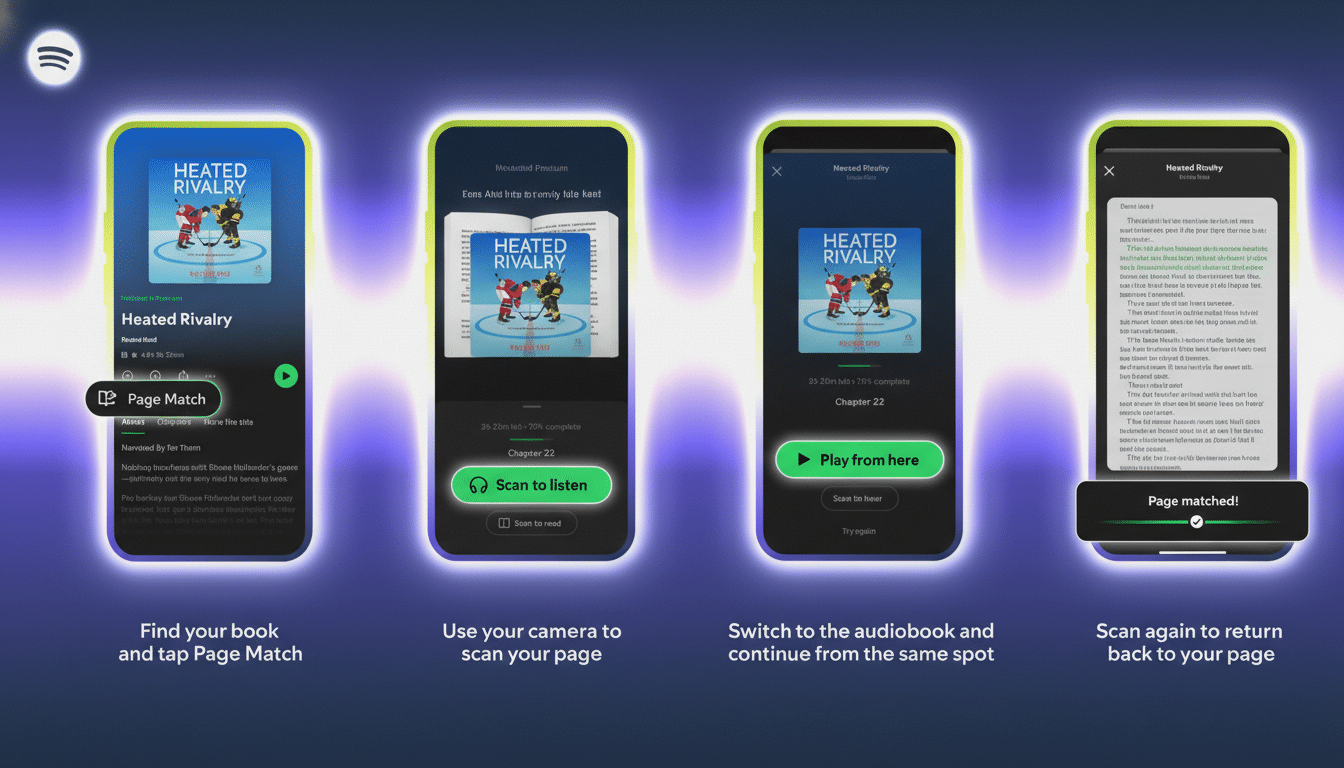
The feature works in both directions. If you’ve been listening on a commute and want to switch to the print edition at home, Page Match can scan any page and guide you to the exact spot you left off, even if the chapter is lengthy or the edition has slightly different layout quirks.
How to Use Page Match to Switch Between Formats
To jump from print or an e-reader to the audiobook, open Spotify and search for the title’s audiobook. Tap the Page Match button, choose Scan to Listen, and grant camera access if prompted. Aim the camera at the page you’re reading. Spotify will confirm the match and offer Play From Here or Save For Later.
To move from Spotify’s audiobook back to your book or ebook, tap Page Match while listening and select Scan to Read. Point your camera at any page in the book. Spotify uses that page to orient itself and will steer you forward or backward to the precise paragraph you heard last.
For the cleanest scan, make sure the page is well lit, hold the book steady, and fill the frame with text. The tool can read e-ink or tablet screens too, though glare or low contrast can slow recognition.
Availability and Supported Audiobook Titles on Spotify
Spotify says Page Match is available for most English-language audiobook titles. Premium subscribers can start using it right away, with availability expanding to more listeners soon. If you don’t see the option yet, keep your app updated and check back as the rollout continues.
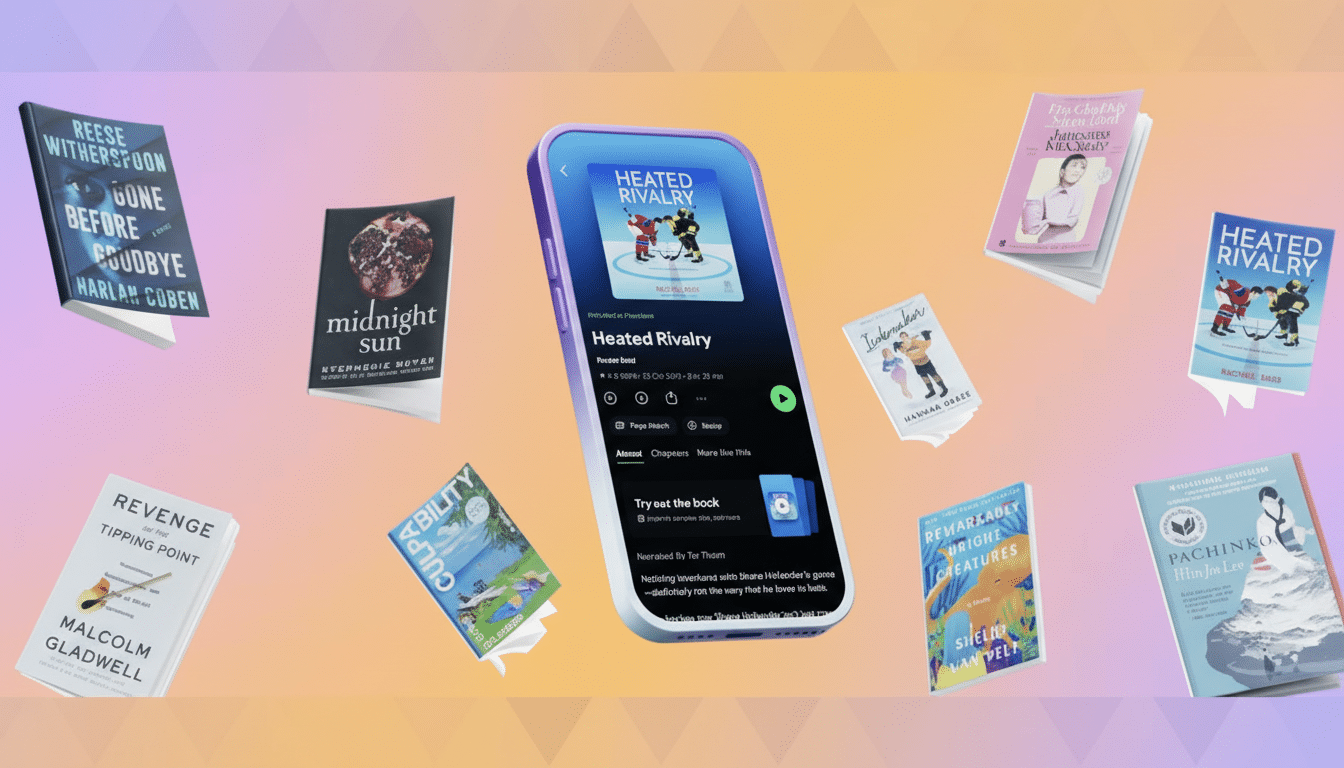
The feature dovetails with Spotify’s broader push into audiobooks, which includes a monthly allotment of listening hours for Premium members in many markets. By reducing the friction between formats, Page Match makes those hours more useful, especially for big novels and nonfiction titles with hour-long chapters.
Print Books Are Coming to Spotify Through Bookshop.org
Spotify is also adding a way to buy physical books directly in the app through a partnership with Bookshop.org, an online marketplace that supports independent bookstores. The option will launch first in the US and UK, and eligible titles sold in Spotify will have audiobook editions available alongside print. It’s a smart pairing: discover, purchase, and then switch fluidly between formats without leaving the platform.
Why Page Match Matters for Audiobook and Print Fans
Seamless switching solves a real-world problem. Many listeners alternate between audio on the go and print at home, but syncing locations across formats has been tedious. Page Match cuts the friction to almost zero, which should reduce drop-off and increase completion rates for long-form books.
The timing fits a growing market. The Audio Publishers Association reports that US audiobook sales have risen for more than a decade, including a roughly 10% jump in 2022. And according to NPR and Edison Research, spoken-word audio now accounts for about 31% of daily audio time in the US, reflecting sustained demand for narrated content. Tools that eliminate small hassles often have outsized effects on how—and how much—people read.
Troubleshooting and Tips for Better Page Match Scans
If a scan doesn’t lock on immediately, adjust the distance, avoid shadows, and try a page with more text. Some titles or editions may not be fully supported yet; when that happens, Spotify will simply let you know Page Match isn’t available for that specific book. You can also re-scan as you move between sections to keep your place tight.
One last note: Page Match requires camera permission while scanning, and you can change that in your device settings anytime. With that enabled, switching between print and audio becomes as simple as pointing your camera and pressing play.
