


Google quietly switched on a camera inside Snapseed, and after a week of shooting with the new iOS mode, I’m convinced this belongs on Android immediately. It’s a rare case of a familiar app unlocking a genuinely fresh way to shoot, blending tactile, film-forward aesthetics with manual control in a way that avoids the clinical feel of most mobile camera apps.
What the Snapseed Camera Gets Right on iOS
The first surprise is how analog it feels. Instead of burying features behind layers of menus, Snapseed puts core exposure tools front and center and makes them behave like a real camera. There’s a single, satisfyingly responsive dial to adjust ISO, shutter speed, and manual focus, and the metering logic behaves like a priority mode on a mirrorless body—nudge ISO up, shutter compensates; slow the shutter, ISO follows to keep exposure stable. It’s intuitive in seconds if you’ve ever spun a command wheel on a Fujifilm, Nikon, or Canon.
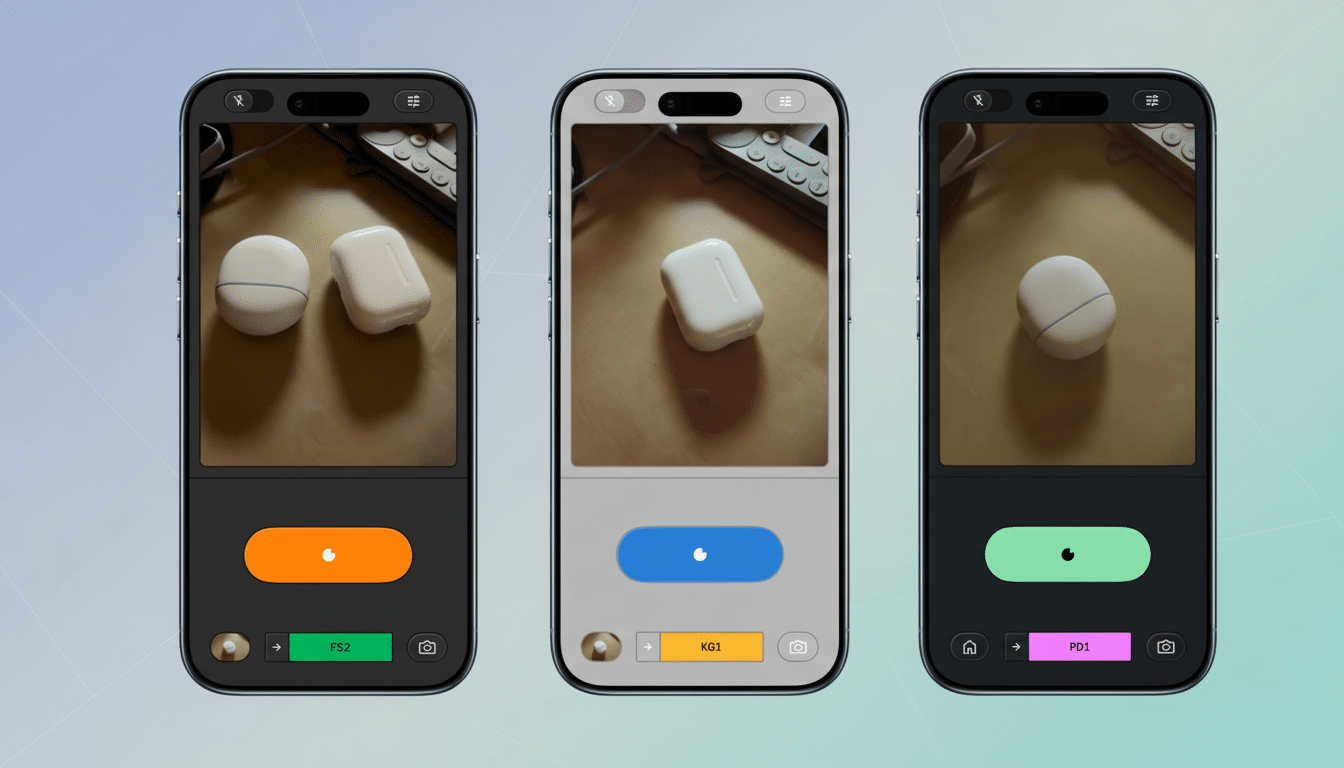
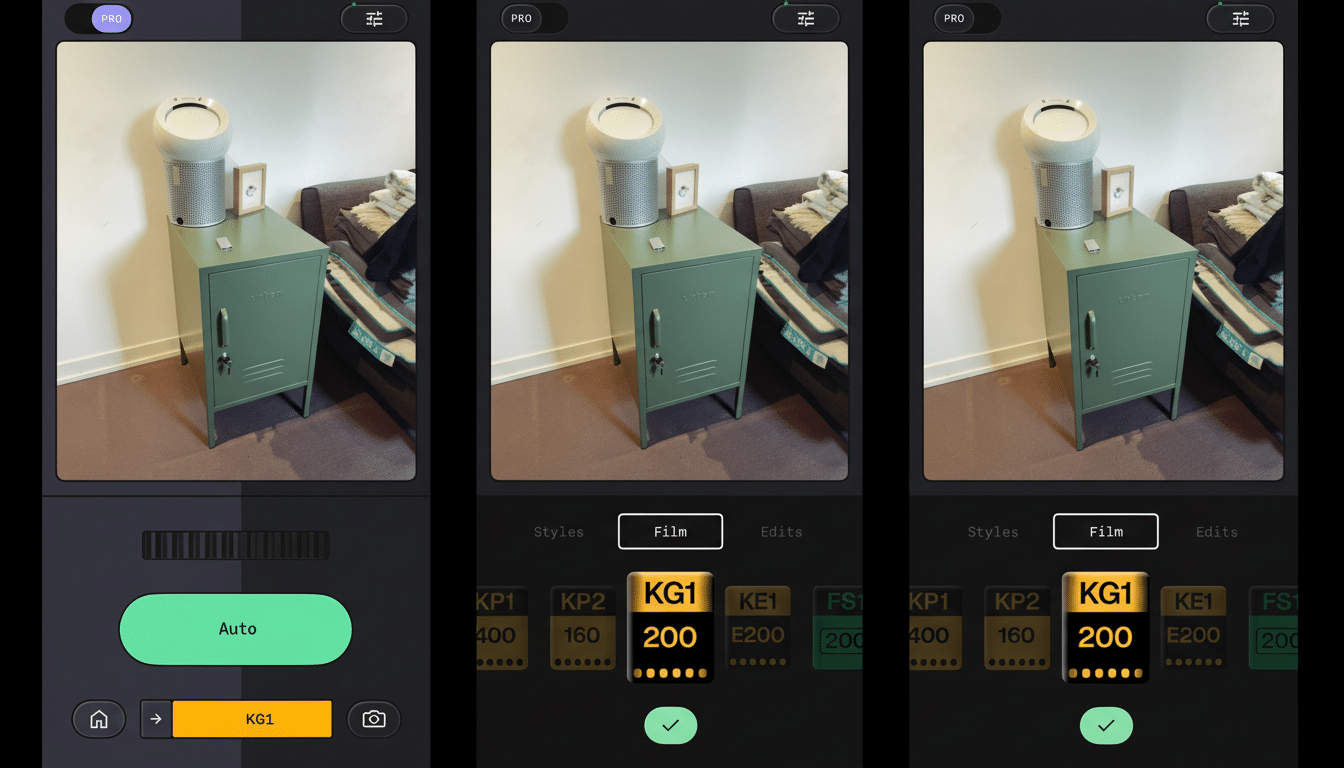
Then there are the film simulations. Snapseed’s emulations of Kodak Portra and Gold, Fujifilm Superia, and Agfa’s black-and-white palettes hit a sweet spot: not slavish replicas, but convincing character straight out of camera. If you already chase “film-like” color in Lightroom or apply presets to every shot, this trims steps from your workflow. Compared to Apple’s Photographic Styles—which mostly nudge tone curves and white balance—the Snapseed looks feel more deliberate and cinematic, less like a gentle filter and more like a choice.
Critically, you can switch looks between frames. That’s the mobile advantage over loading a roll of Portra and committing for 36 exposures. Shoot one frame in a warm, low-contrast profile for skin tones, then jump to a punchier, grain-forward black-and-white for architecture. It makes experimentation frictionless, which is exactly what a phone camera should be doing in 2026.
Where the Snapseed Camera Still Feels Like Beta
Discovery is rough. You don’t see the camera until you open any photo to edit; only then does the camera toggle reveal itself. It’s a clever nod to Snapseed’s editing-first roots, but it’s also easy to miss. A clearer entry point on the home screen would help new users get shooting faster.
Manual focus is powerful but unforgiving. I couldn’t find focus peaking, zebras, or a histogram—tools that apps like Halide and ProCam offer to make precise shooting easier. Without focus highlights, nailing moving subjects is hit-or-miss, and the lack of a grain preview means you’re committing to a look before you fully understand its texture. None of these are deal-breakers, but they’re the kind of pro touches that would elevate this from fun to formidable.
Why Android Needs Snapseed’s Camera Yesterday
Android is where Snapseed’s camera could really stretch its legs. According to StatCounter Global Stats, Android powers roughly 70% of smartphones worldwide, and Snapseed already has 100M+ installs on Google Play. Flip the camera switch on Android and you don’t just add a feature—you instantly seed a new shooting style across one of mobile photography’s largest communities.
There’s also a computational upside. Pair Snapseed’s film-forward intent with the image pipelines on leading Android devices—periscope zoom stacks, multi-frame HDR, and the latest AI-assisted denoising—and you get a compelling hybrid: characterful output without sacrificing reach or dynamic range. The idea of shooting a Portra-inspired look at 10x or stabilizing a 30x night scene while preserving a filmic palette plays right into Android hardware advantages, especially on devices known for long-range zoom.
Yes, tuning for countless sensors and ISPs is a heavier lift than shipping on a handful of iPhone models. But Google owns both Snapseed and the computational photography playbook. If any team can normalize behavior across wildly different cameras while preserving a consistent “film” feel, it’s the one that popularized Night Sight and Super Res Zoom.
A Better Android Workflow With Google’s AI Tools
The other reason an Android build matters is workflow. Snapseed’s camera plus Google Photos’ Magic Editor is the one-two punch mobile shooters want: craft a look at capture, then make fast object removals, sky tweaks, or recomposes in Photos, and finish with precise local edits back in Snapseed. Apple’s Clean Up feature is improving, but it still struggles with complex backgrounds where Magic Editor tends to fare better in side-by-side comparisons from independent reviewers and creators.
That loop—shoot, refine, finish—should live on the same platform without awkward app-hopping or format compromises. On Android, Google controls more of the chain, which could mean smarter defaults, metadata handoffs for non-destructive edits, and better preservation of the film simulations’ intent when computational adjustments kick in.
Bottom Line: Snapseed’s Camera Belongs on Android
Snapseed’s new camera nails something rare in mobile photography: it makes you want to slow down and make choices without burying you in menus. It’s fun, fast, and full of character—already a staple on my iPhone. Now it needs to jump to Android, where a massive user base, mature computational pipelines, and Google’s own AI editing tools could turn a promising idea into a platform-defining camera experience.
