


Snapchat is rolling out Arrival Notifications, a new safety and coordination tool that automatically alerts trusted friends when you reach a chosen destination. The feature builds on last year’s Home Safe option by expanding beyond “home” to anywhere you specify, from a campus building to a weekly practice, removing the need to send a manual “made it” message.
What Arrival Notifications Do and How They Help Friends
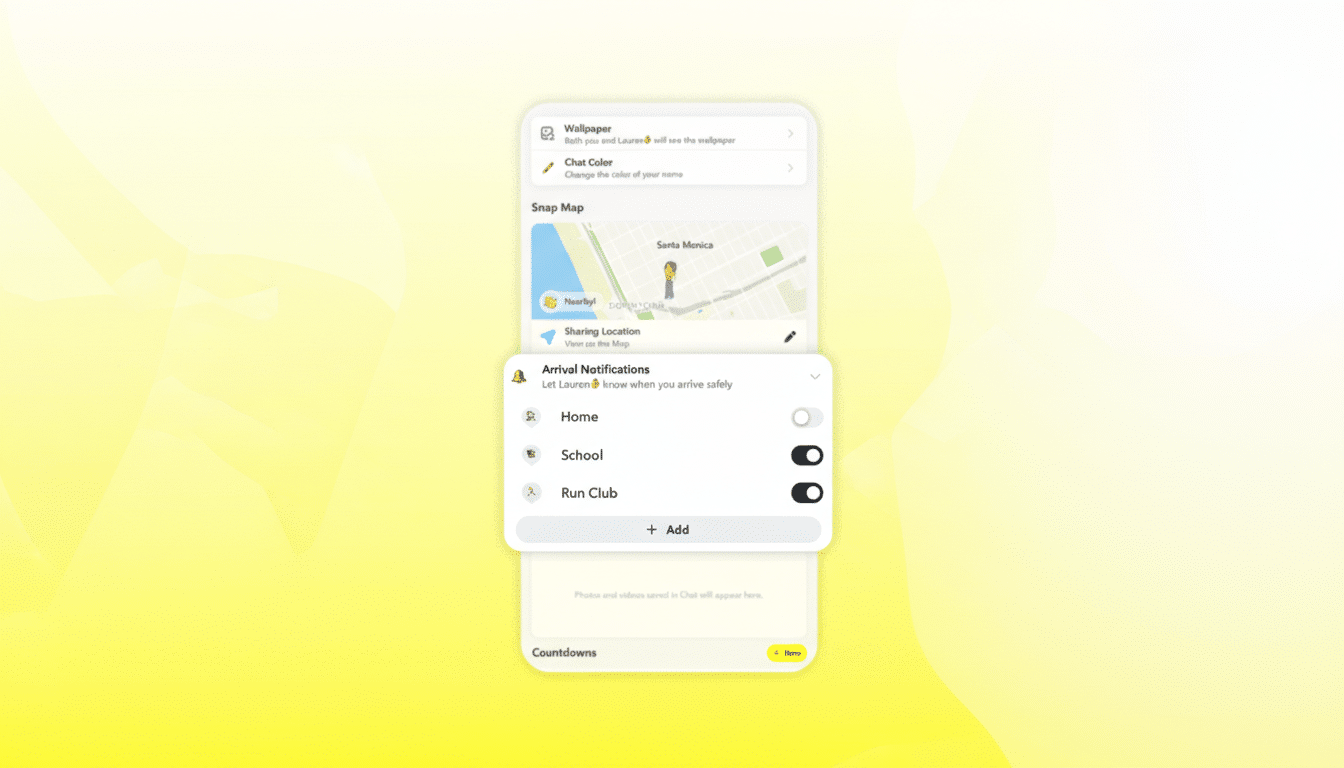
Arrival Notifications let you set one-time or recurring alerts tied to a place you pick on Snap Map. Think “let my roommate know when I get back to the hotel each night” or “notify my friend when I reach Thursday’s lab.” One-time alerts are ephemeral, expiring once triggered or after 24 hours if you don’t arrive. Recurring alerts run on your chosen cadence—useful for routines like classes, practices, or shift work.
- What Arrival Notifications Do and How They Help Friends
- How Snapchat Arrival Notifications Work Step by Step
- Privacy and Safety Controls for Snap Map Arrival Alerts
- Why Arrival Notifications Matter for Snap Map Users Now
- Under the Hood: Everyday Use of Snapchat Arrival Alerts
- What to Watch Next for Snap Map and Arrival Notifications
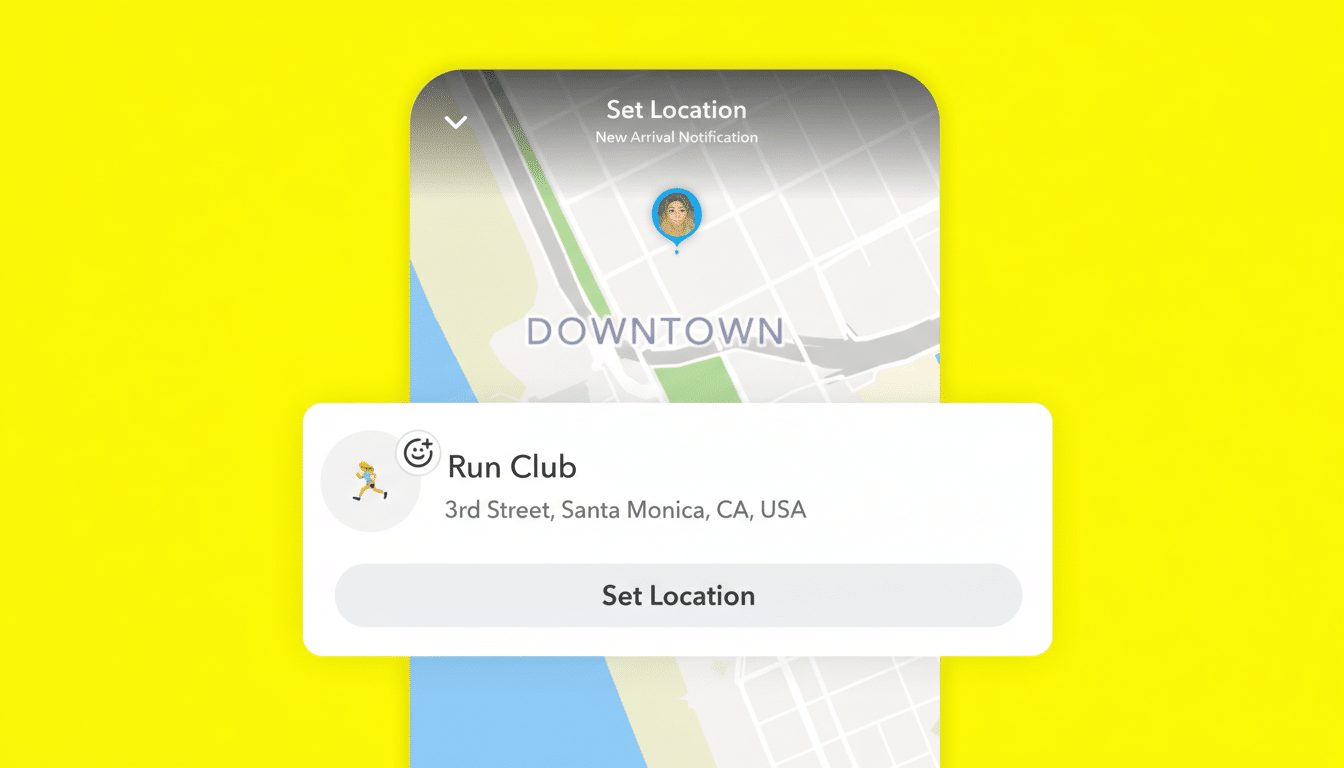
Crucially, alerts only go to people you already share location with on Snapchat. Nothing is public. The feature is intended for lightweight peace of mind: quick check-ins without opening a chat or remembering to tap a button after a commute, ride, or evening out.
How Snapchat Arrival Notifications Work Step by Step
Start by sharing your location with a trusted friend. From their friendship profile, scroll to Arrival Notifications. Pick a spot on the map, label it—say “Run Club,” “Studio,” or “Piano Lessons”—and choose whether the alert is one-time or recurring. When Snapchat detects you’ve entered that area, your friend receives an automatic arrival message.
Location sharing on Snap Map is off by default. No one can see where you are or get an alert unless you opt in. You can pause or stop sharing at any time, adjust who sees your location, or rename and remove saved places as plans change.
Privacy and Safety Controls for Snap Map Arrival Alerts
Snapchat layers this feature atop its existing privacy framework: per-friend controls, Ghost Mode, and granular location sharing. Arrival alerts respect those settings and don’t broadcast beyond the people you choose. If you remove a friend or toggle off sharing, alerts stop immediately.
For users wary of oversharing, event-based check-ins are a middle ground. Instead of constant background visibility, friends get a single signal that you reached a destination, then nothing more. That design aligns with guidance from digital safety advocates who recommend limited, context-specific sharing over persistent tracking.
Why Arrival Notifications Matter for Snap Map Users Now
Snap Map has quietly become one of Snapchat’s stickiest utilities, with the company previously noting more than 400 million monthly active users. Tying arrival alerts to that footprint turns everyday destinations into useful signals: parents can get confirmation after a late practice, roommates know a traveler made it back to the hotel, and classmates can see that a study partner arrived at the library without a flurry of texts.
The move also positions Snapchat more directly against incumbents in location awareness. Apple’s Find My already supports notifying friends when they arrive or leave a place, and Life360 popularized geofenced alerts within families. Snapchat’s edge is cultural and contextual: it’s woven into friend-to-friend communication and daily routines for a large youth audience, an advantage noted frequently by researchers like the Pew Research Center, which consistently ranks Snapchat among top platforms for U.S. teens.
Under the Hood: Everyday Use of Snapchat Arrival Alerts
Arrival detection typically relies on phone-level geofencing APIs from iOS and Android, which use Wi‑Fi, cellular signals, and low-power location cues to minimize battery impact. Accuracy can vary in dense urban areas or large campuses, so labeling a building or entrance closest to where you actually arrive tends to improve reliability.
Real-world examples are straightforward: set a recurring alert for your weekly seminar so your study group knows you’re on site; create a one-time alert for a rideshare drop-off after a concert; or set a nightly hotel alert while traveling with friends in different rooms. Because the alerts are opt-in and reversible, you can tailor them to trips and routines rather than keeping continuous location visible.
What to Watch Next for Snap Map and Arrival Notifications
Arrival Notifications hint at a broader roadmap where Snap Map becomes a context engine for real-world coordination. Group arrivals, time-bound check-ins for events, or smarter recommendations tied to saved places would be natural extensions. For now, the feature adds a simple, privacy-conscious layer to staying in sync—one that fits neatly into how Snapchat’s audience already communicates.
