


Skylight is broadening beyond digital photo frames with the release of Calendar 2, a reimagined family organizer that combines a simplified view and software to help tame modern household logistics. Announced at CES, the new display fills the gap between the company’s original 15-inch calendar and the larger 27-inch Calendar Max, as well as ushers in a new look with swappable frames to better match home decor.
What’s new in Calendar 2 and how it improves planning
The hardware itself is intentionally plain, but the design work here is characteristic: a slimmer profile, an even cleaner set of bezel lines, and interchangeable frame options that make it feel less like a gadgety thing that lives in your house and more like something that will always be there. And like past Skylight fixtures, it also functions as a photo frame when not in use; the family hub becomes hanging art rather than a dormant tablet on the counter.
- What’s new in Calendar 2 and how it improves planning
- AI-driven unified scheduling across calendars and apps
- Beyond events: meal planning, grocery lists, and to-dos
- Built for kids and busy parents with simple shared tools
- Traction to date and how Skylight fits the category context
- What to watch next as Calendar 2 rolls out to families
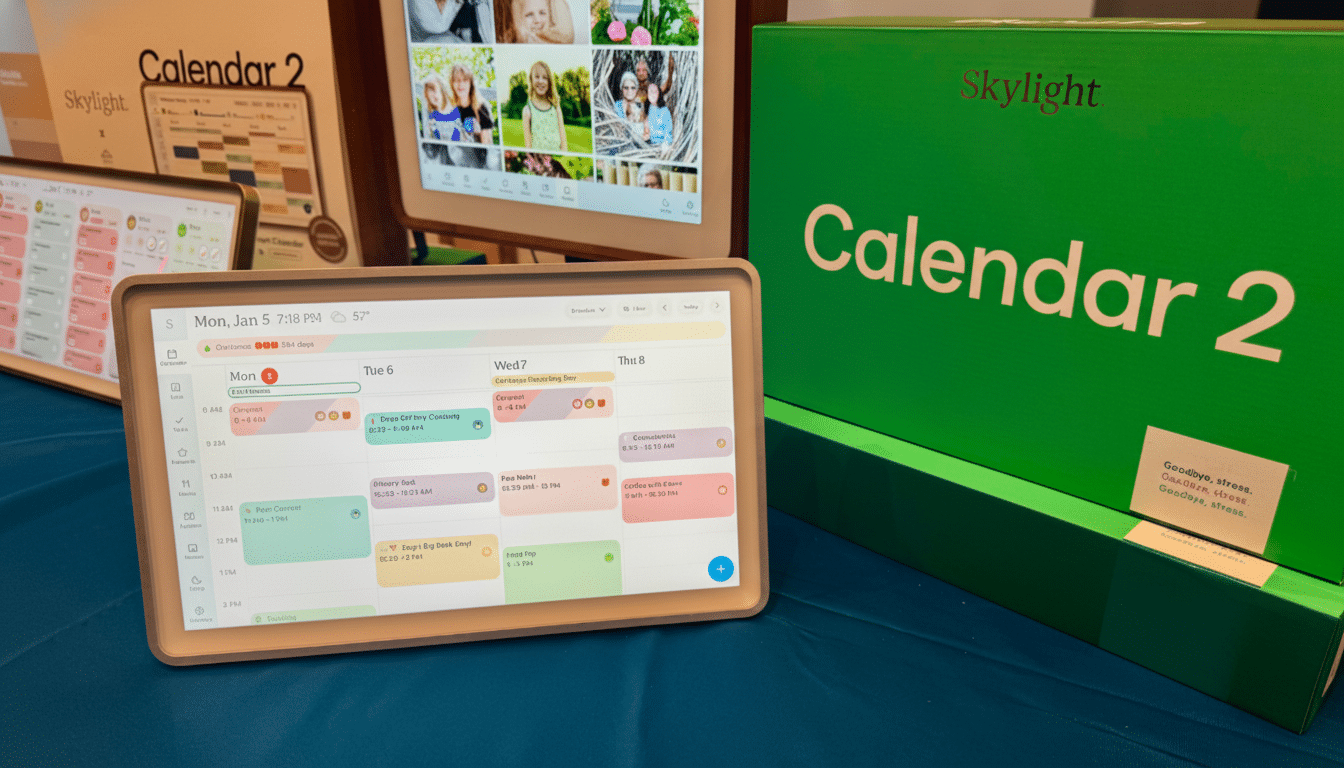
Skylight’s bet, however, is that the true value resides in the software. Calendar 2 is designed to be a control center that’s always on in a way usable by anyone in the household, at a glance and without an introduction. Large fonts, color coding, and clear labels ensure that legibility is prioritized from the other side of the room — a design-led decision backed up by usability direction calling for visual hierarchy and low cognitive load in shared interfaces.
AI-driven unified scheduling across calendars and apps
Below the surface, Calendar 2 aggregates schedules from multiple sources — Google Calendar, Apple Calendar, and Microsoft accounts — so parents don’t have to hop in and out of apps. It plays well with activity managers as well, such as TeamSnap — an acknowledgment that youth sports and other extracurriculars all too frequently reside in silos.
The highlight is AI-enhanced capture that transforms disparate information into structured events. If a coach sends an email with practice dates in PDF format, the system reads it and populates the calendar. If a school flyer comes home in a backpack, popping a photo on the Skylight app makes those dates into color-coded entries. The result is a single source of truth that captures the rhythms and lulls of the family’s actual week, not just what happened to wind up in someone’s phone.
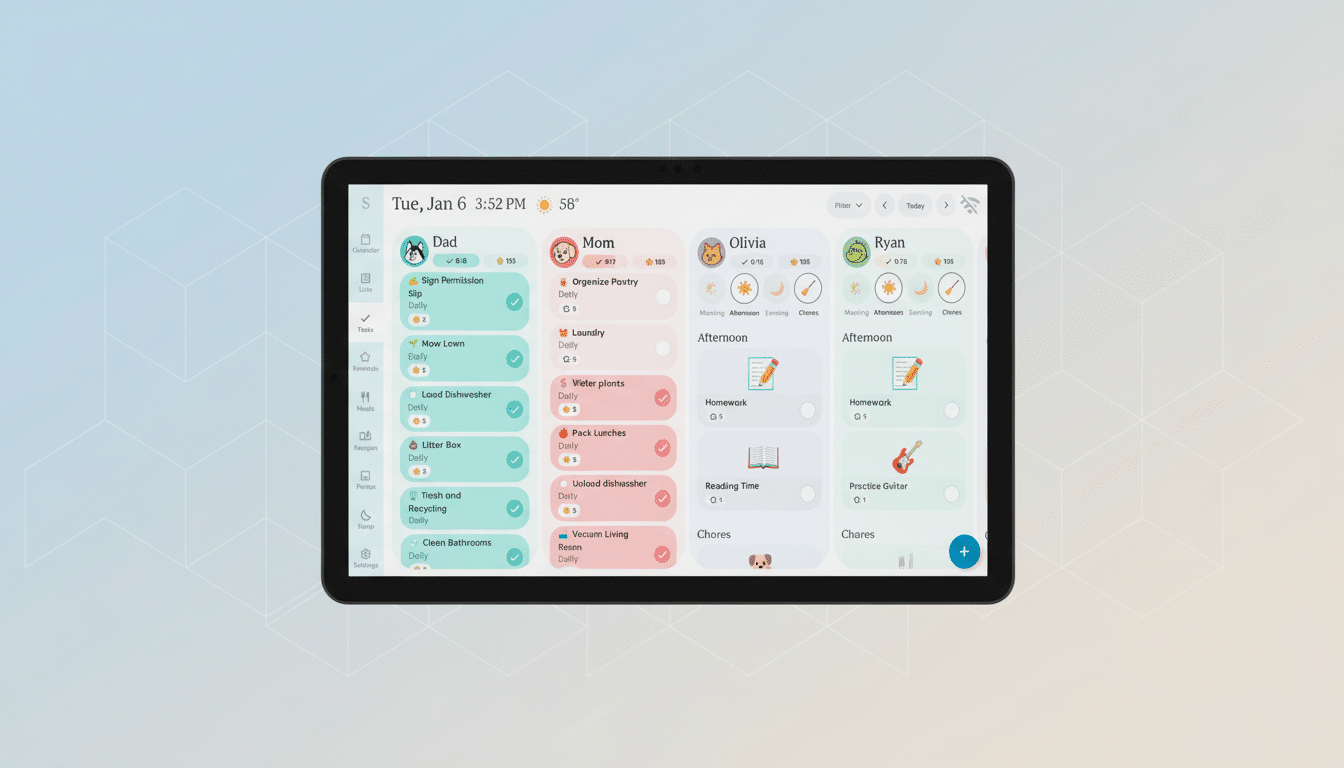
Color-coded profiles help you glance and go, while shared reminders and notifications allow everyone to participate in pickups, appointments, events, and carpools. In practical terms, it means one kitchen board takes the place of a patchwork of fridge notes, text threads, and calendar invites that never quite reach everyone.
Beyond events: meal planning, grocery lists, and to-dos
Skylight is growing out from appointments into the bigger daily chores that consume hours: meal planning, grocery lists, and to-dos. Parents can plot out a week of dinners, or dig in deeper by adding recipes to the calendar that will then prompt shopping lists. And for those who’d rather the system deliver the ingredients, it can push them to Instacart to reduce the friction at checkout.
Another AI trick has to do with solving the perennial “What’s for dinner?” scramble. Take a picture of the fridge or pantry and receive recipe suggestions based on what is already available. It will not replace your dedicated cooking app, but it can salvage a weeknight when time is short and inspiration is low.
Built for kids and busy parents with simple shared tools
Calendar 2 is designed to be used by everyone, not just the family’s CTO. Younger kids can mark chores done by tapping pictures instead of reading labels, a small but significant process that lays down routine without needing to be literate. For teenagers, shared lists and reminders have the potential to eliminate many of the “Did you see my text?” bottlenecks that slow down coordination.
Illustratively, when not in use, the device simply stays a display. Rotating family photos fill out the tech’s footprint and help justify placement in high-traffic areas like kitchens or entryways — a must for a product whose practical value relies on it being seen and used by everyone.
Traction to date and how Skylight fits the category context
More than 1.3 million families already use Skylight’s digital calendars, a large number for a startup that has been bootstrapped and profitable since day one, according to the company. That traction is an indicator of demand for shared, ambient tools that live outside the phone. It also separates Skylight from purely software options such as Cozi or FamilyWall, and generic smart displays available on larger platforms that haven’t been tailored to school flyers or sports rosters or family rituals that recur.
The larger trend, however, is unmistakable: the more households add standalone apps to tackle work and school and special interests (like online gaming), the harder they make lives when those standalones start demanding aggregation and visibility. A dedicated household display — especially one that also accepts real-world inputs like messy paper handouts — fills a gap frequently ignored by separate smartphones and standard calendar syncing.
What to watch next as Calendar 2 rolls out to families
But the proof in Calendar 2 will come from execution: how accurately it parses flyers and emails, how well it’s able to resolve conflicts between services, and how impressively it manages lists and meals that you schedule with real-world shopping. Families will also seek clear management controls and data practices as AI capabilities grow.
If Skylight stays the course and focuses on being a simple, dependable command center for your household — and iterates around the little things that chip away at day-to-day friction — Calendar 2 stands an excellent shot of being that default family hub hanging on the wall.
