


Google’s latest trick for your everyday search? Not a new keyword or filter. It’s the camera on your phone, and it can now put an item you’re interested in buying into context for you much easier and faster than any option that preceded it. With Search Live, you can point your phone at the world around you, say what you want aloud and get answers — plus live, tappable search results as fast as things are happening around you. It is free, part of the Google app and aimed at those times when you just can’t express what you want to say — but a look will do it.
First unveiled at Google I/O, Search Live fuses the visual intuition of Google Lens with the speed and scale of traditional web search. It’s different from familiar conversational assistants in that it doesn’t simply talk back — it materializes ranked links, product pages and local listings and how-to articles on your screen while you’re still narrating the scene.
And the launch highlights a broader move to multimodal search. Google has said Lens now processes tens of billions of visual searches a month, and Search Live carries that functionality from static photos to live streaming video. The upshot is that the search feels immediate and grounded in your environment.
What Search Live does — and why it’s unique
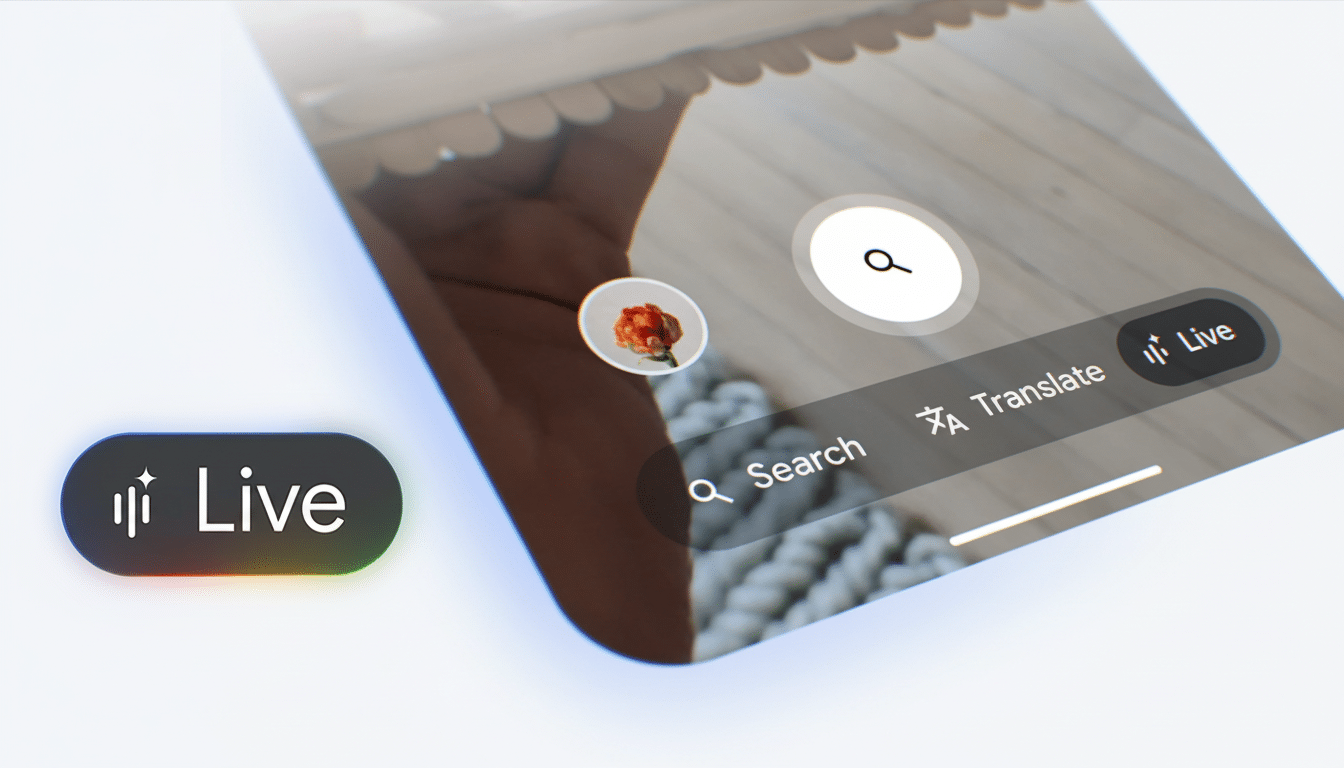
Open the Google app, click on the camera icon and then select Search Live, and begin speaking. And as you pan across a shelf, a menu, or a balky appliance, you can ask open-ended questions like “Which of these snacks are high protein?” or “How do we fix this wobbly fan blade?” On-screen cards fill in with real-time links and sources, while a voice response breaks down what you should try first.
This is not Gemini Live hunting for apparel. Gemini Live is great for back-and-forth banter and brainstorming. Search Live puts you in a familiar search flow — with answers that are grounded in results with source links and shopping or local results so you can verify, compare and click through without switching apps or modes.
How Search Live works behind the scenes (the geeky bits)
Search Live mashes up live video frames with the prompt you speak and interprets them in tandem. In practice, that means it can bridge the gap between “this” or “that” you’re pointing at and the constraints you care about — brand, diet, budget, size, nearby availability — and return from the web index some plausible results.
The system is rooted in years of visual recognition and scene understanding from Google Lens, combined with language models that can carry context through back-and-forth conversation. Speak normally and it hears pronouns and follow-ups; for example: “Which of those is gluten-free?” then “Okay, and low sugar?” without starting over.
When Search Live is great in everyday, real-world use
In brief demos, Search Live did a good job of addressing typical conundrums. In the face of a table full of snacks, it called out some options that met nutritional goals and linked to product pages and reviews. Aimed at a noisy fan, it proposed probable causes — unbalanced blades, loose screws — and brought up repair guides and parts listings.
Other practical applications crop up quickly: parsing a restaurant’s dense menu for dairy-free options, comparing model numbers on boxed gadgets or trying to see if the yellowing leaves in your houseplant pot equal plant-watering laziness, or helping you determine whether that cable will be compatible with this laptop you’re holding.
It’s not news to retailers that consumers use their phone inside stores as a fact-checking mechanism for purchases. With live video search, you can go from “What is this?” to “Do they carry the one I am looking for?” — all in one stream, with expert forums, manufacturer pages and local inventory just a tap away.
Free to use with search-first guardrails
Search Live is free inside the Google app. There is no subscription wall, and the experience remains bound to web results rather than closed responses. That’s important for transparency: You can skim across multiple sources, compare advice and decide whom to trust, just as you would in a traditional search — only more swiftly.
Just like any visual search, lighting, motion and focus are still important. Good lighting and a still hand help with recognition. If the scene looks complex — say, the columns of lookalike products at a store — try panning slowly or framing fewer items at a time, then narrow in by asking a more detailed question out loud.
Privacy: Live video frames and audio are used to understand your query and deliver search results. Google says that visual search data could help enhance services in accordance with its privacy policies, and it’s worth being aware of personal details in the frame if you’re concerned about what is on show.
Getting started with Search Live plus pro tips
Update your phone’s Google app, tap the lens camera and then select Search Live. Allow camera and microphone permissions when asked! Then, tell me what you’re aiming for — not just the thing: “Which of these is kid-safe with no lead paint for ages 5 and older?” will usually prevail over “What is this?”
Apply constraints to the results: diet (“vegan, high-protein”), situation (“carry-on approved”) or price (“under $50”). If you’re hoping for a fix, let people know what solutions you’ve already attempted: “fan rattles after cleaning.” Instead of having to slog through every basic troubleshooting loop, commenters can jump in with targeted guides based on what works and doesn’t.
The big idea is straightforward: search should work the way your mind does. By combining with what you see, and what you would say in response, Search Live transforms your camera into a front door to the web — delivering links directly to you along with answers and actions immediately available in the moment, without needing you to type or switch apps.
