


Samsung looks to be readying a major change in how Galaxy phones back up your photos—a move away from Gallery app integration with Microsoft OneDrive and a return to the company’s own Samsung Cloud as the main destination.
A pre-release One UI build made its way into the world and someone dug through its APK to find evidence that a shift is coming, shared along with messaging in the same Gallery app that informs users of OneDrive sync stopping some time soon.
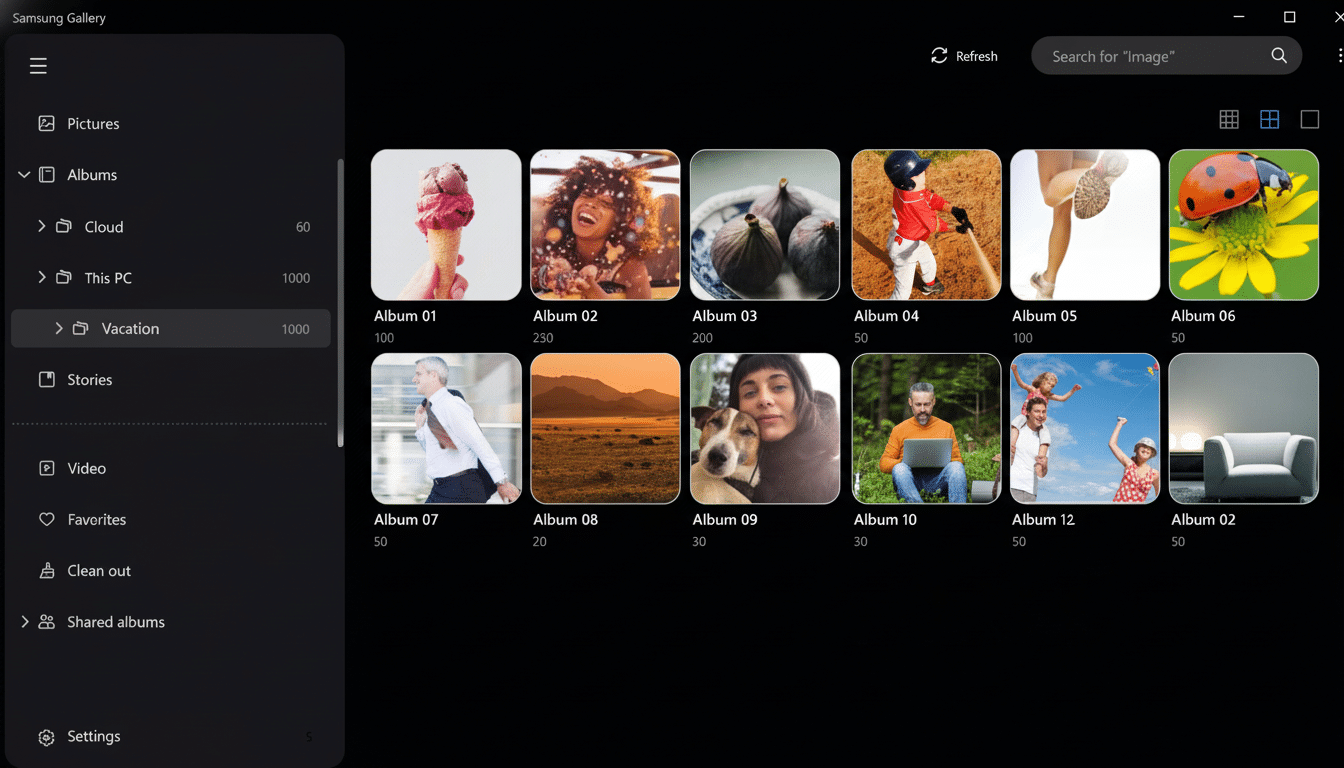
There’s no specific timeline, of course, but language within the app indicates a migration path for your data as well as new settings to keep “pictures and videos safe and synced in Samsung Cloud instead of OneDrive.”
What the latest Gallery app APK teardown tells us
Strings found in the Gallery app suggest OneDrive syncing will be “ending soon,” placeholders for an end date, and tip cards urging users to migrate backups over to Samsung Cloud. The copy also refers to subscription requirements, so there may be a few paid tiers of expanded photo and video storage. Teardown discoveries don’t mean these will directly become a shipping feature, but the quantity and variety of strings here suggest there are real plans for deprecation in place instead of an experiment.
What that seems to amount to in practical terms is the Gallery app losing the “Sync with OneDrive” toggle, and in its place will be Samsung Cloud options, meaning a new default for any of the millions of Galaxy models out there when they get updated.
A stunning reversal with precedents in Samsung’s past
The shift would mark a major turning point. Samsung phased out Gallery syncing to Samsung Cloud in 2020–21, and instead assisted users with migrating to OneDrive through official support channels. That transition corresponded with the companies’ closer collaboration around productivity and continuity for Windows, such as Link to Windows and preloaded Office apps.
And by bringing photo backups in-house, Samsung is signaling that it’s interested in having more control of the experience, monetization, and privacy promises that it can make within its own ecosystem. Given that Samsung is the top smartphone maker according to shipments from IDC (with 23 zero-fare models!), even small incremental cloud revenue and ecosystem stickiness can have an outsize effect.
Why Samsung Cloud could be back for photos
Three strategic drivers stand out. First, product cohesion: one Samsung account to do device setup, notes and settings sync as well as media backup consolidates disparate user flows and support issues. Second, regional compliance and data locality: running their own cloud allows Samsung to more tactically decide on places of storage and retention schedules in accordance with local regulations. The third: differentiation—photo features, like AI-empowered sorting or object erasing, or HDR processing, perhaps could be wedded to cloud compute and sold as “this is how it’s possible when you’re on a Galaxy.”

It also reflects a wider industry dynamic. Platform loyalty is getting locked in, as with Apple’s iCloud Photos and Google Photos. Compelling users to use Gallery for backups would also give Samsung an equivalent lever, while still allowing users to run Google Photos or third-party services on the side if they wish.
What this means for your current OneDrive photos
If you currently use OneDrive’s Gallery sync, your images already stored with Microsoft are not in jeopardy. What is probably going to go away for good is the automated pipeline from Gallery to OneDrive when that time comes. Look for Samsung to release in-app prompts, a migration assistant, or at the very least clear instructions on how to begin syncing data with Samsung Cloud moving forward.
Access on Windows PCs can change over time. OneDrive’s deep integration with Windows File Explorer has been a major selling point; Samsung will need to fill that gap with a web interface, a Windows app, or enhanced integration into its existing device management tools. For users that have cross-platform workflows, expect official migration FAQs and tooling to be announced.
Pricing, storage limits and the competition
There are still some nagging questions, though: what’s the free storage cap for photos in Samsung Cloud, what sort of paid tiers will we see, and whether buying a Galaxy device nets you bonus allowances? For comparisons, OneDrive usually includes 5GB free and includes 1TB in most Microsoft 365 plans; Google offers 15GB of space across services for free with options to upgrade through Google One. How affordable Samsung makes it could also be a selling point compared to well-established alternatives.
If Samsung simply includes significant storage with new flagships, or combines photo backup into the broader Galaxy subscriptions, it would be easy to quickly seed adoption. However, power users can retain a hybrid setup and access on desktop through Google Photos (or OneDrive) but still have a quick Gallery win with Samsung Cloud.
What to do now to prepare for potential backup changes
Audit your backups today. Open Gallery settings to make sure your photos are syncing, verify that critical albums are duplicated to a second service or local drive, and export originals from OneDrive if you want a local archive. Redundancy is cheap insurance.
Then wait for Samsung to provide official guidance. Look for notices within the Gallery app of a timeline and suggested actions. But when the switch does flip, you’ll make a seamless transition if your library is tidy and backed up in more than one place—whether or not you adopt Samsung Cloud in addition to another photo service.
