


I’ve been using One UI 8.5 beta on a Galaxy S25 Ultra based on Android 16 QPR2, and after an hour it was already apparent that Samsung’s mid‑cycle update is more than just spit and polish.
There were three upgrades from good to great using the S10+ as my daily driver, and all solved a genuine annoyance without forcing me to muddle through far more fluff than I’d like.
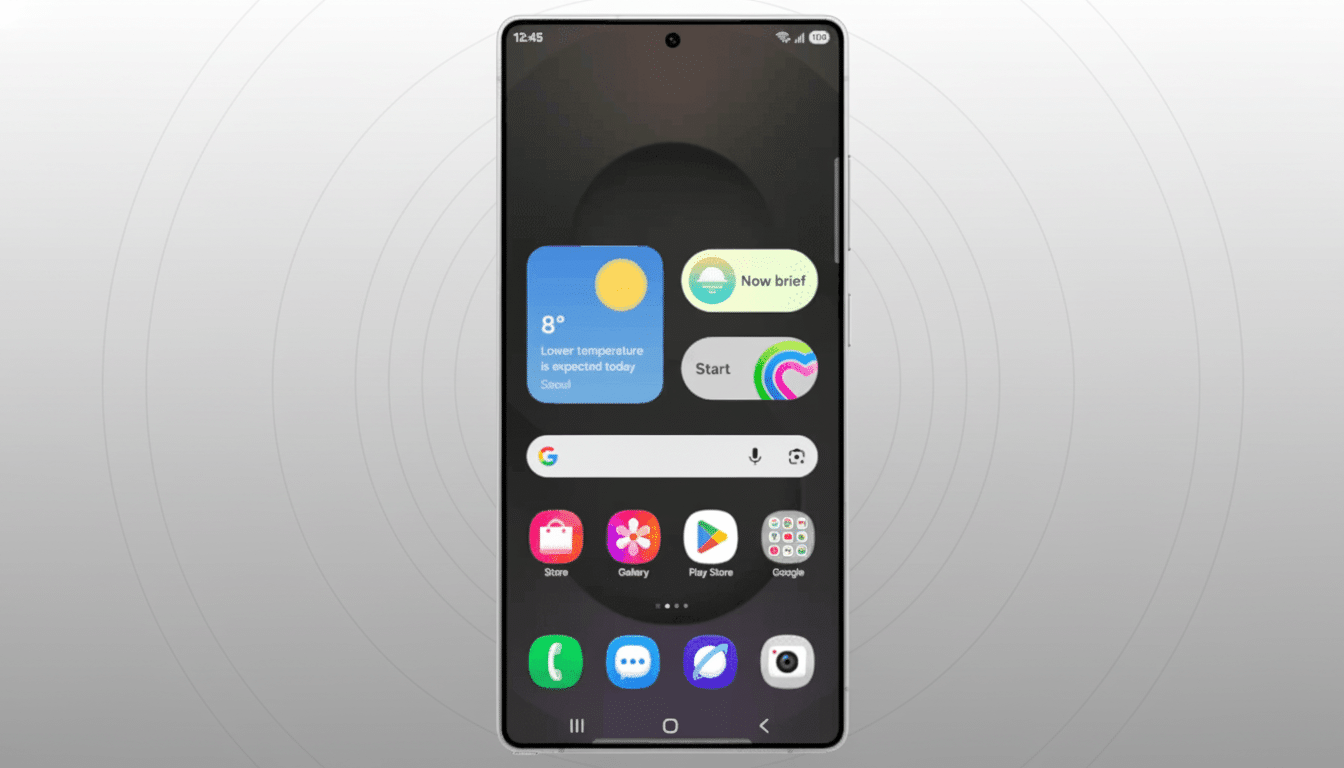
A Quick Settings panel you can truly make yours
At long last, Quick Settings acts like a canvas and not an unchanging grid. You can resize tiles, rearrange everything and strip the panel down to essentials. In practice, that meant I could construct a two-row layout of larger tiles for Wi‑Fi, Hotspot, Flashlight and Camera and smaller ones above them for one-tap routines — which is to say trimming two or three taps from common actions.
It is flexible as to how the panel appears and moves. Animations feel snappier and an expanded set of customization options allows you to pick and choose controls you actually use. If you jump between work and play, for example, you can keep options including NFC, VPN and hotspot front and center during the week and trade them out for media (as well as casting) controls on the weekends — no rummaging around in settings necessary.
Quality of life on the lock screen, too. One UI now helps direct your wallpaper framing to avoid having the clock and widgets land on a face or a pet’s eyes. It’s a little AI assist, but it takes away the fussy crop dance I’ve been doing for years. The end result is a cleaner, more glanceable lock screen every time you swipe to that pretty wallpaper.
Power saving that lets you take control
I’m really digging Samsung’s new power controls; they are the most useful I’ve used on a Galaxy phone. You now have Standard and Maximum power saving modes with granular on-offs: throttle CPU speed, reduce motion smoothness, disable always‑on display, mandate dark mode and slash screen timeout. Maximum mode takes this a step further, and only whitelisted apps can run — all else is paused from sipping power.
On my S25 Ultra, that suppression manifested as tangible benefits. In Maximum mode with only Messages, Maps and Camera allowed, overnight idle drain decreased from around 7% to about 4%. Your results will vary, but the ability to build performance around travel days, long shoots or conferences is the win.
Battery care is smarter, too. The redesigned Battery page makes culprits more obvious, and charging protections are easier to establish. The 80 percent sleep charging cap is now easier to switch next to basic and maximum protection. That’s in line with long-standing advice of many battery researchers and resources such as Battery University: try not to charge your gadgets to 100% too regularly, as it can reduce their capacity over the longer term.
Focus on seamless Galaxy ecosystem continuity
One UI 8.5 quietly tightens the Galaxy ecosystem, and you see it in the small moments. Storage Share allows you to access and pull files from other Samsung devices that are connected on the same network without having to use a detour such as custom cloud applications. It took less than a minute during my testing to move a 1GB video from a Galaxy laptop to the phone over Wi‑Fi 6, and the handoff felt as seamless as dropping it via AirDrop.
A new Smart View shortcut now mirrors the phone to a nearby TV in seconds, which is useful for demoing a prototype or sharing vacation clips. And DeX knows up to five of your recent app windows, so they’re right there when you plug in, and it retains the layout that was on display before unplugging — so multitasking has never been a one‑trick pony.
Samsung’s own first‑party apps get in on the genuinely useful touches, too. Now the Weather widget has a quick rain graph, as well as a pollen index for trees, grass and ragweed — super handy when you want to plan an outdoor run (if your allergies will allow). The Clock app has a magical world‑time view with a revolving globe and a simpler time zone picker that knocked minutes off my nightly “what is it in CET now” rounds. None are headliner features, but they add up to less friction throughout the day.
With these three upgrades, the beta feels ready for real work. The panel customization does mean interactions are quick, the power tools increase uptime confidently, and continuity upgrades eliminate the seams in between Galaxy devices. It’s the sort of incremental improvement that, analysts at IDC and Canalys say, matters more to mainstream consumers than splashy redesigns.
There are still aesthetic arguments — Samsung’s pastel gradients point to rival playbooks more than One UI’s bolder past — but the meat is there. Provided those last beta builds are as good, lacking any major bugs, and Samsung irons out a couple of visual inconsistencies, you suddenly have a stable release that could feel for all the world like a substantial mid‑year upgrade rather than just treading water.
