


I finally got my hands on Samsung’s Galaxy Z TriFold, and it is the first foldable to feel like a portable tablet that you can cram in your pocket, instead of some phone that you sometimes pretend is one. It’s ambitious, somewhat polished (for a first-gen tri-fold), and yeah, a little fussy in parts. After a deliberate hands-on, the potential excites me — but the caveats are genuine.
A tablet in your pocket: how the TriFold transforms daily use
Closed, the Galaxy Z TriFold operates like a regular phone with a 6.5-inch cover display wide enough to comfortably type on — something previous book-style foldables were challenged to get right. Open it up and you’re gazing upon a 10-inch-wide canvas with an almost 4:3 aspect ratio, instantly morphing the way you work, read or multitask. This is not merely “more phone screen.” It’s like a little computer.
- A tablet in your pocket: how the TriFold transforms daily use
- A whole new shape to hardware: specs and camera setup
- DeX makes the TriFold a mini device workstation
- Where the quirks begin: software states and limitations
- Ergonomics and everyday reality: weight, balance and use
- Early verdict: cautiously enthusiastic about TriFold
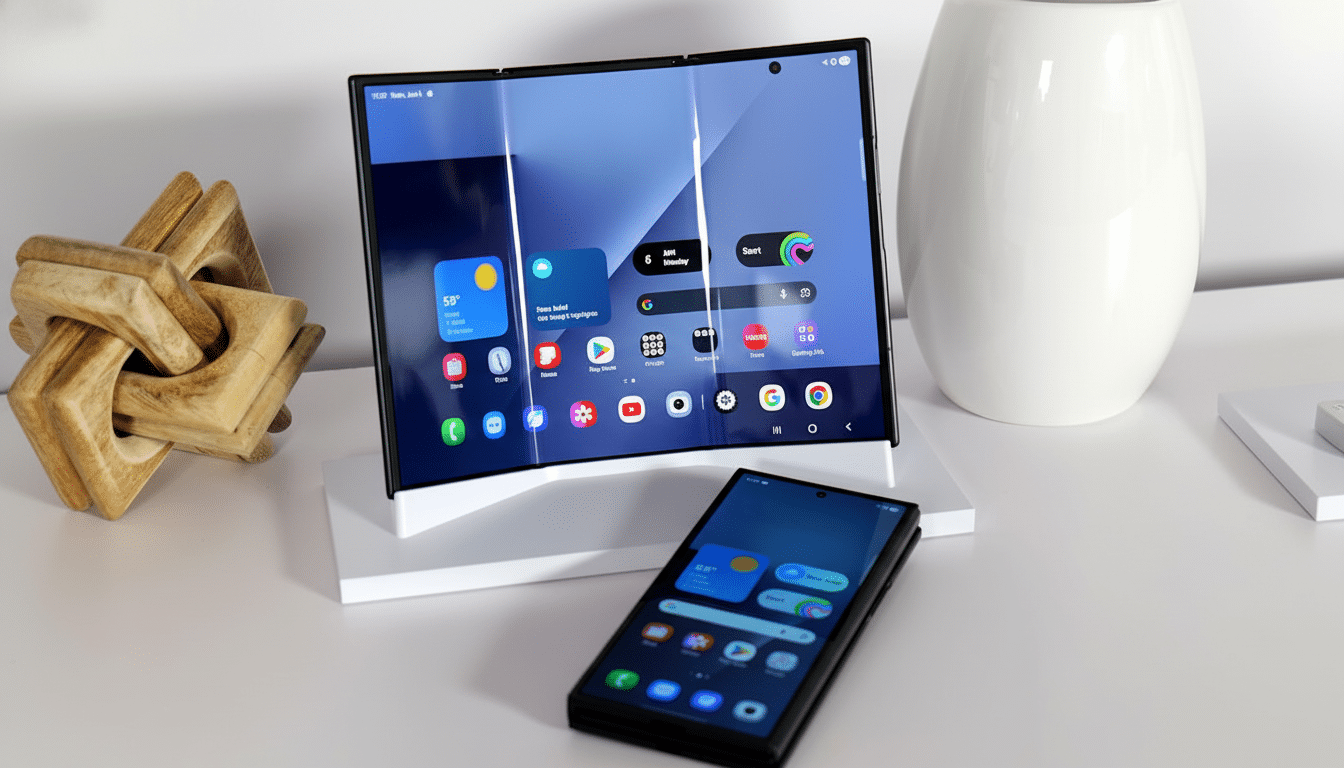
The engineering is jaw-dropping. Closed fully, it’s around 12.9mm at its thickest, chunkier than most slab phones and certainly similar to some previous folds. Unfolded, it’s larger and surprisingly thin at around 3.9mm thick. The tri-panel design uses a slight U-shaped closure that I like for stress distribution, but the gap could be better.
A whole new shape to hardware: specs and camera setup
As for the innards, Samsung equips its TriFold with a Snapdragon 8 Elite for Galaxy-class processor, 16GB of RAM and either 512GB or 1TB of space to put all your files. For photography, it matches Samsung’s upper foldable arrangement: a 200MP primary camera, a 12MP ultrawide and a 10MP telephoto. You can expect high-end sharpness with the processing capabilities and advantages of a large viewfinder when extended to maximum size.
It hasn’t priced this for the U.S., but I think it is relatively safe to say that this falls into the ambulance-replacer, can’t-wait-for-the-next-helicopter ultra-premium neighborhood — somewhere north of $2,000 and plausibly around $2,500.
And innovation this far-reaching is seldom inexpensive, with tri-fold yields and hinge complexity not doing any favors. “For some time we have been indicating that multi-fold reliability and panel yield are now the most challenging, but Samsung obviously believes that it is ready for shipment.”
DeX makes the TriFold a mini device workstation
For me, the thing that makes the TriFold a total click is running Samsung DeX directly on the device. Finally, windowed apps get room to breathe on the larger 4:3 canvas. Combine it with a small Bluetooth keyboard and mouse and you’ve got yourself an honest travel rig for documents, email and browser-heavy workflows. Samsung even allows you to save up to four desktop layouts, so you can switch between a productivity space and a gaming or media space with the touch of a button.
Some practical notes: This form factor is ripe for a stand case, but none is included. Curiously, international units even pack a charger in the box — a rarity at the flagship level. It is a little quality-of-life win for heavy travelers.
Where the quirks begin: software states and limitations
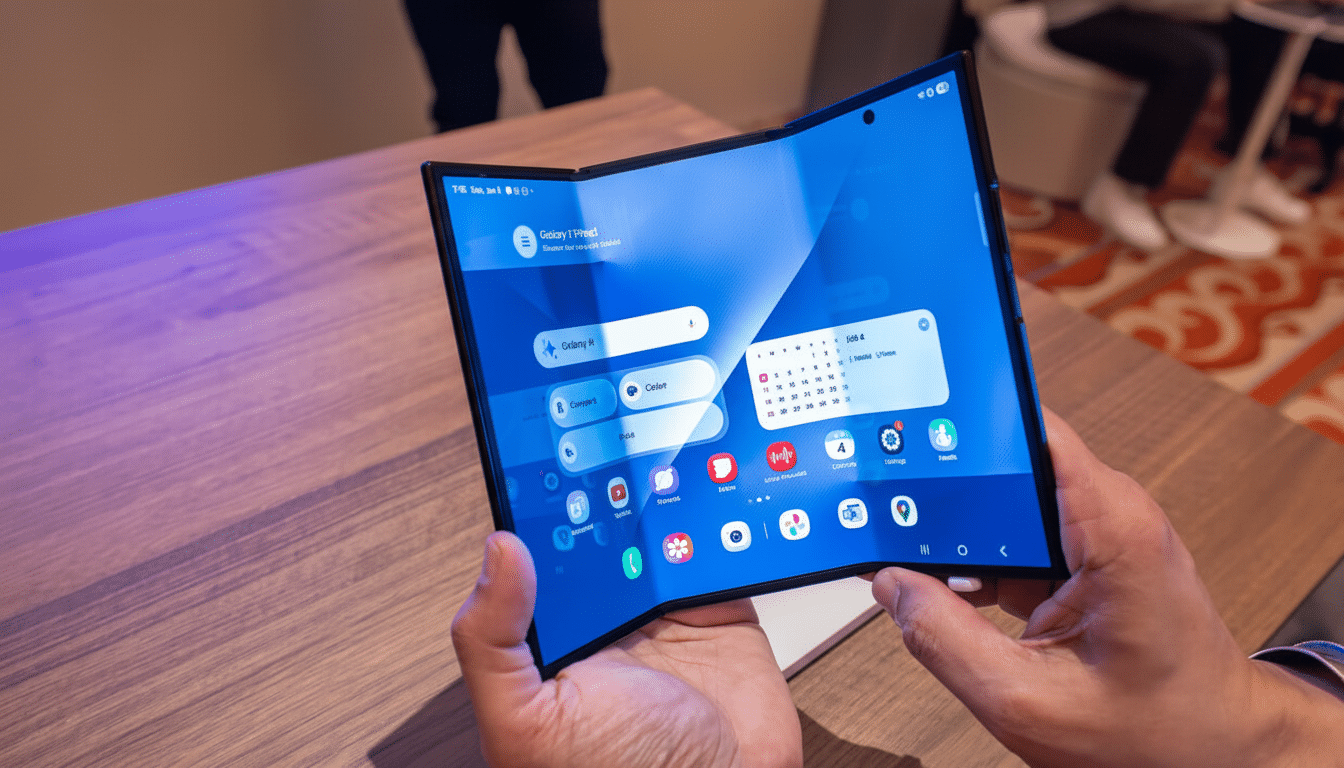
Samsung’s software posture is conservative. The TriFold has two types of states: folded shut and fully open. There is no official “one panel open” state. Comparable concepts such as Huawei’s Mate XT allow you to fold back one portion and have the UI adjust accordingly. Samsung has focused on protecting the inner display and ensuring interface consistency, but it falls short when it comes to flexibility. Close the “wrong” panel and the phone gives a beat or two of buzzed warning — probably good for longevity, mildly annoying in practice.
App continuity also needs refinement. During my demo time, I wasn’t able to move back and forth reliably between what I was doing on the cover display and the big screen. Even weirder, Samsung’s news app didn’t want to resize alongside another app because of aspect ratio weirdness. On a device that is all about adaptive screen real estate, there really isn’t much of an excuse for Microsoft’s first-party apps to not lead by example.
Ergonomics and everyday reality: weight, balance and use
The TriFold is relatively hefty when it’s closed, though not unduly so. If you’ve used a newish book-style foldable, you’ll adjust pretty easily. The magic is how light and well balanced it feels when it is opened, whether holding it two-handed or resting on a stand. That said, using the big screen with one hand feels cumbersome, and that U-shaped gap is an invitation to dust over time — a concern one would have for any folding device.
Context matters here. Worldwide foldable shipments reached over 15 million units in 2023, growing more than 30% year over year, and premium buyers are demanding larger, more productive canvases from manufacturers. The TriFold is Samsung’s response to that need: a device designed less for one-thumb scrolling and more for multi-app workflows, creative tasks and multitasking in general.
Early verdict: cautiously enthusiastic about TriFold
Despite its limitations, the Galaxy Z TriFold feels like the first foldable that could double as a small tablet inside my bag. Big-screen experience with DeX is alluring, the cover display is finally wide enough for daily texting and maps, and hardware looks good and mature for a first-gen tri-fold.
But it needs polish. Genuine seamlessness between cover screen and main display, better app resizing behavior, and — we hope — an official single-panel mode would let this design really sing. If Samsung tightens up the software and third-party developers come on board, though, there’s a chance that the TriFold can reconfigure what “phone” even means. For now, it’s a tantalizing glimpse of that future, wrinkles and all.
