


The latest Raspberry Pi stuffs a full desktop computer into a keyboard that also serves as the circuit board. And it’s not just a novelty, though it is kind of cute (and one should never underestimate the power of crafty teens). The Raspberry Pi 500 Plus ushers in a closer vision of everyday computing: a better typing experience alongside more storage and fast solid-state performance, while still being true to the project’s slender, low-power form factor.
A keyboard you want to type on, with mechanical switches
Unlike past keyboard PCs, this model embraces the tactility that enthusiasts love. The Raspberry Pi 500 Plus packs a mechanical keyboard with removable keycaps and RGB lighting which delivers a consistent, tactile action that’s difficult to find with membrane boards. Mechanical switches are usually rated for tens of millions of presses, so the upgrade is as much about longevity as it is feel.
- A keyboard you want to type on, with mechanical switches
- A spec bump where it matters: storage, memory, and I/O
- Everything you need in one place, without the clutter
- Who it is for: learners, hobbyists, and professionals
- Pricing and availability for Raspberry Pi 500 Plus and kit
- The big picture: a more polished Raspberry Pi desktop
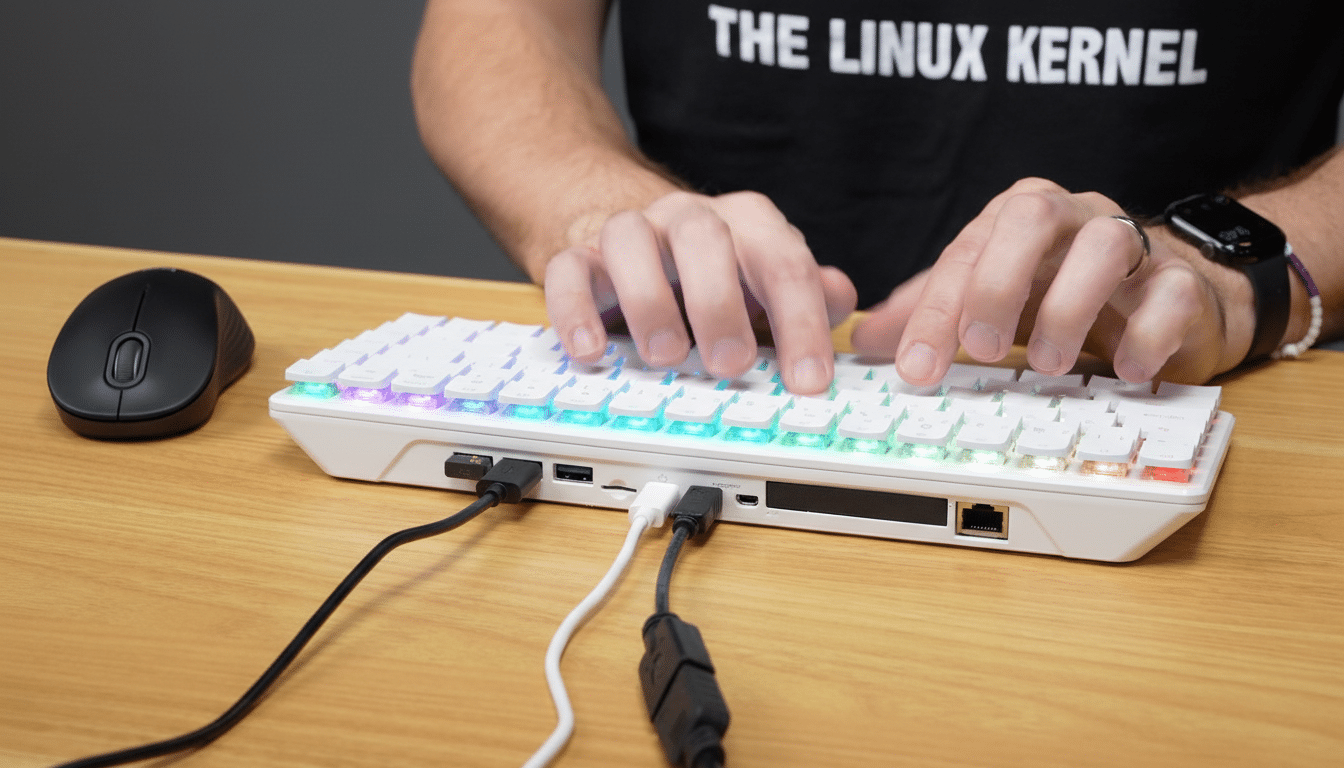
The single chassis allows for less cabling and an easier deployment in classrooms, kiosks and home offices. And it draws a swig of the charm that we had with all-in-one machines like the Commodore 64 and Amiga 500, finally with modern connectors and a rather more capable chip.
A spec bump where it matters: storage, memory, and I/O
The big thing that changed is storage and memory. The 500 Plus comes with 16 GB of RAM, an M.2 slot (with up to 2280 supported) for a preinstalled large SSD that is much more stable than microSD-based systems. Networking support includes GbE and wireless, but it lacks PCIe or SATA external options. In practice, NVMe storage on Raspberry Pi hardware offers several hundred megabytes per second for sequential reads and writes, as compared to tens of megabytes for microSD drives, reducing boot times and speeding through app installs and updates.
As with the latest standalone Raspberry Pi boards, compute performance is via the 2.4 GHz quad-core Cortex-A76 in an all-in-one SoC (System on a Chip).
Arm’s documentation bills the A76 as a high-efficiency core that works well for thin-and-light laptops — and that rings true to in-use experience: web browsing, office work, coding and light media tasks feel snappy on this platform.
I/O is comprehensive for an all-in-one keyboard.
- Dual micro‑HDMI outputs supporting two 4K displays at 60 Hz
- Three USB ports (two USB 3.0 and one USB 2.0)
- Gigabit Ethernet (GbE)
- Wi‑Fi 5 and Bluetooth 5.0
- microSD slot for removable storage
That dual‑4K capability is somewhat rare at this size and price, allowing for a neat, two‑monitor workstation with just a single device on your desk.
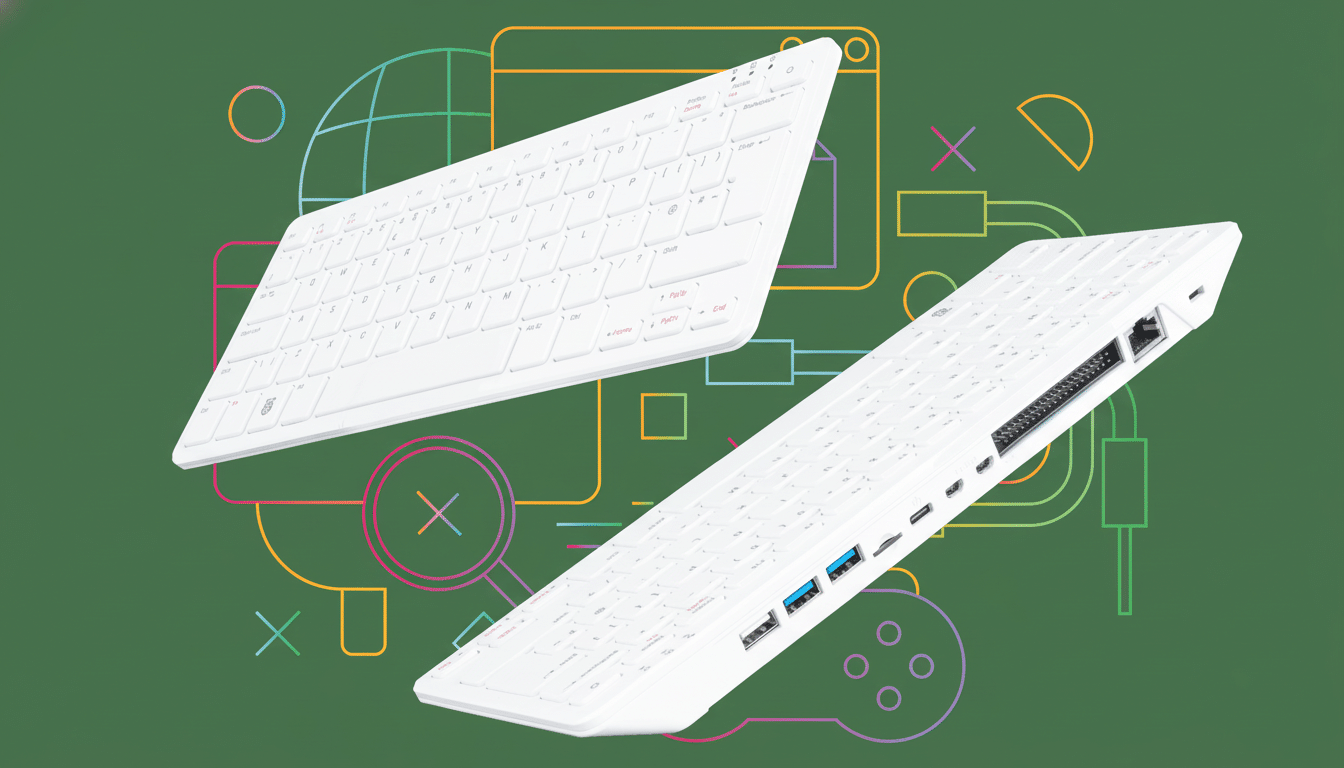
Everything you need in one place, without the clutter
The appeal is simple: plug in power and a display, and you’re working. For those who are running labs or teaching spaces, the simpler, fewer components mean faster rollout and fewer failure points. Raspberry Pi’s official Desktop Kit comes with a 27W USB‑C power supply, a mouse, two‑meter micro‑HDMI to HDMI cable and the organization’s beginner’s guide for IT professionals (first-time users will find it just as handy).
Storage upgrades are also made very easy with the integrated M.2 slot. Instead of dealing with the whole dance (among other reasons, no more losing tiny little microSD cards), you’ll be able to swap in a larger NVMe drive and have it all inside the chassis, keeping your desk looking cleaner with just a single cable.
Who it is for: learners, hobbyists, and professionals
That’s a sweet spot for learners, hobbyists and professionals alike who appreciate the device’s portability and ease of use. For developers, perhaps most importantly, they get a silent Linux computer that boots off SSD and runs common editors and compilers and drives two 4K displays for documentation and terminals. Machinists and tinkerers get a small workstation that’s fast enough for Python projects, containerized services or light media work.
Stable: Raspberry Pi OS
Raspberry Pi OS, maintained by Raspberry Pi and based on the Debian project, remains the most no-nonsense software choice with wide driver support and a carefully curated repository. The platform has long been educators’ favorite among organizations that cohere with the Raspberry Pi Foundation’s mission, and this design reduces the friction to nearly zero: it is a fully functioning computer in something close to throwing-it-in-your-backpack form.
Pricing and availability for Raspberry Pi 500 Plus and kit
The keyboard computer starts at $200 for the Raspberry Pi 500 Plus. The $220 Desktop Kit package, meanwhile, features the official 27W power adapter and two‑meter display cable and a mouse bundled in a single box along with a print edition of the beginner’s guide — an easy recommendation for first-time buyers or classroom launches.
The big picture: a more polished Raspberry Pi desktop
“Raspberry Pi made inexpensive, hackable computing accessible to millions and has shipped tens of millions of devices around the world,” according to a statement from the organization’s public relations team. The 500 Plus enhances that legacy by making the everyday experience — typing, installing apps, plugging in displays — feel less like a chore and more like a finished PC design.
With a mechanical keyboard and modern I/O and SSD storage, the Raspberry Pi 500 Plus bridges the gap between hobby board and capable desktop. It’s not for gaming, but as a small, solid PC that encourages learning and making things with code, it is the most satisfying keyboard computer the platform has produced to this point.
