


If you’ve left your phone on vibrate and found that some of the calls and messages you missed in a specific time were from friends or colleagues, or have been embarrassed by a loud ringtone sounding off in a silent room, there’s an easy solution stashed away in your Pixel’s settings.
It’s called Rules, and it can use your location or which Wi‑Fi connection to automatically change the sound profile on your phone. It’s not glamorous, but it can prevent you from missing calls and uncomfortable situations.
What Pixel Rules does in fact
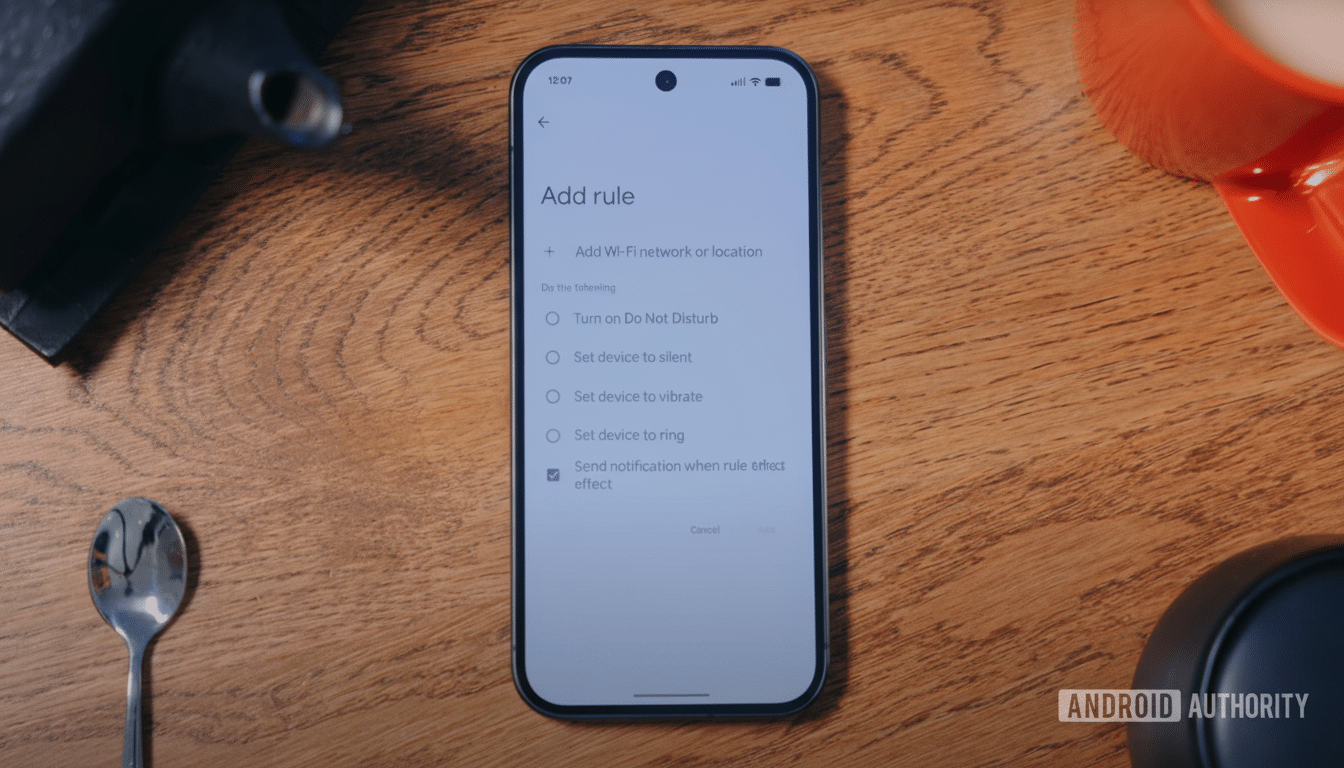
Rules is a light automation tool that comes with Pixel devices, and it will automatically switch your audio mode—ring, vibrate or silent—when certain conditions occur. It is able to trigger on two signals: location or Wi‑Fi. Which means your phone can make quiet adjustments as you enter or leave home, work or when you disconnect from your home network to go out.
It’s built with everyday reliability in mind, not power-user features. It is a “set once, forget it” safety net for making sure your phone behaves in the places you spend most of your time.
How to do it in minutes
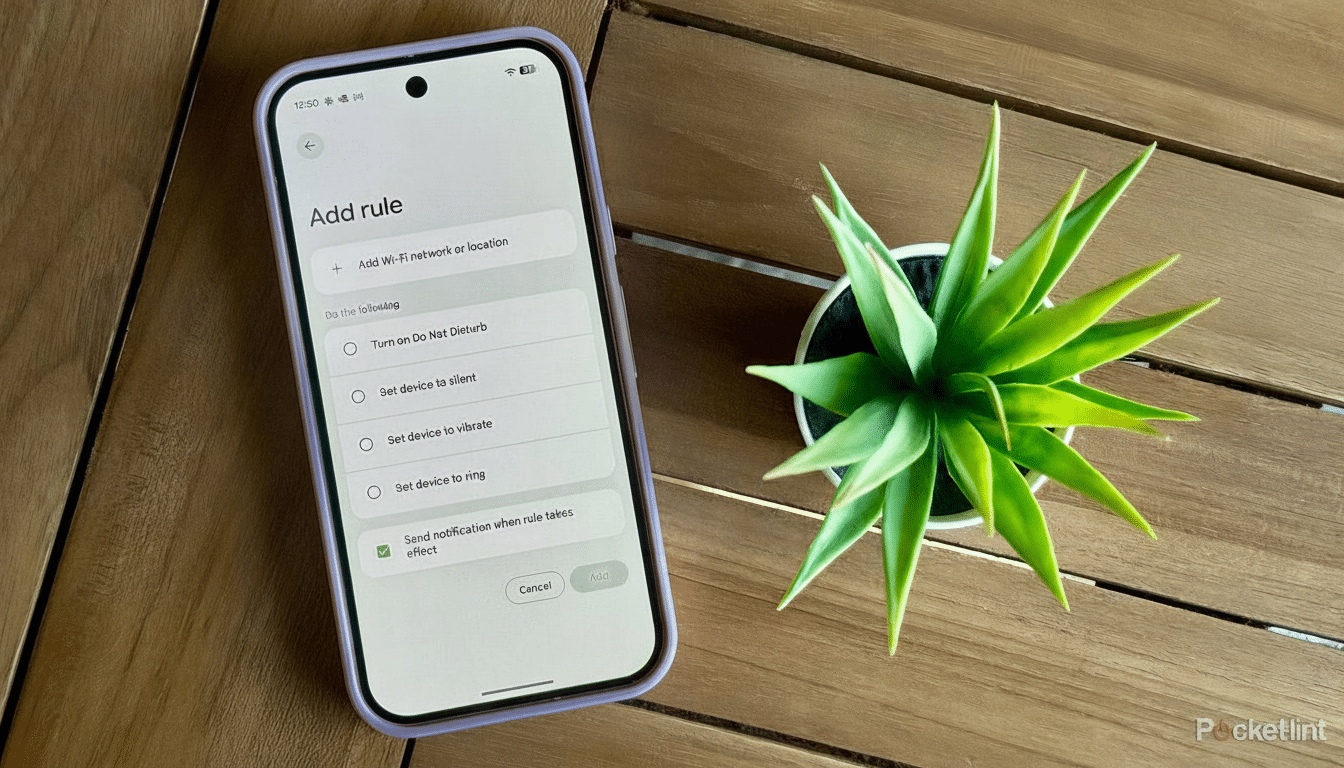
On a Pixel, open Settings > System > Rules. Tap Add rule and decide if the trigger should be a certain Wi‑Fi network or a location. Choose set action — ring, vibrate or silent — and save it. Notifications can be turned on so your phone tells you when a rule kicks in, which is handy during the first few days of testing.
Two quick tips: location-based rules need to always have location access on to work well, and Wi‑Fi-based rules tend to be the most reliable indoors.
You may also switch on “Automatically suggest rules” so that the phone can recommend automations based on patterns it notices, like always silencing within a specified location or turning up your ringer when you leave your home.
Smart uses that actually work
A great configuration is dead simple: vibrate when you’re at home, loud ringer when you’re off your home Wi‑Fi. That means you can hear calls on the move but your phone remains discreet around the house. This works in reverse, too, if you want a loud ring at home and silence everywhere else.
Other related real-world uses include muting while at work (Wi‑Fi) vibrate mode when you enter a library or clinic location (GPS), or forcing ring mode as you leave your home network and run around town so you do not miss any carpool calls while on errands. Frequent travelers can create a “hotel” rule associated with a location to keep things serene at night, and then reverse the sound suppression when leaving for the day.
How it stacks up against deeper automation
Rules is intentionally minimalist. It can’t form combinations of conditions, schedule on the basis of time or modify system settings other than sound mode. Simpler is Samsung’s Modes and Routines that supports multi-step logic with triggers for time, Bluetooth devices, battery levels and app activity while providing actions from changing brightness to opening up apps.
If that level of control is something that you need on a Pixel, third-party tools like Tasker or MacroDroid can bring the pain, helping with some larger scenarios like toggling hotspot, VPN or DNS control, “if this then do this” chains. But for most people a few strategic Rules will wipe out the common irritants when it comes to ringtones and missed calls, no extra apps required.
Privacy, battery and reliability notes
Automations that use location as a trigger need to have permanent access to your whereabouts. That usually depends on low-power geofencing, but it’s still a good idea to check your permissions in Settings and utilize Wi-Fi triggers when you can if you’re being privacy-aware. Wi‑Fi rules can be more consistent indoors in corporate environments than GPS.
For optimal effect, provide each rule with a clear name, test it for a day or two with notifications enabled, and avoid layering offers on the same place or network. If your home router’s 2.4GHz and its 5GHz networks bear different SSIDs, tie the rule to whatever it is that your phone usually prefers.
Related Pixel tools to know about
Rules works well with existing Pixel tools. Bedtime Mode, for example, can dim the screen and silence sounds at night, and Flip to Shhh quickly activates Do Not Disturb mode when you turn your phone face down. A basic Rules combination and these integrated features handle the majority of natural scenarios without forcing you to toggle switches by hand.
Bottom line
Rules doesn’t make waves as a headline feature, but it’s the kind of tool that solves a very human problem with such grace and simplicity you wonder why it was never possible before: keeping your phone quietly in the background, except when it needs to not be.
Take the guesswork out of life’s biggest moments with these Google Pixel tools that help you set up staged scene photos and get closer to what matters without being closer — just set it one time, then let your Pixel do the rest.
