


Windows users don’t need to settle for trialware, nag screens, or mystery code. The best-kept productivity secret on the platform is open-source software: transparent, capable, and free. After months of testing across fresh installs and daily-driver machines, these 10 tools stood out for reliability, polish, and real-world time savings.
They cover everyday needs—documents, media, security, screenshots, automation—while avoiding lock-in. And they’re not fringe projects. Many are maintained by large communities, used in enterprises, and benefit from rapid fixes when bugs appear.
- Why These Open-Source Picks Matter for Windows Users
- LibreOffice: Full-featured, free Office suite for Windows
- Bitwarden: Open-source password manager for Windows
- Microsoft PowerToys: essential productivity tools for Windows
- Flow Launcher: a fast, minimalist app and file launcher
- 7-Zip: trusted, high-ratio compression for Windows files
- VLC Media Player: versatile, codec-free playback on Windows
- Notepad++: a fast, feature-packed text editor for Windows
- ShareX: advanced screenshots and screen recording toolkit
- OBS Studio: open-source recording and streaming powerhouse
- Rufus: create reliable bootable USBs and installers on Windows
- How to install these apps quickly with Windows Package Manager
Why These Open-Source Picks Matter for Windows Users
Open source isn’t niche anymore. The Synopsys Open Source Security and Risk Analysis report found that 90%+ of audited codebases include open-source components, underscoring how mainstream this model has become. For Windows users, that translates to lower costs, transparent security, and the freedom to customize—without sacrificing performance or features.
LibreOffice: Full-featured, free Office suite for Windows
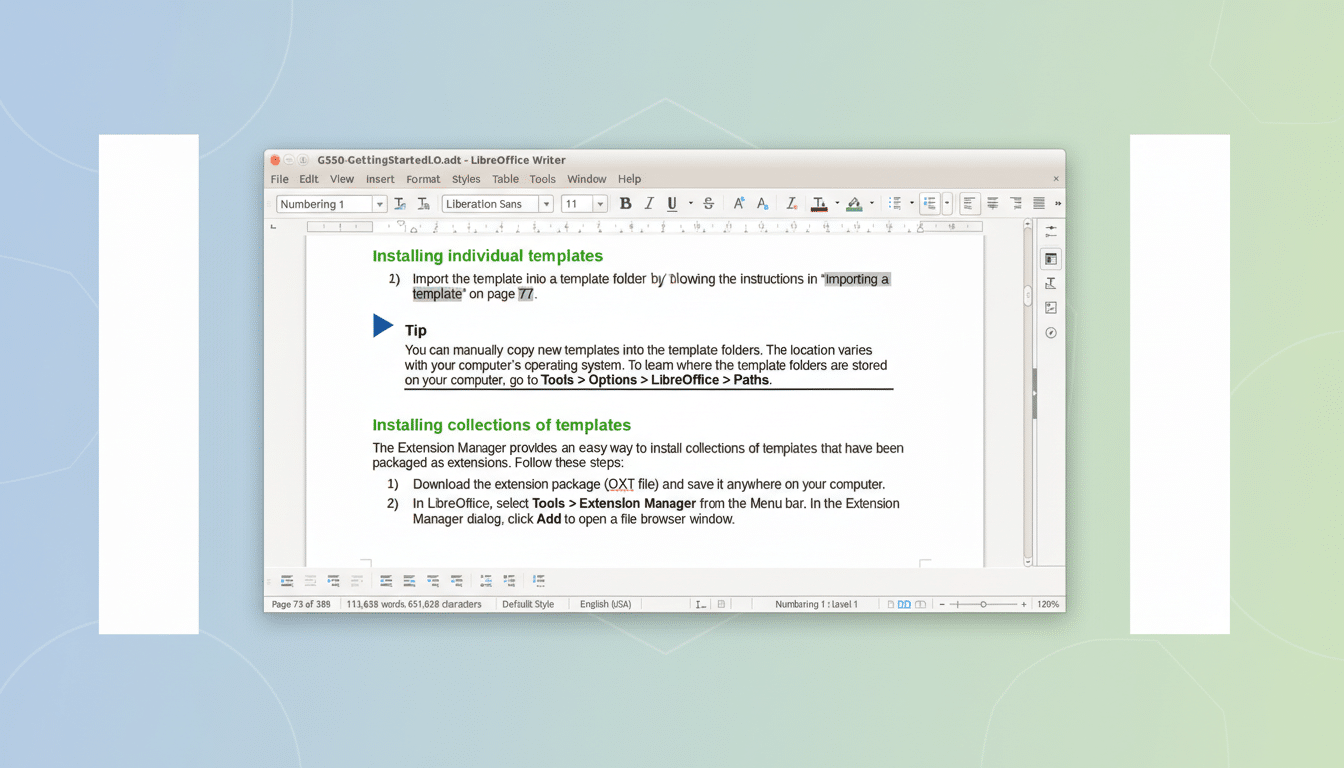
The Document Foundation’s suite is the best free replacement for Microsoft Office on Windows. Writer, Calc, Impress, and Base handle serious work offline, support the ISO-approved OpenDocument format, and can default to Microsoft’s file types for collaboration. It’s fast on modest hardware, deeply customizable, and ideal when you need documents without a subscription or cloud dependency.
Bitwarden: Open-source password manager for Windows
This open-source password manager delivers end-to-end encryption, cross-platform sync, and a smart generator for strong passwords and passphrases. It supports browser extensions, secure sharing via Bitwarden Send, and modern login tech like passkeys championed by the FIDO Alliance. Security teams appreciate its independent audits; everyday users appreciate that it’s free and easy to set up on Windows.
Microsoft PowerToys: essential productivity tools for Windows
Open-sourced by Microsoft, PowerToys feels like a productivity cheat code for Windows 10 and 11. FancyZones snaps complex window layouts in seconds, PowerToys Run is a lightning-quick launcher, and utilities like File Locksmith, Image Resizer, and Peek smooth out daily friction. It’s updated frequently and integrates cleanly without bloating your system.
Flow Launcher: a fast, minimalist app and file launcher
If you want a minimal, blazing-fast app and file launcher, Flow Launcher is outstanding. A single hotkey summons fuzzy search for apps, files, web results, and calculations. It’s extensible with community plugins, respects your theme, and avoids the overhead of larger launchers. Once you adopt it, you’ll wonder why you ever clicked through Start menus.
7-Zip: trusted, high-ratio compression for Windows files
The gold standard for file compression on Windows, 7-Zip’s LZMA2 engine often yields smaller archives than traditional ZIP while remaining fast and reliable. It integrates into File Explorer, supports strong AES-256 encryption for 7z files, and handles a long list of formats. For IT pros and casual users alike, it’s indispensable.
VLC Media Player: versatile, codec-free playback on Windows
From VideoLAN, VLC plays virtually any video or audio format you throw at it—HEVC, AV1, FLAC, the lot—without codec packs. Hardware acceleration keeps playback smooth on older laptops, and network streaming is effortless. With billions of downloads reported by the project, it’s the most trustworthy “it just works” media app on Windows.
Notepad++: a fast, feature-packed text editor for Windows
Lightweight, fast, and endlessly useful, Notepad++ is the text editor you’ll use daily. It brings tabs, session restore, powerful regex find-and-replace, and syntax highlighting for hundreds of languages. Whether you’re editing config files, cleaning CSVs, or jotting notes, it launches instantly and gets out of your way.
ShareX: advanced screenshots and screen recording toolkit
For screenshots and screen recordings, ShareX is a Swiss Army knife. Capture regions, windows, or scrolling pages; annotate and redact; extract text with OCR; and export to GIF or MP4. You can even automate post-capture workflows for support tickets or documentation. It’s fast, scriptable, and free of ads.
OBS Studio: open-source recording and streaming powerhouse
The open-source standard for recording and streaming, OBS Studio is used by creators, educators, and enterprises alike. Build scenes, switch sources, add virtual cameras, and tap GPU encoders like NVENC for smooth performance. Backed by an active community and major platform sponsors, it’s as capable in a classroom as it is on Twitch.
Rufus: create reliable bootable USBs and installers on Windows
When you need a bootable USB—Windows installers, Linux live media, firmware tools—Rufus is the reliable choice. It handles UEFI and legacy boot, verifies ISOs, and includes options that simplify modern Windows installs. For anyone who maintains PCs, it’s a must-have on a technician’s drive.
How to install these apps quickly with Windows Package Manager
Prefer a quick, repeatable setup? Use the Windows Package Manager to install many of these in one go, or pull from the projects’ official repositories for portable builds. Keep auto-updates on where available and store configs in your cloud drive or Nextcloud for easy migration. Your Windows system will be faster, safer, and subscription-free.
