


Windows should get a lot faster for gaming in 2026, Microsoft says, detailing a roadmap that focuses on power management, CPU scheduling, background app overhead, and graphics pipeline efficiency. The company sees the overhaul as a sign that players have more of a “console-like” experience on PCs — launch, play, and ignore the stuttery, setup-heavy start screens we’ve become accustomed to in recent titles.
What Microsoft is promising for better Windows gaming
Microsoft has four pillars it’s discussing so far, including:
- Smarter background workload management
- Improved power and thread scheduling
- Graphics stack optimizations
- Tighter driver integration
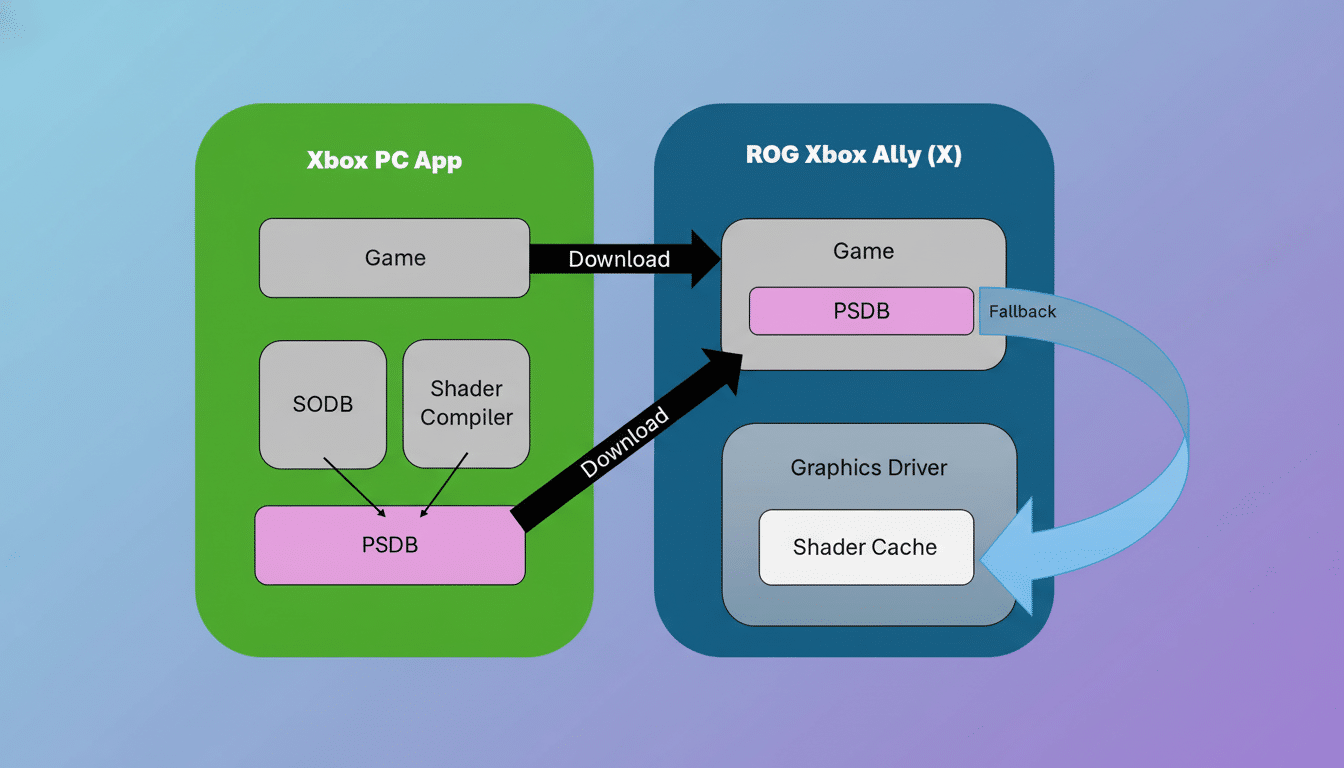
A notable one is Advanced Shader Delivery, which — although we are not exactly clear on what it will do — seems to be an attempt to move shader compilation from first launch to the download and install period so players don’t hit a hitchy opening session.
Microsoft also plans to roll out Auto Super Resolution across even more games, system-wide. Instead of being implemented on a per-title basis as with DLSS, FSR, or XeSS (more generally, ML-based upscalers typically powered by DirectML on GPUs and potentially an NPU on next-gen systems), Auto SR utilizes platform-level upscaling to keep improving image quality and frame rates in titles for which no bespoke upscaler was ever introduced.
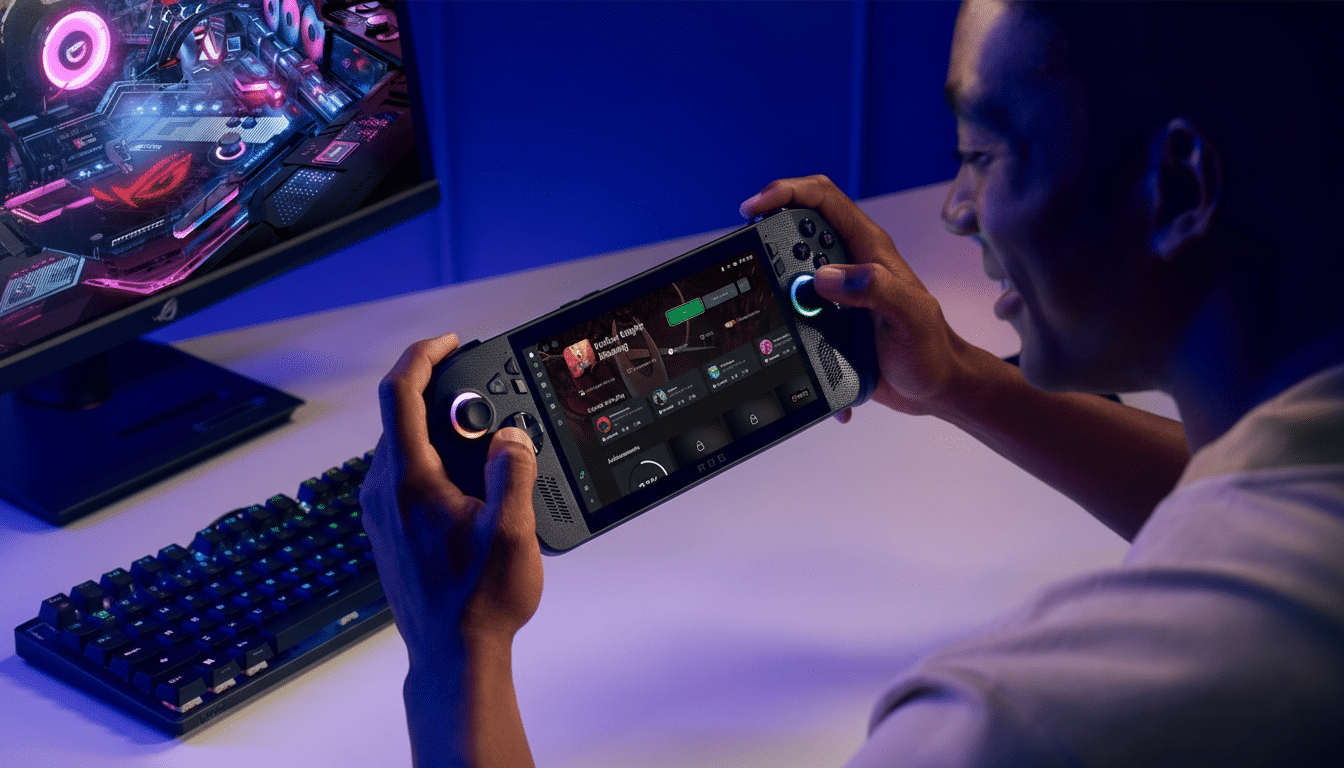
The company cites its own Xbox Full Screen experience in handheld PCs as a teaser for what better prioritization can bring: internally, the team has seen a nearly 10% reduction in memory use and an over 8% increase in frames per second when gaming is given top billing on the system’s pecking order.
What these changes will mean for everyday PC gamers
Windows is still good for about 96% of Steam users, according to Valve’s own Steam Hardware Survey, but Linux — powered by SteamOS — has crawled higher than 2% and turned out surprisingly spunky on handhelds.
In some cases, SteamOS actually works better than Windows as a result of its leaner background footprint and more aggressive shader pre-caching. Those are the pain points that Microsoft is addressing directly.
Shader stutter has plagued PC blockbusters from Elden Ring to recent Unreal Engine releases. According to Scav, shifting shader compilation and pipeline state cache generation to install time is similar to the process Valve uses for its shader pre-caching program, which sends precompiled shader data via Steam so gameplay can be smoother from the get-go. To get that consistency natively on Windows would be a QOL upgrade for the millions of players.
Under-the-hood Windows changes PC gamers should watch for
Scheduling and power tuning for modern hybrid CPUs are set to go. Again, better integration with Intel Thread Director and AMD’s asymmetric designs — particularly for X3D chips with massive on-die caches — should cut context switches and make game threads land more frequently on the right cores, cutting latency. Game Mode should shift from a simplistic prioritization flag to become more granular per-title profiles that influence CPU, GPU, and NPU behavior.
And on the graphics side, ongoing work with the Direct3D 12 pipeline — like more efficient barrier management and PSO caching — marries up quite nicely with Advanced Shader Delivery. DirectX 12, Hardware-Accelerated GPU Scheduling (HAGS), and DirectStorage are still the base. DirectStorage offloads decompression of assets to your GPU and has already reduced load times in supported games; better integration with new shader workflows should also help to mitigate texture pop-in and world-traversing hiccups in open-world games.
The wild card is Auto Super Resolution. By using platform-based upscaling without developer intervention, it can resurrect aging catalogs and low-budget/casual-team projects that otherwise wouldn’t be able to offer anything resembling DLSS/FSR/XeSS. With Microsoft implementing easy one-click, per-game toggles and sane defaults, Auto SR could be long-tail PC games’ “on-by-default” performance bump.
Developers And Hardware Partners Will Be The Key
None of this actually lands without disciplined driver work. NVIDIA, AMD, and Intel will each have to tune WDDM, shader cache behavior, and frame scheduling to Microsoft’s changes. Handheld PC manufacturers — who have devices that juggle tight power budgets — could also benefit from smarter power states and more predictable frame pacing. If Windows can provide consistently low-latency paths with fewer daemon processes gnawing at resources, battery life and thermals should improve even as FPS (hopefully) goes up.
For studios, a smoother baseline results in less-pronounced platform-specific workarounds. And if OS-level shader compilation and asset decompression are earlier and faster, teams can spend that additional optimization time where it counts most (CPU-bound simulation/AI and GPU-side effects) instead of optimizing around platform quirks.
How to get early access to upcoming Windows gaming features
Microsoft said public previews will arrive for Windows and Xbox Insiders before the wider 2026 rollout. We’ve already started to see early builds show up on new AI PC platforms with the Snapdragon X, which testers are using to take a first pass at Auto SR and updated scheduling logic. Performance in previews can be variable, but it is a convenient way to get an estimate of gains on your own hardware.
The upshot: Microsoft is taking gaming performance as an OS-level, first-order behavior, not a per-title afterthought. If it can pull all of its shaders out, increase coverage of its upscaling techniques, and be smarter about scheduling workloads, Windows 2026 might feel faster in the ways that players actually notice: steadier frame times, fewer minor hitches, and less waiting before the fun begins.
