


In a long-awaited set of news for some Windows 11 users, Microsoft has cleared up a pesky Windows 11 24H2 bug that broke the ability of PCs with integrated cameras to use facial recognition in a Windows Hello function. The patch removes a safeguard hold that previously prevented affected devices from getting updated to the 24H2 feature update, and it opens the gates for installations to process.
What Microsoft actually fixed in the Windows Hello update
The bug caused the built-in camera and Windows Hello facial recognition to no longer work for some people. That included no face unlock at the sign-in screen and no biometric authentication in apps that depend on Windows Hello, including everything from the Camera app to services that use facial recognition for secure access. This impacted devices with IR sensors from top ISVs including Dell, HP, and Lenovo, as the issue resulted from having an OEM-sourced camera driver + Windows Hello.
- What Microsoft actually fixed in the Windows Hello update
- Why the safeguard hold mattered for Windows 11 24H2 users
- How to obtain the Windows 11 24H2 update on affected PCs
- What’s left to fix in Windows 11 version 24H2 right now
- What this means for Windows 11 version 25H2 later this year
- The bottom line on the Windows 11 24H2 camera bug fix
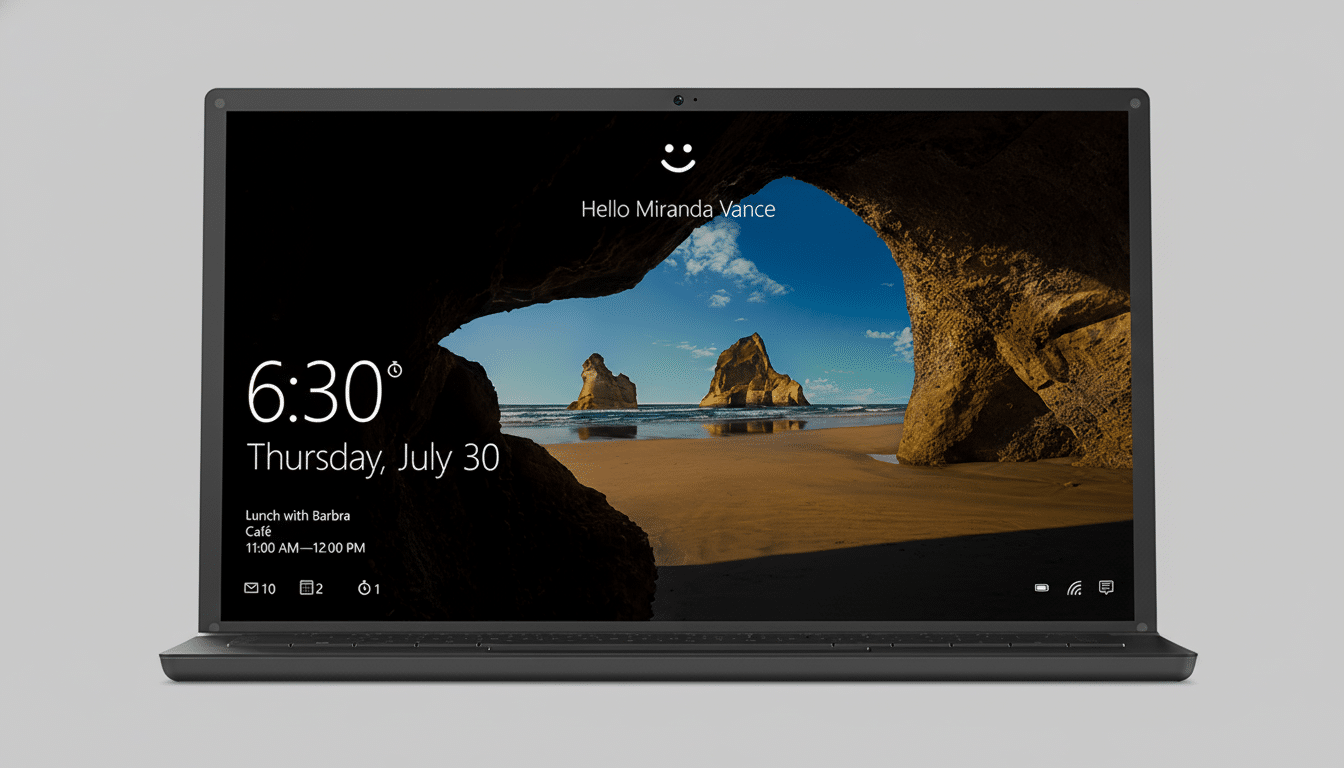
The software maker admitted to the issue on its Windows Release Health dashboard and issued a safeguard hold for 24H2 upgrade on machines that were expected to encounter problems. Now that the patch is live, Microsoft says an eligible device should once again see the update offered through Windows Update in, say, another 48 hours; a fast-forcing reboot may bring it forward in line.
Why the safeguard hold mattered for Windows 11 24H2 users
Safeguard holds are to protect customers from a situation where we know there is a high probability of issues when upgrading if certain external factors are in place. In this instance, the loss of Windows Hello facial recognition is more than a mere hassle – it breaks fundamentally important logon flows and compliance requirements, particularly for companies that have implemented Windows Hello for Business as part of their passwordless journey.
Many users resorted to PINs and passwords, and some IT teams disabled facial recognition to spare themselves support calls. The trade-off of waiting for a vetted fix, while painful, avoided a deluge of broken sign-ins across huge fleets — far more disruptive in hindsight than slower rollout velocity.
How to obtain the Windows 11 24H2 update on affected PCs
If your PC was blocked before, go to Settings and click on Windows Update, then select Check for updates. Once made available, the 24H2 feature update will download and install. If you still can’t find it, make sure your OEM’s camera and chipset drivers are up to date — out-of-date drivers often keep other devices from getting their own safeguard holds in place.
For IT administrators, Microsoft Endpoint Manager and Windows Update for Business policies will automatically work once the safeguard has been lifted. Admins can verify in pilot rings first and then expand deployment if sign-in telemetry appears clean.
What’s left to fix in Windows 11 version 24H2 right now
Microsoft has “baked” most of the 24H2 experience and is tracking a handful of known issues on Windows Release Health:
- Certain Digital TV and Blu-ray/DVD applications fail to enable playback of protected content. Microsoft says it is working on a fix.
- You may receive a blue or black screen on systems using SenseShield Technology’s sprotect.sys driver, which is responsible for offering encryption capabilities in specific security solutions. Microsoft is working with the manufacturer to resolve this.
- Some Intel Smart Sound Technology (SST) drivers on 11th Gen Intel Core platforms may be causing blue screen errors during or after the update. The solution is to get the latest Intel SST Audio Controller drivers before upgrading.
As always, the safest plan is to have a current set of your OEM’s audio, camera, storage and security drivers in place before you start a feature update, especially on mid-stream business-critical machines.
What this means for Windows 11 version 25H2 later this year
Microsoft is getting ready for the next Windows 11 annual feature update, and the company says it’s relying on lessons learned. The 25H2 delivery is smaller, because only what changed is swapped in, as opposed to replacing systems wholesale — thus trimming the attack surface for regressions. And it leverages the same cumulative update technology that underpins monthly patches, meaning most devices should need to reboot only once.
Importantly, 24H2 and 25H2 both have the same core codebase with new features gated behind configuration toggles. This approach enables Microsoft to validate stability and scale before lighting up changes more broadly. Assuming the camera and Windows Hello fix stands in broader deployment, 25H2 should face reduced downstream risk.
The bottom line on the Windows 11 24H2 camera bug fix
Microsoft has at last laid to rest a persistent 24H2 facial recognition bug, lifted the upgrade hold on affected PCs and paved the way for more users to shuffle onto the current Windows 11 release. This is the green light you’ve been waiting for if your life (or work) depends on Windows Hello — just be sure your drivers are up to date before you hit Install.
