


The first is Qira, the cross-device AI assistant aimed at reducing friction across Windows PCs and Android phones. Developed as a service that runs at the system level and not as an app on its own, Qira keeps context moving so you can start tasks on your Motorola phone and immediately continue them on a Lenovo PC — or vice versa — without having to manually sync, email files, or jump between tabs.
It’s a bold swing at the “walled garden” advantage long enjoyed by Apple and, increasingly, by Google and Samsung. Lenovo’s pitch is straightforward: it can offer coherence that “feels native” across its laptops, tablets, and Motorola devices, along with intelligence that can anticipate your next move rather than waiting for a prompt.
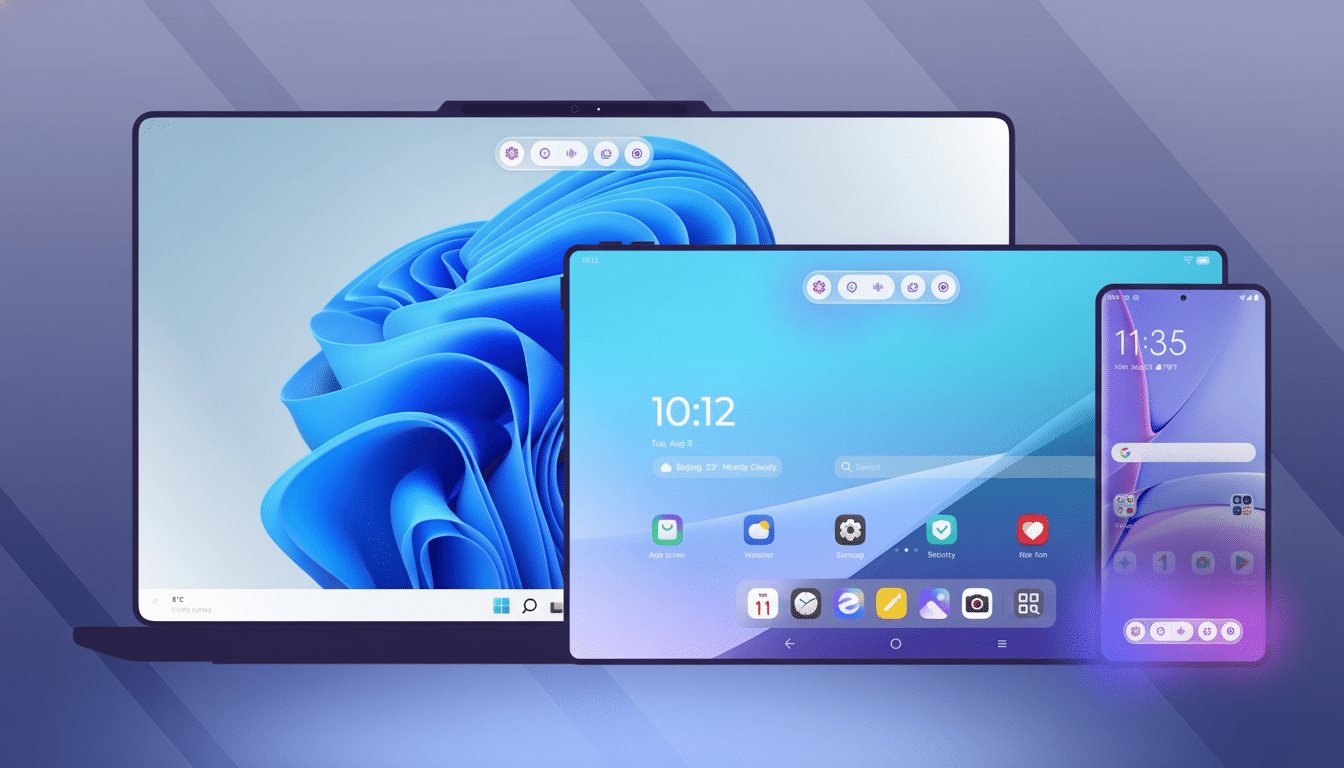
One Assistant You Can Use Anywhere, With a Smart Memory
Qira’s big idea is persistent, real-time awareness on all devices. If you’re doing research on a Motorola Razr while commuting, Qira knows what’s on screen. Open a Lenovo Yoga or similar machine later, and out flows the materials you need — relevant documents, notes, and apps — to keep working without shuffling files. Lenovo refers to this as “Next Move,” but the idea is more expansive: the AI plays for intent and not simply apps, yielding continuity that covers text, voice, and images.
This is not just screen mirroring or notification forwarding. Qira creates a lightweight context graph of your activity and content so that your state can persist. It’s context you can reference with voice, keyboard, or touch, and it changes based on whether you’re pivoting from drafting to meeting to follow-up.
Features Built for Continuity Across Phones and PCs
Outside Next Move, “Catch Me Up” summarizes the day’s alerts and messages that we’ve missed on all our gadgets. It’s the type of summary that makes a chaotic stream of notifications easily scannable into things you want to take action on in just a few seconds.
“Write For Me” is a sort of on-canvas writing partner inside the app, with a tone that molds to your style rather than acting as a generic bit of boilerplate. During meetings, “Pay Attention” provides live transcription, translation, and recall so you can refer back to earlier decisions without rifling through notes.
Key to the experience, Lenovo is threading these capabilities into the OS layer. The goal is less app-hopping and more proactive surfaces (a persistent on-screen pill on phones, a physical key of some kind in PCs) to make the AI feel ambient rather than intrusive.
How Qira Works Under the Hood with Hybrid AI
Qira leverages a hybrid architecture and draws on local NPUs to complete low-latency, privacy-sensitive tasks, while growing into a trusted cloud for heavier-lift jobs. On-device inferencing uses the next-generation AI-capable silicon across Intel, AMD, and Qualcomm, while cloud compute handles broader reasoning and aggregation when needed.
There are two advantages: responses are quicker for many tasks, and there’s more direct control over what data leaves your device. Memory, perception, and context are synced in real time between personal devices, as Lenovo describes it, not randomly sprayed between services — a distinction that is starting to matter more and more as organizations tighten up their data governance.
Taking Aim at Apple and Google with Cross-Device Features
Apple’s Continuity repertoire was the first big showcase of cross-device flows like Handoff and Universal Clipboard. Google is baking its own cross-device play with Android’s multi-device services and first-party apps, while Samsung piles on conveniences like Call & Text on other devices and tight PC integrations. Lenovo gets vertical control over two of the most important layers: Windows PCs and Motorola phones. That permits deeper hooks than the average third-party bridge, many of which get hung up on permissions or OEM-specific idiosyncrasies.
Market timing helps. IDC predicts that AI PCs will make up close to 60 percent of market shipments within a handful of years, showing that on-device accelerators will go mainstream. In the meantime, Deloitte’s consumer research found that households now use dozens of connected devices on average, underlining the cost of context-switching. Qira wants to organize that sprawl into a system.
Rollout Plans and the New Hardware Hooks for Qira
Qira is launching first on Lenovo AI PCs, across a combination of Motorola Razr and Edge phones, Lenovo tablets, and IoT devices to follow. Current Lenovo AI Now users will receive over-the-air updates to roll multiple experiences on Lenovo devices into a single assistant. The key or Google Assistant Launcher will also evolve into the Qira key — a one-tap access button on future Lenovo laptops, navigation gestures with a persistent pill, and a natural voice trigger for Motorola users that’s designed to make starting up the assistant as seamless as possible.
That cross-device reach is as important to IT teams as it is to consumers. One assistant that speaks to both ends minimizes the requirement for patchwork tools and brittle hand-offs. If Lenovo combines this with enterprise-grade controls — policy-based data handling, tenant isolation, and auditability — it might court businesses that have been leery of cloud-only AI.
What to Watch Next as Lenovo Rolls Out Qira
The promise is clear: a consistent experience no matter what Lenovo PC or Motorola phone you use, with an assistant smart enough to know what you want before you ask for it. The proof will be in latency, reliability when networks hiccup, and how well Qira can interpret the screen content across diverse apps and browsers. The hit on phone batteries, as well as the use of NPUs in PCs, will also be important metrics.
If Lenovo can achieve smooth handoffs, reliable privacy defaults, and wise guardrails, Qira might make it easier to finally connect the everyday dots between PC and phone.
In a world filled with chatbots, that sort of seamless, context-aware continuity is what truly changes how people work.
