


Apple has confirmed the official release date of iOS 26 as coming next week, meaning that we can plan for a major update to the entirety of the iPhone range. If you’ve been curious of your own whether your device’s going to be included or, indeed, the exact things that are going to change, here’s the definitive guide culled from Apple’s announcement and previous patterns of rollout.
Which iPhones Get iOS 26?
Apple claims that iOS 26 will support iPhone 11 and up. That includes the iPhone 11, 12, 13, 14, 15, 16 and 17 families, both Pro and Plus editions of each. And if you’re on an older device, like the iPhone XR or the iPhone XS, this may be the year support is cut. Now that the A13 Bionic in Apple’s iPhone 11 has become the baseline, we have a pretty good idea of where that eligibility line is.
If you’re in charge of maintaining devices within a fleet, consider that carrier and corporate MDM settings might cause a delay in update visibility even if your hardware does qualify.
What Happens on the First Day
Big iOS launches are usually same-day releases worldwide, but there can be a download slowdown immediately after. Third-party telemetry companies like Mixpanel note that major iOS versions often hit 20–30% in a matter of a few days, so a short period of server strain is not unusual. If you don’t see the update right away, be patient and check back later.
Allow for a large installer and room for temporary files. Err on the side of caution and free up at least 8 to 10GB before you begin. Following installation, iPhones usually reindex Photos and Spotlight; Apple Support says this background work can “temporarily impact battery life” for a day or two.
What You Need to Know About iOS Headline Features in This Release
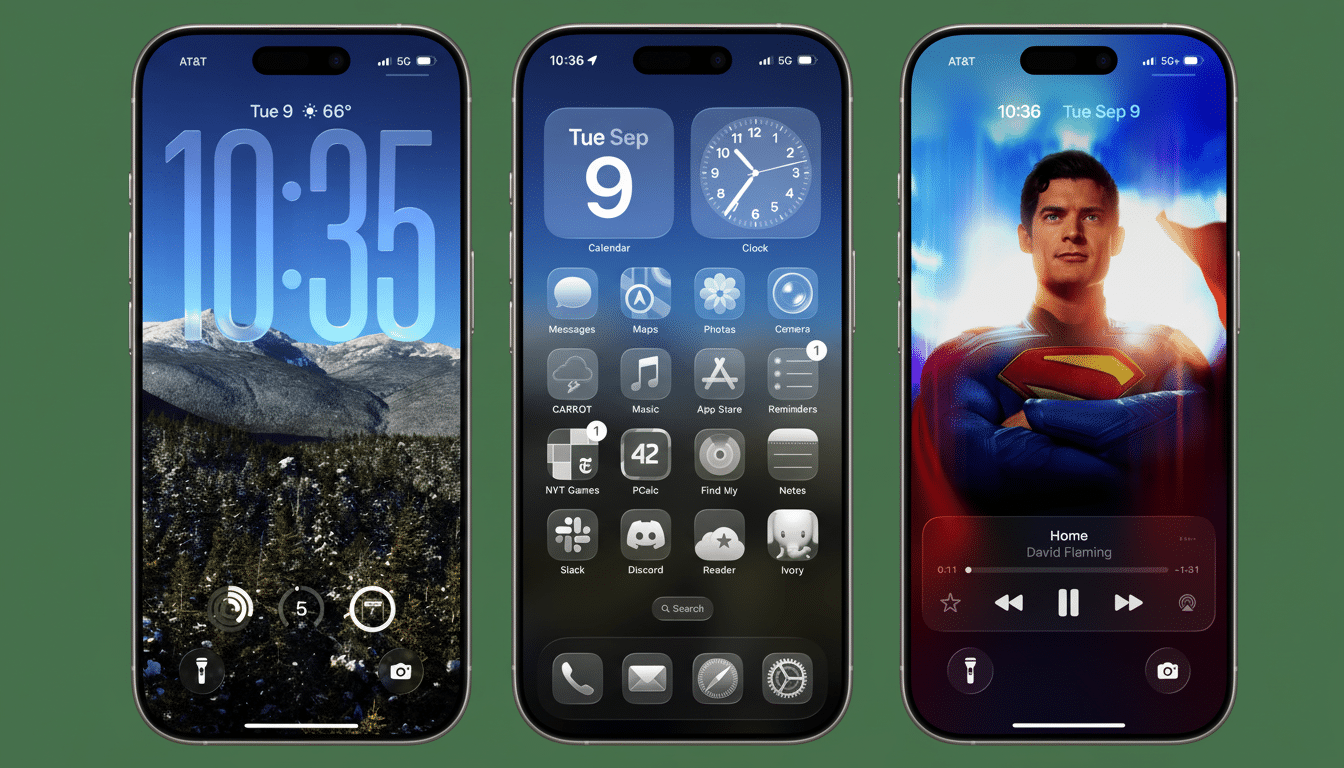
Liquid Glass design: This new innovative interface treatment brings a new level of depth to surfaces and graphics, delivering more fluid and dynamic user interaction throughout the system.
It’s a marked departure from the flatter look of the past few years, with depth cues and motion that give widgets and panels more of a tactile feel.
Photos redesign: The gallery will have easier navigation, smarter collections, and more expedited editing. Look for tighter on-device curation and enhanced search, particularly for people and pet recognition.
Camera one-handed mode: A welcome tweak for big-screen iPhones, moving shutter and key controls closer to your thumb. It’s small, but it makes a difference on your everyday shooting.
More dynamic lock screens: Apple brings more customization to the lock screen with new styles, animations, and context-aware widgets that will make your at-a-glance info more useful without having to unlock your phone.
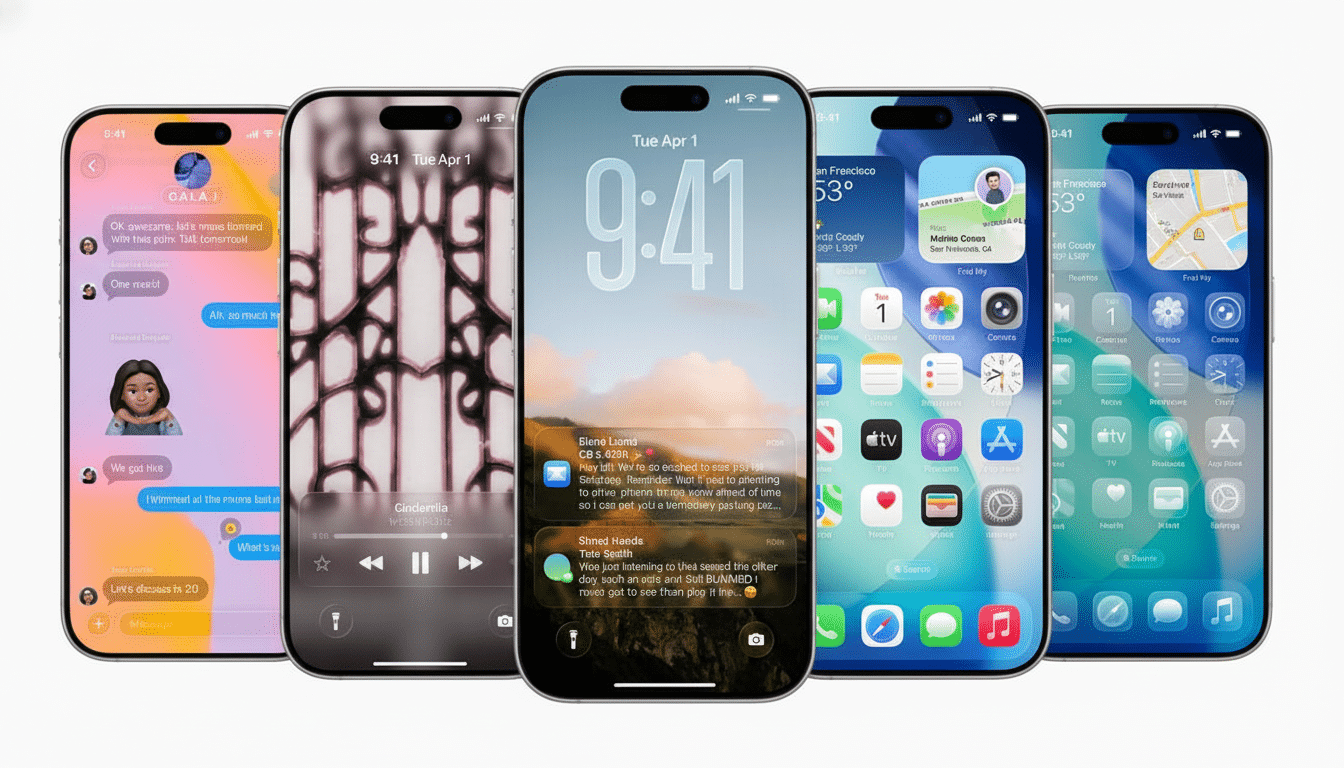
Messages upgrades: Better group management, more expressive replies and reliability improvements elevate Apple’s most-used app Fit and finish updates to iOS 14: No, nothing revolutionary here—but nothing revolutionary is required.
Collectively, these advancements give iOS a modern look and feel, subtly changing the way you interact with your phone on a day-to-day basis. Developers will also have new canvas areas to expose data at a glance, and those usually spur relatively rapid app updates in the first few weeks post-release.
Related Apple Updates Landing Alongside
Apple is following up with the rest of the ecosystem: iPadOS 26 for iPad Pro (12.9-inch 3rd gen or later, 11-inch 1st gen or later), iPad Air (M3/M2 and 3rd gen or later), standard iPad (8th gen or later), and iPad mini (5th gen or later). watchOS 26 is for Apple Watch Series 6 and later, and for Apple Watch SE (2nd generation) and all the Ultra models; the original SE does not get a ride.
On the desktop, macOS Tahoe 26 is available for Apple silicon Macs, and Intel holdovers: MacBook Pro 16-inch (2019) and MacBook Pro 13-inch (2020, four Thunderbolt 3 ports). These include the Mac Pro (2019 or later), Mac Studio (2022 or later), Mac mini (2020 or later) and iMac (2020 or later). visionOS 26 also comes to Apple Vision Pro. Apple’s tvOS 26 is still on track for later in the year.
Prepare Your iPhone
Back up first. If you wish to keep Health data and passwords, use iCloud Backup or an encrypted iTunes backup. Get the backup done before you install.
Clear space. Offload big apps, or move media to iCloud Photos. Try to leave at least 10 free gigabytes so you don’t receive errors during installation.
Stabilize your setup. Update important apps, verify your Apple ID password, and charge your device. If you depend on a particular enterprise or productivity app, check the developer’s iOS 26 support notes.
Why You’ll Have to Wait for iPhone 11 Models
Apple has tended to support five to six years worth of iPhone models. By establishing iPhone 11 as the cut line, Apple also maintains a steady base for GPU features, on-device machine learning, and the new animation system that makes Liquid Glass possible in iOS 26. That’s to help make your experience zippier in general, rather than to dumb the feature set down for older devices. Those Apple adoption figures, as well as some developer analytics, suggests people become ‘modern’ device users in little time, which underpins this view.
Bottom line: If you own the iPhone 11 or later, get ready for iOS 26 next week with new polished, and practical, upgrades. Free up some space on your phone, back it up, and when the update does appear in Settings, you’ll be ready.
