


If you have a MacBook and find yourself wishing Apple would make a touchscreen version, there’s now a new way to bring touch capability to your existing Mac. Intricuit’s Magic Screen, a CES demo, connects to your MacBook’s screen and plugs into USB-C, enabling tap, swipe, pinch, and stylus input on macOS — you can finally use touch in a fairly comfortable way without waiting for Apple to release new hardware.
The pitch is straightforward: marry the portability of a MacBook with the hands-on fluidity of an iPad. As shown off in demos highlighted by AppleInsider, the experience is eerily reminiscent of an iPad with a Magic Keyboard, with finger drags and stylus scrawls alike.
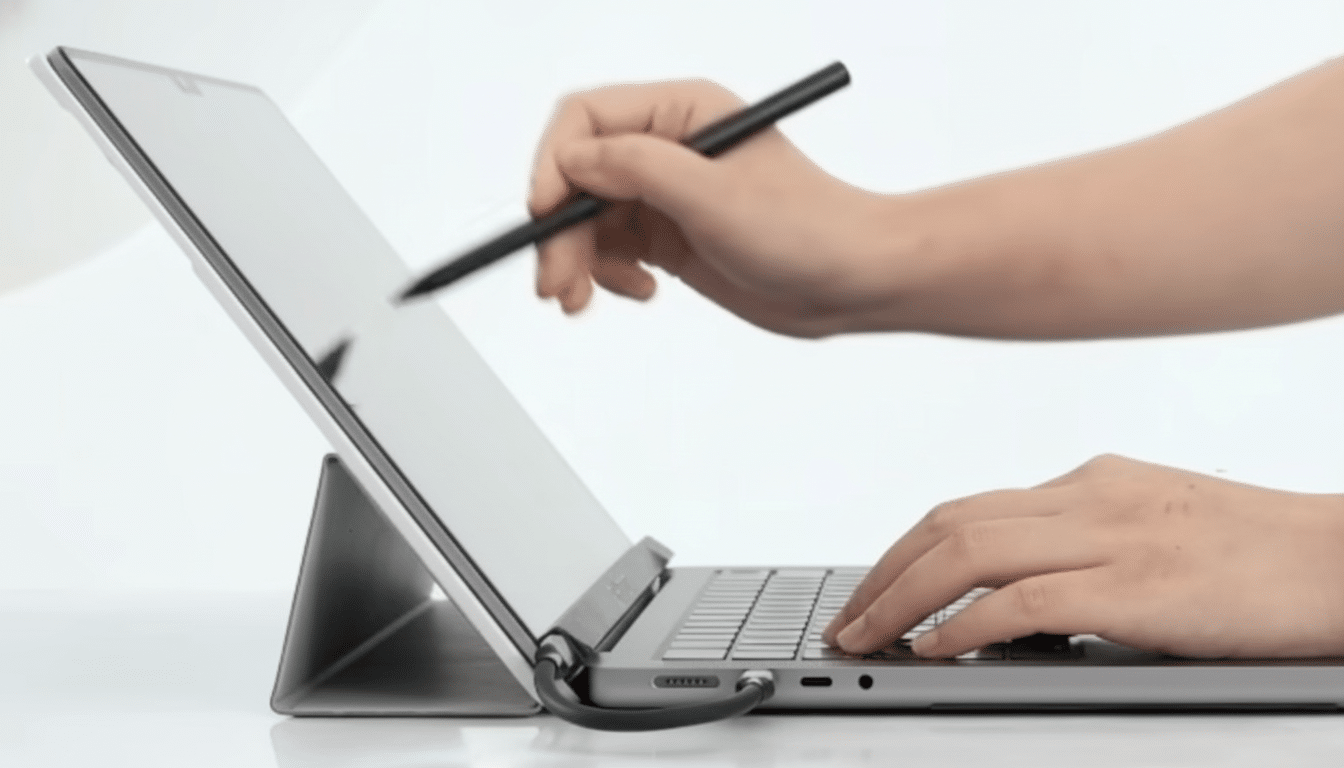
The bundle includes:
- Touch overlay
- Stylus
- USB-C cable
- Folio
- Polishing cloth
What the Magic Screen is and how it works on Mac
Intricuit calls Magic Screen a snap-on digitizer. Simply put, it’s a thin capacitive layer that’s applied to the surface of your display and sends touch information across USB as a normal human interface device. That means taps register as clicks, swipes act like the gestures you use your trackpad for, and pinch-to-zoom feels good in apps that support it, from photo editors to web browsers.
The company says that there is no loss in clarity. It’s technically possible, if the overlay is backed with a low-opacity substrate covering and quality coatings — but any add-on layer is prone to reflect slightly or suffer some parallax compared with a fully laminated touch panel. One big caveat: you’ll need to remove the accessory before closing the lid so that there’s no pressure on your MacBook screen.
The stylus, which is rechargeable, will last up to 100 hours per charge, Intricuit says. Expect simple tap-and-drag input, rather than deep Pencil-like features — macOS doesn’t have systemwide pressure or tilt APIs for a stylus the way iPadOS does. For fast markup, note-taking, wireframing, and light sketching, however, it might be a smart upgrade.
Compatibility and setup for current Apple silicon MacBooks
Intricuit explains that Magic Screen is compatible with all M‑series MacBooks — aside from the M1 MacBook Air. Installation is a snap: just clip the panel onto your display, plug in the included USB‑C cable, and macOS will see it as an input device — no special driver software needed in the demo setup I witnessed.
Magic Screen works well with Apple’s iPhone Mirroring feature on macOS 15, which allows you to swipe through your iPhone apps shown on your desktop as if the MacBook were a gigantic touchscreen phone.
It is a natural use case for social apps, quick replies, or mobile‑exclusive tools that you would just as soon tap as click through.
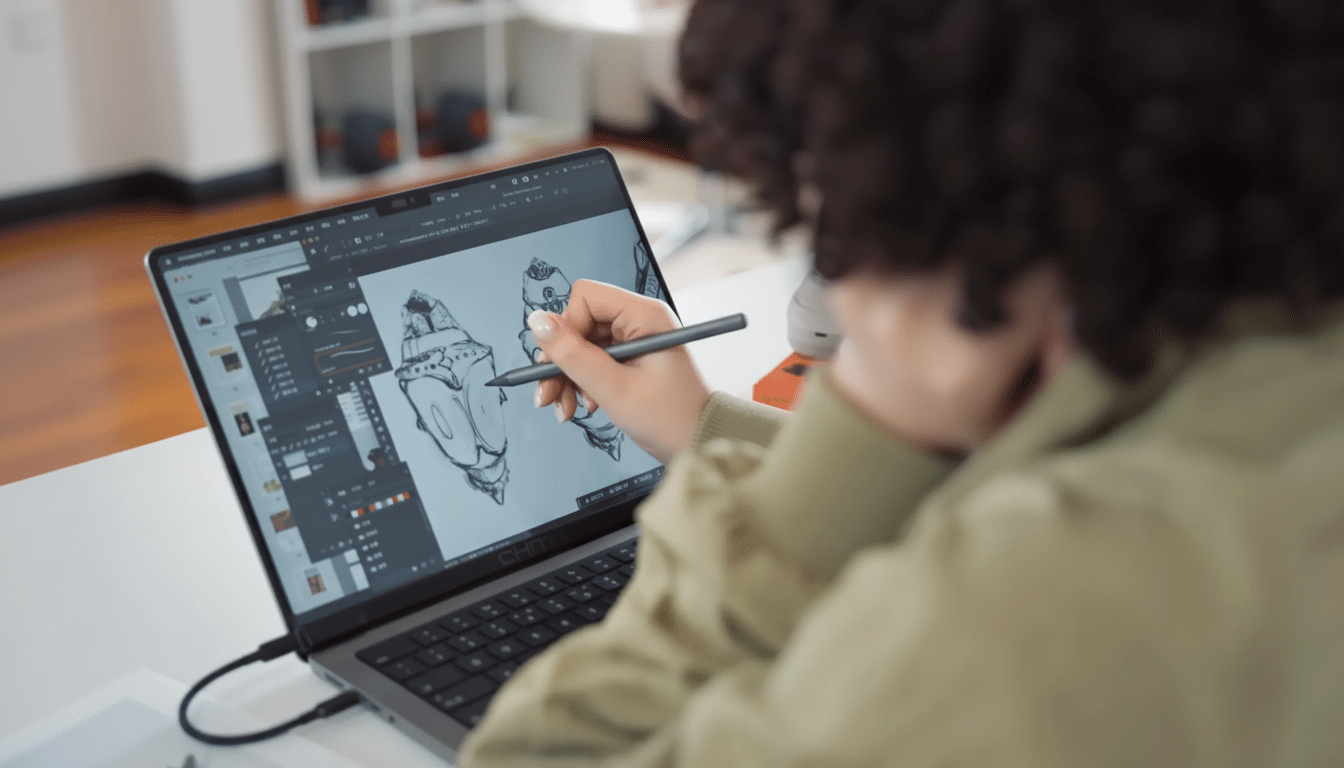
Remember, macOS was built around the cursor. Buttons and menu targets can feel small under a finger, so you’re likely going to combine touch with the trackpad and keyboard. Touch frequently adds speed for scrolling long documents, zooming timelines, or nudging sliders in creative apps rather than completely replacing the speed of the cursor.
Where the Magic Screen shines and where it falls short
The company says creative workflows will benefit the most. Fast annotations in Preview, sketching out ideas in Concepts or Photoshop, scrubbing through audio and video timelines, and even zooming complex spreadsheets all naturally translate to direct touch. Students and field workers might value being able to sign PDFs or take handwritten notes without a second tablet to manage.
There are trade-offs. Under bright lights, you may get glare introduced through an overlay if the anti-reflective coatings aren’t high quality. There might be some latency, of course, depending on the controller and how it compares to a native touch device. And since you can’t close the lid with the panel attached, it’s more something that you’d snap on at a desk than leave connected in your bag.
The context matters too: Apple executives have long waved off the need for touch on the Mac, pointing to the trackpad and keyboard as primary inputs. But many Windows ultraportables include touch by default, and external touch screens usually communicate to macOS over traditional HID. Magic Screen acknowledges that reality by fitting in with the Mac first, not a one-size-fits-all display.
Price, availability, and crowdfunding caution for buyers
Magic Screen is being sold for $139 on Kickstarter; Early Bird access has opened. Crowdfunding isn’t shopping, and delivery times can slip; Kickstarter’s own analysis has previously found that somewhere around 9 percent of projects fail to deliver the benefits promised. It will be interesting to see the extent to which Intricuit can scale and produce optical quality at this level — as well as how it might support more MacBook sizes.
If it works as promised, Magic Screen seems like the most practical way to add touch to a MacBook since other efforts like Neonode’s AirBar, which relied on an array of infrared scanning and never really offered widespread Mac support. For Mac users, it’s the most convincing swing yet: a snap-on digitizer that gives you one-touch control without investing in a separate tablet.
Bottom line: it will not turn your MacBook into an iPad, but this could be the fastest and cheapest way to get the most out of a touch experience that has been introduced to our screens in the last decade — taps, swipes, and quick inputs with pen or finger, right there on the screen you already own.
