


I handed my schedule over to Google’s new AI personal trainer for five weeks to see if it could keep me in line through real life — travel, family visits and a Midwestern cold snap included. Built on Gemini and integrated into the Fitbit app, the coach didn’t just barf out generic plans; it adapted when I asked, scaled back when my recovery waned and — crucially — made gunning for parkrun PBs a little easier to show up for. It wasn’t perfect, but I consider it the first A.I. tool that felt like a patient coach rather than a nagging timer.
How Google’s Coach Works Right Now in Fitbit
The preview flows right into the Fitbit app as a conversational layer of information that uses insights from your wearable. Adults can access it in English on Android and soon on iOS, with support coming down the line (atop your phone-free watch), and they need Fitbit Premium at $9.99 per month. You communicate exclusively through chat, across four tabs — Today, Fitness, Sleep and Health — along with a persistent Ask Coach button. I paired it with a Pixel Watch, but other recent Fitbits that have returned to Cardio Load support will suffice.
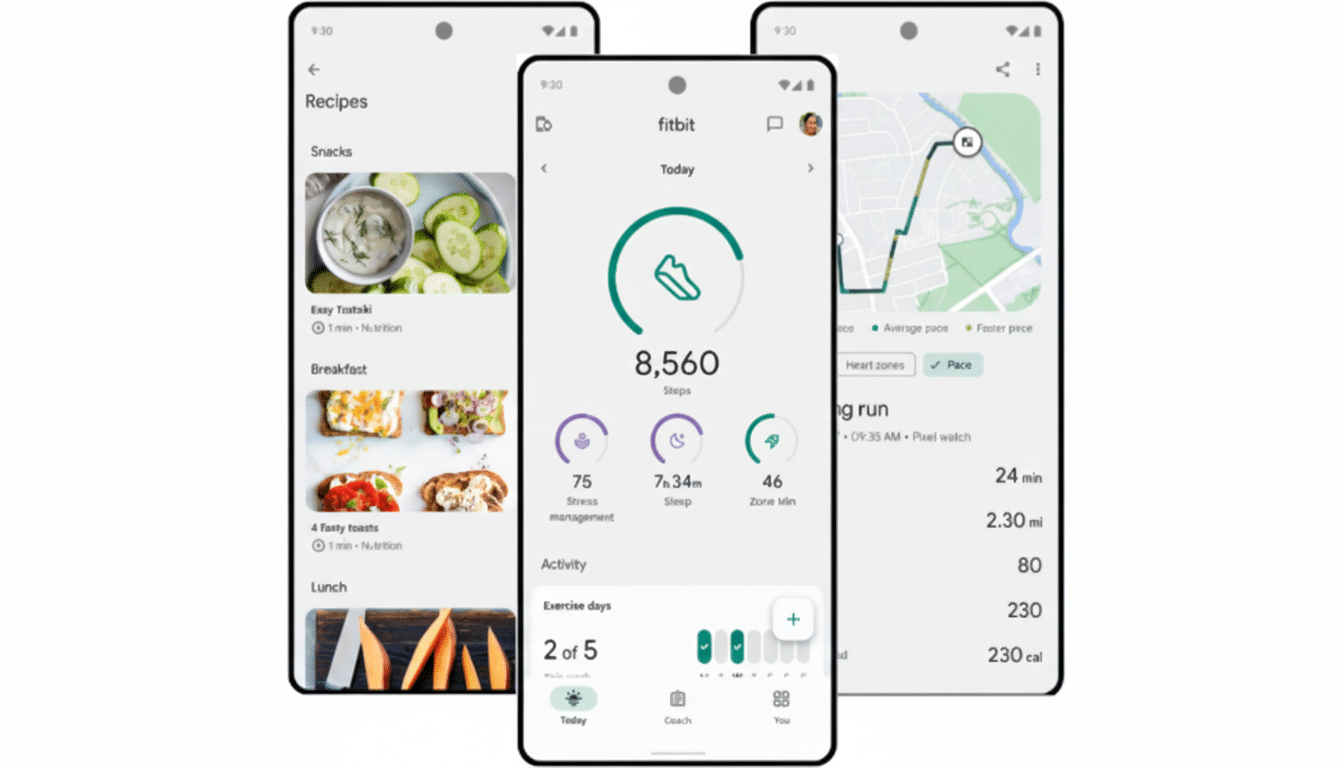
Onboarding took about 10 minutes. After the AI asked me about goals, history, access to equipment and scheduling constraints, it spit out a weekly plan linked to intensity targets that operate on two indices: Daily Readiness (how hard you should push based on recovery and prior strain) and Cardio Load (cumulative training load in the same week). It will be able to choose from a library that Google says already counts more than 700 movements available, modulating duration and intensity as it learns.
Five Weeks in the Trenches With Google’s AI Coach
The coach would suggest the following week’s schedule on Saturdays, which I could modify instantly in chat. It picked up on my standing strength visits to a human trainer and plugged the holes with runs, bodyweight cardio and mobility work — then adjusted when weather or fatigue intervened. When an arctic blast made running outside unbearable, I requested an indoor alternative and received a practical cardio circuit that catered to the zero-equipment actuality of my apartment.
During the Thanksgiving holiday, as I slept poorly and stayed up late, my resting heart rate climbed a bit in response to extra calories. The coach observed the pattern and preemptively turned an intended hard run into a brief recovery walk. That nudge was important; without it, I would have missed the day altogether. It ensured that my Cardio Load remained on point, and it mimicked the way experienced coaches manage so-so weeks — something, when implemented intelligently, is better than nothing.
What It Got Right During Five Weeks of Real Use
Consistency. I nailed the weekly Cardio Load number for two weeks in a row, and I saw my Daily Readiness trend upward as sleep and effort harmonized. That jibes with evidence that wearables-led programs raise activity levels: a 2022 meta-analysis in The Lancet Digital Health tied wearables to about 1,800 more steps a day and modest weight reduction over months.
Frictionless planning. The chat-first setup allowed me to reschedule or swap workouts in seconds, a little UX decision that had big adherence dividends. Matching it up with the World Health Organization guidelines (150 to 300 minutes a week of moderate activity plus strength work on two days) made the plan feel sensible rather than punitive.
Context-aware coaching. Ramping up, or easing off, effort based on heart rate and recovery readings is standard stuff in elite tools from Polar and Garmin; it was surprising to see Google applying a similar philosophy — without demanding that I adhere to a locked-in plan. The living plan accountable in my pocket kept me on the straight and narrow between trainer sessions.
Where It Fell Short and Needs Work to Improve
Guidance gaps. When we were on a flexible week at practice, the coach recommended a yoga class to get us more bendy; it didn’t show how to stretch or flow; all it did was say what category. (And given Fitbit’s immense workout video library and the existence of YouTube, piping in a relevant clip or at least an organized sequence should be a breeze.) Some of these 30-minute suggestions had just 10 minutes of actual exercises, so I’d have to repeat sets.
Device quirks. Heart rate–guided runs meant many watch chimes when I strayed around the target zone, an annoyance shared by other ecosystems. Not every workout can be prompted from the app to the watch, and some of those notification deep links left me in stats instead of summaries. None of this is a deal breaker, but polish counts for everyday usage.
Tone. The coach is unfailingly positive — even after I hit the wrong targets. Fill in a dollop or three of pointers, form tips (where the sensors permit) and helpful skill cues for those intermediate-level users seeking gains fast.
How It Stacks Up Against Apple, Samsung, and Others
Samsung’s Galaxy AI provides a competent Running Coach and Sleep Coach that has more prescriptive pre-bed guidance, whereas Apple’s Workout voice feedback is expansive but intentionally light-touch. Polar and Garmin both create great periodized plans, but they’re not as conversational or flexible on the fly. General-purpose AIs can write routines but they don’t ingest your recovery and strain data like Google’s coach.
The Bottom Line After Five Weeks With Google’s Coach
This AI coach helped me be more consistent without feeling punitive, and when life got messy, it adjusted. It still requires richer workout guidance, clearer device routing and sharper feedback. But for a preview of it, the platform is already more adaptive than most built-in coaching tools and closer to how humans really train — modifying, not abandoning. For anyone with a newer Fitbit or Pixel Watch, and a Premium subscription, it’s an encouraging way to transition “I’ll start tomorrow” into an actual plan you adhere to.
