


The last week I’ve been living with HP’s EliteBoard G1a, a full Windows desktop hidden inside of a slim keyboard. It appears as a minimalist input device on your desktop, but it operates as a powerful AI PC. The concept harkens back to retro icons like the Commodore 64, but the execution is thoroughly modern — designed to accommodate hot-desking, hybrid offices, and people who keep a laptop closed under a monitor for most of the day.
A Slick Desktop That Goes Where You Go and Works Anywhere
The EliteBoard G1a weighs around 1.5 pounds, or about 1.6 with the optional internal battery.
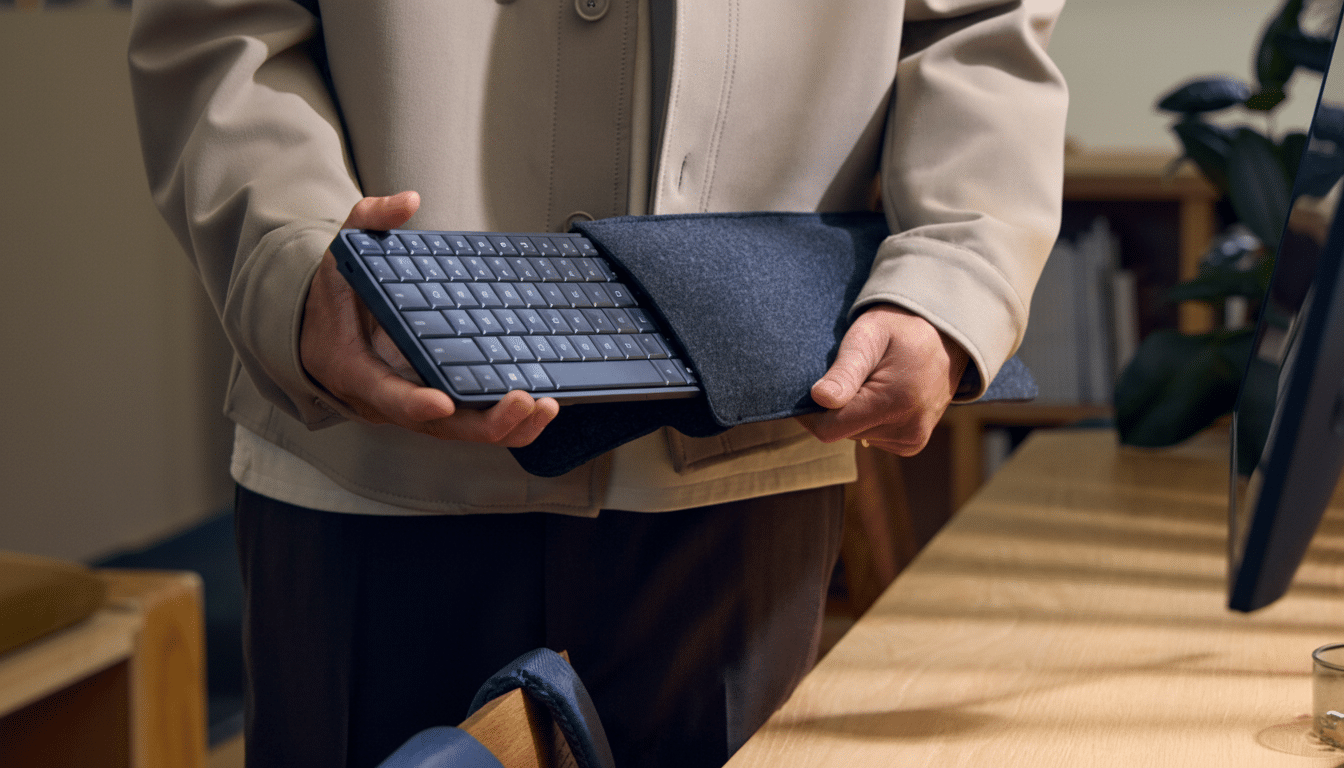
The two-layer design of the chassis is simple — there’s a keyboard module up top, and a PC underneath. IT departments can replace the keyboard deck on their own, and the interior is simple to open for RAM, SSD, WLAN card, speakers, fan, and battery — serviceability you don’t get in many ultrabooks.
Grilles are also visible underneath, and a managed fan system keeps thermals in check. During at least a week of varied office use — video calls, document work, streaming — the unit remained cool to the touch and whisper-quiet. It never felt like a thermal concession for the small size.
Typing Experience and Everyday Use in Daily Workflows
HP uses low-profile keycaps instead of silicone-dome switches that offer around 2mm of travel. The touch is more like that of a premium business laptop than a mechanical deck — soft, quiet, and fast with little noise to disturb open offices or conference rooms. If you like tactile clicks, you’ll miss them here; if you love silence, it’s great.
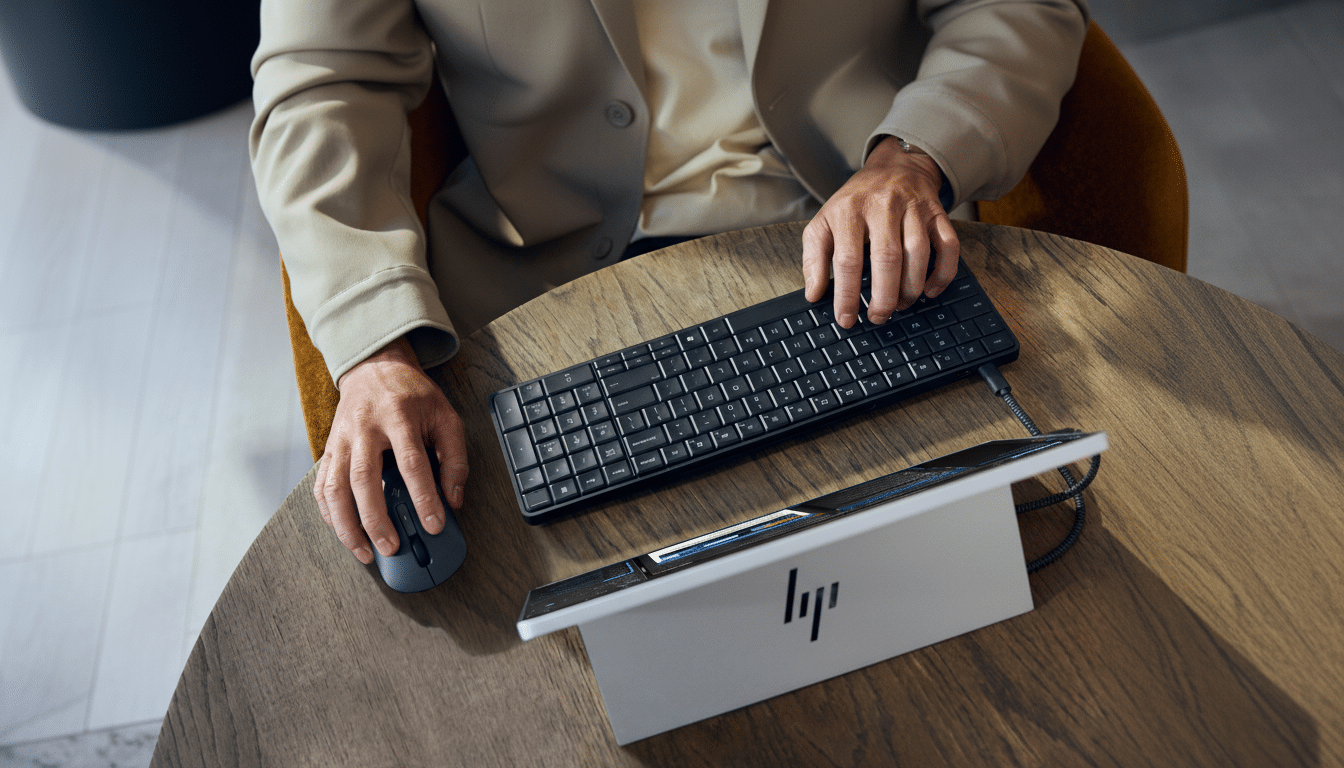
There’s no built-in touchpad, so HP packs a multi-device wireless mouse that is equipped to handle not only a 2.4GHz dongle but also two Bluetooth profiles. The keyboard incorporates speakers and dual mics for calls and voice features, in line with the AI PC trend toward on-device dictation, live transcription, and assistant interactions without extra peripherals taking up space on the desk.
Ports, Power, and a Single-Cable Desk Setup for Offices
You have two USB-C ports (including USB4), Wi-Fi 6E and optional Wi-Fi 7, and Bluetooth for peripherals. HP’s little breakout box routes pretty much everything else. This dongle is connected by a single USB-C cable from the EliteBoard, then plugged into your monitor to provide video, RJ-45 Ethernet, and an AC power port. The result is a tidy, one-cable desk that’s easy to dock and undock.
The optional internal battery is not there so that you can work untethered all day; it’s a bit like a micro-UPS. You can unplug, walk to a meeting space, and pick up where you left off without powering off; that’s not something mini PCs and even conventional desktops can do with grace. With a fixed installation, the battery-free configuration makes it easy for you to take things right at the front desk, kiosk, or shared workstation.
AI Muscle in a Small Footprint for Everyday Tasks
Beneath the keyboard, HP is running AMD’s Ryzen AI platform of hardware that will offer models ranging from a base as low as a Ryzen AI 5 330 up to at least Ryzen AI 7 350 Pro. The integrated NPU provides up to 50 TOPS of on-device AI acceleration, matched with up to 64GB DDR5 memory and 2TB NVMe storage. In practice, that translates to smoother live captions, background blur and noise removal in calls, and faster local inferencing for assistants like Copilot without relying on the cloud.
Though I could not benchmark this pre-release unit, the component mix looks similar to a premium ultrabook’s. You can expect performance that breezily tackles productivity, more than a dozen browser tabs, and AI-aided workflows, but don’t even think about modern graphics-heavy workloads on an integrated GPU or non-workstation surface.
The timing coincides with broader market changes. “In a few years’ time we expect AI-enabled PCs to make up the majority of shipments in this category and it will open even more opportunities for vendors.” Organizations are investing in these devices with NPUs to reduce latency and save money on expensive cloud services. At the same time, Gallup data finds that 52% of remote-capable U.S. workers are in hybrid schedules, highlighting a desire for hardware to seamlessly dock at multiple locations and reduce friction.
Where It Fits and What to Watch Before Deployment
The EliteBoard G1a is built for hot-desking environments, shared meeting spaces (huddle rooms), front-of-house positions, and class sessions with clear speakers, security, and tidy cables. It’s also a clever replacement for the always-closed laptop under a monitor. Trade-offs are that it has a basically non-mechanical keyboard feel; minimal native port selection (you will definitely need to carry the dongle); and you’ll require an external display from day one.
HP has not announced pricing or availability, but the quality of construction, manageability, and AMD silicon imply a price range closer to that of a premium business laptop than a commodity keyboard. To IT, the replaceable keyboard deck, field-serviceable insides, and a single-cable desk story are sexy — as are Windows enterprise management and security stacks.
A week into it, the takeaway is pretty simple: a thoughtful reimagination of the office PC. By shifting the computer into the keyboard and shaving away everything else, HP streamlines yet does not dumb down the workday. If your business is embracing hybrid work and AI-optimized workflows, the EliteBoard G1a deserves a hard look.
