


Windows 10 is approaching the end of mainstream support, but you can still join a legitimate program and get critical security patches at no cost for one more ESU cycle if you use your device as a member of the public. Microsoft sneak-announced “free enrollment options” in its Extended Security Updates program for consumers, but residents of the European Economic Area get the best deal.
Who Qualifies for Free Windows 10 ESU and Where
Eligibility is restricted to personal-use PCs with Windows 10 version 22H2 and the latest cumulative updates installed. Accepted editions are Home, Pro, Pro Education, and Pro for Workstations. Enterprise and Education editions are not eligible for the free paths, as well as machines connected to an Active Directory domain or Entra ID, or accounts managed with Mobile Device Management.
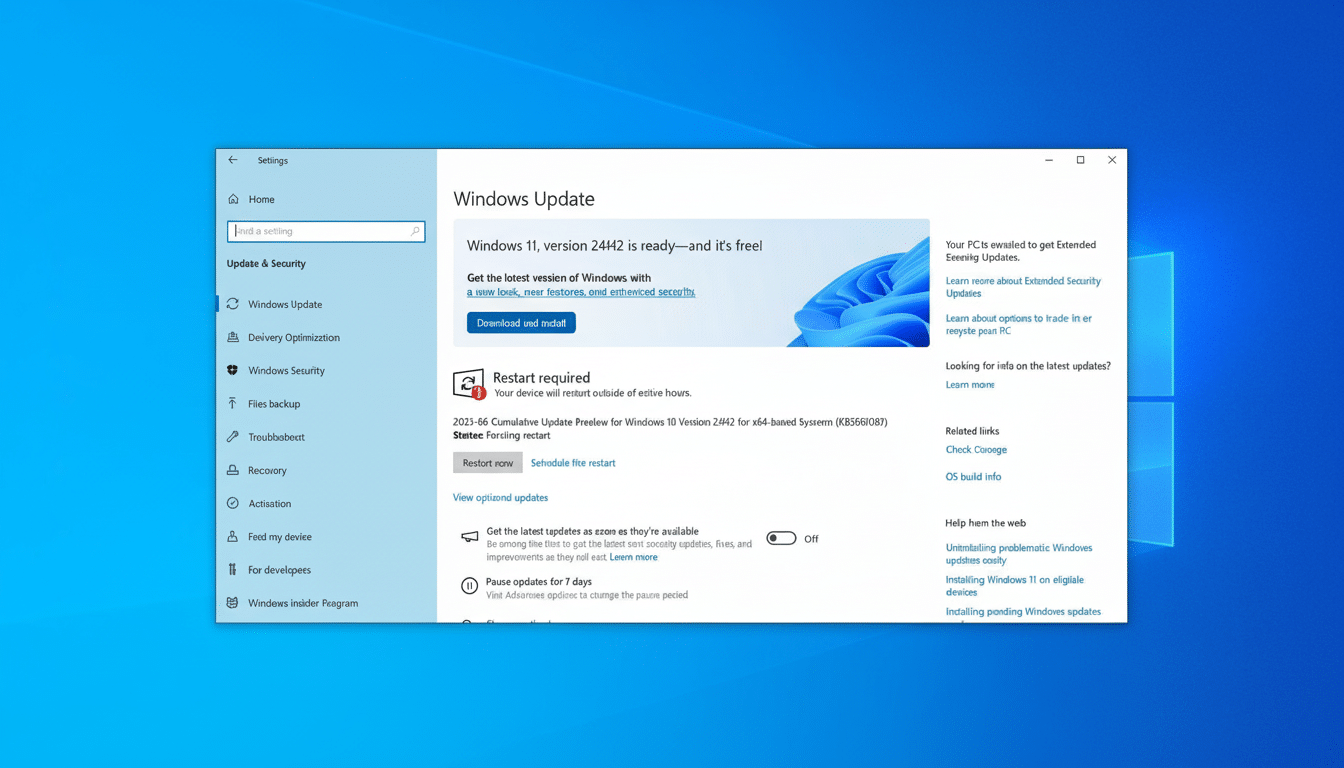
Sign-up is linked to a Microsoft account, and one account can cover up to ten PCs. Microsoft says the offer is available in certain markets. The company has stated that consumers in the European Economic Area will get their ESU for free with nothing extra to do, a claim validated by a letter from Euroconsumers Group and seen by Windows-watching publications.
Why is this happening? Windows 10 continues to run on a big slice of PCs. New baseline: Despite the efforts by PC makers and Microsoft to get people into new hardware, Windows 10 remains a dominant presence among Windows versions in the StatCounter GlobalStats, making it seem only reasonable that any transition tomorrow to Windows 11 would include a one-year safety net.
Three Ways to Get Windows 10 ESU at No Cost
- Use Windows Backup: The easiest way is to use the native Windows Backup app and sync your settings to Microsoft’s cloud. If you have a Microsoft account and already set up Windows Backup, the enrollment wizard automatically turns on File History. The flow has been tested by independent reviewers who report a “you’re covered” message after Backup is done.
- Redeem Microsoft Rewards: You can also be eligible for 1,000 points by redeeming through Microsoft Rewards. It’s also easy to earn those points: Sign in to the Bing mobile app, complete daily sets, and answer short quiz questions. The point value is worth about the same amount as pocket change if you were to redeem it for gift cards; but here, it turns into a year’s worth of security updates.
- Live in the EEA: Customers from the European Economic Area are free to use ESU without any additional conditions. In reality, that means the offer should be visible to you and eligible for enrollment without needing to run a Backup or redeem any Rewards. Microsoft has confirmed this region-wide relaxation to service providers and tech blogs.
Step-by-Step Enrollment for the Free ESU Program
- On a compatible PC, open Settings and navigate to Windows Update. Look for the Extended Security Updates card or an “Enroll now” link. Log on as an administrator.
- If you aren’t in the EEA exclusion, sign in with a Microsoft account so the subscription can be associated with it.
- Select a no-cost option (Windows Backup, for example, or Microsoft Rewards) — or pay the selling price if you’d rather.
- Approve the prompts, then return to Windows Update to see whether a verification message is showing.
- If you don’t see the offer yet, wait. Microsoft is phasing the release, and there are no tangible advantages to rushing to enable it early.
Limits, Requirements, and Important Fine Print
The consumer ESU is for a single year of Windows 10 security-only updates. It doesn’t turn Windows 10 into something that’s supported, and it doesn’t install any new features. Updates come through the standard Windows Update process after the device is enrolled and as long as it stays signed in with an eligible Microsoft account.
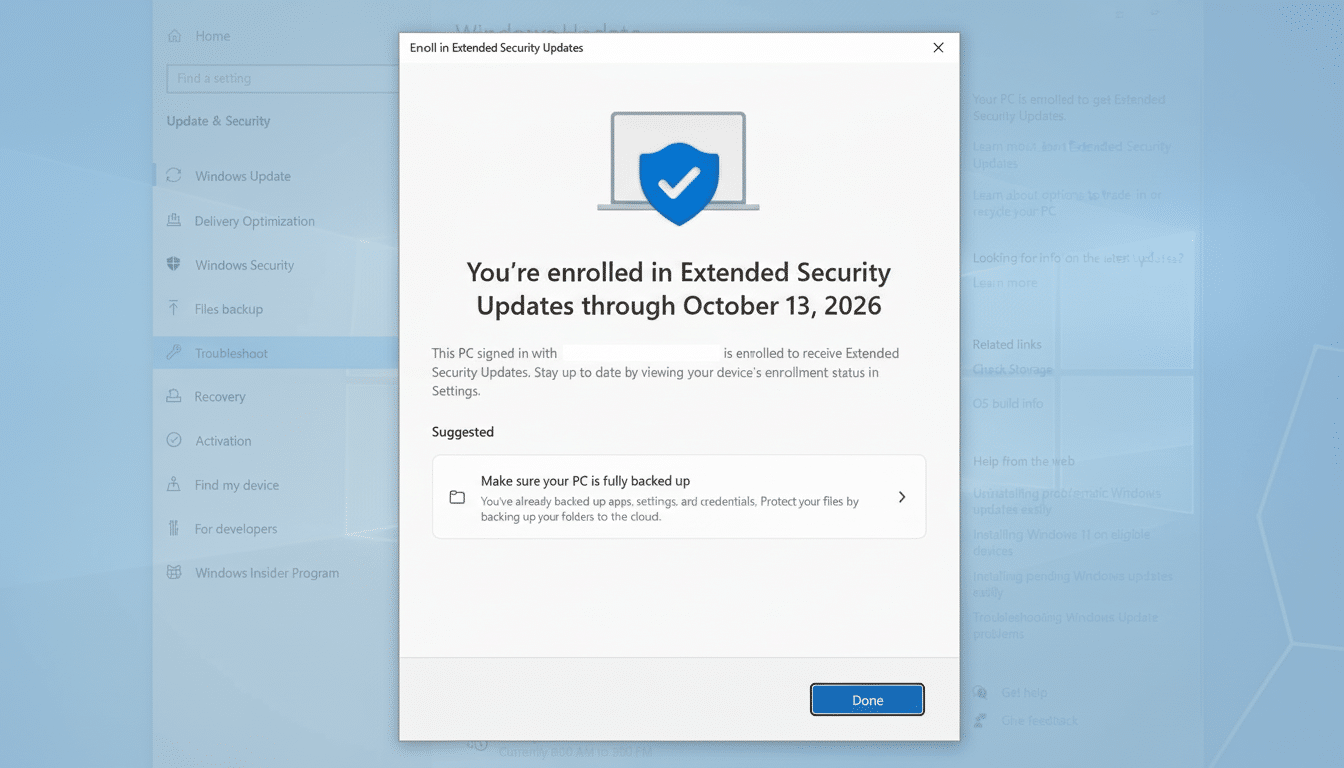
Up to 10 personal PCs can subscribe with the same account. It will not show on domain-joined, Entra ID-joined, or MDM-managed devices. Reinstalling Windows: By signing in using the same account, you will regain eligibility on that device.
A warning about the Windows Backup approach: The app also ties into OneDrive. For users who have only the 5GB of cloud storage that Apple gives you with an iCloud account and have a few large folders selected, it’s easy to fill this allowance up fast. You can regulate what gets backed up or, alternatively, use the Rewards option instead to sidestep storage headaches.
What About Businesses and Other Commercial Users
Free consumer paths exclude commercial devices. Businesses must purchase ESU through Volume Licensing or a Cloud Solution Provider. Microsoft’s price list begins with a per-device charge for the first year that doubles in each successive year, for three years of coverage. Folks at firms such as Gartner are quick to point out that ESU is very much a stop-gap risk mitigation tool for the short term during migration, and not any sort of way to lock down infrastructure.
Smart Solutions to Avoid Common Enrollment Snags
- Update to Windows 10 version 22H2 and apply all current patches before you attempt to enroll.
- Make sure the PC isn’t joined to work or school management.
- If you want the path of least resistance, use Microsoft Rewards instead of syncing files.
- Stay away from unofficial scripts or registry hacks; they’re unreliable and can complicate future updates.
If you are eligible, the free ESU is a way to buy time to strategize your next move while still staying protected. Consumer advocates such as Consumer Reports have called for a longer runway for Windows 10 users. Microsoft’s one-year bridge won’t change the endgame, but it does offer millions of PCs a safer track to whatever comes next.
