


Google is rolling out a revamped Trends Explore experience infused with Gemini, its latest AI model, promising faster comparisons, smarter suggestions, and less manual work for anyone tracking what the world is searching for. The update focuses on automating discovery—surfacing adjacent topics, building comparisons on the fly, and nudging users toward deeper analysis with guided prompts.
What’s new in Trends Explore: features, prompts, comparisons
The redesigned Explore page introduces a side panel that automatically identifies related trends tied to your query and stacks them into ready-to-compare charts. A set of suggested Gemini prompts appears alongside, encouraging users to refine questions or open new lines of inquiry without leaving the page.
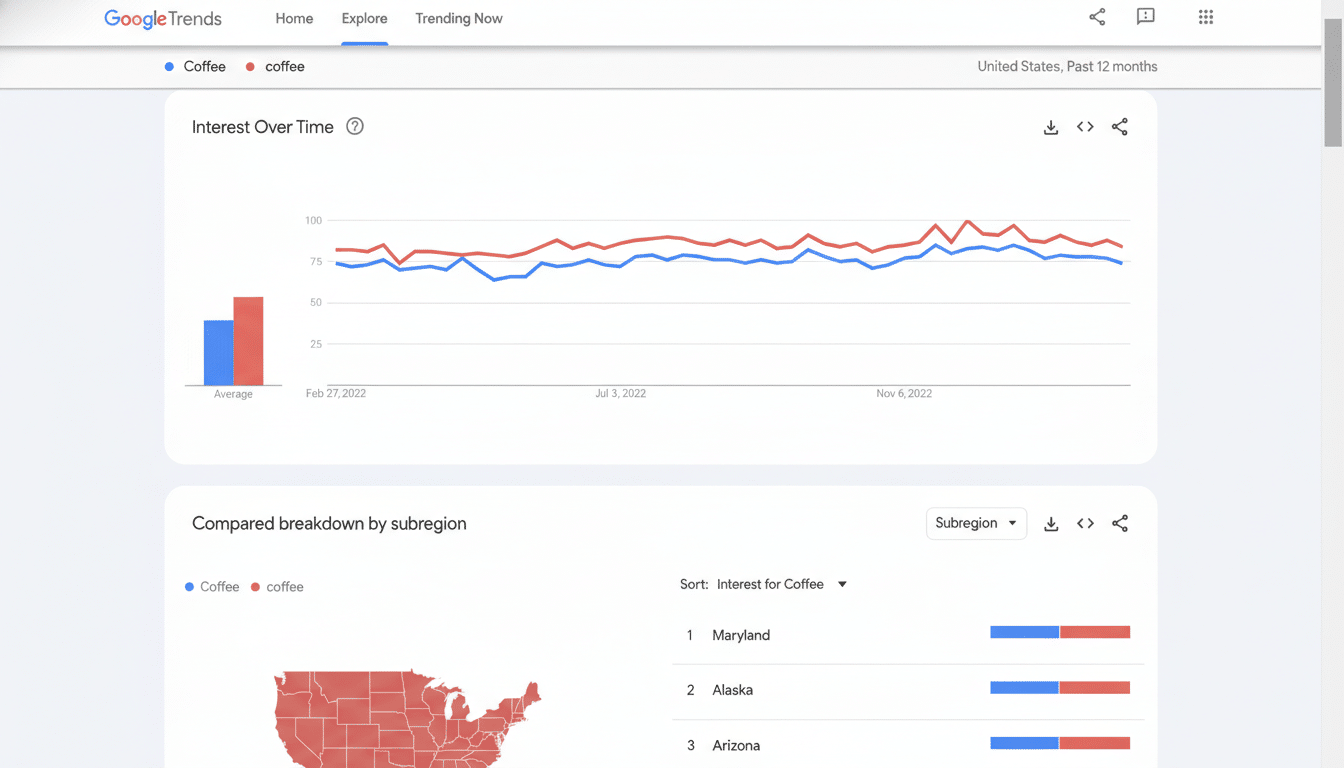
Google also refreshed the visualization layer with clearer colors and icons mapped to each term, making it easier to read multi-line graphs at a glance. The company increased the number of terms you can compare—up to eight in Google’s example—and doubled the count of rising queries shown on each timeline, giving a broader view of fast-moving topics.
In a consumer-friendly example, starting with a search for popular dog breeds now triggers auto-filled comparisons like golden retriever, beagle, and more, while Gemini suggests adjacent ideas such as hypoallergenic breeds or large dog breeds. As before, you can hover to edit terms and apply filters for country, time range, and property (Web, News, Images, or YouTube) to tailor the data.
How Gemini changes Google Trends research and workflows
For content teams, newsroom researchers, and marketers, the impact is pragmatic: less time spent brainstorming comparison sets and more time validating story angles. Gemini’s contextual suggestions can reveal relationships that might be missed in manual workflows—seasonality overlaps, regional split decisions, or niche topics that are quietly accelerating.
Editorial desks can use the expanded rising queries to gauge whether a spike is a localized curiosity or the early stages of a national storyline. Brand and campaign planners can pressure-test creative or keyword mixes by instantly layering in adjacent concepts to see which pairings track momentum. Product teams can explore category whitespace—think “portable blender” alongside “smoothie cup” and “travel mug”—to stress-test hypotheses before committing budget.
Mind the limits of trend data and avoid common pitfalls
As always with Google Trends, context matters. The charts represent normalized interest over time, scaled from 0–100, not absolute search volume. That means a dramatic-looking spike can still be small in real terms, and a flat line may mask very high, steady demand. Best practice is to pair Gemini’s suggestions with sanity checks—longer time windows, multiple regions, and property-specific views to separate noise from signal.
Cross-referencing still counts. Teams often validate insights against tools like Google Ads Keyword Planner, YouTube Analytics, or retail and social listening dashboards to understand whether search momentum aligns with clicks, watch time, or sales. Gemini’s proposed comparisons are helpful starting points, but users should verify causality and beware of correlation traps, especially during major news events or product launches that can distort baseline behavior.
Why this Gemini-powered Trends Explore update matters
The new Explore aligns with Google’s broader push to embed Gemini across its core products, following AI features introduced in Search, Gmail, Maps, and Docs. Bringing that capability to Trends is significant because search intent data often precedes social chatter and purchase behavior, making it one of the earliest signals for content planning, inventory bets, and reputation monitoring.
The expansion to eight comparisons and the doubling of rising queries materially increases analytical surface area without requiring spreadsheet pivots or multiple tabs. Combined with guided prompts, it shortens the path from a vague idea to a testable brief—particularly for small teams that lack dedicated analysts.
Competitively, the move also helps Google defend its role as a primary trend barometer amid the growth of alternative insights hubs such as TikTok Creative Center, Pinterest Trends, and third-party social listening platforms. While those tools excel at creative and social context, Google’s search data offers a complementary lens—what people intend to learn, buy, or do—now filtered and accelerated by Gemini.
Bottom line: the Gemini-powered Explore is less about flashy AI and more about practical time savings. For professionals who live on deadlines or in always-on campaign cycles, shaving minutes off every query, expanding the comparison canvas, and surfacing credible adjacent topics can add up to better, faster decisions.
