


Google is weaving its Gemini AI into the Google Trends Explore page, introducing an experimental sidebar that can surface, cluster, and compare hot topics without manual guesswork. The redesign aims to turn Trends from a passive chart hub into an assistive workspace for researchers, creators, marketers, and newsrooms looking to quickly spot what people are searching for and how interest is shifting.
What Is Changing in Explore With the Gemini Update
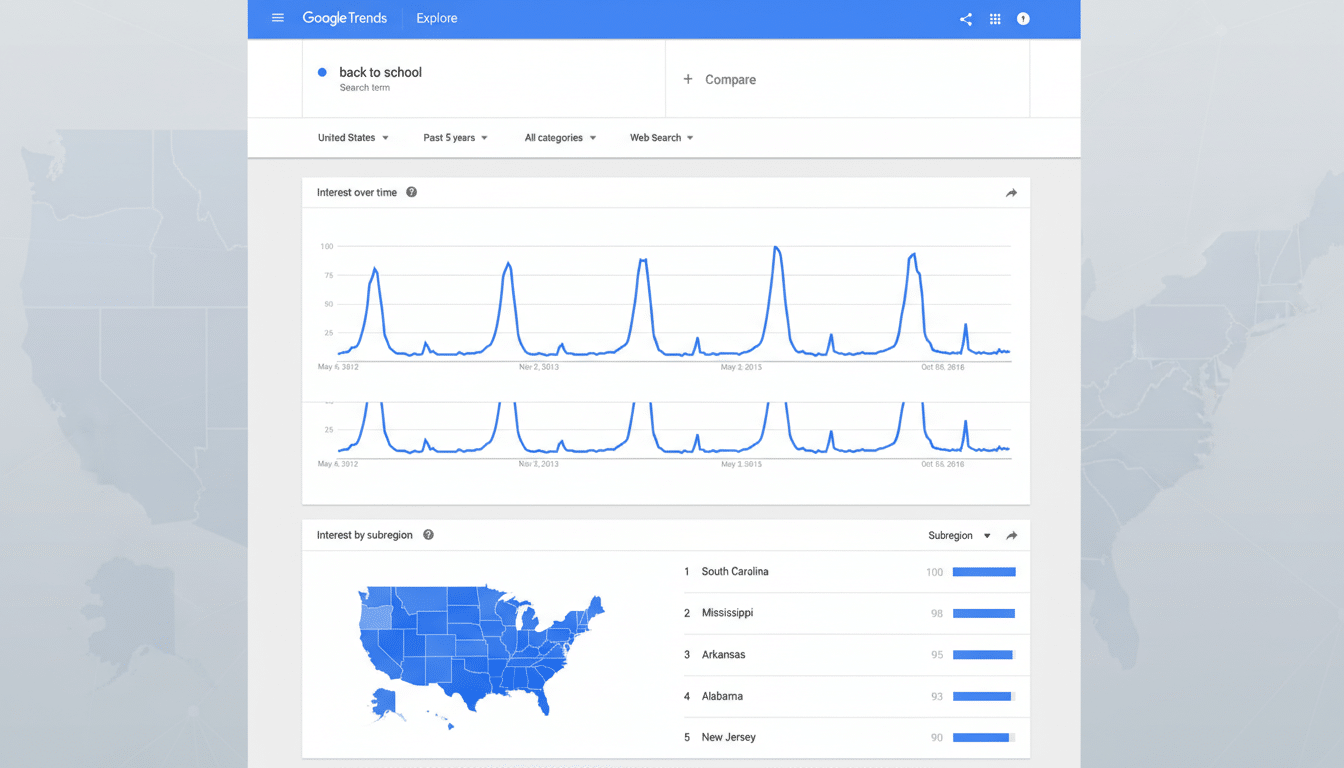
The Explore page is getting a cleaner, more colorful interface and practical data upgrades. Each term now carries a dedicated color and icon for easier scanning during multi-term comparisons. The page can compare more queries simultaneously and display twice as many rising queries on each timeline, improving at-a-glance discovery of emerging topics.
- What Is Changing in Explore With the Gemini Update
- How the Gemini Sidebar Works in Google Trends Explore
- Why It Matters for Creators and Newsrooms
- Design Tweaks and Data Extras in the Refreshed Explore
- Rollout and Availability for the New Explore Features
- Early Takeaways from Gemini’s Integration into Trends
These tweaks tackle a common friction point: comparing related terms across regions and timeframes. With better visual differentiation and room for more signals, the new Explore flow makes it easier to see which terms are gaining (or losing) momentum without constantly re-running charts.
How the Gemini Sidebar Works in Google Trends Explore
On the Explore page, a Gemini sidebar invites you to enter an area of interest—say “dog breeds” or “wireless earbuds.” Tapping the Find search terms button triggers Gemini to compile up to eight relevant queries and auto-populate a comparative chart. The graph shows interest over time, adjusted for your chosen region and date range, so you can see how related terms stack up at a glance.
Crucially, Gemini doesn’t stop at the first pass. The sidebar suggests additional ideas to explore, helping you expand from a broad topic into meaningful clusters (for example, pivoting from “running shoes” to “stability vs. neutral,” then into specific brands or models). It’s a faster way to move from a vague idea to a focused shortlist you can actually analyze.
For many users, this reduces the need to manually test dozens of near-duplicate terms or guess the exact phrasing people use. Gemini’s suggestions are grounded in actual search interest, helping you avoid blind spots and invest time on comparisons that matter.
Why It Matters for Creators and Newsrooms
Because Google commands roughly 91% of global search engine share according to StatCounter, Trends offers an unusually broad pulse on public interest. Pairing that dataset with an LLM means non-experts can assemble smarter comparisons faster—useful for headline decisions, campaign planning, or spotting breakout subtopics before they crest.
Consider a reporter tracking “foldable phones.” Gemini can surface leading models, compare their momentum by country, and reveal whether interest spikes align with launches or price drops. A brand manager might contrast product features—battery life, camera, durability—in a single view to determine which angles resonate and where.
There are caveats. Google Trends normalizes data on a 0–100 scale relative to each term’s peak, so it is not a measure of absolute volume. It is best used for directionality, seasonality, and relative interest. For business-critical decisions, pair Trends with first-party sources like Search Console, YouTube Analytics, or conversion data. The Reuters Institute has long noted that search remains a key discovery path for news, but local context, audience behavior, and timing still matter.
Design Tweaks and Data Extras in the Refreshed Explore
Beyond the AI panel, the refreshed Explore view supports more simultaneous term comparisons and clearer labeling. Color-coded terms reduce chart clutter, while the expanded list of rising queries doubles the number of potential angles you can investigate on a single page. For workflow-minded users, this means fewer reconfigurations and more continuous exploration.
Rollout and Availability for the New Explore Features
The updated Explore experience is rolling out gradually on desktop. Some users will see a “coming soon” message until the new interface reaches their account. The Gemini sidebar is flagged as experimental, so expect iterative improvements as feedback comes in.
Early Takeaways from Gemini’s Integration into Trends
Gemini’s integration transforms Google Trends from a manual comparison tool into a guided discovery engine. It won’t replace critical thinking, but it shortens the path from open-ended idea to a focused set of terms worth tracking. If Google extends the feature to mobile or connects it with programmatic access, expect even tighter workflows across SEO, audience development, and newsroom planning.
