


Google is making plans for a long-demanded feature: the ability to change your Gmail address, breaking one of its most enduring and consequential product constraints, according to text found in an updated Google support document in Hindi and reported by third-party news sources. It is not yet live, but the feature would make it so you can sign in as either address, making for a dramatic change to the all-or-nothing option that now exists between Google and non-Google addresses, ordering users to close an account using Gmail or stand up and redo their life with a new email.
What Google Is Planning for Gmail Address Changes
Google’s documentation refers to an imminent flow in which you pick a new @gmail.com and retain the data connected to your account. The old address becomes an alias; therefore, messages sent to it keep arriving, and you can log in using either address. Tellingly, Google assures that messages and data won’t be lost in the transition.
- What Google Is Planning for Gmail Address Changes
- Limits and Eligibility for Changing Gmail Addresses
- Why This Matters to Users Considering Gmail Changes
- Practical Considerations and Caveats for Gmail Renaming
- How This Is Different from Today’s Gmail Options
- What to Watch Next as Google Tests Gmail Renaming
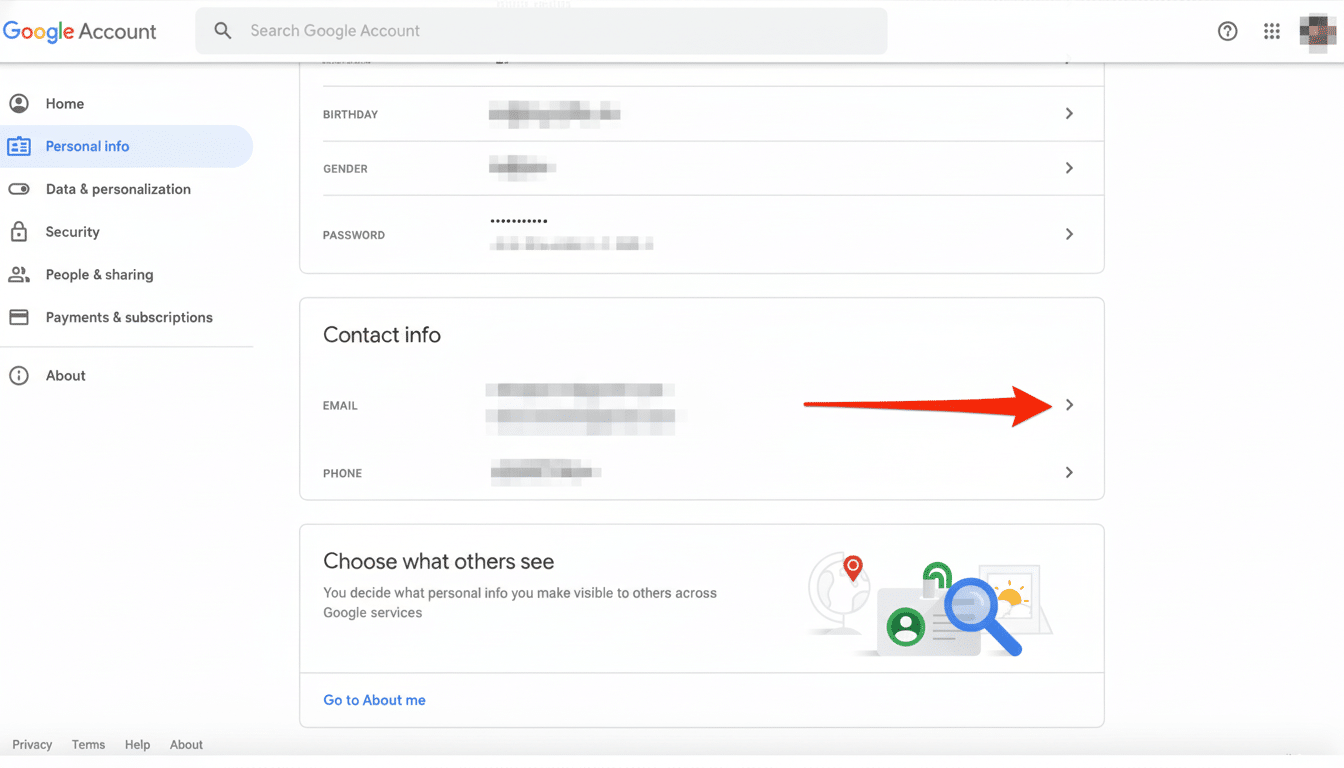
The company said availability would be limited at first, and not all accounts would have access to the feature immediately. The change seems to have been discovered after updates to a Hindi-language help page hinted at the new privacy feature, with outlets like 9to5Google reporting on the discovery — a clear sign that Google’s readying back-end plumbing ahead of a wider announcement.
Limits and Eligibility for Changing Gmail Addresses
There are strict guardrails. Users could change their Gmail address once every 12 months and would have a lifetime limit of three changes. That cadence dissuades incessant rebranding and mitigates the threat of impersonation and abuse.
Google has not specified who is eligible for the account type. Consumer and enterprise features have historically come on different schedules. Google Workspace admin controls typically supersede these settings, so it’s possible that users of Google Workspace will not be immediately impacted (we’ll let you know when there is specific guidance for Google Workspace customers) — we will share additional information regarding implementation closer to the deadline.
Why This Matters to Users Considering Gmail Changes
On the face of it, changing an email address would appear to be simple. It is anything but. It affects much more than just your new login name.
Today, people who want a new address have to go through the hassle of creating an entirely new account and manually moving over forwards, imports, unsubscribes and contacts — which is prone to error and can lead to decades’ worth of history getting split across multiple sources. With more than 1.5 billion Gmail users now worldwide by industry estimates from firms like Statista and The Radicati Group, a small proportion in search of the change means a huge win for usability.
The alias model is key. Since the base Google Account doesn’t change, services you have connected to your identity will continue working — things like Gmail, Drive, Photos, and Calendar. It will also decrease the likelihood of accidentally overlooking important email during a migration, since both addresses will still collect messages.
Practical Considerations and Caveats for Gmail Renaming
The barrier will be address availability. Gmail’s namespace is old; lots of the good usernames are long gone, and Google reserves some patterns to help prevent abuse. Users need to find real approaches and not use special characters that can cause senders to be confused.
Security and recovery details matter. Two-step verification methods (authenticator apps, security keys, recovery emails) will transfer over since the account doesn’t really change — but it’s still a good idea to double-check your recovery options after the switch. For third-party sites where your email string is a username, the alias should remain accessible by way of email, but you may still want to change the visible address in sensitive areas like banking or government portals.
Brand and reputation are another angle. If your address is in newsletters, professional directories or social profiles, you’ll want to sync the change and inform contacts. Because the original address will continue to be active as an alias, you can roll out the switch over time — no need to rush — and decrease your bounce rate and missed replies in the process.
How This Is Different from Today’s Gmail Options
Today, you can replace your original sign-in email address with an address from a different provider only after deleting Gmail from the account — a drastic measure that just so happens to require removal of your @gmail.com identity. Or you can go get a new Gmail address and copy everything over yourself (usually with an end result of lost filters, labels, calendar sharing or app integration). The new method would provide a native — and reversible, with defined limits — path rather than an all-or-nothing reconstruction.
What to Watch Next as Google Tests Gmail Renaming
Anticipate more details in official help center support materials or the company’s product blogs when testing spreads, particularly around Workspace eligibility, regional rollout and name recycling policy. A key question is if the retired addresses are ever freed for reuse; it’d make sense to lock them forever, preventing other parties from unintentionally impersonating someone.
If you are thinking of making the switch, put together a shortlist of acceptable addresses, audit critical accounts that leverage your email as a username and prepare a brief notice for important contacts.
Under firm limits — switching plans once every 12 months and a total of three times — choosing wisely the first time will pay off.
