


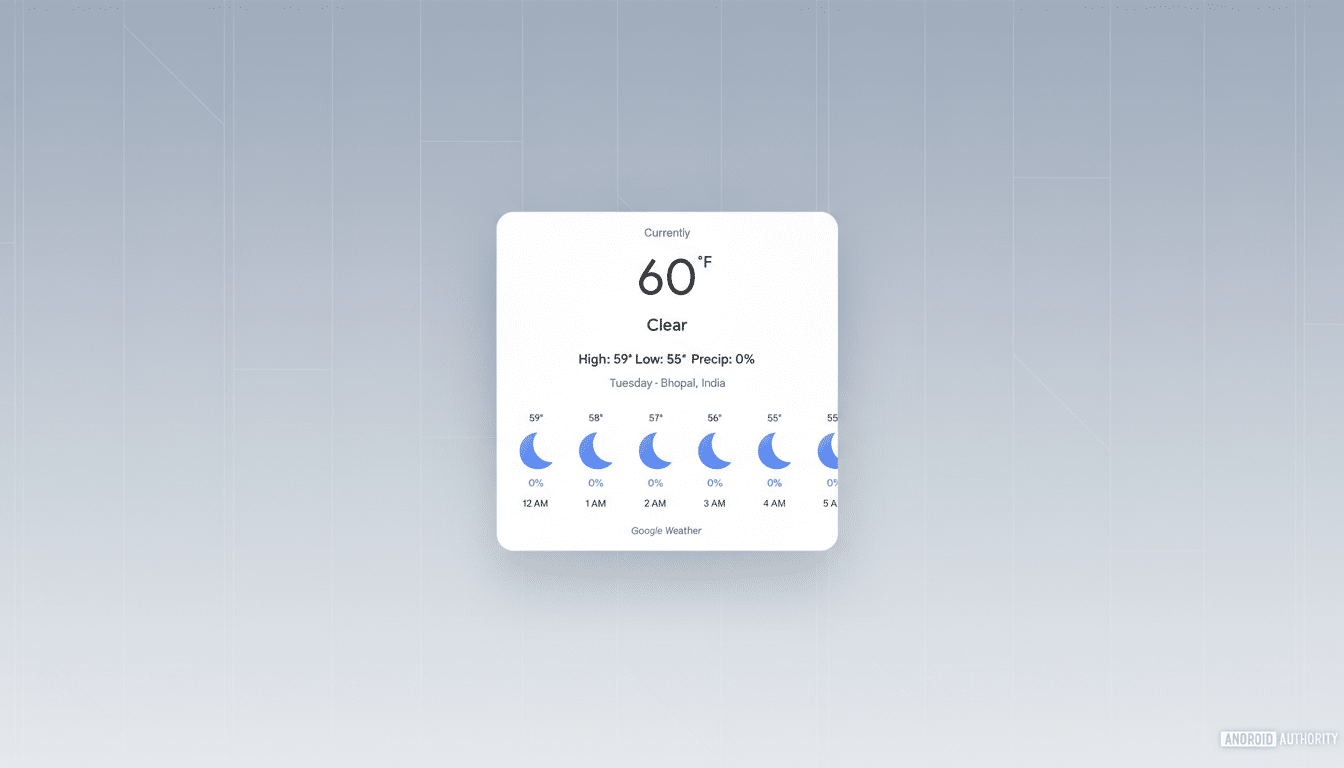
Google is refreshing how Gemini shows the forecast on phones, rolling out a cleaner, more interactive weather card that makes the most common checks faster. The new design surfaces quick toggles for temperature, precipitation, and wind, and adds a clever one-tap way to switch between units, reducing the friction of hopping into settings.
What’s New in Gemini’s Forecast View on Mobile
Open a weather query in Gemini on mobile and you’ll now find a card that lets you tap between temperature, precipitation, and wind forecasts. The layout still offers current conditions, highs and lows, and the familiar timeline that scrolls hour by hour or across the week, but the new controls bring focus to the metric you care about in the moment.
A subtle but practical change is unit switching directly on the card. Tap the temperature to flip between F and C, precipitation to swap between in and mm, and wind to toggle mph and kph. That’s the kind of microinteraction that saves a step whether you’re traveling abroad, planning a run, or comparing forecast models that use different conventions.
Early availability appears to be landing first on Android and iOS, with parity on the web expected to follow. The update seems server-side, so you may notice the new card without needing an app update.
Why These Tweaks Matter for Faster Weather Checks
Weather checks remain the archetypal assistant task. Research from NPR and Edison Research has repeatedly ranked forecast queries as the top smart speaker use case, and that behavior maps to phones, where users want information in seconds. By reducing taps and surfacing the right metric first, Gemini supports that “glanceable” workflow.
The ability to switch views from temperature to precipitation or wind is more than cosmetic. Short-term precipitation probability helps commuters decide whether to bring rain gear, while wind speed and gusts matter to cyclists, drone pilots, and coastal residents. The National Oceanic and Atmospheric Administration has documented a rising frequency of impactful weather in recent years, including a record number of billion-dollar disasters in the U.S. in 2023, underscoring why timely, clear forecasts are critical.
Unit toggles are an underrated accessibility win. Travelers moving between regions, international students, and global teams often juggle F/C or mph/kph. Bringing that control into the card reduces cognitive load and aligns with well-established interface principles like progressive disclosure and tap targets optimized for one-handed use.
How It Stacks Up To Other Weather Experiences
Native weather apps on major platforms offer deep data, but their controls for switching units typically live in settings. By contrast, Gemini’s on-card unit toggles make quick comparisons easier. Voice-first assistants often answer with a single summary and bury details behind follow-up prompts; Gemini’s updated card complements voice with a visual, scannable panel that rewards a single tap.
Apple’s Weather app, for instance, provides rich maps and multi-day views but requires a trip to preferences to change units. Popular smart assistant integrations tend to default to one provider and one format. Gemini’s refinements aim squarely at reducing the steps between question and decision, particularly for people who check multiple variables before heading out.
Rollout Notes and Practical Tips for Using the Card
If you don’t see the new card yet, try asking Gemini “What’s the weather like today?” and then “Show the forecast this week.” The hour-by-hour timeline should appear for same-day queries, while multi-day views show daily summaries you can scroll through. Look for the temperature, precipitation, and wind tabs near the top, and tap any number on the card to switch units.
Expect further polish as Google harmonizes Gemini’s interface across devices. A natural next step would be deeper severe weather signals and alerts in the card, given how often users check for sudden changes. For now, the upgrade delivers meaningful, low-friction improvements to a task millions perform every day, making Gemini’s weather checks faster and more informative where it counts—at a glance on your phone.
