


Android users are reporting that the newest Google Play System Update is showing an older month on their phones after installation, seemingly shifting from a January 2026 label to November 2025. The odd “rollback” label is showing up most frequently on Google Pixel devices, but owners of other brands are seeing it too. Early signs suggest this is a labeling or metadata mix-up rather than an actual downgrade of system components.
What Users Are Seeing on Devices After the Update
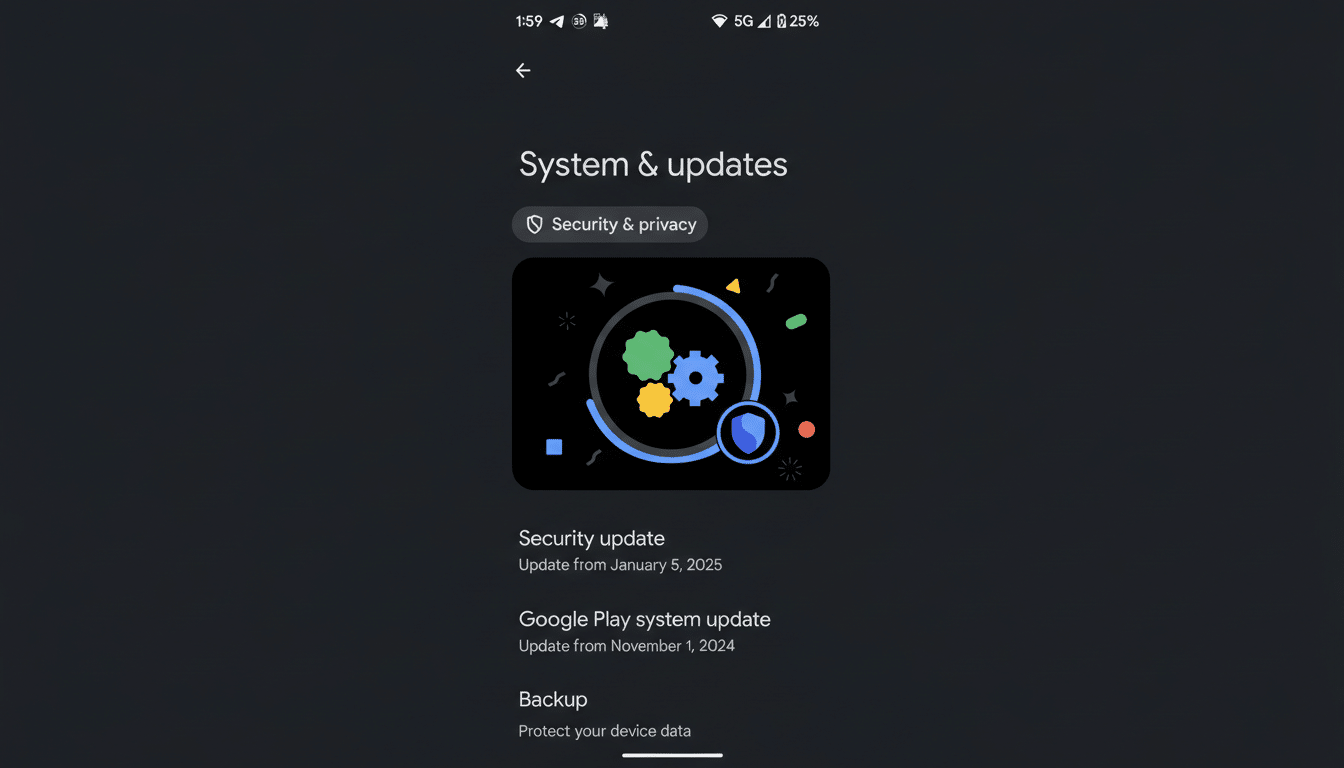
Reports across Reddit and the Google Support Community describe the same pattern: devices that previously showed a January 2026 Google Play System Update prompt users to install a new update. After reboot, the version in Settings appears as November 2025. Some users add that uninstalling the newly applied Play System Update immediately brings the device back to the January 2026 label.
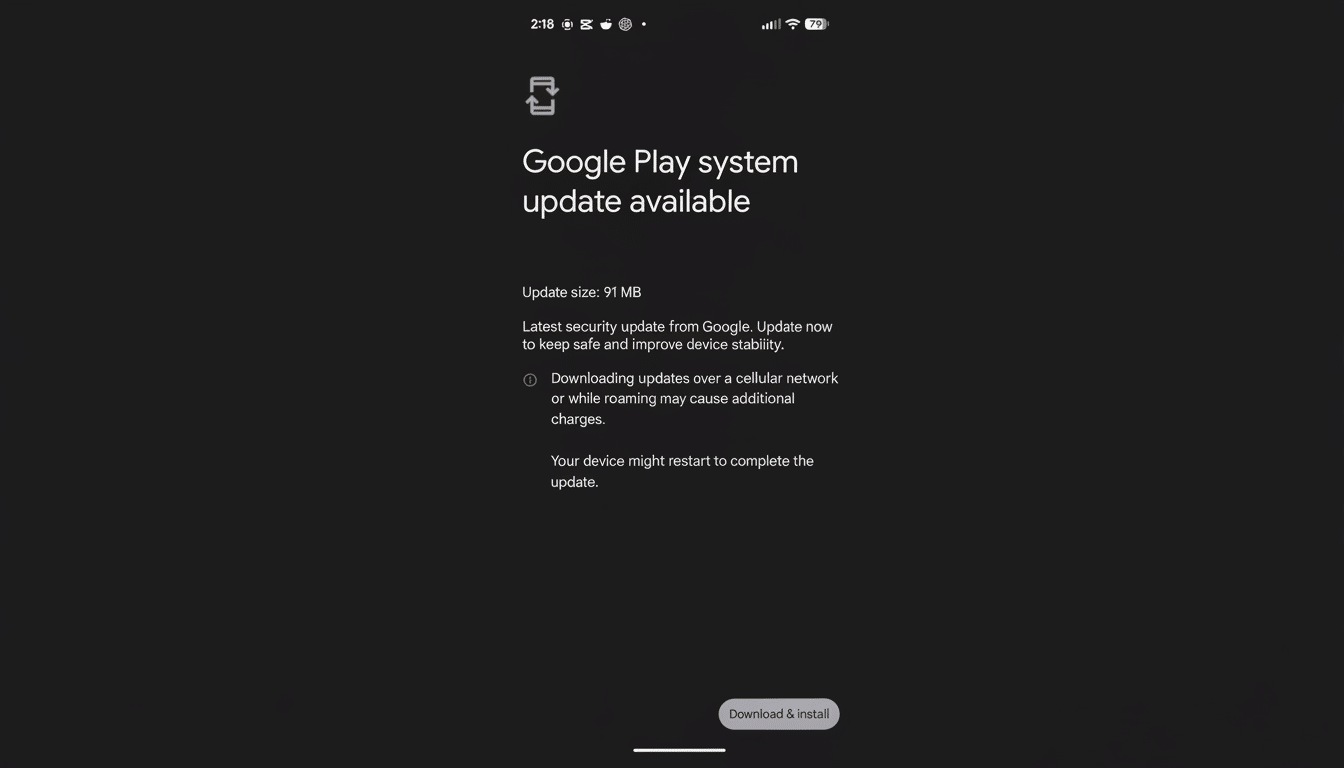
If you want to check your own device, the label typically appears under Security settings in the Google Play system update section. It’s important to distinguish this from the Android security patch level tied to your device’s firmware; the Play system update is part of Google’s Project Mainline, which updates modular system components via Google Play.
Likely A Labeling Mix-Up Not A Real Downgrade
Project Mainline delivers core Android modules—such as media codecs, networking, permission management, and ART—independently of full OS updates. The month you see in Settings reflects the metadata of the latest applied module set, not a traditional “firmware version.” When metadata points to an older bulletin or a mis-tagged package, the visible month can look like a rollback even if the underlying components are equal or newer.
Several power users and developers suspect the “November 2025” string is attached to a newer package—potentially a February 2026 build—due to an internal labeling error. That theory aligns with the behavior reported by users who uninstall the update and immediately return to the January 2026 label. In other words, it’s almost certainly the label that’s wrong, not the modules themselves.
Google has periodically acknowledged that Mainline packaging involves multiple tracks and module families, which can lead to occasional inconsistencies in what Settings displays. The company has also noted through developer channels that ART and other modules now ship to billions of devices via Google Play, increasing the complexity—and visibility—of any metadata hiccups.
Does This Affect Security or Features on Android
So far, there are no widespread reports of broken features, app crashes, or performance regressions after the “downgraded” update appears. The Android security patch level tied to your OEM firmware is separate and unaffected by this issue. Google Play services and the Play Store are also separate components and continue updating on their own cadence.
Industry watchers point out that this resembles previous instances where the visible month lagged behind the actual module contents. In those cases, Google resolved the mismatch with a subsequent Play system push, and users experienced no security exposure or data loss. As always, the safest posture is to remain on the latest available update unless a vendor issues specific rollback guidance.
What You Should Do Now if Your Play Update Looks Older
- Install the available Google Play System Update and reboot as prompted.
- Check for additional updates in both system Settings and the Play Store to ensure you’re fully current.
- Avoid uninstalling the Play System Update unless you’re troubleshooting a clear, reproducible problem. Uninstalling simply restores the previous label and may remove fixes included in the latest package.
- Monitor official support channels for confirmation and a corrected label in an upcoming release. If a fix is required, it will arrive over the same update mechanism.
Why This Matters For Android’s Update Model
Android’s modular updates are designed to speed delivery of critical improvements across more than 3 billion active devices, reducing reliance on full firmware updates. That scale brings enormous security and compatibility benefits, but it also means small metadata mistakes can ripple visibly to a large audience and raise understandable concerns.
Pixel owners tend to spot these quirks first because they’re typically early adopters and more active in developer and enthusiast communities. Market researchers like Counterpoint Research note that Pixels hold a single-digit share in some regions, yet they often punch above their weight in bug reporting. The takeaway: visibility is high, but the practical impact here appears low.
Bottom line: if your Google Play System Update suddenly shows November 2025 after previously showing January 2026, you’re likely seeing a mislabeled package, not a true downgrade. Keep your device updated, watch for a corrected label, and carry on.
