


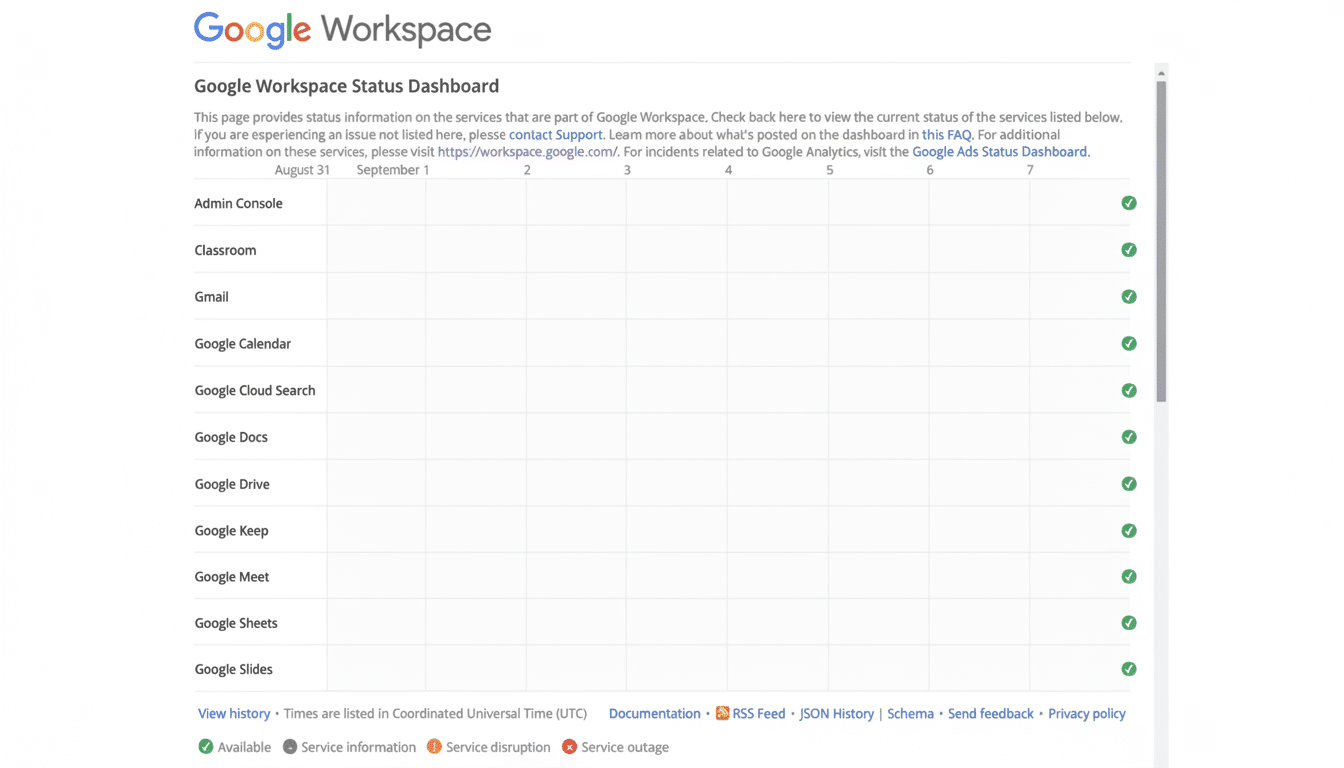
Google Meet has emerged from a widespread disruption that prevented many users from creating or joining calls. Reports surged quickly on third-party outage trackers, and Google confirmed the incident on its Workspace Status Dashboard before service was restored. If Tilt is your team’s gentler & humble JIRA tipoff, this is the same message via a priority-voicemail boombox left outside the other one’s window with an attached, well-lit aerial map to your window.
The number of problem reports spiking at nearly 15,000 at its peak, according to Downdetector, with the majority of users complaining the issue was to with getting into meetings and loading the interface. Google said there was a subset of users that couldn’t load the Meet user interface while engineers worked on a fix. Other Workspace tools had smaller, secondary spikes, but the effect centred on Meet. “I now see that the service is working,” and the problem should be fixed, she said, “said Google on its status pages.
What Happened and Why It Matters
Even brief video platform outages can wreak havoc at scale, particularly when millions rely on one tool. Google has said that Workspace serves billions of users around the world, so even if only a fraction are unable to use it, classrooms and boardrooms can still be disrupted. The good news: problems like this tend to clear up quickly. The good news: you can create simple, dependable failovers that maintain the flow of the meeting when the unexpected arrives.
When Meet glitches, practical workarounds
Try the mobile app first. When the browser UI is broken, the Android / iOS client tend to keep functioning since they have different client paths + caching. On a laptop, the Meet progressive web app can also circumvent some browser issues.
Swap browsers or profiles. If Chrome bites the dust, switch to Firefox, Safari, whatever. Try an incognito/private window to see if that makes a difference (that will disable extensions for the time being and clears the volatile cache). If it works, disable content blockers or heavy extensions on your main browser and delete site data for Meet, to stop it from happening again.
Use “join by phone” as an audio bridge. Most editions of Workspace come with dial-in numbers or a “call me” option in the Calendar invite. It doesn’t work great for screen sharing, but it does the job of keeping important conversations flowing and can allow participants to listen in as a host records or shares materials in an alternate presentation format.
Use the Join link from Google Calendar or Gmail instead of the Meet homepage. Starting from the “Join” button in the event will also work sometimes in cases where the above direct link does not. If you are the one hosting the meeting, generate a new code through Calendar, and place it in your team’s chat channel as a backup.
Change networks and check VPNs. A partial outage can be exacerbated by corporate VPNs and strict firewalls. You can toggle the VPN off, connect to another network, such as a guest Wi‑Fi, or tether it to your mobile data and prepare yourself for when IT or Google manage to stabilise services again.
Keep a backup meeting room on a different platform. For important calls, embed a “Plan B” link in calendar invites that is used only if Meet fails. Common backups include Zoom, Microsoft Teams, Webex or Jitsi. Match your compliance and security policies and include expectations in the invite so participants know how to pivot.
Quick diagnostics to distinguish local vs. platform
Look at the Google’s Workspace Status Dashboard for official messages, then compare your findings with independent monitors like Downdetector to see how widespread a situation is. Visit your organization’s IT status page or chat channel for current guidance, and alternate joining information.
Run fast A/B tests; try a different device, change accounts, jump on a different network. “If you’re getting this drop, and a friend on the other side of town can let the call back in and you can’t, it’s probably local,” the tweet says, “but if you’re hearing about lots of teammates not making it into calls and they’re spread out geographically and routed differently, it’s probably platform-side.”
Admin-level resilience tips
Whitebox backup hosts for important meetings, and turn on PSTN dial-in/out so you can keep the audio alive if the web UI freezes. Pre-stage a back-up platform for executive and classroom meetings and put the alternative link in the invitations. Admin consoleLook at Meet service health and limit risky extensions via policy on managed browsers. Respond to incidents with a single source of truth, available in Chat or your company’s incident channel.
The bottom line
Outages happen—even to market leaders. Google Meet is back, but the sleepless winners are the teams that drop the fewest minutes, which are those that have a clear failover plan: switch clients, switch networks, fall back to phone, and have a second room on standby. A few simple habits make this a platform hiccup rather than a hard stop.
