


Google is expanding its device controls on the Google Home web app and rolling them out via a new tab called Device that adds more smart home management to your browser. The update closes a long-standing divide between the desktop experience and the mobile app, providing power users with a cleaner way to see (and control) an entire house of gadgets on a larger screen.
That announcement comes after a period of public preview testing, and as Google works to make Home more solid and feature-packed. For homes swarming with dozens of connected devices, a browser-based dashboard might be faster and easier than an app on your phone — especially when you want to quickly see what’s happening in every room.
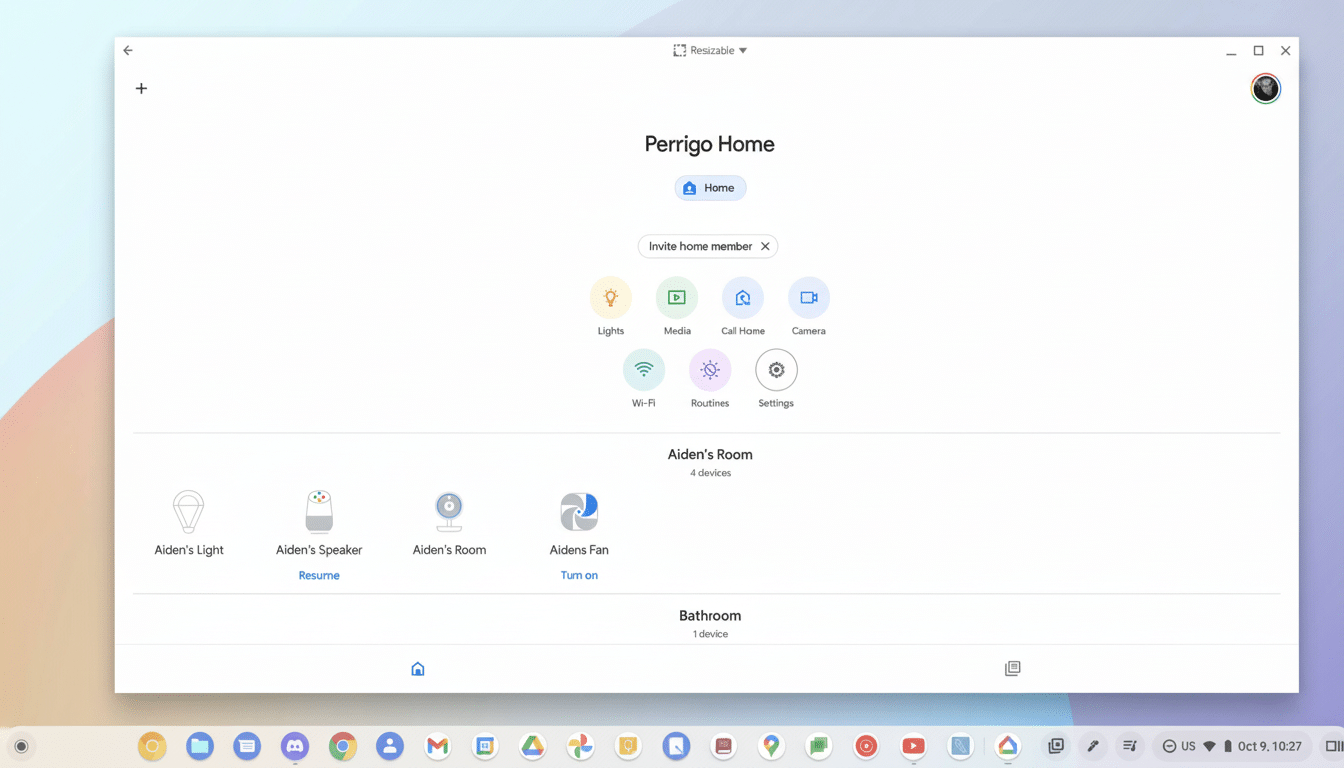
What’s new in the Device tab on the Google Home web app
Controls tightly perched on-screen within the Device tab nest all of your hardware in an at-a-glance grid, surfacing core controls for many major categories. Lights can now be turned on or off and dimmed, while a variety of plugs and switches are now actionable without having to drill down into individual device pages. Status cues (e.g., “Is a device offline?” or “Is a device idle?”) are more prominent, which should help streamline troubleshooting and identify what’s gobbling up attention in your home.
Google says the feature is rolling out broadly, and not just to public preview users. Like the majority of Home updates, availability can be temperamental, depending on your account or region — you may continue to see it pop in and out over the next few days as the rollout continues.
Limitations still apply compared with the mobile app experience
Still, despite the good news, the web interface never quite brings its feature set in line with the mobile app. For example, the browser is lacking advanced lighting controls including color and color temperature. That falls in line with other recent shifts where Google focused on trimming back some key behaviors first and hinted that deeper controls were to come.
There are some device-specific settings and other granular automations that are still stuck being mobile-first. Day-to-day authoring on the web remains a step behind the app’s most current editor, and some advanced features (think fan speeds, specialty modes, or custom sensors) might still not appear in the Device tab just yet. The Google Home team has said publicly that it’s “continuing to invest in expanding controls for more device types,” so don’t expect an all-at-once change but rather incremental improvements.
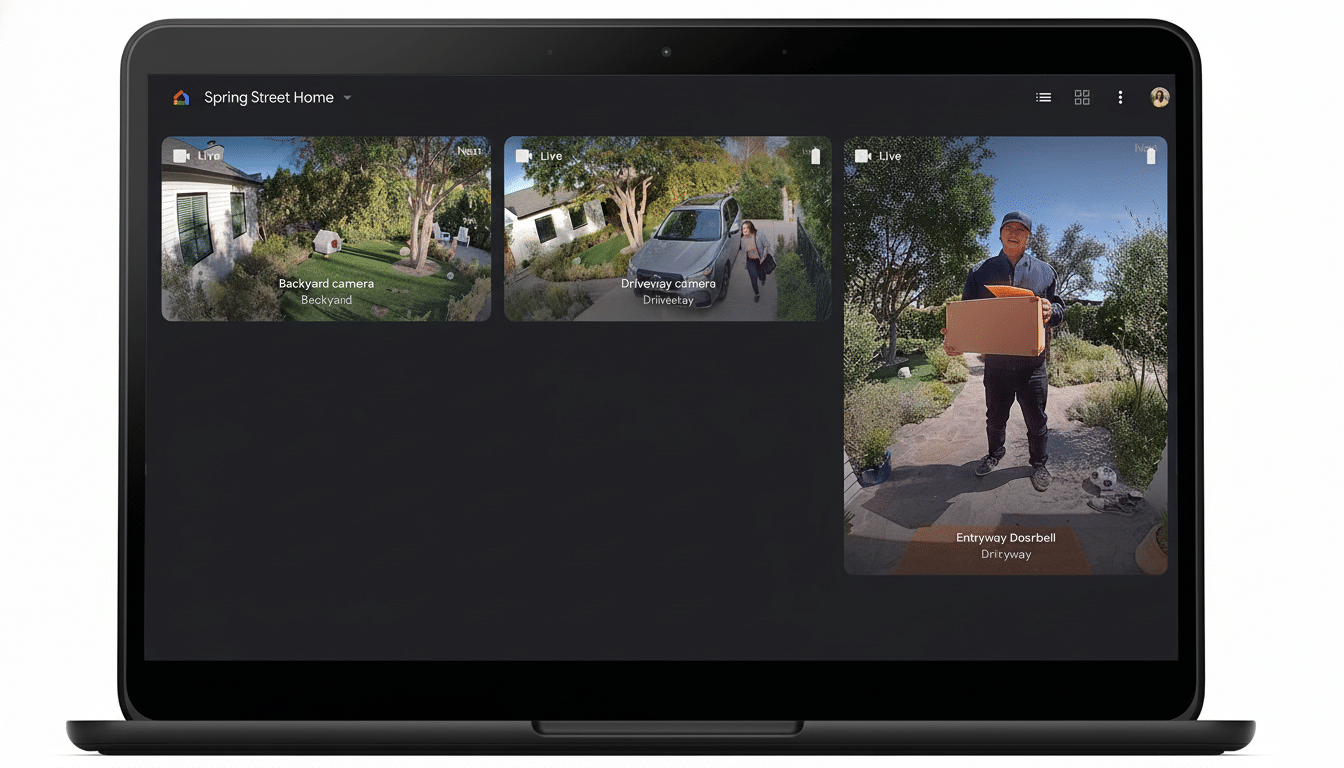
Why a browser-based dashboard matters for smart homes
For a lot of households, smart home management has moved beyond the phone. Roughly two in five U.S. broadband households now have at least one smart home device, with the number of devices per household continuing to rise, according to Parks Associates. Deloitte’s Connectivity and Mobile Trends studies have also revealed that connected households in the U.S. average over 20 devices when phones, TVs, and wearables are included — making day-to-day management feel even more labyrinthine.
A full-screen dashboard also makes it quicker to do bulk actions — dim all the lights in multiple rooms before a movie, say, or kill every plug on a floor after bedtime. It can also be convenient for property managers or tech-aware families to coordinate access and oversight from any Mac, Windows PC, or Chromebook without having to pass the phone around all the time.
How Google’s web experience stacks up against rivals
Rivals have been mixed on providing desktop support. Apple’s Home platform doesn’t have a web interface at all natively (it prefers apps on iOS, iPadOS, and macOS). Amazon has de-emphasized browser controls for Alexa; most of it lives only on the mobile app. Samsung’s SmartThings added web support and has been adding functionality, but this move from Google gets its own ecosystem closer to feature parity and gives Home users a reliable, cross-platform management option in the browser.
Outlook: more control, wider compatibility
Google has staked much of its smart home roadmap to broader industry initiatives like Matter, the standard that’s backed by the Connectivity Standards Alliance. As more and more devices implement common data models, adding richer controls in the web app feels less like one-off integrations and more about unlocking standardized capabilities — things like color control, scenes and energy insights.
Over the next few months, you can expect the web Device tab to grow gradually with more actions and popular device categories. For now, it’s a significant step forward that makes everyday activities — turning lights on and off, dimming rooms, or toggling plugs — faster from any desktop. Power users will still grab the phone to tweak more advanced settings, but when it comes to doing what most people use a smart display for, the web is now finally catching up.
