


Google Fi has finally resolved its longstanding conflict between web calling and RCS messaging, offering a practical solution that brings modern chat features to the desktop. The catch is a small but obvious change in workflow: calls and messages exist in different web experiences, not one all-in-one portal.
What’s New for Google Fi on the Web: Calls and Messages Split
For years, Fi’s unified web portal allowed users to make calls, check voicemail, and send texts all in one place, but it wasn’t compatible with RCS. Now Google is pulling those pieces apart. A separate Fi Web Calls page takes on voice and voicemail, and RCS messaging moves over to Google Messages for the Web. Industry watchers noticed this rollout, and it’s consistent with Google’s prior indication that full RCS support would be appearing in Fi’s laptop and tablet experience.
- What’s New for Google Fi on the Web: Calls and Messages Split
- The Upside RCS Has to Offer on Desktop for Google Fi Users
- The Catch: Two Tabs and Some Quirks to Expect
- How to Enable RCS Messaging and Fi Web Calls on Desktop
- Why Google Split Messaging and Calling Into Separate Web Apps
- What It Means for the Larger Picture of Fi on Desktop
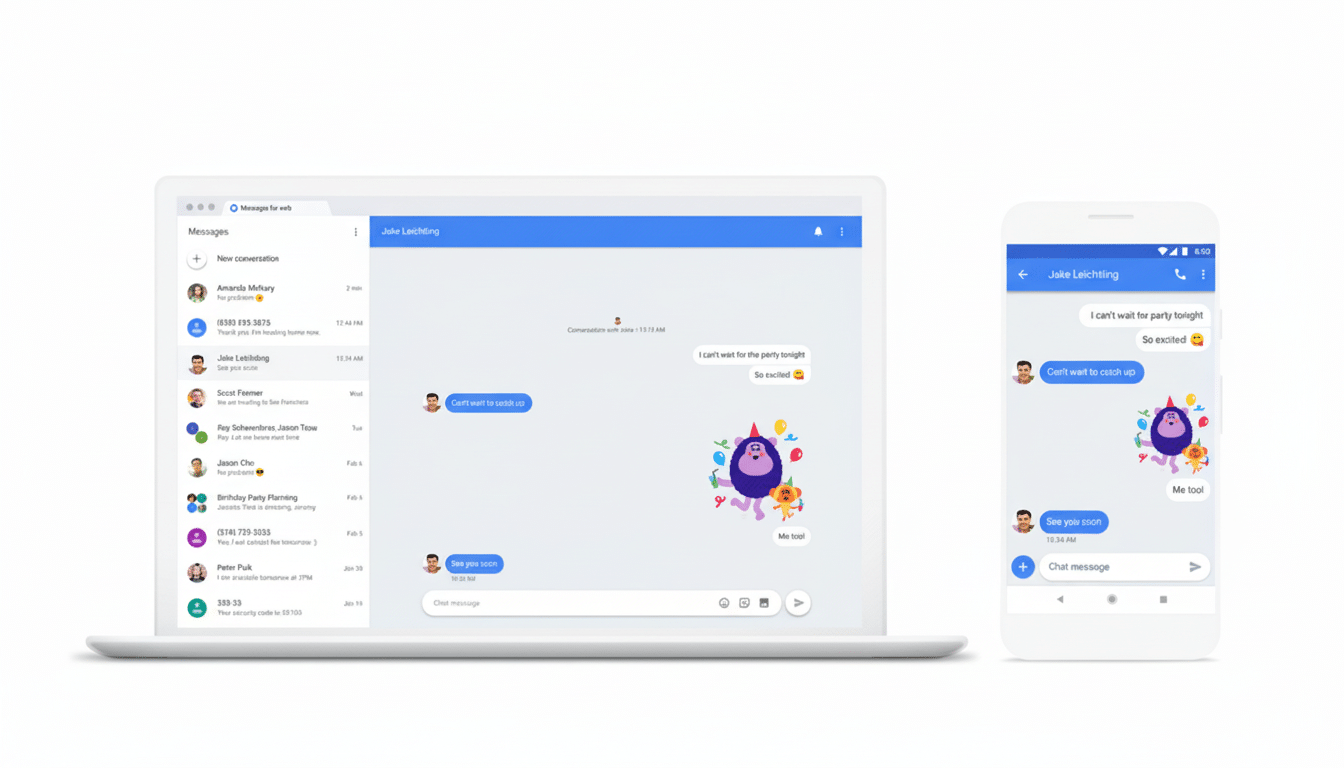
The distinction matters because Fi can keep intact its hallmark calling-over-the-web benefit — the ability to make calls from a computer browser even if your phone is powered down — without also being forced to rely on RCS. Messaging now operates through the same platform Android users are accustomed to using across phones and Chromebooks, not some Fi-only interface.
The Upside RCS Has to Offer on Desktop for Google Fi Users
With texting on Google Messages finally coming to the web, Fi subscribers now have RCS basics in place for desktop. These include:
- Typing indicators
- High-quality photo and video sharing
- Reactions
- Read receipts
- End-to-end encryption in one-to-one chats
Group chats and videos also work better with richer media, faster delivery of messages, and a more stable stack than legacy SMS/MMS.
Google says that RCS is now available to more than 1B users across the globe, thanks to the GSMA’s Universal Profile and carrier support in major markets. Having Fi’s desktop experience be a part of that ecosystem means updates and security fixes come from the primary Messages client, not some alternative Fi-specific tool.
The Catch: Two Tabs and Some Quirks to Expect
The trade-off is convenience. To mimic the old one-tab system, you’ll now want to leave two tabs open (one for Fi Web Calls and another for Google Messages for the Web). It’s a small productivity cost and the price we have to pay for skirting around the technical impasse that held back RCS beforehand.
One is that there are a few sync oddities to be aware of. According to some users, when a call log entry is deleted in the new web interface, it does not get removed from a phone’s history of calls, though this isn’t true for deleting voicemails, since those deletions do sync across devices. Watch for step-by-step polish here as Google refines server-side behavior.

Availability nuance also still exists: the new experience is for Android users. iPhone users on Fi won’t enjoy the same benefits, at least not as many of them from a web-calling standpoint, until those broader changes start to land in the ecosystem.
How to Enable RCS Messaging and Fi Web Calls on Desktop
- On your Android phone, open Google Messages and go to Settings > Advanced > Google Fi Wireless settings.
- Turn off “Sync with Google Fi” for texts.
- Turn on RCS chats in Messages.
- On your computer, configure Google Messages for the Web by connecting your phone to the web client.
- Use the Fi Web Calls page to handle voice and voicemail.
- If you manage more than one line or work profile, repeat these settings for each one.
If RCS will not toggle on, try the following:
- Check that Carrier Services are current.
- Clear the cache from the Messages app.
- Ensure Wi‑Fi or cellular data is strong.
- Remember that end-to-end encryption requires both sides to use RCS and compatible clients, so some conversations may fall back to SMS/MMS.
Why Google Split Messaging and Calling Into Separate Web Apps
Method-wise, beneath the surface Fi web calling uses more of a voice (SIP/WebRTC) stack with server-side voicemail services and network-level call routing. RCS, on the other hand, is quite heavily embedded in the Messages client, including things like key management for encrypted conversations. Combining those architectures into one browser app introduces all sorts of thorny security and compatibility issues.
By decoupling, Google allows Messages for the Web to handle the modern, encrypted messaging layer while Fi’s web calling portal can focus on voice reliability and number presentation, as well as user-experience-related feature sets like voicemail management. It’s cleaner in terms of compliance and should accelerate the development of features on both sides.
What It Means for the Larger Picture of Fi on Desktop
And for Fi subscribers who have a life on Chromebooks or PCs, this puts it in closer competition with desktop-first challengers and helps keep RCS pushing forward. As more carriers support RCS, and as other platforms prepare to extend it even more broadly from here, the floor for rich, cross-device texting keeps getting higher.
Bottom line: Fi’s largest RCS hurdle has been eliminated, even if the experience is now spread across two tabs. If you put stock in rich messaging and desktop calling, the two-for-one is a smart trade-off — one that finally allows both features to show their own strengths without tripping over each other’s toes.
