


AI image tools are no longer just for viral 3D avatars. Gemini’s photo editing is turning into a surprisingly practical companion for everyday images, offering time-savers and quality boosts that used to demand pro software. Drawing on real-world testing and best practices, here are five genuinely useful ways to put it to work right now.
Restore And Digitize Printed Photos With AI
Old family prints suffer from creases, water stains, and fading, and few of us still have the original negatives. Gemini can help by filling scratches, balancing contrast, and reconstructing missing detail well enough for sharing or reprinting. It also does a solid job correcting perspective when you snap a photo of a framed print at an angle, straightening and cropping for a clean digital copy.
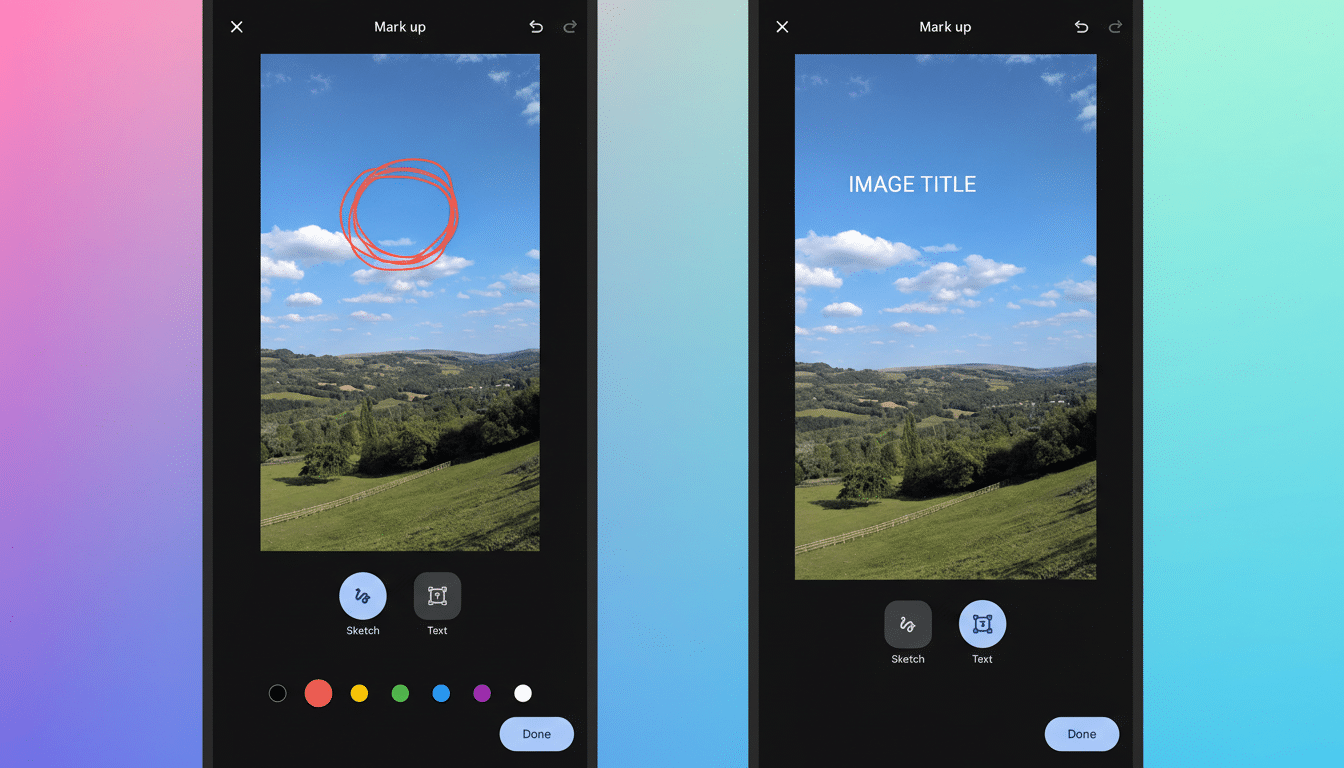
Results vary with the extent of the damage, so combine AI passes with light manual tweaks in a traditional editor if needed. For best inputs, photograph prints in diffuse daylight, avoid glass glare, and include a little background so Gemini can auto-detect edges. When quality matters, switch to the higher-fidelity cloud model; use the lighter, on-device model for quick fixes to conserve any daily credits.
Visualize Furniture Makeovers And Room Updates
Before stripping a table or repainting a dresser, prompt Gemini to reimagine surfaces in walnut, oak, or matte black, and to test hardware swaps or finish sheen. It will not predict the exact grain you’ll reveal, but it’s excellent for narrowing choices and avoiding costly missteps. The same approach helps preview wall paint, wallpaper patterns, or shelf placements without moving a thing.
Tips that improve accuracy:
- Photograph in neutral lighting.
- Keep the object centered.
- Anchor the scene with context lines like baseboards or adjacent furniture.
- Add scale to your prompt—“show 24-inch shelves, 8 inches apart”—to keep proportions believable.
Colorize Historical Family Portraits Tastefully
Colorizing black-and-white portraits can make family history feel present. Gemini tends to produce pleasing skin tones and era-appropriate palettes, though you may need a couple of iterations to avoid odd uniform colors or fabric tints. Guide it with cues such as “mid-century muted palette” or “subtle sepia warmth” to keep the result tasteful, not cartoonish.
Be mindful of accuracy. Where clothing or medal colors matter, supply references in your prompt or compare with known artifacts. Preserve the original scan in a separate file and label the colorized version clearly—industry groups like IPTC and the C2PA coalition encourage transparent disclosure when imagery has been significantly altered.
Remove Fences, Reflections, And Distractions
Zoo and aquarium shots often suffer from chain-link, glass glare, or exit signs stealing focus. Gemini can selectively remove foreground bars, soften reflections, and tidy background clutter while keeping the subject intact. It works best when the obstruction is close to the lens and the animal is sharply defined.
To avoid overcooked edits, be explicit: “remove foreground fence only, keep background unchanged.” If Gemini starts hallucinating new backdrops, reduce the edit area or tighten your mask and re-run. For documentary or contest use, many photo organizations require disclosure of object removal—keep an original for comparison.
Plan Gardens And Home Decor With Mockups
Planning a border bed or gallery wall is easier when you can see options in context. Photograph your yard or blank wall and ask Gemini to visualize drought-tolerant perennials, a pollinator patch, or a trio of 18-by-24-inch frames above the sofa. You’ll quickly learn what complements your light, scale, and color scheme without a single hole drilled.
Use precise names for plants or items—common names can confuse models—plus sizing details and site constraints like “west-facing, partial shade.” Expect to fine-tune; even pros iterate mood boards. The goal is directional clarity, not pixel-perfect blueprints.
Make The Most Of The Tool With These Best Practices
With an estimated 1.6 trillion photos captured globally each year—more than 90% on smartphones, according to research firms like Rise Above Research—small improvements have an outsized impact.
A few best practices amplify Gemini’s strengths:
- Start with the highest-resolution input you have.
- Write prompts with measurable details.
- Iterate lightly rather than demanding a single perfect pass.
- Export edits as copies so you can roll back.
Gemini’s photo editing isn’t magic, but it’s remarkably capable at restoring prints, sanity-checking makeovers, breathing life into archives, decluttering tough shots, and previewing projects before you commit. Used thoughtfully, it saves time, money, and a few headaches—exactly what good tools are meant to do.
