


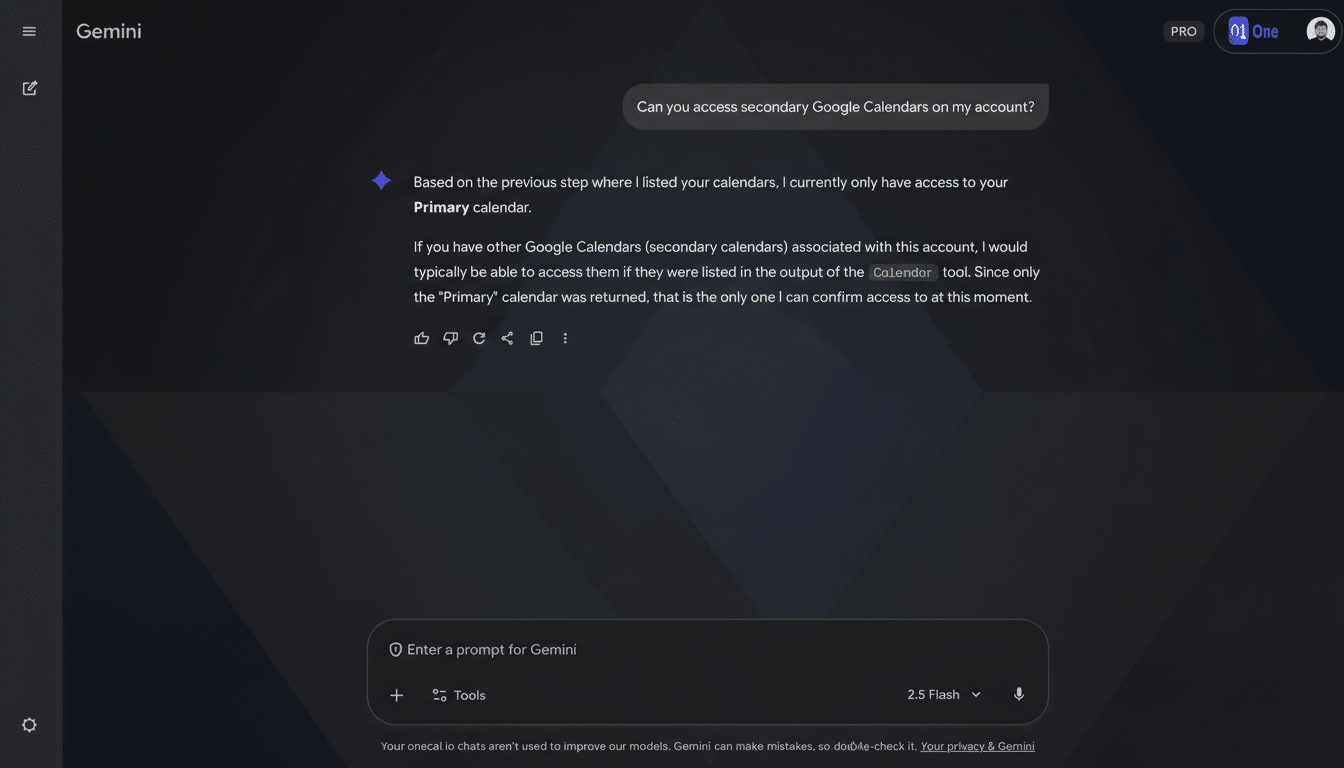
Google is rolling out a meaningful upgrade to Gemini’s Calendar abilities, giving the assistant visibility into your secondary and shared calendars in addition to your primary one. In practical terms, Gemini can now see the fuller picture of your week—work, family, projects, clubs—so availability checks and schedule summaries finally reflect reality instead of just one siloed calendar.
What Changes Now With Gemini’s Shared Calendar Access
Until now, Gemini’s Calendar view was limited to your main calendar, a constraint that often produced misleading answers for people juggling multiple schedules. With the expansion, Gemini can read across shared team calendars, personal side-project calendars, and family calendars you’re subscribed to, then respond with time-aware answers that factor in all those commitments.
- What Changes Now With Gemini’s Shared Calendar Access
- How It Works and What Gemini Still Can’t Do Today
- Why Shared Calendar Access in Gemini Actually Matters
- Privacy and Admin Controls for Shared Calendar Access
- Real-World Examples of Gemini’s Expanded Calendar View
- What to Watch Next as Gemini Evolves Calendar Skills
Ask questions like “Do I have a free block Friday afternoon across all calendars?” or “What deadlines from my project calendars are due next week?” and you should get a single, consolidated response. For busy professionals, that turns Gemini into a more reliable front end for the complex reality of modern scheduling, where many users maintain three or more active calendars at any time.
How It Works and What Gemini Still Can’t Do Today
The upgrade centers on read access and understanding, not full-fledged event management. Gemini can surface conflicts, summarize your day, and suggest windows when you’re free based on everything it can see—primary, secondary, and shared calendars you’ve granted permission for. Expect better answers to natural-language prompts like “Plan my Monday morning around travel time” or “Show my evening events from shared calendars only.”
There are still notable limitations. Google indicates Gemini won’t add or invite people to an event, and it can’t add or update the location or description of an existing entry. That means the assistant is currently strongest at reading, reconciling, and summarizing your schedule rather than editing events on your behalf. You may be prompted to reauthorize Calendar access so Gemini can read secondary and shared calendars; if something seems missing, check your Google Account permissions and which calendars are selected.
Why Shared Calendar Access in Gemini Actually Matters
In hybrid workplaces, schedule complexity has exploded. Microsoft’s Work Trend Index has previously reported a 2.5x increase in meeting time since the shift to remote work, and many teams now coordinate via multiple shared calendars for on-call rotations, sprint ceremonies, and client engagements. Families do the same for carpools and extracurriculars, while freelancers often join separate calendars for each client.
By reading across these sources, Gemini can reduce the back-and-forth that happens when you forget a shared calendar conflict or overlook a subscription calendar. It also brings parity with other AI assistants that integrate tightly with workplace calendars, such as Microsoft’s Copilot in Outlook, while leaning on Google’s strengths in natural language understanding and personal context.
Privacy and Admin Controls for Shared Calendar Access
Access to additional calendars is permission-driven. You control which calendars Gemini can see through your Google Account’s app access settings, and you can revoke those permissions at any time. For organizations, Google Workspace administrators can manage third-party access policies and enforce data protections, including context-aware access and OAuth controls.
Google has reiterated in its Workspace documentation that customer data in Workspace—including Calendar—is not used to train its generative models without explicit consent. That stance will be closely watched by IT teams as assistants gain deeper context; shared calendars often contain sensitive project names, travel plans, and client details, so transparency around data handling remains critical.
Real-World Examples of Gemini’s Expanded Calendar View
For a product manager subscribed to an engineering team’s rotation calendar, a marketing campaign calendar, and a personal family calendar, Gemini can now answer “Find three 45-minute blocks next week when I’m free across all calendars” without forcing you to cross-reference multiple tabs. For a freelancer, prompts like “Summarize all upcoming deliverables from my client calendars” surface deadlines otherwise scattered across subscriptions.
It’s a small step in capabilities but a big step in usefulness because accuracy in scheduling starts with comprehensive context. The assistant’s guidance is only as good as the calendars it can see.
What to Watch Next as Gemini Evolves Calendar Skills
Today’s update makes Gemini a far more trustworthy scheduling companion, but the missing pieces are clear. Users will look for safe, auditable ways to invite attendees, adjust event details, and auto-schedule across groups while respecting calendar privacy and permissions. If Google can add those controls with clear safeguards—and keep administrators in the loop—Gemini will move from schedule reader to schedule operator.
For now, broad visibility across secondary and shared calendars is the right foundation: fewer surprises, better summaries, and answers that actually reflect your life.
