


The Epson Lifestudio Flex Plus lands as an uncommon lifestyle projector that’s attractive enough to leave on display on a bookshelf or table and powerful enough to make you ditch your spare TV. It’s got that furniture-friendly design, combined with the 3LCD beauty your eyes love, Google TV built right in, and one of the easiest setups ever. If you want a second display that isn’t going to feel like much of a sacrifice, this seems like the one to beat.
Design That Seamlessly Fits Into Your Living Room
Epson leans into midcentury cues — round edges, a soft fabric wrap, and a base that tilts and rotates. The base is about 7.5 by 7.5 inches, and with the unit standing at under 10 inches tall, it doesn’t take up much space on a media console. Weighing in at about nine pounds, it’s easy to carry from the den to the bedroom when you need a pillow fort over your must-watch show.
- Design That Seamlessly Fits Into Your Living Room
- Easy and Quick Setup in Just Minutes for Any Room
- Cleaner Than Most Lifestyle Rivals in Picture Quality
- Sound Is Solid, If Not Cinematic for Big Movie Nights
- A Better Second Screen for Today’s Viewing Habits
- How It Stacks Up on Price and Alternatives
- Verdict: A Stylish Projector That Deserves Its Place
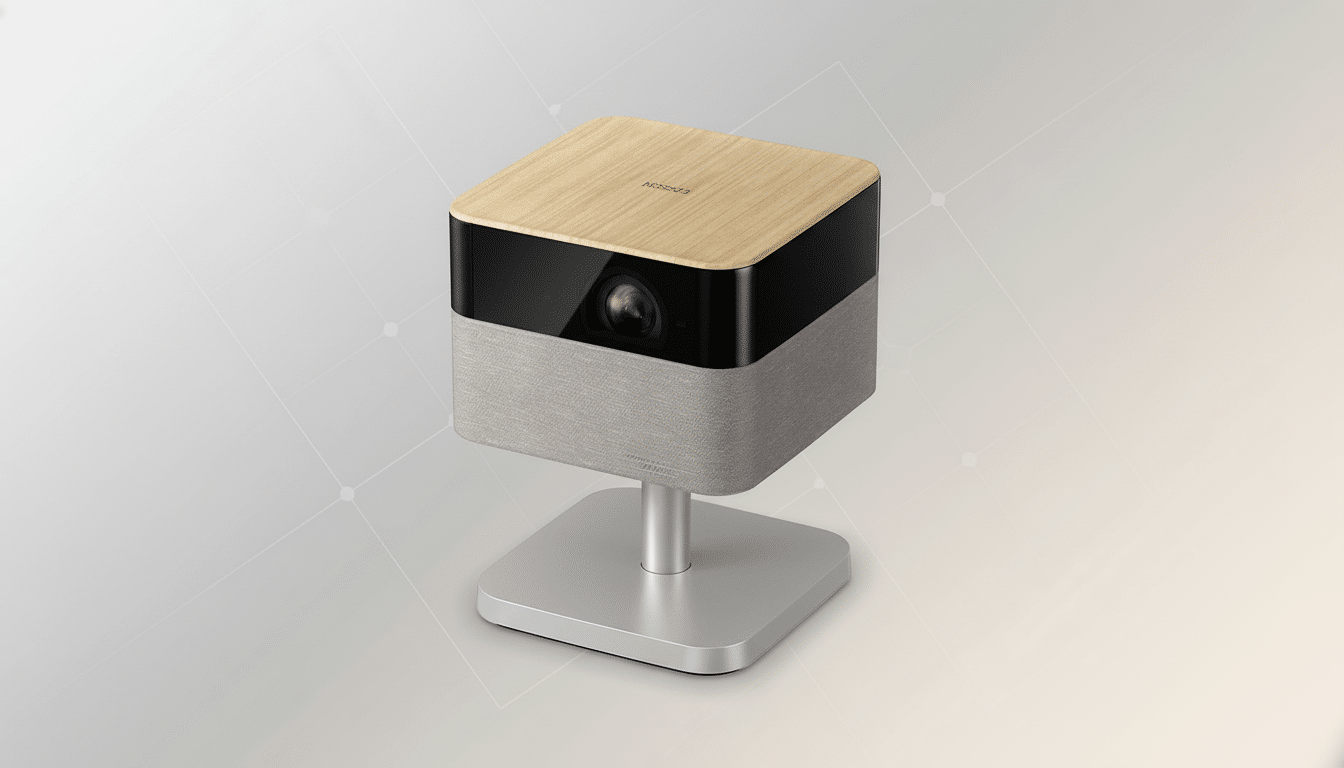
From the clean front grille to a stand that makes minor adjustments painless, the hardware is inviting for day-to-day use. The only letdown is the clunky power brick and cord, which weighs down what is otherwise a perfectly polished offering. There’s also no built-in battery, so true on-the-go viewing will require access to an outlet.
Easy and Quick Setup in Just Minutes for Any Room
Plug in, power up, and the Flex Plus does the rest. The autofocus quickly snaps the image into place and auto-keystone ensures edges are squared. For difficult rooms, you have Quick Corner and Screen Fit for manual adjustments, as well as an eye-safety sensor that will dim the light should it detect someone walking through your beam.
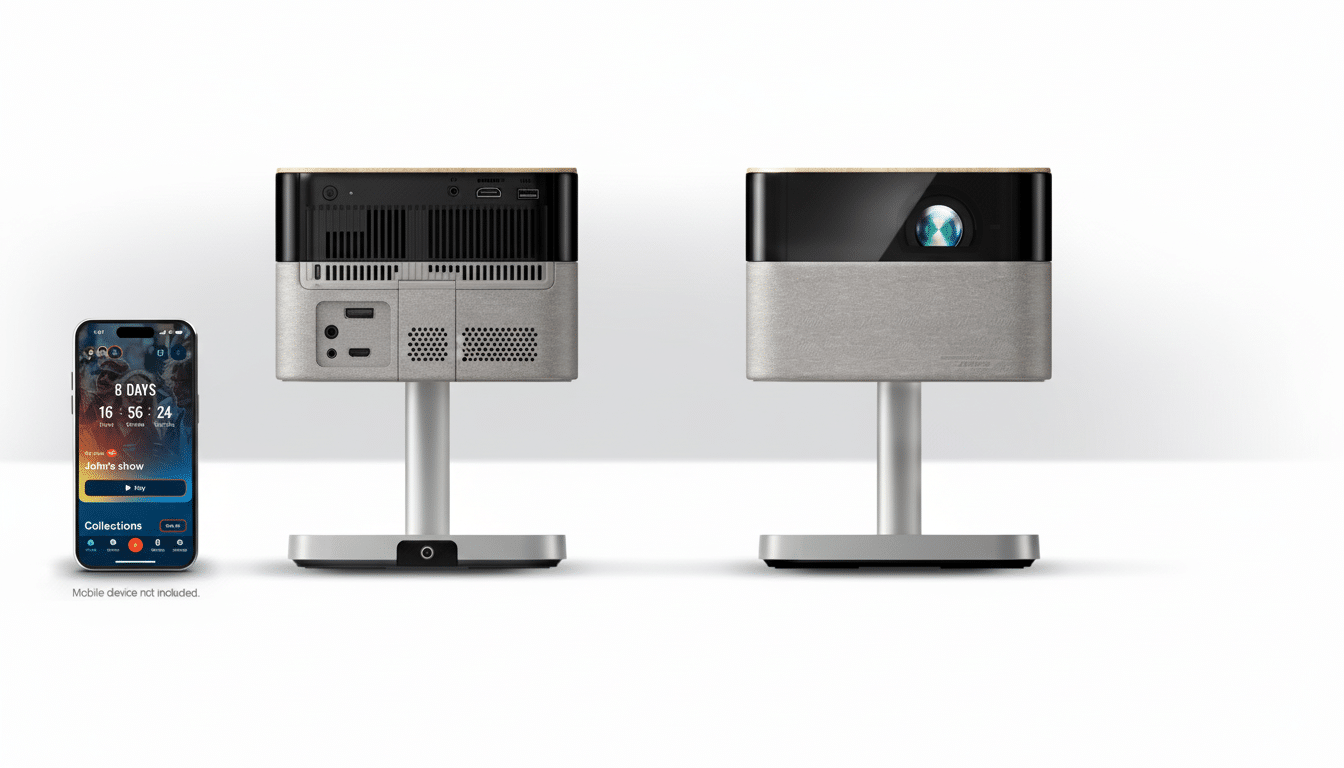
Google TV is aboard with Chromecast and Google Assistant, so streaming feels like part of the television experience. The remote’s mic button is faster than poking around in menus, and the Epson Projection Studio app functions both as a phone-based remote and a convenient way to run ambient photo slideshows. Ports are sensible: one HDMI, USB-A, and 3.5mm audio out.
Cleaner Than Most Lifestyle Rivals in Picture Quality
Leading the way is Epson’s 3LCD system, which all but eliminates the rainbow artifacts that can be found on single-chip DLP models. The Flex Plus produces pixel-shifted 4K that appears perfectly sharp on text, textures, and faces. Support for HDR10 and HLG brings highlight pop while motion processing keeps both films and live sports smooth without a soapy sheen.
Its brightness is up to 1,000 ISO lumens, compliant with the ISO 21118 standard. On a practical level, that means you can watch casually with the lights on and still see all the details, yet dim rooms look properly cinematic. Look for optimal results at night, but weeknight TV and weekend gaming hold their own with a healthy dose of ambient light. The projector’s image size has a comfortable 100 inches, and can stretch to 150 inches if you have the space.
For context, ProjectorCentral’s testing across portables sees many lifestyle units wind up in the sub-700 lumen range, which is why you can enjoy brighter images and movies even where there is mixed lighting with the Flex Plus. It’s not quite there as a dedicated theater-class beam, but it sure beats most battery-first companions.
Sound Is Solid, If Not Cinematic for Big Movie Nights
The dual 5W speakers, tuned with the Bose label on board, fill a room with warm, clear audio that’s adequate for everyday viewing. Dialogue remains clear, and volume fills a medium-size room without strain. Modes matter: Dialogue mode crisps up voices in busy mixes, while Cinema does atmosphere well but can go a touch muddy during gab-heavy scenes. Bluetooth speaker mode is convenient for passive playlists.
This isn’t a gamer’s peripheral, but input accuracy is fine for casual use.
If you’re angling for esports-grade latency and object-based surround, pair it with a console and a dedicated soundbar or AVR.
A Better Second Screen for Today’s Viewing Habits
Streaming is the gravitational center of contemporary viewing, with Nielsen’s Gauge measuring streaming usage at 30% plus of all TV time in the U.S. Which is why an “instant TV” that you can roll out for game days, binge nights, and guest-room duty makes so much sense. The Flex Plus nails that brief: it’s quick to deploy, user-friendly, and good-looking enough that you won’t want to hide it away.
How It Stacks Up on Price and Alternatives
The Flex Plus is not cheap, at an MSRP of $999.99, pricier than a lot of compact projectors — but you’re paying for 3LCD clarity and design essence with that tag. The non–Design by Neil Poulton Lifestudio Flex lowers to 1080p for a bit less while keeping the same look. The Pop and Pop Plus are smaller, lighter options for fast and easy setup but lose brightness and sharpness.
Those on a budget might look at XGIMI’s MoGo 4 series for true portability and a built-in battery, but brightness and resolution lag. BenQ’s lifestyle choices such as the GV32 do deliver handsome design and decent sound, too, but they’re not in the same league as the Flex Plus when it comes to that perceived sharpness and motion.
Verdict: A Stylish Projector That Deserves Its Place
The Epson Lifestudio Flex Plus makes the “second screen” the first screen. It mixes a mostly unobtrusive design with great-looking 3LCD visuals, Google TV flair, and just enough brightness for everyday viewing. The absence of a battery and the bulky power brick are misses, but they do not distract from the overall polish. If you prioritize simplicity, image quality without rainbow artifacts, and a device for which you will not search for hiding places between uses, this is a smart splurge.
