


The DJI Osmo 8 has quietly emerged as my most favorite new vlogging accessory following several weeks of shooting on the streets, inside trains and in claustrophobic cafes. (Similarly, the Osmo Action has just made solo filming easy-peasy.) It offers that kind of stabilization and subject tracking that tends to make solo filmmaking feel easy breezy, all in a package you can fit in your pocket so it’s far easier to live with than a traditional setup.
Polished Hardware That Installs In Seconds
The standout is simplicity. Snap your phone into the clamp, line up the camera icon, and then unfold the arm, which auto-balances the gimbal. There’s no fiddly calibration, and that reduces the barrier to actually using it when a shot arises. I tested with a Galaxy S25 Ultra and an iPhone Pro-sized device, and both lined up easily enough to balance their charging coils without cases on.
- Polished Hardware That Installs In Seconds
- Designed for Creators on the Move, With Smart Controls
- Stabilization And Tracking That Raise The Quality Of Mobile Video
- The Multifunction Module Is Worth It for Most Users
- Quirks, Pricing, and Where These Trade-offs Fit
- Verdict: A Pocketable Gimbal That Elevates Solo Vlogging
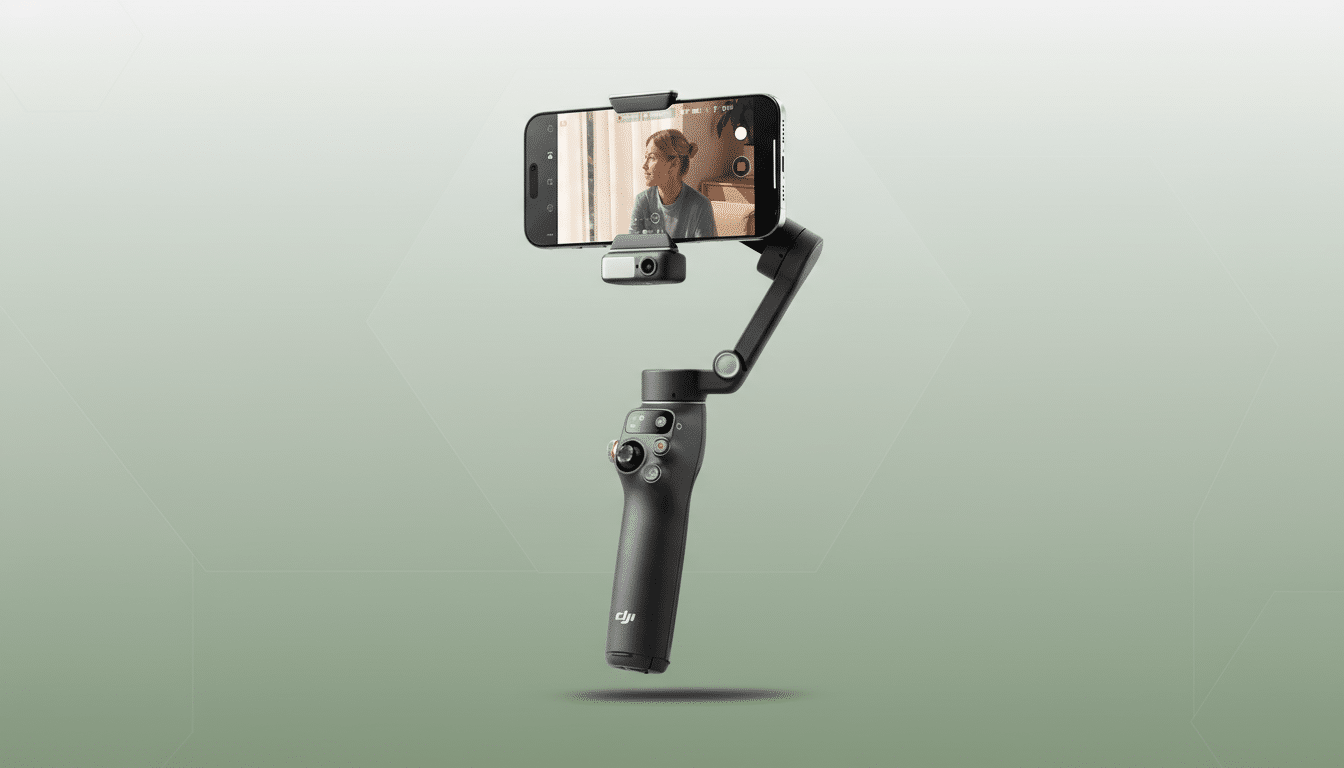
The Osmo 8, weighing in at 370g, is light enough for those extended handheld shooting sessions without your forearm crying out for help. DJI promises up to 10 hours on a recharge time, which fit the bill on my mixed-use days unless I really beat up the add-on module. There’s a clever set of legs stored in the base (great for static pieces to camera), but DJI’s signage is subtle, so many owners will miss them at first.
The telescoping head allows a touch more reach and tilt for framing. It’s not a selfie stick substitute, but it is enough to clear some foreground clutter or change the perspective without twisting your wrist.
Designed for Creators on the Move, With Smart Controls
It’s in the physical controls where the Osmo 8 feels creator-first. A responsive side wheel accommodates easy zooms, saving you from that awkward screen pinch mid-take. With a dedicated record button, a mode switch that flips from horizontal to vertical in two taps and a quick recenter command, the gimbal feels like an extension of your phone (not another thing to take care of).
There is also a lock function to keep the horizon stable when you want a neutral, documentary-like feel. DJI’s mode presets include the basics—Pan Follow, Pan-Tilt Follow, FPV—and now there’s SpinShot and a new 360 rotation trick for bolder transitions. Used judiciously, they enhance B-roll without becoming gimmicky.
Stabilization And Tracking That Raise The Quality Of Mobile Video
Handheld electronic stabilization for smartphones has gotten better, but it still has a hard time dealing with footfall and lateral bumps. The Osmo 8’s 3-axis hardware stabilization floats through stair climbs and street crossings, giving you that hands-free puppet-mastery look usually the plaything of big rigs. Horizon hold remained fixed even as I jogged to match my subject’s pace.
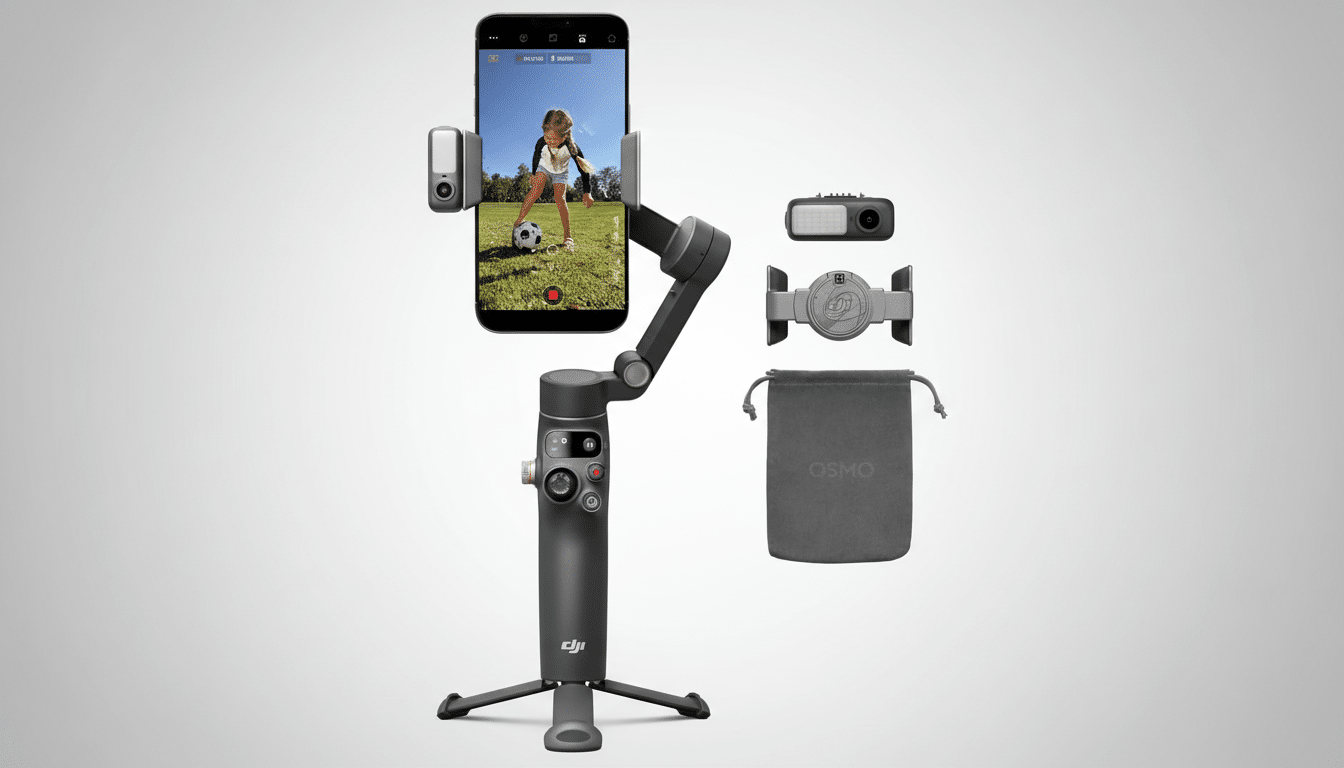
Tracking is where solo creators can win big. When locked onto a face, the gimbal does well to follow reliably, reframing without hunting or jerks. Lay the tripod down and step in front of it, and the Osmo 8 acts as a patient camera operator—especially useful for cooking demos, workout footage or walk-and-talks where you need to move around naturally.
The Multifunction Module Is Worth It for Most Users
The key is DJI’s optional multifunction module. It provides a built-in fill light with adjustable brightness for evening shoots and, crucially, system-level tracking that holds up even if you want to use your phone’s native camera app. Gesture controls are carefully considered: a palm up to activate tracking, or a peace sign for recording. In the field, it reduces setup friction to near zero.
Audio integration is equally streamlined. The link and connect buttons on the DJI Mic series ensure a speedy pairing up with less-than-one-minute setup, and it becomes a real one-person production package in seconds. For creators who value speed-to-record over perfect rigs, that integration is more meaningful than spec-sheet fireworks.
Quirks, Pricing, and Where These Trade-offs Fit
It isn’t flawless. The tucked-away tripod legs require better visual indicators and some of the most interesting elements are hiding behind an optional module that nudges the effective cost above the $149 MSRP if you want to apply every feature available. Heavier phones in heavy cases may need a quick rebalance, and like any gimbal, there’s a learning curve to walking correctly, so as not to have bobbing when your phone moves up and down.
Still, the value proposition is healthy. The Osmo 8 provides a more cinematic image with less warping, better framing choices and pro-feeling controls than you’ll get if you rely solely on your phone’s stabilization. For creators aiming at Shorts, Reels, TikToks or long-form vlogs, those gains are direct savings in polished footage for less work in post.
Verdict: A Pocketable Gimbal That Elevates Solo Vlogging
The DJI Osmo 8 aces the part that counts: rock-solid stabilization, clever tracking that frees your hands, and controls designed to help you shoot faster. Throw in the multifunction module and a wireless mic, and you’ve got a pocketable rig that can credibly sub for many ordinary piece-to-camera setups. Small eccentricities notwithstanding, this is the smartphone gimbal that I’d recommend you start with if you’re a vlogger or solo creator who just wants to make better-looking video without making it hard on yourself.
