


Clicks is wagering that muscle memory still counts. I had some hands-on time with an early prototype of the Communicator, a $499 Android phone that looks like a slider built around a physical keyboard and a concise, messaging-first display. It’s very BlackBerry in its execution, but modern where it counts and supported by a team that also sells a $79 slide-out keyboard accessory for those who want the sensation of tactile typing without changing phones.
Design and first impressions of the Communicator
The unit I tested was not a working phone, though its dimensions and weight mirror the final product. At about 170 grams, it’s significantly lighter than many of today’s flagships, which can be just north of 190 grams, and its weight balance makes two‑thumb typing comfortable over long periods.
- Design and first impressions of the Communicator
- Keyboard feel and typing speed on the Communicator
- Communicator specifications focused on practicality
- Software experience and the customizable Signal Light
- Who this phone is for: message-centric power users
- Early verdict on the Communicator prototype hardware
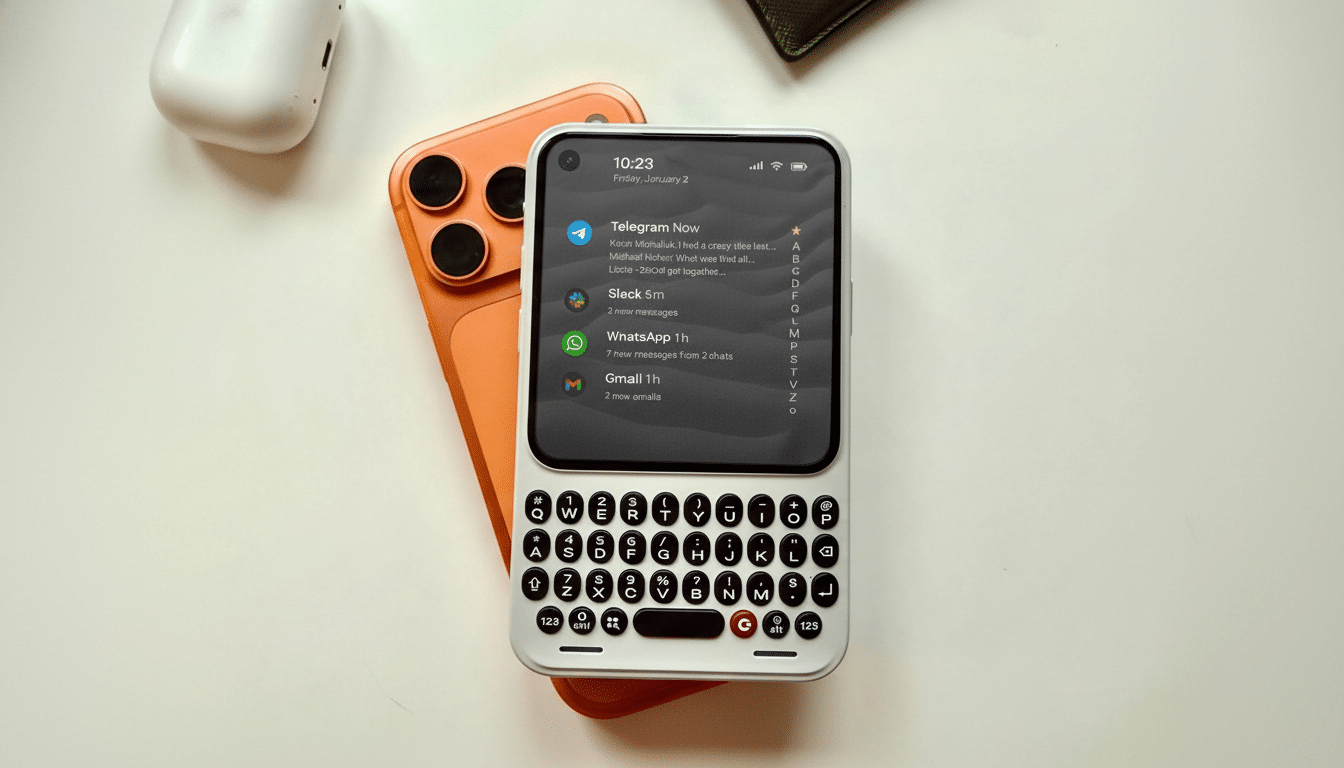
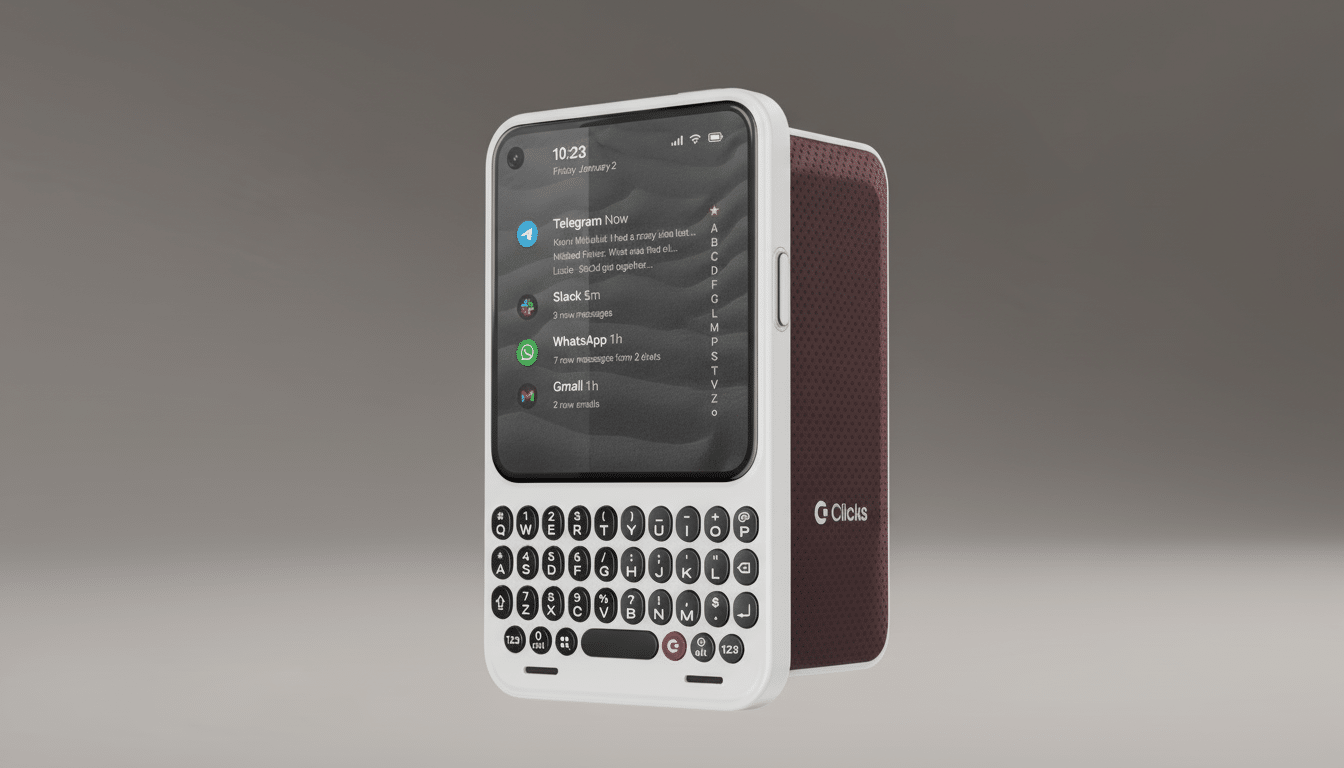
A contoured back enhances grip, and the screen barely protrudes from the frame while a curved chin cradles keys to keep them from scratching when flat on its face. Snap off interchangeable back covers to change your style on the go; retailers’ covers will use small notches so you can swap those faster.
Keyboard feel and typing speed on the Communicator
The keys are the headline. They’re tactile, evenly spaced, and level with the touchscreen, so your thumbs can stroke back and forth from hardware to glass without a ridge. Clicks is still working on the actuation force, considering about 110 grams or 120 to 130 grams. In my experience, the firmer profiles offer crisper feedback and fewer misfires, while the lighter keys may feel friendlier to newbies.
It’s a classic trade-off for anyone who lived on a Bold or KeyOne: heavy typists typically prefer the sharper click, while occasional users prefer softer presses. Co-founders Michael Fisher and Kevin Michaluk have always maintained that “feel” trumps raw speed, and the prototype hints that Clicks is calibrating for something in between nostalgia and practical design.
Communicator specifications focused on practicality
The Communicator operates on Android 16, which is installed on a 4‑nanometer MediaTek 5G IoT chipset with 8GB of RAM. Storage is 256GB with microSD card support for up to 2TB, which is a feature we don’t see on newer phones. There’s a nano‑SIM hiding underneath the removable back.
The 4.03‑inch AMOLED screen pumps out 1,080 x 1,200 pixels onto a more square canvas that emphasizes text density and clarity over cinematic greatness.
Cameras: there’s a fixed‑focus, hole‑punch 24MP front unit and a 50MP rear shooter with optical and electronic stabilization, indicating steadier video than previous keyboard phones achieved.
Power is provided by a 4,000mAh silicon‑carbon battery with 18W wired and 15W wireless charging, and Qi support. Silicon‑carbon chemistry is often able to accept a faster charge and handle deeper cycles than conventional graphite cells — handy for heavy messaging days when your screen‑on time can spike.
Software experience and the customizable Signal Light
Clicks leans into purposeful UX. The phone is preloaded with the Niagara Launcher by default, which means you have a minimalistic interface where just your most-used apps and conversations are within reach of your thumb. In brief tests, it made the condensed display seem larger by minimizing navigational drag.
One of the coolest hardware touches is a programmable “Signal Light” on the side. You can assign colors and patterns to people, groups, or apps, triaging at a glance without the need to unlock it. For bosses balancing team chats or parents wrangling school alerts, it’s an old‑school indicator that’s taken on new life.
Security‑minded purchasers will find Android StrongBox support, NFC, GPS, and a claim to five years of security updates with OS availability through Android 20. It’s a policy that dovetails with an industry move toward longer lifecycles, a trend spotlighted by enterprise IT teams and consumer advocacy groups that monitor device longevity.
Who this phone is for: message-centric power users
The Communicator isn’t competing in a spec-sheet drag race. Conversely, it aims at those message‑centric users who care about precision and concentration: busy executives heavily reliant on email, reporters filing from the field, community managers in a state of never‑ending chat with humanity… or just anyone whose fingers are tall enough to mistrust autocorrect.
It’s also a wager that there is still space for a compact, ergonomic device in an industry driven by big slabs. IDC and Counterpoint have both mentioned how a niche form factor can take off if it fits into a clear workflow. Previous attempts like the Fxtec Pro1 and Astro Slide have demonstrated that enthusiasts are out there; Clicks looks to be taking aim at a somewhat broader market with better design, modern cameras, and mainstream software choices.
Early verdict on the Communicator prototype hardware
From the build to the keyboard to thoughtful touches like the Signal Light, it all comes together in a way that feels cohesive, not retro for retro’s sake.
Folded in with expandable storage, wireless charging, and a tuned actuation profile, the phone reads like a productivity tool and not a lifestyle device.
There are still some unknowns — final key feel, real-world battery life, camera tuning — but I like the foundation. If Clicks nails the final 10 percent of polish, it could be one of those rare phones you’d want to make your thumbs work for.
