


ChatGPT is introducing a personalized year-in-review feature, called “Your Year with ChatGPT,” that offers a playful and data-driven glance back at how people interacted with the AI over the course of the year. The feature is a nod to the cultural phenomenon that is Spotify Wrapped — a way of packaging personal usage highlights in bite-size chunks for social sharing without being overly invasive.
What to watch for in your personalized ChatGPT recap
The experience builds a visual recap of your biggest themes and activities, along with whimsical “awards” that symbolize how heavily you relied on the chatbot. If you regularly turned to ChatGPT on how to reason about bugs or brainstorm through fixes, you might earn yourself a badge such as “Creative Debugger.” The recap also makes you a short poem and picture related to your likes, highlighting the product’s generative origins rather than simply running down stats.
- What to watch for in your personalized ChatGPT recap
- Availability and eligibility for the year-end recap feature
- Privacy and user control are priorities for this recap
- Why a Wrapped-style year-end format makes sense for AI
- How to try it and what to expect from your recap
- The bottom line on ChatGPT’s new year-in-review feature
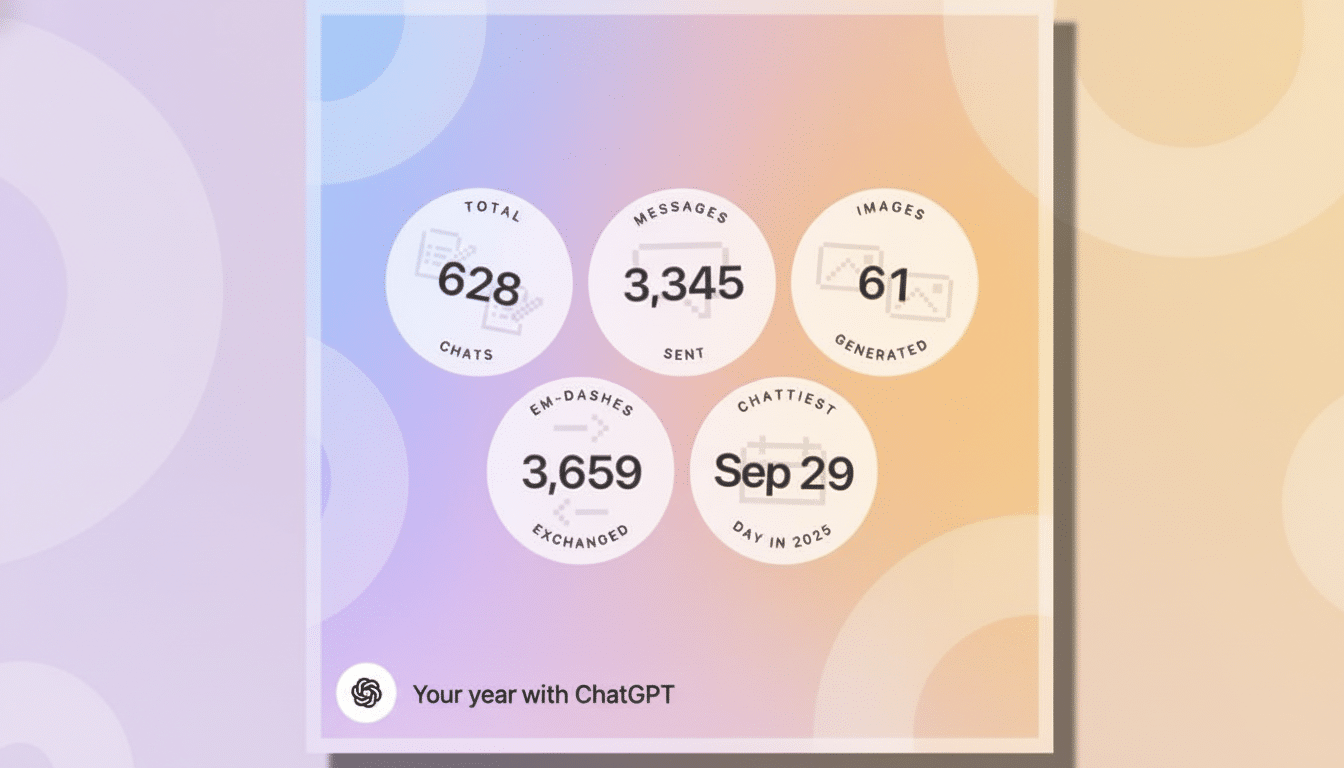
OpenAI says the recap is accessible from the ChatGPT home screen (and won’t auto-launch or interrupt your browsing). You can also dismiss it with a snap by typing “Your Year with ChatGPT,” a small but significant reminder that this is a user-activated layer, not an engagement pop-up pushed by default.
Availability and eligibility for the year-end recap feature
The feature is being deployed to qualifying users in the United States, Canada, the U.K., Australia and New Zealand. It is accessible on the ChatGPT web and mobile apps for iOS and Android. Business-oriented plans — Team, Enterprise and Education — don’t get this feature at launch, a clear indicator that it’s likely not on your immediate roadmap. OpenAI has its work cut out for it making the recap purely a personal one in a consumer lane where content is probably more entertainment than compliance-sensitive.
That segmentation matters. Generative AI in enterprise deployments routinely gets subjected to stringent data governance and retention requirements; a shareable, personality-forward recap simply resonates more with consumers than workplace guardrails.
Privacy and user control are priorities for this recap
OpenAI describes the experience as “lightweight, privacy-forward, and user-controlled.” In effect, that makes the recap opt-in by behavior — it pops up when you ask for it or tap into an in-app prompt (the app doesn’t take over the interface). It’s all about framing: Consumers covet year-in-review features when they feel celebratory and optional. Conversely, anything that appears to be automatic data mining can raise red flags — particularly in parts of the world covered by GDPR or U.S. state-level privacy laws.
This isn’t a feature the company is marketing as a data export or audit tool. As a descriptive layer surrounding your usage, it will hopefully be delightful without being exhaustive. Those wanting detailed logs or data controls will still need to use existing settings for history, exports and deletion.
Why a Wrapped-style year-end format makes sense for AI
Year-end summaries are a consistent growth lever across consumer apps, as they transform personal behaviors into shareable social content. App analytics companies like Sensor Tower and Apptopia have repeatedly traced December spikes in music apps back to Wrapped-style moments. That mechanic — personalized storytelling so good you want to share it — now comes to a mainstream AI assistant at this scale for the first time.
There’s also a broader retention play. Late in 2023, OpenAI announced that ChatGPT had a hundred million weekly active users, an impressive base that nevertheless does not eliminate the age-old question of how to get people to form habits. A neatly written recap reminds lapsed users why they came in the first place — coding help, lesson plans, meal ideas, trip research — and pushes them back for January goals. It also brings ChatGPT in tune with the language of today’s fandom; if Spotify surfaces your sound, this surfaces your curiosity.
Outside music, Duolingo, Strava and YouTube Music have riffed on year-in-review structures to similar effect: The template travels well. Here the twist is generative: instead of just tracking minutes or categories, the AI can generate poems or images about your year on demand.
How to try it and what to expect from your recap
Open up ChatGPT in the browser or through the iOS or Android app. Find the “Your Year with ChatGPT” prompt on your home screen, or write out that phrase in a new chat to get started. Anticipate a brief sequence featuring some of your frequently visited themes, a prize that indicates your style of use and a poem-plus-image combination fit to your proclivities.
The recap doesn’t appear automatically, but the visuals were born to spread. If you have a Team, Enterprise or Education account, you won’t be able to see the feature — try it with a personal account instead.
The bottom line on ChatGPT’s new year-in-review feature
Your Year with ChatGPT takes a beloved consumer ritual and gives it an AI-native twist. It’s voluntary, intimate and ready-made for sharing social moments — the perfect formula that has made Wrapped a cultural phenomenon. For OpenAI, it’s an easy way to celebrate everyday use while sneakily boosting engagement going into the new year.
