


OpenAI is now making ChatGPT a real team room. The most recent update introduces Shared Projects for persistent group context, new connectors to core work apps, and enterprise controls intended to help make the chatbot safer and more useful for businesses.
The bet is simple: can teams make sense of files, instructions, and conversations all in one place — and also let ChatGPT pull down freshly updated stuff from Gmail, Outlook, Teams, Slack, SharePoint, GitHub, Dropbox, or Box — then it becomes a daily system of record rather than a one-off tool.
What Shared Projects Change for Teams and Workflows
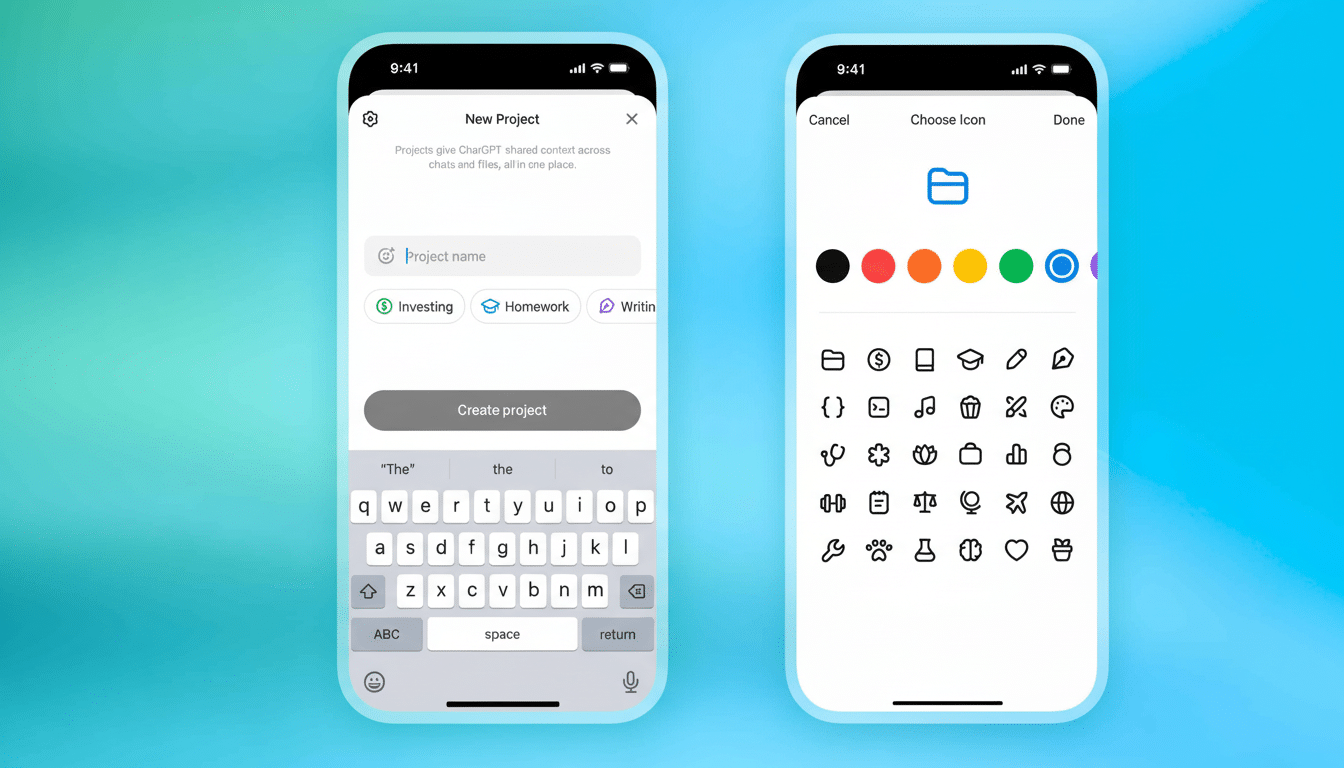
Shared Projects provide teams with a memory and an access point. Teammates can upload docs, data, and guidelines, then chat with ChatGPT in that context. The model is built from the project’s own files and instructions to ensure answers remain standard in tone, terminology, and policy—enabling this handy tool for everything from proposal drafts and contract read-throughs to product specs and support runbooks.
Project creators invite collaborators via link or email, with “chat” or “edit” permissions. And because the project keeps its context over time, long-running threads—like a client engagement that changes weekly—don’t need to be re-primed each time. Early features include staying in sync on shared documents and keeping an organization’s voice consistent across communications.
New Connectors That Bring Together Core Work Apps
ChatGPT now comes bundled with built-in connectors for Gmail, Google Calendar, Microsoft Outlook, Microsoft Teams, SharePoint, GitHub, Dropbox, and Box. Importantly, the assistant can automatically select an appropriate connector for a task without explicit indication from the user. OpenAI says it gets faster and more accurate responses following a connector search.
In practice, that means requests like “Summarize the most recent insights from my inbox on Project Atlas and coordinate next steps” will generate a concise summary drawing on recent emails, docs, and shared files. It is part of a broader industry effort to render AI assistants the front end for work data; rivals have been moving in that direction too, with Claude adding connectors and communication tools from afar and meeting assistants like Zoom’s AI Companion integrating dozens of third-party applications.
The payoff is less context switching and less reaching.
The downside comes in governance: teams have to manage which sources are allowed and who should be able to connect them. And here are the new admin controls.
Secure and Compliant for Regulated Teams
According to OpenAI, ChatGPT is now ISO/IEC 27001 and 27018 certified and can boast of being SOC 2 compliant with a program that adheres to Security, Confidentiality, Availability, and Privacy criteria. For many procurement teams, those badges streamline audits and reduce the friction of bringing an AI assistant into sensitive workflows.
Enterprise and education admins can choose which users access various connectors and aspects of the assistant, restricting what data the assistant is able to touch. Optional IP allowlisting, which further limits access to only calls from known addresses, is beneficial for organizations with tightly controlled network perimeters or a zero-trust model.
The security stance is important because assistants are becoming increasingly more involved in making real decisions. Studies of software teams, and evidence cited in Google’s DORA reporting, further suggest that AI may have a tendency to speed up high-quality groups, while shining a light on gaps among weaker ones. Guardrails that keep data moving with intention can help that acceleration be safer.
Availability Across Plans and Organizational Tiers
Shared Projects are currently available for Business, Enterprise, and Edu customers and will eventually be released to Go, Plus, and Pro, as well as Free accounts. Admin controls related to features can be used, and the app’s access policies and IP allowlists are set for the managed organizational plans. OpenAI frames this as a spectrum: people will wake up to organizational features, while admins will maintain fine-grained control at scale.
Why It Matters in the Competitive AI Workspace Race
The change from “chat with a bot” to “collaborate inside a shared AI workspace” is no accident. When teams put together projects where files, style guides, and action items live, switching costs increase and the assistant becomes part of the workflow fabric. OpenAI has also hinted at an intention to rival mature productivity suites, and anecdotal adoption numbers hint at increasing workplace usage.
Competition is intensifying. Cloud providers are wooing enterprises with marketplaces of models, agents, and integrations, while foundation model companies are flirting with line-of-business users by creating purpose-built assistants. Connectors, governance policies, and multiuser context are becoming table stakes, not differentiators.
The practical questions for buyers are obvious: Will Shared Projects keep everyone in alignment without constant re-prompting? Are the systems you need most covered by connectors? And are the compliance controls strong enough to withstand a security review? If the answer is yes, ChatGPT transitions from being a clever sidekick to a master hub of actual work getting done.
