


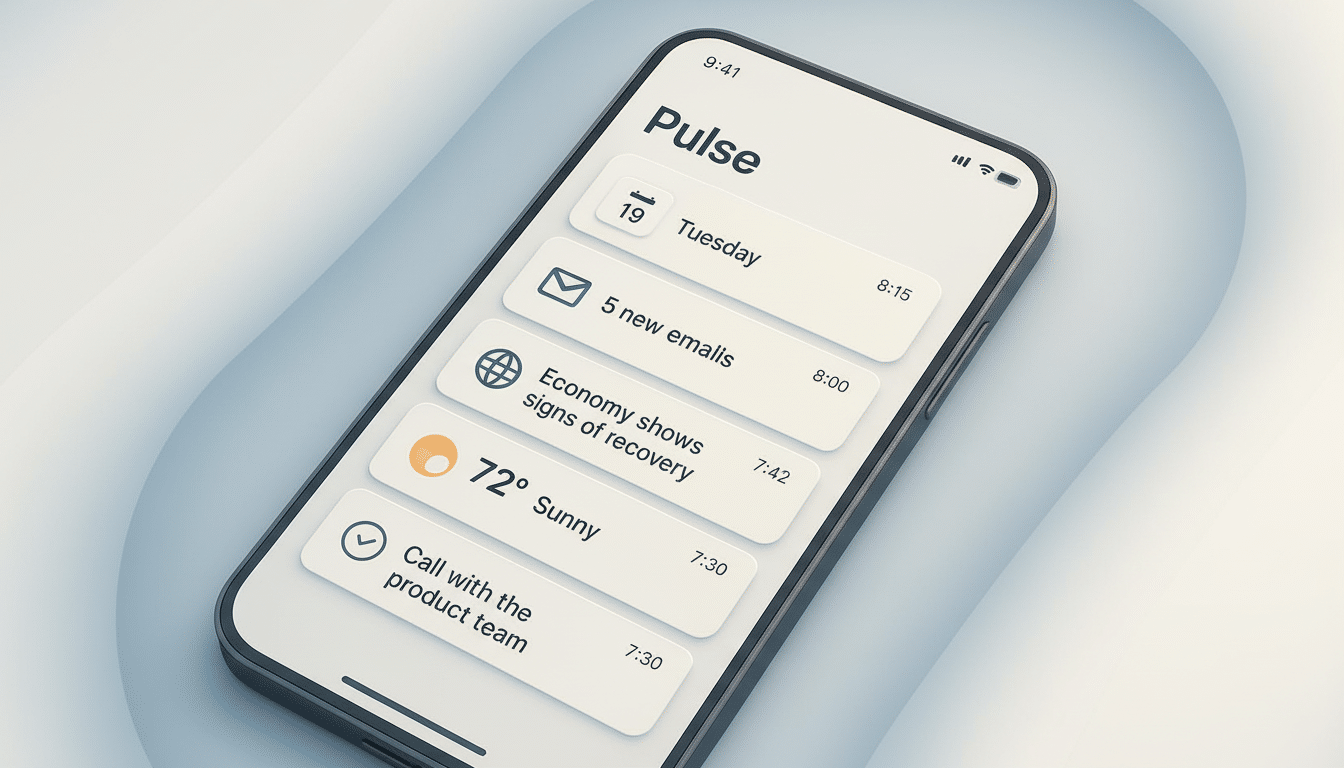
OpenAI is experimenting with a feature it calls ChatGPT Pulse, which summarizes your personal details into a morning briefing providing you with what’s significant before the day starts.
Now available in preview to ChatGPT Pro users on mobile, Pulse scrapes your recent chats and uses, with your permission, Gmail and Google Calendar to surface timely updates that are immediately actionable.
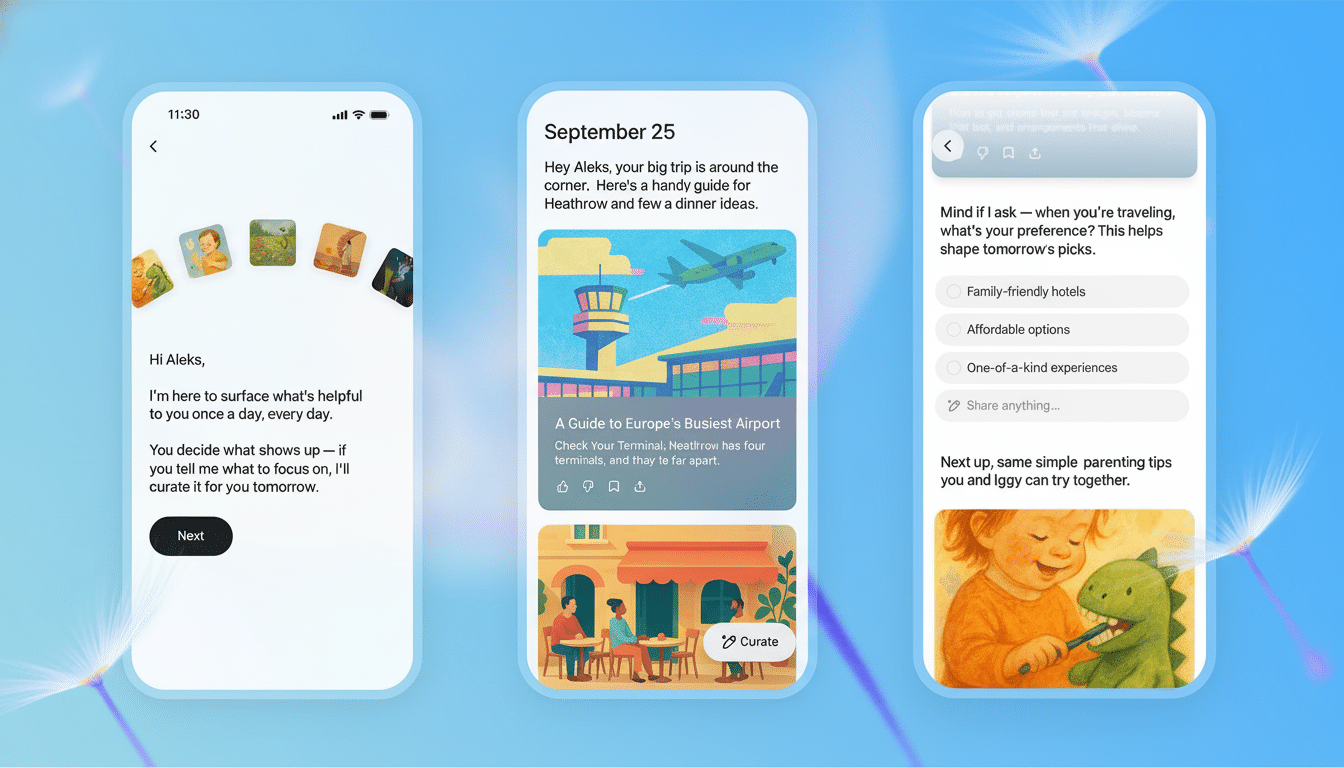
The concept is simple: Rather than hunting around apps and threads, Pulse creates an easily digestible briefing for you to scan over your morning coffee, and from there dive into an entire conversation if anything piques your interest. Think tips on a trip pried from the itineraries you screenshotted, prompts extracted directly from the events in your calendar and nudges derived from topics being discussed over chat — all served up in one feed.
What ChatGPT Pulse Does and How It Delivers Updates
Pulse relies on your ChatGPT history to extrapolate what’s relevant today, then supplements that with optional signals from Gmail and Calendar. The result is a series of thematically-generated cards: upcoming commitments, friendly nudges to revisit threads, and context-sensitive suggestions. If you have a weekend flight coming up, and have been talking about restaurants in London, your digest may feature neighborhood picks or local transit tips, and offer to help you “open in chat” and fill in those plans.
Crucially, Pulse isn’t designed to be a new timeline to doomscroll through. OpenAI describes it as a morning hub — a rapid pass to get your day together and not a feed to refresh. That’s an important design decision: Research from usability groups such as Nielsen Norman Group have long advocated digests for mitigating notification fatigue and decision paralysis.
It’s the tight integration with ChatGPT that is the differentiator. And because the digest is made from your discussions, you can transform any card into a conversation at once — ask follow-up questions, create a to-do list, or write an email now. The closed loop shortens the friction that often separates reading a brief and doing something about it.
Privacy and Control Options for Your Connected Data
Pulse is opt-in with outside data. You have the option of using the digest with chat history only, or connecting Gmail and Calendar in order to give yourself richer context. If you do link accounts, permissions are treated as standard OAuth, and you can always revoke access in your Google account settings.
The trade-off is an established one: more inputs can lead to better recommendations, but it also centralizes the most sensitive information. Digital rights organizations like the Electronic Frontier Foundation, and regulators including the UK Information Commissioner’s Office regularly counsel to share data only when you absolutely have to, check in on retention policies, and double-check defaults whenever activating a new integration. Try to start narrow, audit what turns up in your digest — then widen if the benefits are obvious.
Organizations should focus on administrative controls. Pulse is a mobile preview for individual Pro users today, but organizations usually want transparency on where the data is processed, how it’s stored and if administrators can enforce connection policies. Their expectations are framed with respect to the enterprise tools we use today because they give you contextual, granular governance.
How It Stacks Up Against Other Daily Briefs
Daily digests aren’t new. Google has made At a Glance available on Pixel devices, and has been testing “Snapshot”-style overviews in its Assistant experiences. Samsung’s on-device Galaxy AI offers context-aware suggestions, while in Microsoft’s ecosystem it appears as Viva briefing emails and Copilot-driven recaps (in Outlook and Teams). These are usually built around a platform or productivity suite.
Pulse wants to be platform-agnostic and conversation-native. And because it’s built on ChatGPT, it can remix what you’ve already talked about — ideas, drafts and hunches — instead of pulling only from emails or calendars. For iOS and Android users who depend on ChatGPT for plotting and brainstorming, the consistency could be a deal-breaker.
There is a user experience nuance as well: most digests serve read-only summaries, while Pulse presents each card as an opportunity to create, refine and decide.
In productivity studies, that leap from awareness to effort is where minutes start multiplying into hours of time savings, a refrain mirrored across industry analyses written by companies like McKinsey on when generative AI actually pays off.
Who Should Try It and When It Makes the Most Sense
If you already rely on ChatGPT as a planning companion, Pulse makes sense — especially for people traveling (eventually), freelancers managing multiple clients or anyone who lives and dies by their calendar. It also may be appealing for users who don’t like having notifications in your face but still want a single, quiet sweep at what needs to get done today.
There are limits. (It’s mobile-only in the preview phase and limited to users with a Pro subscription, so desktop-first users will have to wait.) As with all large language models, do your homework on specifics — times and places and names — before you decide to act. A digest is a map, not the ground.
The broader sign here is where personal AI is going: toward context that you control, served up in useful nuggets and closely linked to actions you can take right away. If OpenAI can find the right balance between personalization and privacy, Pulse could be the first thing many people check every morning — and the last tab they need to open to giddyap.
