


OpenAI is taking its assistant beyond reactive chat with ChatGPT Pulse, a new feature that summarizes the day while you sleep.
Instead of waiting for your cue, Pulse wakes up alongside you, presenting a deck of personalized cards to skim or tap into for deeper dialogues.
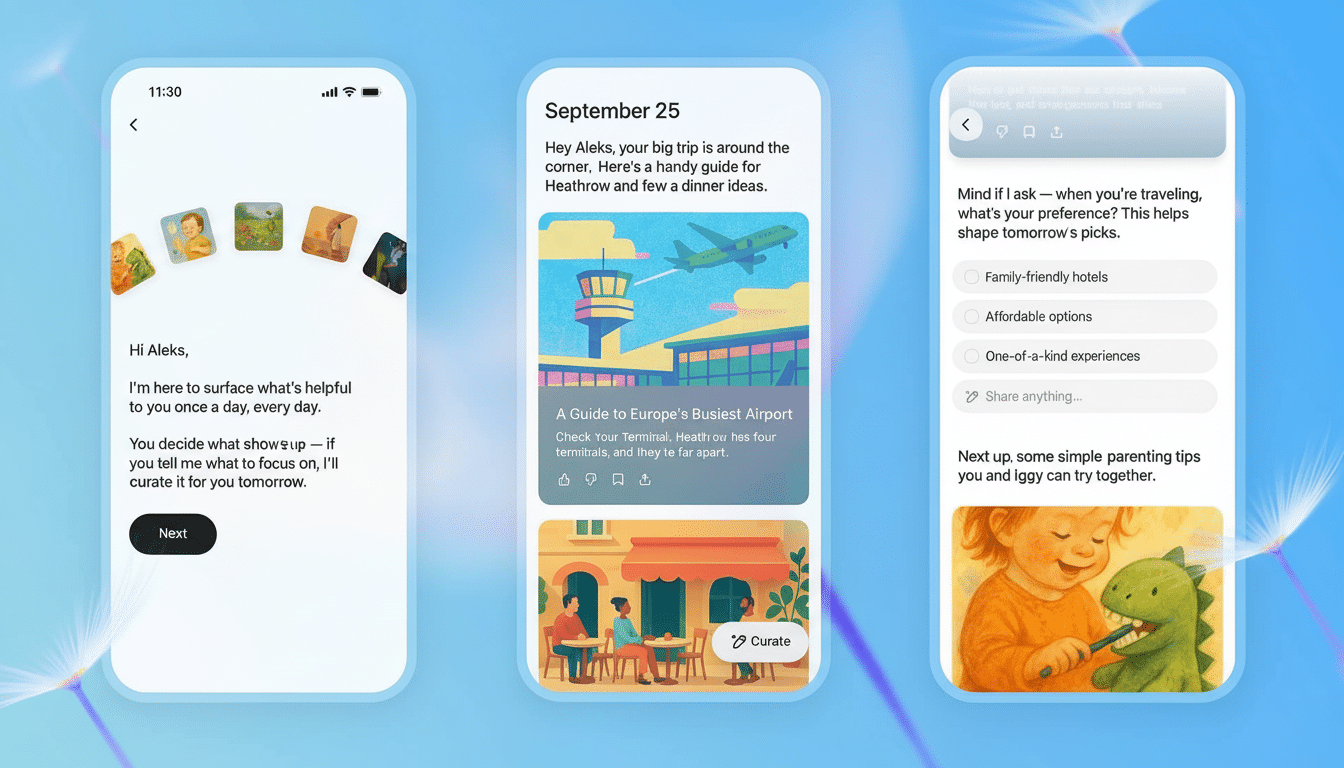
In its first iteration for Pro subscribers, Pulse pulls in context from your recent chats and optional integrations to apps like Gmail and Google Calendar. “Our mission is straightforward: to provide you with what you need to start the day, and then get out of your way.”
What Happens to Pulse While You Sleep at Night
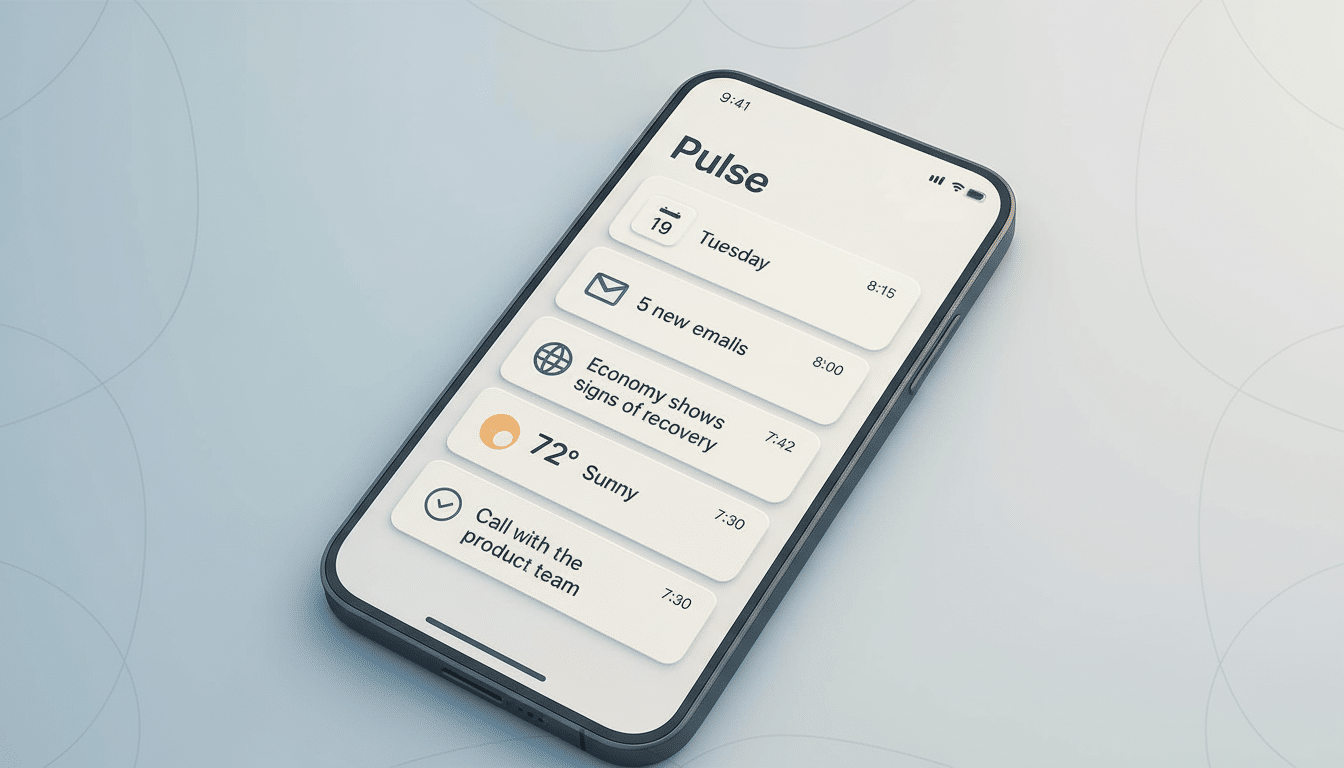
Pulse operates overnight, creating a visual card feed for “one-a-day.” Imagine the calendar changes you missed during your last meeting, important messages, that summary of project notes from yesterday’s discussion, the travel time for your morning meeting, or a quick recap on something you’ve been exploring in chat.
The cards act like launchpads. Tap a card to expand it into a conversation, ask follow-up questions, or have the assistant write a response or make a plan. It’s a small but critical shift from a chat window waiting for cues to an assistant who wants the first set of decisions of the morning.
Personalization Sans the Infinite, Endless Feed
OpenAI created Pulse to refresh daily — none of that endless scroll. Updates are erased unless you save them, or the thread proceeds. That design nudges you toward action, not passive consumption — a contrast to the attention traps of social feeds.
You control Pulse by tapping “curate” and then setting up expectations: perhaps a roundup of local events on Fridays, a weekly check-in on a hobby you’re new to, or even a focused digest of client emails. Thumbs-up or thumbs-down feedback can help tune the feed, and you have the option of wiping your feedback history to bring it back on course if it drifts.
“Pulse is my favorite feature so far on X,” OpenAI’s chief executive wrote, pointing out the shift toward a truly proactive personal assistant. The sentiment reflects a broader industry trend toward “making AI ambient,” not for rent.
Privacy Controls and Data Walling for Pulse
Pulse has two sources: your recent chats and any third-party app connections you explicitly agree to. Connect it to Gmail or Calendar, and it can pull up things more relevant for you; don’t connect, and its reach remains confined to whatever you talk about. You still have control over what gets linked and for how long.
The ability to delete feedback history is interesting. It provides users with a clean slate without having to redefine the whole account — a sort of user-friendly compromise for those who are skeptical about personalization but still like the convenience of curation without all that built-up trail-of-preference baggage.
How It Compares to Other Assistants Today
Proactive summaries are nothing new — Google’s defunct Now and Assistant Snapshot played with prescient morning cards, and Siri proffers actions extrapolated from the routine. The distinction here is depth: Pulse can take input from your conversation and actually carry that same context into a working plan or draft.
Microsoft Copilot can digest inboxes and documents on command, whereas Pulse’s “set it and forget it” overnight run becomes part of the daily ritual. It’s not so much a feature you remember to call up as it is a reminder that greets you over breakfast.
Why This Might Matter for Work and Daily Life
Knowledge workers lose valuable time context-switching every single morning, triaging email, checking calendars, and browsing project threads. McKinsey has been documenting the tax of “on-the-job” information retrieval in the workday for a long time, and it is specifically the surface area that Pulse is going after.
OpenAI had previously said ChatGPT has more than 100 million weekly active users, which puts its assistant among the ranks of the fastest-growing chatbots. Whether it achieves daily utility at that scale is likely to depend on whether Pulse reliably grabs the two or three things that you would have otherwise missed and does so without noise.
For individuals, the payoff is attention hygiene. Just a short package of updates once a day — which should make that first-morning fry-up an efficient experience, and help break that Pesach-like craving for flipping from app to app. For teams, you could receive blockers for stand-up or info to give you context for a client call from a nicely tuned Pulse.
Rollout and Availability for Pro and Plus Users
Pulse is in a limited mobile preview for Pro subscribers, but will be rolling out to Plus customers and then everyone later on. Expect the experience to change over time, as OpenAI adjusts card mix and curation controls, and adds support for more app connections.
If the daily feed is as promised — useful, concise, and consistent — it could establish a new baseline for A.I., one that doesn’t simply answer questions but proactively anticipates what’s coming in your day while you’re sleeping.
