


ChatGPT is learning to knock at your door first. Pulse, a fresh preview feature available on mobile, aims to provide you with a personalized daily briefing so you can see the news that matters most to you — without having to start a conversation. It is for those desiring an AI that will curate updates, tasks, and ideas proactively according to the way they really work and live.
Pulse is being released in early access to ChatGPT Pro subscribers, a premium tier designed for those who want to try out advanced features. OpenAI describes the tool as a step toward a more predictive assistant — one that can make sense of context, not just answer questions.
What ChatGPT Pulse Does in Your Daily Briefing
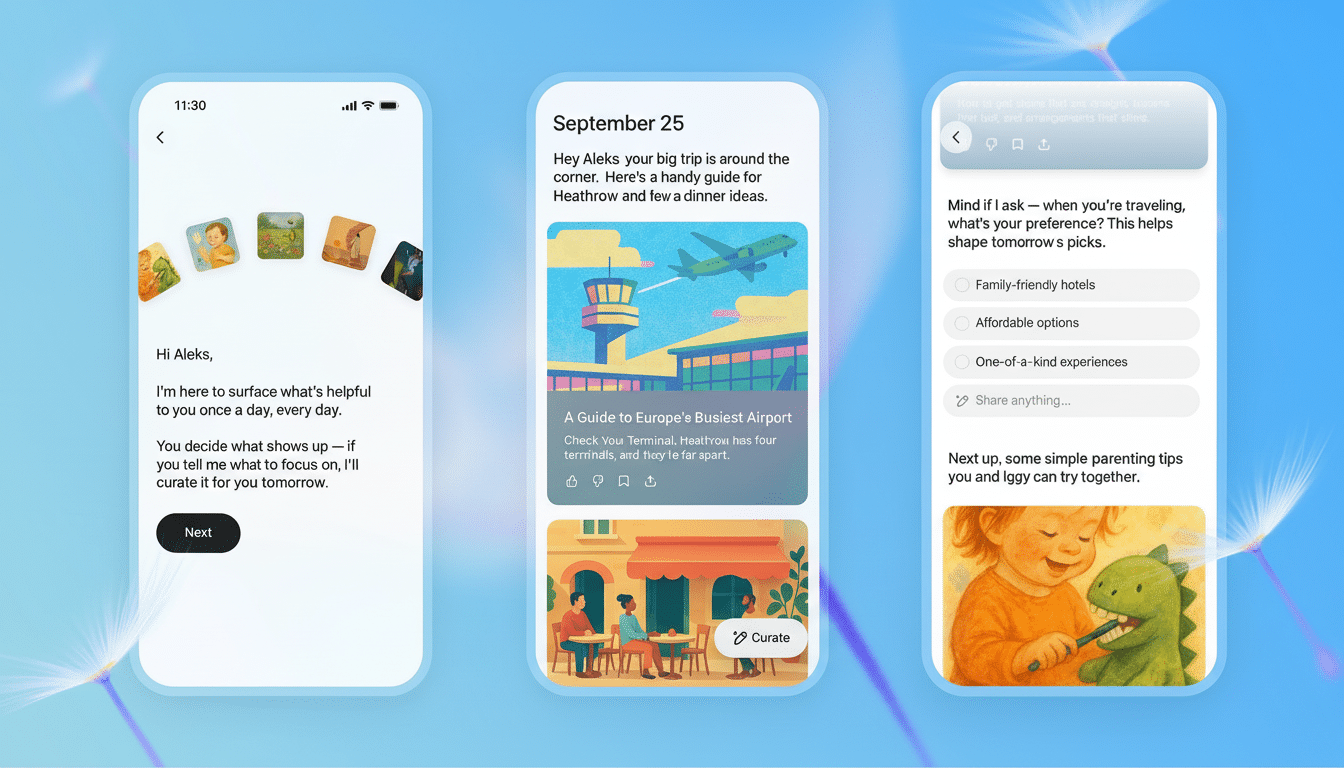
Pulse creates one scrollable deck of visual cards each day that you can scan quickly or expand for detail. Think of it as your customized “morning edition,” showing where you, the model, and its tracker (e.g., an asset) stand against their respective goals and commitments.
OpenAI says the “brief” could include something practical: suggestions for what to have for dinner tonight that you will like, a gentle reminder about a long-range goal such as triathlon training, or options for where to go on an upcoming trip penciled in on your calendar.
And if you’ve linked some apps (like Gmail or Google Calendar), Pulse might suggest drafting a meeting agenda, remind you to buy a gift, or surface restaurant picks that align with your plans.
The briefings erase themselves by default after a day. Save one or ask a follow-up and it’s added to your chat history, resulting in a lightweight archive that you can return to or develop over time.
How Pulse Assembles Each Daily Update and Cards
Pulse has access to four bits of signal information: your chat history, the memories you’ve saved, any explicit feedback about what is and isn’t useful (resistance sliders), and any connected apps you have authorized. The system does its homework in the middle of the night, so your cards are ready for you when you start your new day.
Crucially, it is a tunable feature. Mark a card as helpful, hide a topic, or request more of something, and Pulse adjusts future briefings accordingly. Early tests with college students show more value as users tell the model which categories they want — study planning for one user who was going back to campus, or managing time off during a grant period abroad for another.
This feedback loop is crucial: Pulse isn’t just summarizing; it’s ranking and prioritizing. Over days and weeks, it learns based on what earns your attention and shapes the briefing accordingly.
Control, Privacy, and Safety in Your Daily Brief
OpenAI says the topics in Pulse must pass through safety checks designed to help filter out harmful or otherwise inappropriate content.
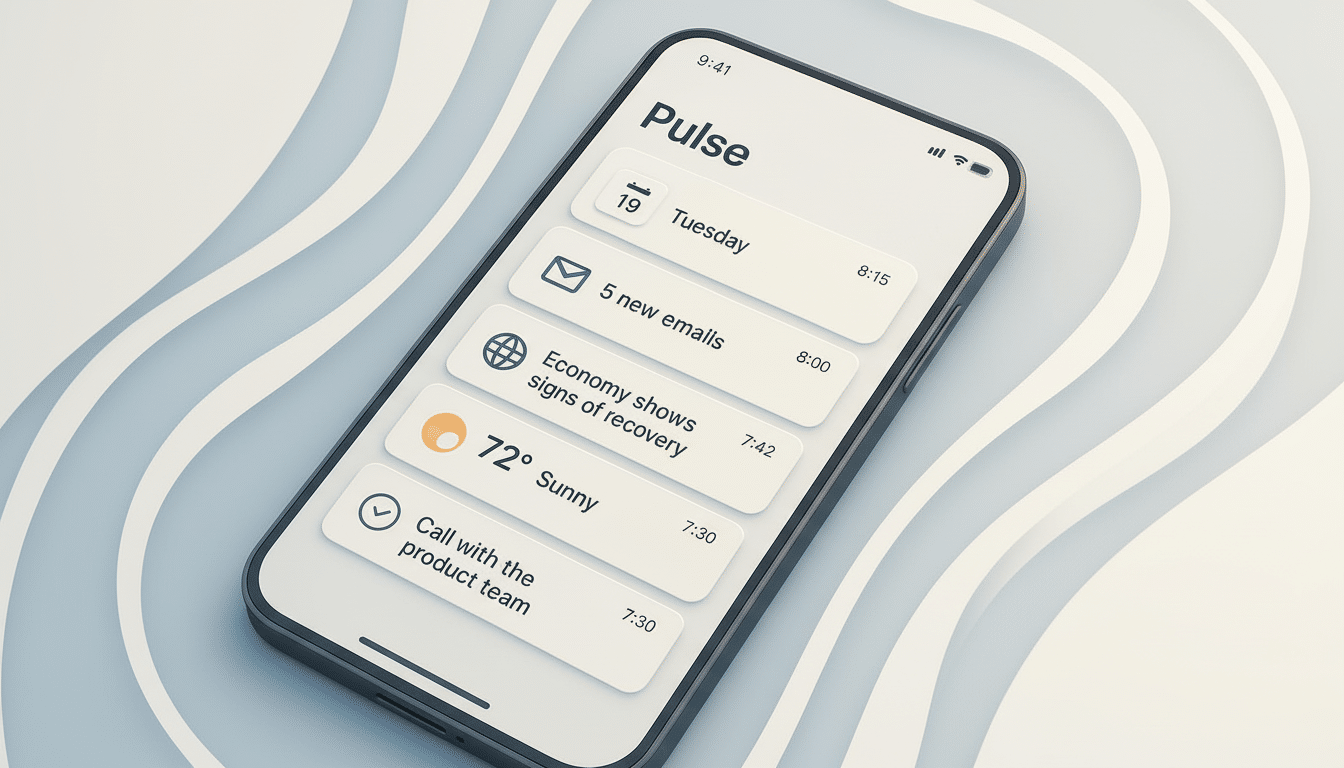
You can manage connected apps, fine-tune Memory, and decide what you want to save with each daily update. If a card doesn’t hit the mark, hiding or rewriting it can influence future briefings.
Data stewardship is a painful one for a lot of people. The company stresses that connected accounts are opt-in and that you have a say in what stays in your history. Enterprise buyers in particular will want to watch how permissions, retention, and admin controls change as Pulse moves beyond a preview.
Why It Matters for Productivity and Focus at Work
The move from reactive chatbot to proactive assistant is in line with a general trend occurring in the world of workplace tools. Gartner analysts have reported surging demand for systems that triage information and prompt next actions; the Microsoft Work Trend Index has documented the barrage of notifications and context switching as two of the top productivity drains.
Pulse takes on that challenge by combining your personal context with just-in-time suggestions. Instead of a faceless news digest, it’s a personal, goal-aware brief that might include an email draft, the briefest itinerary adjustment, or a reminder attached to one of your habits — micro-actions that frequently either make or ruin a day.
There are limits. OpenAI warns Pulse can also be wrong, or provide ideas that are not relevant. But the daily routine and direct feedback loop foster an iterative process that software teams covet: small changes, frequent adjustments, gains that compound over time.
Getting the Best Results from Pulse Each Morning
Two habits with Pulse further increase its utility. First, use plain language to state your interests and goals — what you’re training for, learning, cooking, or planning. Second, wire up the apps that capture your day — calendar and email if you don’t find it creepy. The more signal, the smarter the briefing’s prioritization.
Power users might also use each card as a launching point. Request a deeper dive, ask for an overview, or turn a suggestion into a checklist. Those interactions show Pulse what “useful” looks like to you.
What Comes Next for Pulse and Third-Party Apps
As the preview progresses, OpenAI aims to make this available more widely beyond Pro subscribers and offer additional third-party integrations. The vision is a briefing that evolves throughout the day, not just when you wake up, and can research, plan, and take lightweight actions on your behalf at your guidance.
If that timeline sticks, Pulse could soon be the connective tissue between your intentions and your to-do list — a digital sidekick crawling through open tabs across the web to help make sure you do what you set out intending to do.
