


OpenAI is experimenting with a small but significant update to its Android app that could affect how power users jump back into conversations already in progress. Some evidence in the current build indicates that you may soon be able to put ChatGPT chats directly on your home screen as shortcuts, meaning you could keep your entire curated list of chats one tap away instead of buried behind menus.
What’s New in ChatGPT’s Android Home Screen Shortcuts and How It Works
Here’s the Add to Home Screen option in version 1.2025.350 of the ChatGPT Android app, within the three-dot menu of an individual chat.
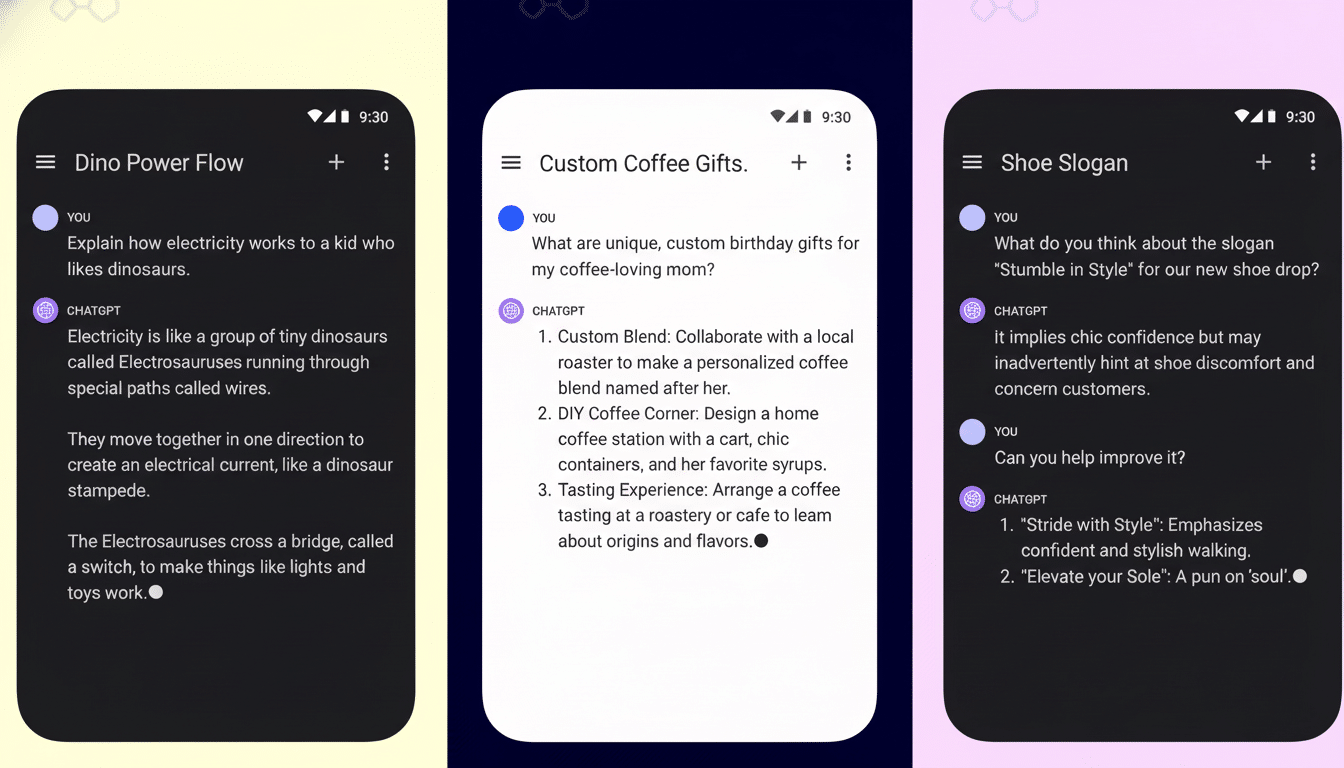
Tap it, and a launcher shortcut is created that opens directly into that particular conversation the moment the inbox loads, instead of having to enter the main inbox view first. Consider it a deep link for chat, similar to the way you can pin an individual contact thread in messaging apps.
(Early testing suggests that the shortcut will use the chat’s current title as its name; there does not, however, appear to be a way to rename it built into the code at press time.) Interestingly, there does not appear to be a hard limit on the number of chats you can add as shortcuts here, which isn’t surprising given Android’s user-pinned shortcut support. For heavy multitaskers — one thread for code reviews, another for lesson plans, and a third for image generation — that’s significant.
It’s also important to note that these shortcuts go straight into the applicable conversation without opening the app shell first. That saves a couple of seconds each time and reduces the friction that might otherwise push you to start a new thread in its own right.
Why It’s Important for Regular Workflows
The value of ChatGPT multiplies as you stay with it. Preserving context over time is how you get a uniform tone in emails, updated code suggestions, or iterative lesson plans. Home screen shortcuts slide neatly into that reality by turning those nagging threads into something more like reusable tools than disposable chats.
The potential impact is large. OpenAI previously claimed that ChatGPT serves over 100 million weekly active users, and Android accounts for about 70% of the mobile OS market worldwide, according to StatCounter. And even if only a tiny percentage of those users take up per-chat shortcuts for repetitive activities — preparing for trips, studying, researching goods — the time savings add up fast.
There’s also precedent. For apps like WhatsApp and Telegram, Android has long had per-conversation shortcuts. The addition of that convenience to AI chat feels like the logical next step now that assistants are moving from novelty, every-now-and-then use to an everyday companion.
Under the Hood and Android Compatibility Details
App shortcuts were introduced in Android 7.1 Nougat through the ShortcutManager API, which supports both dynamic and user-pinned shortcuts.
What ChatGPT seems to be introducing is a pinned shortcut for every conversation, something that most modern launchers — Pixel Launcher, One UI Home, and popular third-party options — handle gracefully.
Since the label derives from the title of the chat, naming is managed by the app for now. A few launchers even permit you to change shortcut labels, with mixed results. Expect the icon to use standard branding and not be highly customized at this point. It’s also possible the feature is governed by a server-side flag, so two users on the same version of the app might see different availability as OpenAI selectively ramps up testing.
Privacy considerations and home screen hygiene tips
There’s a trade-off to be made: convenience versus exposure. Shortcut labels can reveal sensitive project names or personal topics at a glance to anyone looking at your screen. If you’re dependent on those private reminders, use generic titles or place shortcuts on a secondary home screen page. Handset-level app lock capabilities provided by some OEMs offer an additional layer of security (but may not conceal labels).
There is also the risk of home screen clutter. Without a hard cap, you invite over-creation. One obvious approach is to restrict shortcuts to only persistent workflows — your GPT thread for your weekly report, a coding assistant thread you maintain as room state, or a custom GPT model you access daily — and prune if habits change.
Rollout status and what’s next for Android shortcuts
The feature is live for some users with version 1.2025.350, but it doesn’t appear to be widely available at this time. That pattern suggests a staged rollout, which is typical for apps this big in scope. You can expect broader availability once the dust settles from stability checks and telemetry looks good.
As for the future, quality-of-life tweaks such as manual renaming and smarter iconography (or even a dedicated widget that lists your most pinned chats) could make it even more powerful. Rivals will surely pay close attention; per-conversation shortcuts would also make sense for other AI assistants, including Gemini and Copilot (assuming that name sticks) as they push into long-standing projects and custom personas.
OpenAI has already gained more than 100M installs in the Play Store for its Android app, and features that shave a few steps from everyone’s day will be welcomed. If you live in a handful of evergreen ChatGPT threads, home screen shortcuts might be the quickest “upgrade” you see all year: one tap, instant context (no detours).
