


A bluntly named iPhone app is blowing up for doing one thing with unsettling clarity: checking whether you’re still alive. The viral “Are You Dead?” app asks users to press a single button on a regular cadence to reassure loved ones. Miss a check-in, and an alert pings your chosen contact. It’s morbid, minimal, and undeniably memorable—but Android users aren’t missing out on the core idea or the functionality.
What the iOS “Are You Dead?” app actually does and how it works
“Are You Dead?” strips the concept down to a ritual. Every two days, a big green button waits. Tap it and the clock resets. Ignore it—because you’re off-grid, sick, or worse—and the app notifies your designated contact that something might be wrong. There are no heart rate sensors, step counts, or sleep scores involved; this isn’t quantified self, it’s a binary safety beacon.
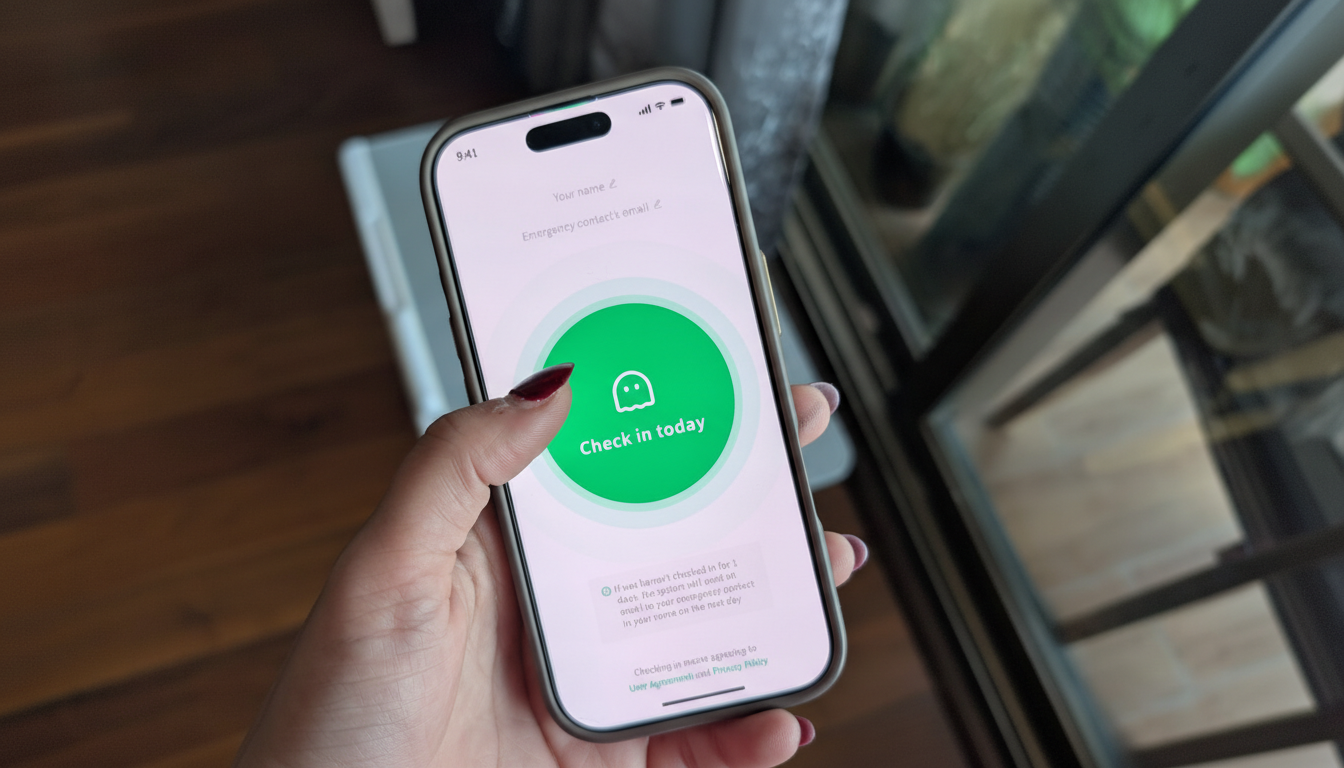
The app is paid and also appears internationally under the name “Demumu.” Its rise isn’t just a meme; it slots into a real social anxiety. BBC reporting notes its popularity among younger people living alone in Chinese cities, with projections cited by the outlet suggesting China could see up to 200 million one-person households by 2030. In that context, a check-in ritual feels less like a curiosity and more like a practical safeguard.
As with any alerting tool, there are trade-offs. If your phone dies or you’re traveling without service, a missed check-in may trigger a false alarm. The appeal is precisely that simplicity—no setup overwhelm—but it also means the system is only as reliable as your routine and your battery.
Android users already have similar tools for scheduled check-ins
While the iOS app is grabbing headlines, Android has had comparable features for years, just without the gothic branding. Google’s Personal Safety app includes a Safety Check tool that lets you set a timer and choose what happens if you don’t confirm you’re okay. If you fail to respond, your location and a custom message can be sent to emergency contacts automatically. The catch: Safety Check is a one-off timer you re-arm each time, not a permanently recurring schedule.
Personal Safety also bundles capabilities like Emergency SOS and, on supported devices, Car Crash Detection—evidence that the platform treats proactive alerts as part of a broader safety stack. For users who want recurring check-ins, third-party Android apps such as Snug Safety or Life360 offer scheduled reminders and missed-check-in alerts. Functionally, they aim to solve the same problem as “Are You Dead?” but with gentler naming and richer family features, including location circles and status histories.
In other words, Android users don’t need an identically named app to get the effect. Between Google’s first-party tools and mature third-party services, the ecosystem already covers routine check-ins, escalation, and emergency sharing—often with more control over what gets sent and when.
Why the concept resonates amid solo living and safety worries
The viral moment taps into a quiet shift: more people are living alone, especially in dense urban centers, and families are dispersed across cities and borders. International outlets have documented a steady rise in solo households across developed economies, while health bodies like the World Health Organization have flagged social isolation as a growing public health concern. A dead-simple check-in ritual offers reassurance without constant texting or invasive tracking.
Design matters, too. “Are You Dead?” removes ambiguity with its stark prompt, making adherence more likely. But tone isn’t trivial: some users prefer friendlier branding that’s easier to recommend to parents or roommates. That’s where Android’s softer language—Safety Check, Emergency Sharing—can encourage adoption without the shock factor.
Choosing the right approach for recurring safety check-ins
If your priority is a recurring nudge that someone will notice if you go dark, the iOS app’s set-it-and-forget-it simplicity delivers exactly that. On Android, pairing Google’s one-time Safety Check for trips or unusual situations with a recurring third-party app can match the experience. Either way, the basics matter more than branding: pick reliable contacts, confirm they understand the alerts, and test the system before you rely on it.
The headline-grabbing name may be new, but the underlying need isn’t. Whether you press a bright green button or tap through a calmer Safety Check, the message is the same—and Android users already have the tools to send it.
