


Google is quietly flipping some of the strongest switches yet to keep stolen phones from turning into stolen identities. The latest Android anti-theft upgrade tightens screen-lock defenses, extends biometric safeguards to more places that matter, and makes remote locking tougher for thieves to sidestep. As someone who’s watched shoulder-surfers and grab-and-go crews get alarmingly sophisticated, I’m relieved to see Android meeting the moment.
Stronger Defenses Against PIN Guessing Attacks
The update increases the lockout penalty after repeated failed attempts to unlock your phone, slowing brute-force guessing to a crawl. If a thief tries to cycle through PINs or patterns, they’ll hit a wall faster—and for longer. Smartly, Android won’t count identical repeated entries toward your limit, so a fidgety toddler or a nervous miskey doesn’t punish you the same way a systematic attacker would.
- Stronger Defenses Against PIN Guessing Attacks
- Biometrics Guard More of Your Digital Life
- Remote Lock Gets a Second Gate for Security
- Automatic Lock After Excessive Unlock Failures
- Why These Android Security Changes Matter Now
- How to Turn On the New Protections on Android
- How It Compares to Rival Mobile Platforms
- The Bottom Line on Android’s Anti-Theft Upgrades
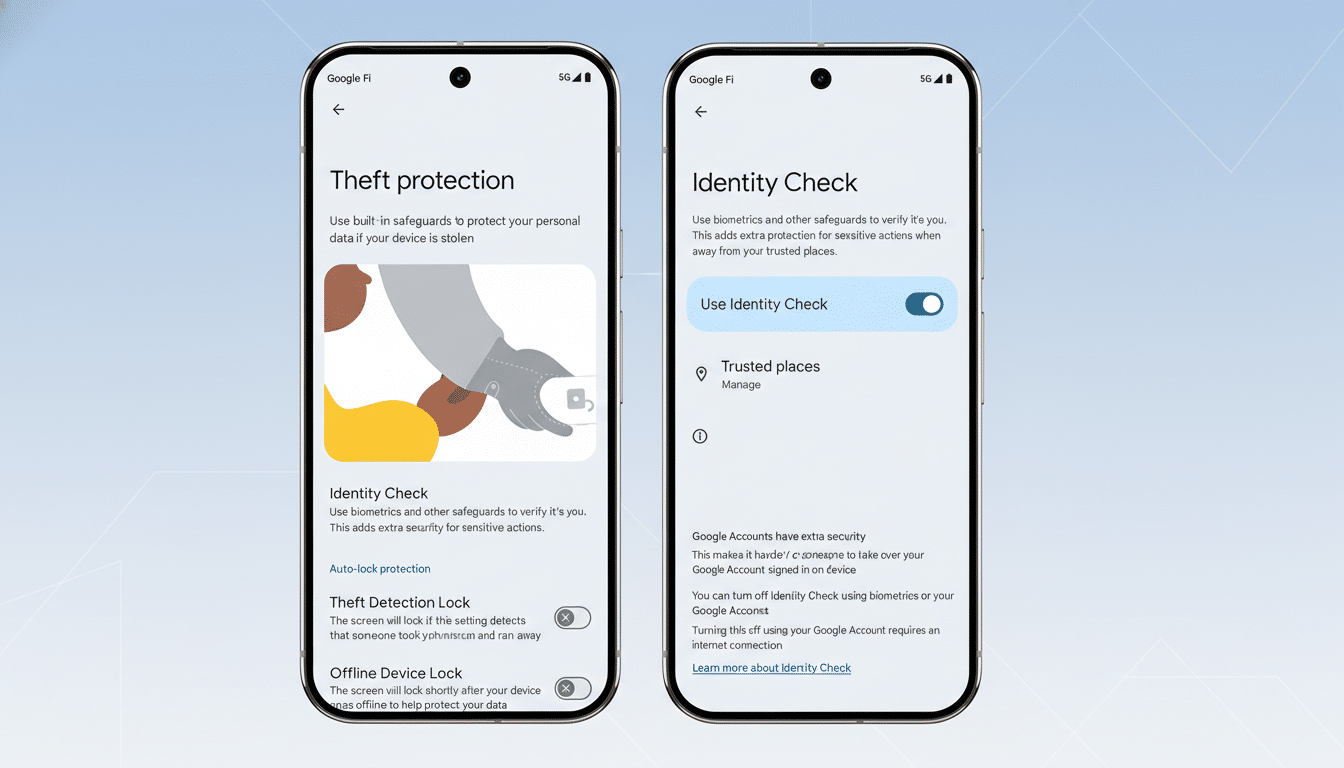
Biometrics Guard More of Your Digital Life
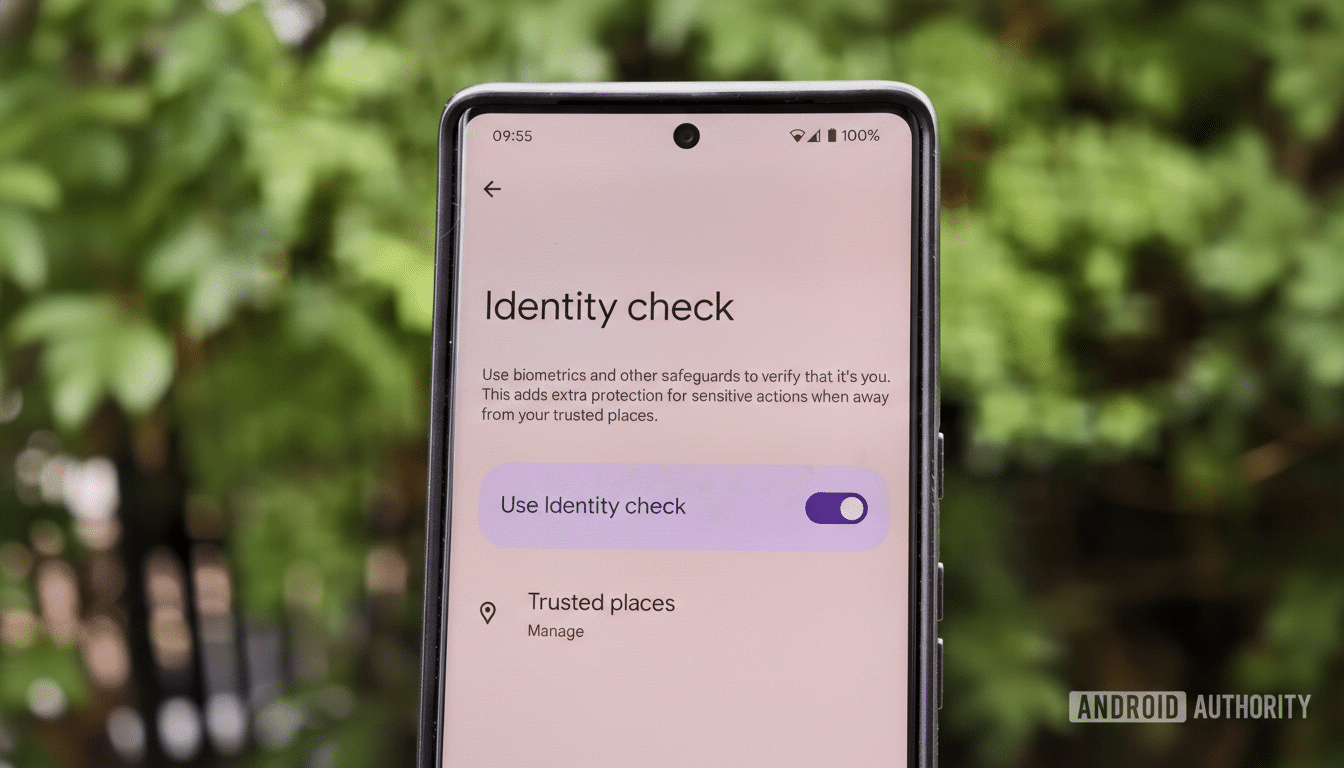
Android’s Identity Check—originally introduced to lock sensitive settings with biometrics when you’re away from trusted places—now extends to every feature and app that uses the Android Biometric Prompt. That means financial apps, password vaults, and other high-value targets can require a face or fingerprint before opening or changing critical settings, especially when you’re not at home or work. It’s a smart counter to thieves who learn your PIN, then race to reset passwords or disable protections.
If you haven’t tried it, open Settings and search for “Identity Check.” The setup walks you through enabling biometric verification for system-level changes and supported apps. The extra friction pays for itself the moment your phone leaves your pocket without your consent.
Remote Lock Gets a Second Gate for Security
Remote Lock—Android’s tool for locking a misplaced or stolen device from a browser—now lets you add an extra challenge step so only you can trigger a lock. That added verification helps thwart criminals who gain partial access, swap SIMs, or try to social-engineer their way into your account to neutralize protections like Find My Device. Combined with Android’s recently expanded Find My Device network, which taps billions of nearby devices to locate lost phones even when they’re offline, remote recovery becomes more practical and less risky.
Automatic Lock After Excessive Unlock Failures
Android’s Failed Authentication Lock, first spotted with Android 15, now has a user-facing toggle. If enabled, the phone will automatically re-lock the screen after too many unlock attempts, cutting off a thief who briefly gets past your safeguards. It’s a small control with outsized impact when seconds matter.
Why These Android Security Changes Matter Now
Smartphone theft isn’t just about hardware; it’s about the data, accounts, and financial access behind the glass. Law enforcement in major cities has warned about coordinated crews who observe PIN entries in crowded venues, snatch devices, and immediately reset credentials. Journalistic investigations have documented how quickly stolen phones can be used to drain bank accounts and hijack password managers. This Android upgrade aims squarely at that window of opportunity—slowing attackers down, requiring biometrics for the most sensitive moves, and giving owners a surer path to locking things down remotely.
How to Turn On the New Protections on Android
First, confirm you’re on the latest Android system update and Google Play system update. Then:
- In Settings, search “Identity Check” and enable biometric verification for sensitive settings and supported apps.
- Open Security and privacy to review Screen lock and increase complexity; a six-digit or longer PIN meaningfully improves resilience.
- In Find My Device and Remote Lock, ensure both are on, and add the new verification challenge for remote actions.
- Toggle on Failed Authentication Lock if available on your device.
How It Compares to Rival Mobile Platforms
Apple recently introduced Stolen Device Protection, which requires Face ID and adds time delays for sensitive account changes when away from familiar locations. Google’s approach is similar in spirit but broader in scope for Android’s ecosystem: it extends biometric gates across any app using standard prompts, layers in a tougher remote lock, and complements the upgraded Find My Device network. Both platforms are converging on the same principle—tie the most critical actions to biometrics and context, not just a memorized code.
The Bottom Line on Android’s Anti-Theft Upgrades
These changes won’t make street theft vanish, but they meaningfully shift the economics against attackers. With longer lockout penalties, wider biometric coverage, and a fortified remote lock, the easiest wins for thieves get harder and riskier. For the rest of us, a few minutes in Settings today could spare hours of damage control later—and that’s a trade I’ll take every time.
