


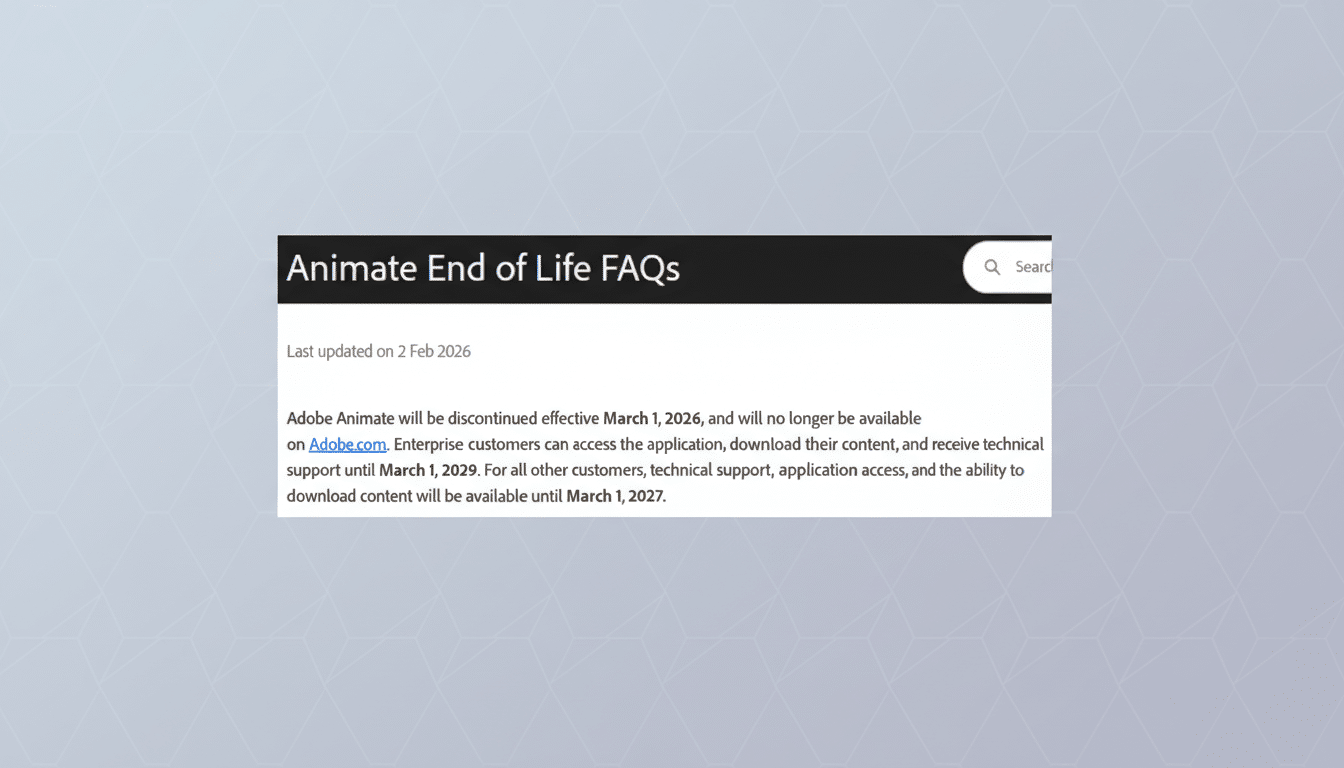
Adobe is winding down Animate, the company’s long-standing 2D animation tool, with new sign-ups stopping next month and a phased sunset to follow. Existing users can keep running the app for a limited transition period, but Adobe is urging creators to export their projects and assets ahead of support ending, with enterprise accounts granted a longer runway. The move affects a community that has relied on Animate for web cartoons, game assets, and vector motion graphics for more than two decades.
What’s changing and what Adobe advises current users
In notices sent to customers and guidance on its support pages, Adobe says it will stop accepting new Animate subscriptions next month. Current users can continue using the app for now, but technical support and updates will cease after the transition window. Adobe is telling customers to download and export their work before support ends to avoid potential file access issues down the line. Enterprise organizations will have several additional years to retrieve and migrate content, reflecting the complexity of studio pipelines.
- What’s changing and what Adobe advises current users
- Why Animate has reached the end of the line on the modern web
- Who feels the impact first as Adobe Animate winds down
- Realistic paths forward for teams leaving Adobe Animate
- What creators should do now to prepare for Animate’s shutdown
- The bigger context behind Adobe retiring the Animate app
For replacements inside the Creative Cloud ecosystem, Adobe is steering advanced animators to After Effects for keyframed motion and rigging workflows, and recommending Adobe Express for lightweight effects on text, photos, and short social clips. That guidance hints at a broader realignment of Adobe’s motion portfolio: fewer standalone authoring tools and more emphasis on compositing, templated motion, and shareable formats.
Why Animate has reached the end of the line on the modern web
Animate began life as the spiritual successor to Flash Professional, the vector-based authoring environment that powered early web cartoons and interactive banners. As browsers abandoned plug-ins and the modern web standardized around HTML5 Canvas, SVG, and WebGL, the core reasons to build in a Flash-era timeline faded. Industry trackers such as W3Techs show Flash usage on the web falling to well below 1%, underscoring how thoroughly the ecosystem has moved on.
At the same time, animation pipelines diversified. Studios leaned into Toon Boom Harmony and TVPaint for traditional rigs and hand-drawn work, game teams bounced between Spine and Unity’s native tools, and the open-source community rallied around Blender’s steadily evolving Grease Pencil for 2D/3D hybrid animation. Animate still carved out a niche—especially for browser-friendly vector output and education—but the center of gravity shifted.
Who feels the impact first as Adobe Animate winds down
Independent creators and small teams who relied on Animate for web series and shorts will feel the change immediately. Popular online series such as Chikn Nuggit have used Animate’s timeline, symbol system, and vector brushes to deliver fast, stylized content at scale. Educators likewise favored Animate because it taught fundamentals—keyframes, easing, staging—without the heavy lift of a full-blown production suite.
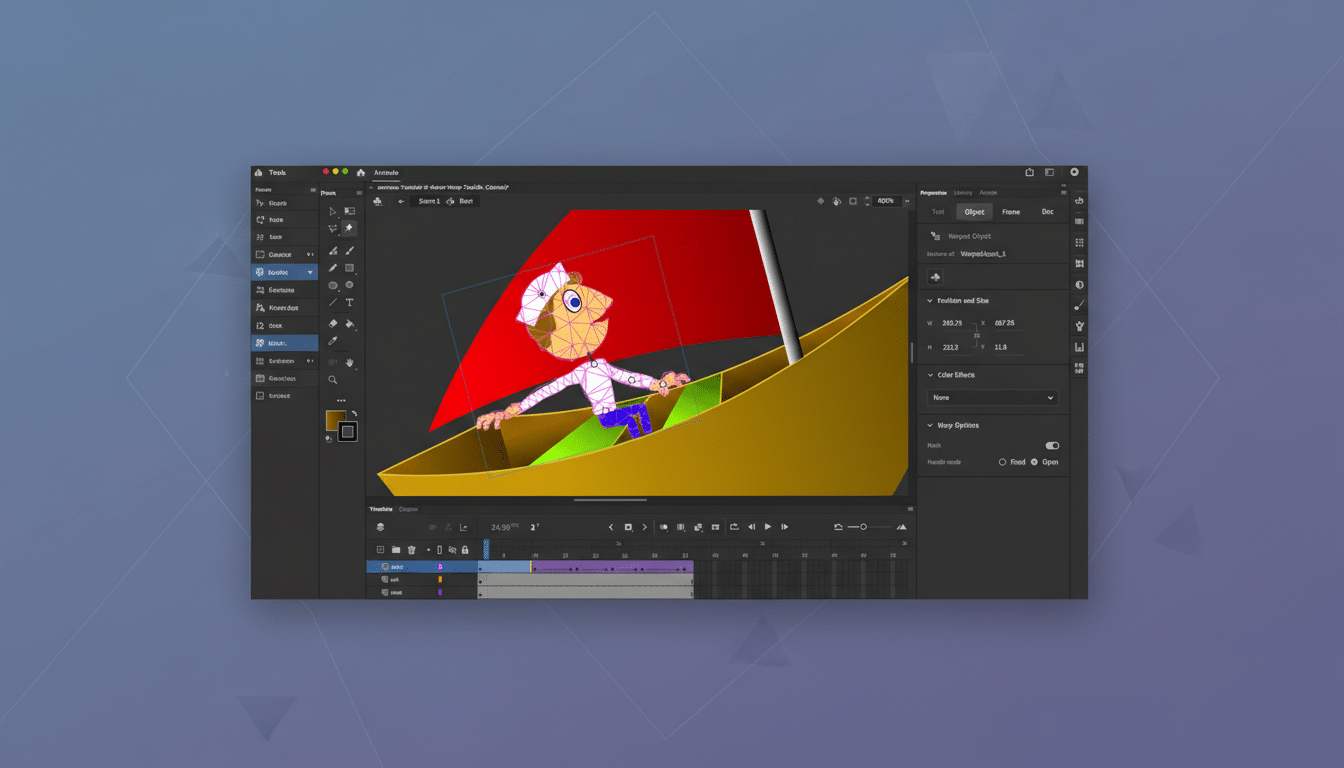
The biggest risks are file access and pipeline compatibility. Legacy FLA and XFL projects may not cleanly migrate to other tools, and certain filters, blend modes, or timeline tricks can behave differently when exported. Teams should prioritize exporting master scenes to archival formats—SVG, PNG sequences, high-bitrate MP4, and, where appropriate, JSON for Lottie—so assets remain portable even after the app ages out.
Realistic paths forward for teams leaving Adobe Animate
Inside Adobe’s universe, After Effects covers much of the motion design stack and can handle character rigs with Duik or RubberHose, while Bodymovin enables Lottie exports for app and web. Adobe Express can fill quick-turn social needs. Outside Adobe, Toon Boom Harmony remains the go-to for rigged 2D series, TVPaint excels at frame-by-frame drawing, OpenToonz offers a free, production-tested option, and Blender’s Grease Pencil brings powerful hybrid workflows—all actively developed and widely taught.
Cost, learning curve, and pipeline fit will determine the best replacement. Harmony’s advanced node-based rigs reward studio setups; Blender rewards teams willing to embrace 3D-aware 2D; After Effects thrives in mixed motion design and compositing scenarios. For teams transitioning from Animate’s symbol-driven logic, the closest conceptual matches are Harmony for rigged character work and After Effects for vector motion plus web-friendly exports.
What creators should do now to prepare for Animate’s shutdown
- Audit active projects and prioritize mission-critical scenes for export. Save masters to open formats: SVG for vector, PNG or EXR sequences for image fidelity, and high-quality MP4 for final cuts.
- Archive dependencies: fonts, brushes, sound effects, and linked media. Store versioned copies alongside exports so future tools can recreate timing and look.
- Test migrations early. Try moving a representative scene into After Effects, Harmony, or Blender. Check how easing, masks, and effects translate, then adjust your pipeline accordingly.
- Plan for distribution formats. If you ship animations to apps or the web, validate a Lottie or video-based path that your product teams can maintain without Animate.
The bigger context behind Adobe retiring the Animate app
Industry watchers note the decision arrives as Adobe concentrates resources on cross-app features and generative AI across Creative Cloud—think Firefly-enhanced workflows in Photoshop, After Effects, and Premiere Pro. Consolidating overlapping tools is a predictable, if painful, outcome of that strategy. Animate’s exit doesn’t end 2D animation at Adobe, but it does end a chapter that started with Flash and shaped the early web’s visual language.
For creators, the message is clear: export, archive, and pick a next tool with care. The techniques honed in Animate—clean vector drawing, efficient symbol reuse, smart timing—remain essential. The software may be fading, but the skills translate everywhere.
