


Adobe is integrating its creative and document tools directly into ChatGPT, so you’ll be able to call upon Photoshop, Adobe Express and Acrobat from one prompt. The shift layers together common actions — image edits, social-ready graphics and PDF cleanups — in a chat-like workflow, providing new users and power users quicker on-ramps from idea to output.
What’s New Inside ChatGPT: Adobe Photoshop, Express, and Acrobat
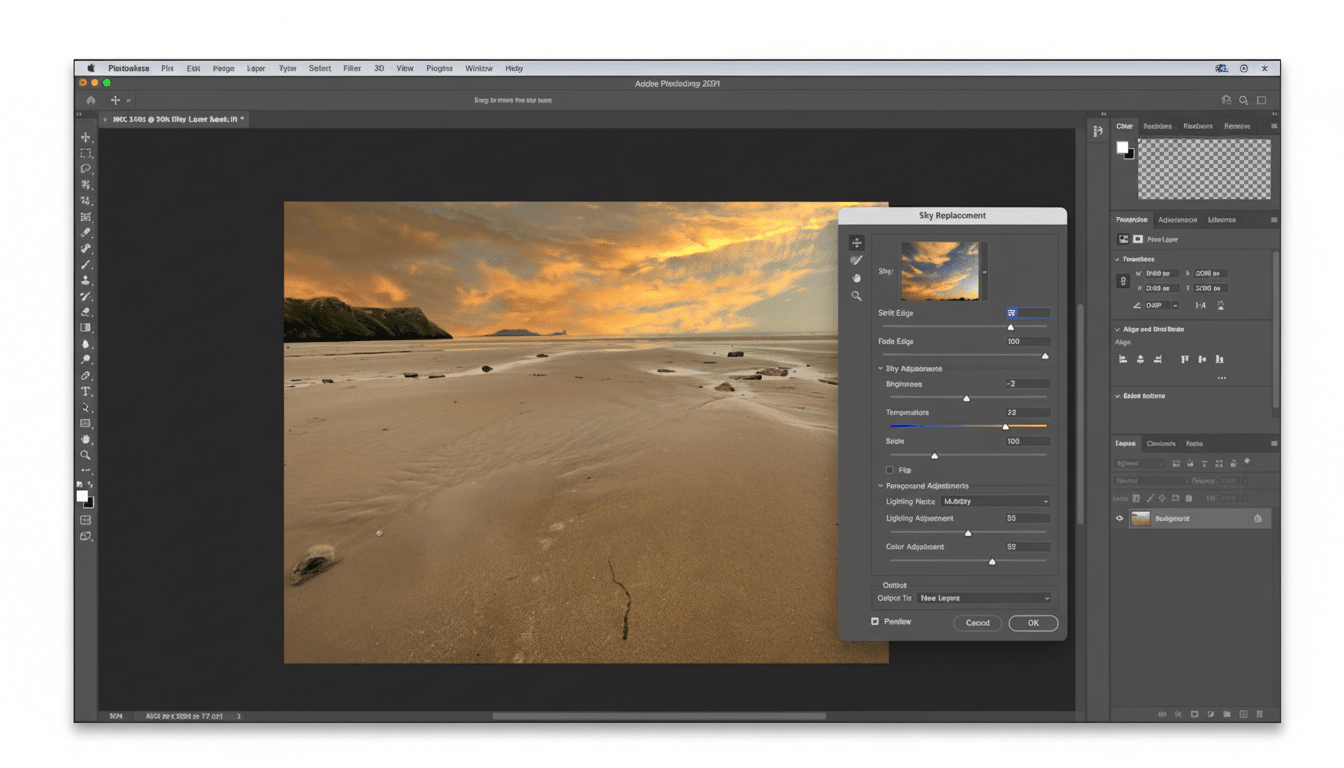
With the Photoshop integration, ChatGPT can crop backgrounds from photos or blur them, tweak exposure, brightness and contrast levels to change an image’s vibe, apply artistic filters and only edit specific portions of a photo. It serves up previews, and reveals sliders to dial the intensity in or down, minimizing back-and-forth often associated with manual edits.
- What’s New Inside ChatGPT: Adobe Photoshop, Express, and Acrobat
- How It Works and Where You Can Get It Across Platforms
- Why This Matters for Creative and Document Workflows
- The competitive context for design and AI assistants
- Trust, provenance, and governance for AI-driven edits
- What to watch next as Adobe’s chat integrations evolve
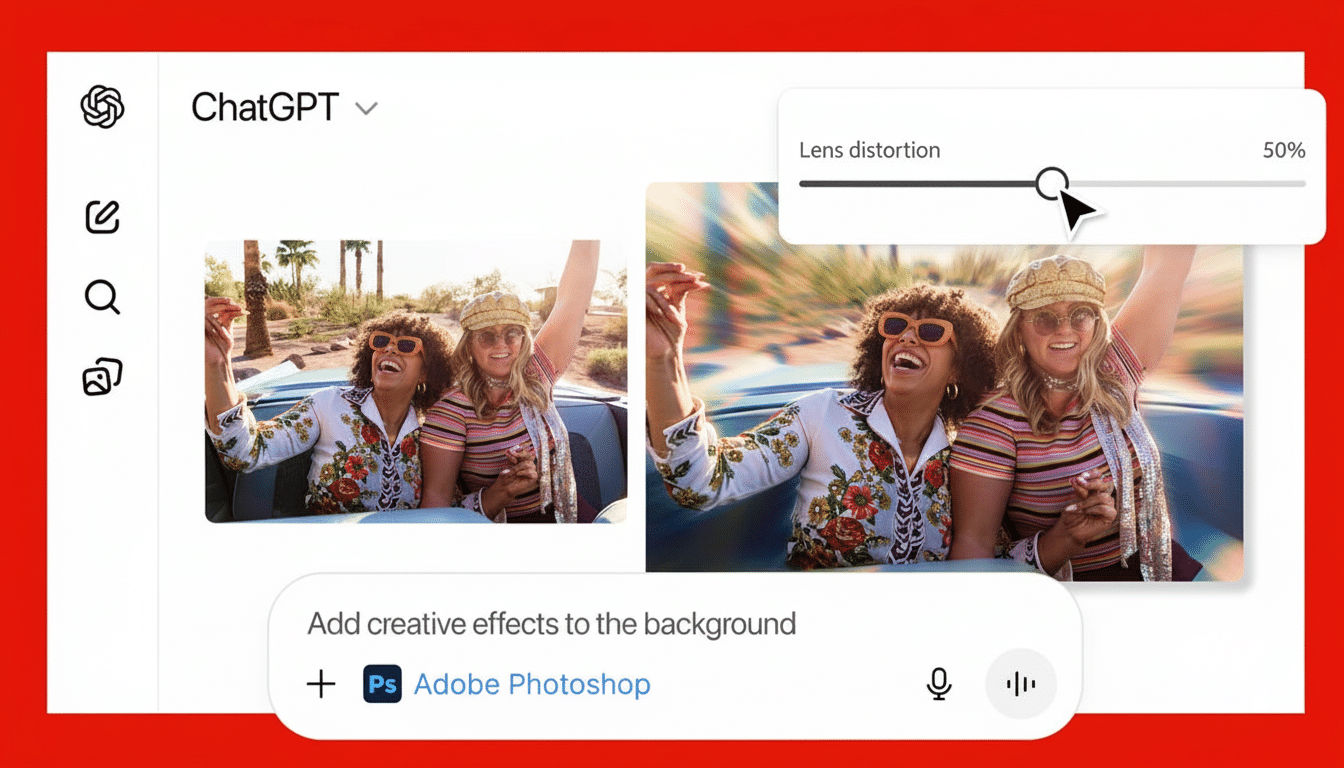
Through Adobe Express, the assistant is able to pull templates from an extensive design library, compile themed creatives, animate elements and iterate layouts to align with channels like Instagram, YouTube or print. It’s designed for fast-turn content and branding uniformity without being a master of design.
Acrobat receives document utility: merge files, extract or edit the text and tables, and clean up PDFs to share. Instead of changing gears to repair a contract or extract a pricing table into a spreadsheet, users can ask ChatGPT to do it, and get the work back ready for use.
Granular control to hand off tasks at any time, back and forth between the native apps. That safety valve is important for more complex jobs — retouchers, motion designers and legal still get full-fidelity tools when job requirements dictate.
How It Works and Where You Can Get It Across Platforms
Adobe’s capabilities go through cloud-connected services surfaced in ChatGPT, with the assistant sequencing behaviors across apps. Users grant access when they first link accounts, and results come back as images, PDFs, or design projects that they can further tinker with in Adobe’s ecosystem.
The integrations are going out to ChatGPT worldwide on the desktop, web, and on iOS. For Android, Adobe Express is initially supported, with other apps planned in the future. Adobe is framing this as an additive layer, not a one-in-one-out replacement — if there’s something that can’t be done via chat yet, users can just open the project directly in Photoshop, Adobe Express, or Acrobat.
Why This Matters for Creative and Document Workflows
Generative AI is moving creative work from “open a tool” to “describe a task.” By putting core Adobe actions where prompts already occur, the company lowers friction for casual users and opens a broader top of the funnel for Creative Cloud. OpenAI announced that ChatGPT had reached 100M weekly active users; converting just a percentage of them into Adobe workflows is decent distribution.
On the team level, there is speed and standardization. A marketer can nudge: “Brighten the product photo, eliminate the background, add a winter promo banner, animate for a Story, and export square and vertical.” ChatGPT formats Photoshop and Express edits, packages assets with a unified brand — never hunting through menus.
From the document standpoint, Acrobat in chat accelerates recurring tasks — merging vendor invoices into a PDF, pulling out a pricing table to CSV, redacting sensitive fields — while maintaining an easy handoff to compliance-friendly native apps when necessary.
The competitive context for design and AI assistants
OpenAI has opened ChatGPT for use in third-party apps, and design competitors already exist. That’s something which some other assistant, like the one built into Canva, provides with rapid template-based creation within the same assistant. The pointy-end functionality is available by overlapping magisteria in a prompt box, thus the war isn’t on downloads but which will be the default invocation of mundane tasks.
Adobe’s advantage is depth and continuity. A chat-spawned draft can develop into pixel-perfect retouching, brand systems, or enterprise-grade PDF workflows that live under your existing licenses. That ladder — from fast and “good enough” to production-ready — continues to be a tough one for lighter-weight tools to climb.
Trust, provenance, and governance for AI-driven edits
As the AI creators scale, provenance will count. Adobe has been the champion of Content Credentials through the Coalition for Content Provenance and Authenticity, enabling creators to attach edit history and AI usage metadata directly to their assets. Moving those markers into chat-initiated edits could allow enterprises to retain audit trails as conversational workflows grow.
Enterprises will also look for clarity on how data is handled: which prompts and assets you use, where they’re stored and how outputs adhere to brand and usage rights. Adobe’s current enterprise controls and model choices in its creative stack (among others) will already set the stage, but inside assistants, governance will come under pressure.
What to watch next as Adobe’s chat integrations evolve
Adobe has also shown cross-app assistants that bring together creation and document actions. Look for multi-step automations to happen more quickly — extracting a table from a PDF, creating a chart and embedding it into an on-brand social post with one request. Also expect greater mobile parity and more seamless integration with asset libraries, brand kits and collaboration features.
Terms of the platform and partner businesses weren’t disclosed, and the revenue model for assistant-driven creation is still a work in progress. But strategically, by integrating Photoshop, Express and Acrobat into ChatGPT, Adobe places itself where user intent now begins — inside the prompt — and conversion to creation can occur in just a few significant steps.
